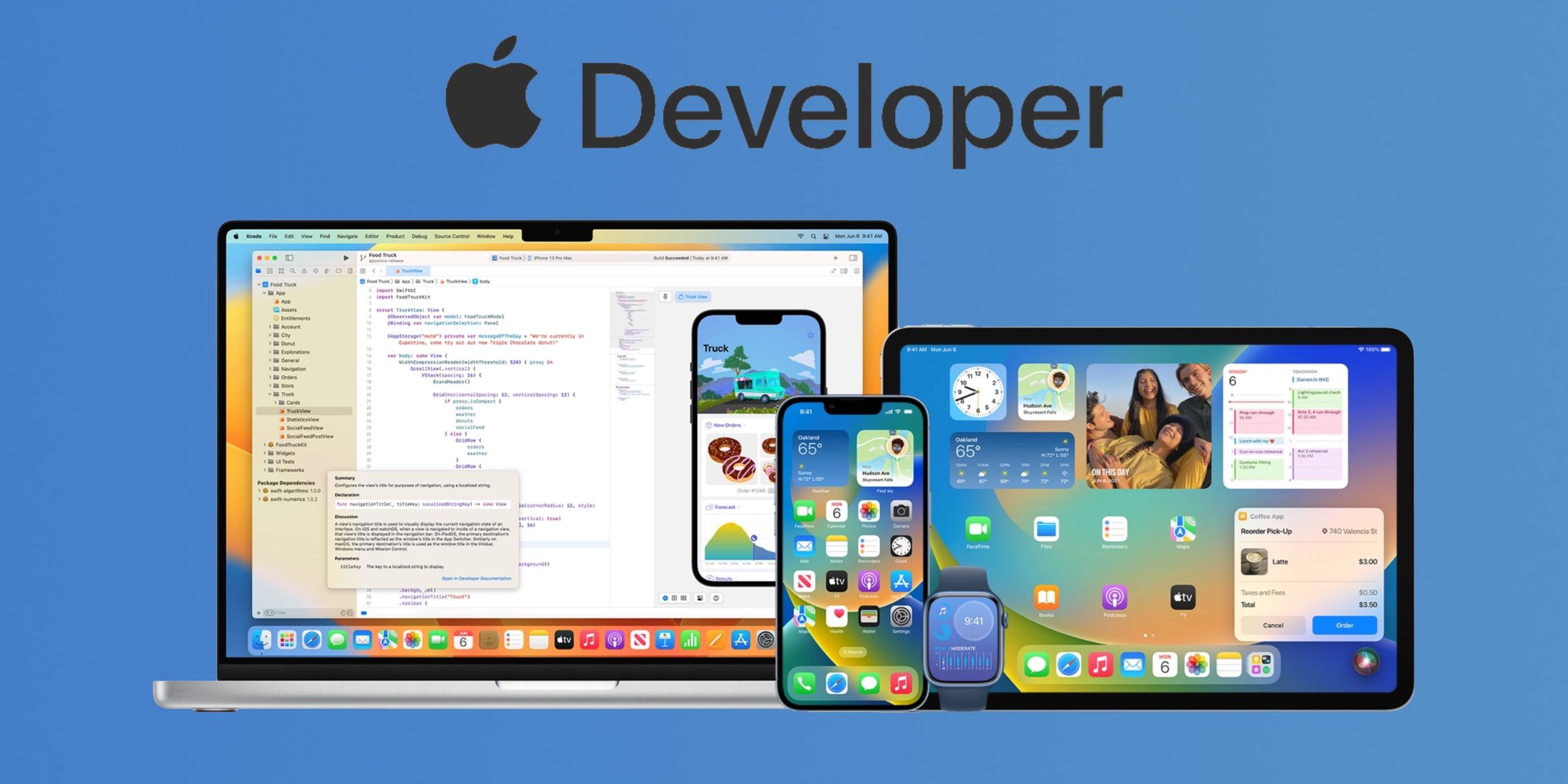
The Apple Developer Program is Apple's official membership service providing individual developers, companies, and institutions with the tools, resources, and distribution rights required to build, test, and publish applications on Apple platforms. For an annual fee of $99 USD, members gain access to beta operating systems, advanced app capabilities, TestFlight beta testing, and global distribution through the App Store across iOS, iPadOS, macOS, watchOS, tvOS, and visionOS.
What Is the Apple Developer Program?
The Apple Developer Program serves as the official portal for software creators to publish native applications across all Apple platforms. Whether a developer is building a lightweight iOS utility, a complex macOS desktop application, or an immersive spatial experience for visionOS, membership in the program is mandatory for public distribution on the App Store.
At its core, the program bridges local application development in Xcode with Apple's cloud infrastructure and global storefronts. Without an active membership, developers can still write code in Xcode and install applications on personal devices for local testing. However, distributing an app to external users via TestFlight, offering in-app purchases, utilizing proprietary device services like Push Notifications or iCloud storage, or listing software on the App Store all require an active program subscription.
Beyond distribution, membership unlocks access to preliminary software updates. Developers receive pre-release software development kits (SDKs) and beta versions of operating systems following Apple’s annual Worldwide Developers Conference (WWDC). This early access ensures engineering teams can adapt their applications to upcoming system APIs, UI framework updates, and privacy requirements long before new consumer software reaches the public market.
Individual vs. Organization Accounts: Choosing the Right Membership Type
When registering for the Apple Developer Program, applicants must choose between an Individual membership and an Organization membership. Selecting the correct account type is critical because it dictates how the developer name appears in the App Store, how team management rights are assigned, and what legal documentation Apple requires during verification.
Note: Account types cannot be easily switched back and forth without contacting Apple Support and submitting legal entity proof. Choose carefully at setup.
(Represented conceptually without ASCII drawing boxes in output text; standard clean section layout will be used)
Individual Membership
An Individual membership is designed for sole proprietors, independent developers, or hobbyists operating as a single person.
- Seller Name Display: The app developer's personal legal name appears as the seller on the App Store product page (e.g., "John Doe").
- Team Access: Individual accounts offer limited team management capabilities. The account holder cannot grant access to additional developers to manage certificates or App Store Connect metadata, though technical roles can be assigned in specific contexts.
- Verification Requirements: Requires basic identity verification, an Apple ID protected by two-factor authentication, and a personal credit card for annual renewal.
Organization Membership
An Organization membership is intended for corporations, limited liability companies (LLCs), partnerships, non-profit organizations, educational institutions, and government entities.
- Seller Name Display: The legal entity name appears as the seller on the App Store (e.g., "Acme Software Solutions LLC").
- Team Access: Provides robust user management. The account administrator can assign granular roles (Admin, App Manager, Developer, Finance, Customer Support) to internal employees and contract engineering teams.
- Verification Requirements: Requires verification of corporate legal status, proof of authority to sign binding contracts, and a valid Data Universal Numbering System (D-U-N-S) Number.
Membership Costs, Eligibility, and Fee Waivers
The standard annual fee for the Apple Developer Program is $99 USD (or the local currency equivalent, plus applicable taxes). This membership auto-renews annually until canceled. If a membership lapses, existing applications remain on the App Store temporarily, but developers lose the ability to push app updates, manage certificates, or release new builds.
Fee Waiver Eligibility
Apple offers a fee waiver program for qualifying organizations, eliminating the $99 annual cost. To qualify for a fee waiver, an applicant must meet all of the following criteria:
- Be registered as a non-profit organization, accredited educational institution, or government entity.
- Be based in an eligible jurisdiction (such as the United States, United Kingdom, Canada, Australia, Germany, France, Japan, and other approved regions).
- Distribute only free applications on the App Store.
Fee waivers are requested during the organization enrollment process or renewed annually through the developer account portal. Organizations selling paid apps or utilizing paid in-app purchases are ineligible for the waiver.
Apple Developer Enterprise Program
For large corporations that require internal-only distribution of proprietary iOS apps to employees—without listing them on the public App Store—Apple offers the Apple Developer Enterprise Program for $299 USD per year. This specialized membership is subject to strict eligibility screening and ongoing review to prevent public deployment of enterprise-signed certificates. Most standard business deployment needs are now handled via custom app distribution in Apple Business Manager rather than the Enterprise Program.
Step-by-Step Enrollment and Verification
Completing enrollment in the Apple Developer Program requires completing identity verification and legal checks. Following a structured procedure prevents common verification delays.
Step 1: Secure Your Apple ID
Before starting enrollment, ensure your Apple ID has two-factor authentication (2FA) enabled. For organization accounts, the Apple ID should be registered to a dedicated business email address associated with the company domain rather than a personal address.
Step 2: Obtain a D-U-N-S Number (Organizations Only)
If enrolling as an organization, check whether your entity already has a D-U-N-S Number assigned by Dun & Bradstreet. This nine-digit sequence serves as a standard international business identifier.
- You can look up or request a free D-U-N-S Number directly via the Dun & Bradstreet Look-up Tool.
- Ensure the legal organization name, street address, and corporate structure in Dun & Bradstreet records match your official legal registration documents exactly.
Step 3: Begin Enrollment via the Developer App or Web Portal
Enrollment can be initiated on the web via the Apple Developer Portal or through the native Apple Developer app on iOS or macOS. Enrolling via the app in supported regions allows fast identity verification using a government-issued photo ID and device biometric scanning.
Step 4: Verification and Legal Consent
- For Individuals: Complete personal identity verification by providing your legal name, physical address, and contact information.
- For Organizations: Enter your organization's legal name, D-U-N-S Number, official corporate address, business phone number, and administrative contact details. Apple will verify that you have the legal authority to enter into binding agreements on behalf of the company.
Step 5: Payment Processing
Once Apple approves the application details, you will receive an email invitation to complete the payment. Enter standard payment details to finalize your membership purchase. Account activation typically completes within 24 to 48 hours of payment authorization.
Technical Comparison of Program Tiers
The following table outlines the structural, procedural, and technical differences between the main developer account tiers:
| Feature / Requirement | Individual Account | Organization Account | Enterprise Program |
|---|---|---|---|
| Annual Cost | $99 USD | $99 USD (Waiver available for non-profits) | $299 USD |
| App Store Seller Display Name | Personal Legal Name | Registered Company Name | N/A (Internal distribution) |
| D-U-N-S Number Required? | No | Yes | Yes |
| Multi-User Team Management | Limited / Role-Restricted | Full Granular Role Management | Full Team Management |
| App Store Distribution | Public Store Access | Public Store Access | Private Internal Only |
| TestFlight External Testers | Up to 10,000 testers | Up to 10,000 testers | Internal distribution focus |
| Advanced System Capabilities | Push Notifications, In-App Purchase, iCloud, CarPlay | Push Notifications, In-App Purchase, iCloud, CarPlay | Custom Enterprise Provisioning |
| Primary Target Audience | Independent Creators & Solo Devs | Commercial Companies, Non-Profits, Agencies | Large Internal Enterprise IT |
Essential Capabilities Included with Membership
Subscribing to the Apple Developer Program provides more than just an entry pass to the App Store; it grants access to cloud services, deployment platforms, and developer tooling.
1. TestFlight Beta Distribution
TestFlight allows developers to distribute preliminary app builds to up to 10,000 external beta testers via email invitations or public web links. TestFlight captures crash reports, feedback logs, and usage statistics before an app goes live to the public. Internal testing groups (up to 100 team members) can receive instant builds without waiting for formal TestFlight beta review.
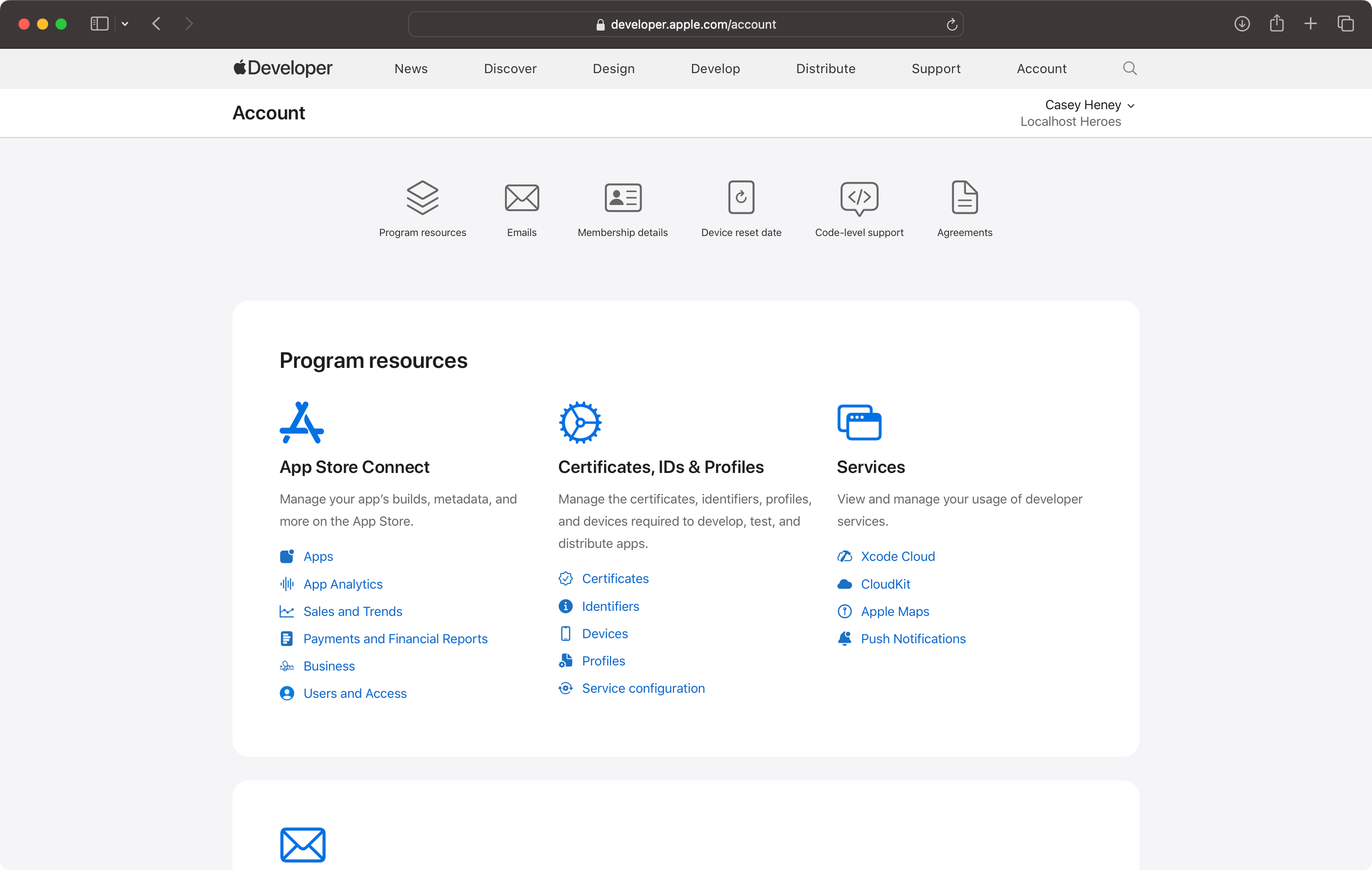
2. App Store Connect Portal
App Store Connect is the administrative dashboard where developers manage app listings, upload metadata, configure keywords, upload screenshots, set global pricing structures, and manage tax and banking contracts. It also delivers analytics regarding impressions, product page views, conversion rates, app crashes, and in-app purchase revenue.
3. Certificates, Identifiers & Profiles (Provisioning)
Apple enforces code signing to guarantee that code running on hardware originates from a verified source and has not been altered. Account access allows developers to issue:
- Development Certificates: Allow local debugging on registered physical hardware.
- Distribution Certificates: Enable code signing for TestFlight and App Store submission.
- App IDs & Entitlements: Enable specific hardware and software capabilities, such as HealthKit, Apple Pay, Sign in with Apple, HomeKit, and Push Notifications.
4. Advanced Services & APIs
Members gain production keys and configuration access for server-side APIs, including:
- Apple Push Notification service (APNs): For remote notification delivery.
- CloudKit: Direct access to structured cloud database storage.
- WeatherKit & MapKit: API access quotas for location and weather integration.
- In-App Purchase (StoreKit 2): Payment gateway architecture for digital goods and subscriptions.
App Submission, Guidelines, and Review Workflow
Publishing an app on the App Store requires navigating Apple's app evaluation process. Understanding the App Review Pipeline reduces rejection rates and speeds up launch schedules.
- Local Xcode Build
- Archive & Upload
- App Store Connect
- App Review
- Approved: Published on App Store
- Rejected: Fix & Resubmit
Navigating the App Store Review Guidelines
Apple evaluates every submitted build against the official App Store Review Guidelines. The rules focus on five critical categories:
- Safety: Content restrictions, user-generated content moderation, and child safety safeguards.
- Performance: Apps must be complete, bug-free, and functional. Submitting placeholder text, broken links, or non-functional buttons leads to swift rejection.
- Business: Transparent pricing, proper implementation of In-App Purchases for digital content, and adherence to rules governing multi-platform subscriptions.
- Design: Apps must deliver a high-quality user experience optimized for iOS, iPadOS, or macOS UI paradigms. Apps that merely mirror a simple website without native platform utility are rejected under Guideline 4.2 (Minimum Functionality).
- Legal & Privacy: Strict disclosure of data collection policies. Apps must present a clear privacy policy link, obtain explicit consent via the App Tracking Transparency framework when tracking users, and provide an easily accessible account deletion workflow within the app if account creation is supported.
Troubleshooting Common Enrollment Delays
Many applicants encounter processing delays during the initial application process. Addressing these potential failure points early streamlines verification.
1. D-U-N-S Name and Address Mismatch
The legal entity name entered during Apple Developer enrollment must match the official record in the Dun & Bradstreet database character-for-character. If your business is listed as "Acme Solutions, LLC" in D&B, entering "Acme Solutions LLC" (omitting the comma) can cause automated application holds. Confirm your exact record details via Dun & Bradstreet before submitting your developer application.
2. Authorization Verification Failure
When enrolling an organization, Apple calls or emails the listed corporate representative to confirm that the person submitting the application has legal authority (such as an executive officer, owner, or authorized IT lead). Listing a generic customer service email address or a phone system without direct extensions can lead to delayed phone verification.
3. Payment Name Discrepancies
For individual accounts, the credit card used to pay the $99 annual fee must generally match the legal name associated with the Apple ID. Using a third-party credit card for an individual membership can trigger manual fraud reviews.
Frequently Asked Questions
Do I need an Apple Developer Program membership to build apps locally?
No. You can download Xcode for free from the Mac App Store, write code, and build applications on your own local Mac. You can also deploy apps directly to your personal connected iPhone or iPad for personal testing using free local code signing certificates. A paid membership is only required when you want to distribute apps through TestFlight, publish on the App Store, or configure advanced platform capabilities like Push Notifications.
Can I convert an Individual account to an Organization account later?
Yes. If you start as an individual developer and later incorporate a legal entity (such as an LLC or C-Corp), you can request an account type migration. You must contact Apple Developer Support and provide your organization's legal name, D-U-N-S Number, and proof of legal authority. Apple will update your account structure while preserving your existing app listings and customer reviews.
What happens to my published apps if I let my membership expire?
If your annual membership expires, any apps currently listed on the App Store will be removed from public search and downloads. Existing users who have already downloaded your app can continue to use it on their devices, but you will be unable to release app updates, upload new builds to App Store Connect, or view analytics until you renew your subscription.
How long does the D-U-N-S Number lookup and creation process take?
If your organization does not already have a D-U-N-S Number, requesting a new one through the free Apple-dedicated portal usually takes up to 5 business days. Once Dun & Bradstreet issues the number, it can take an additional 2 to 7 business days for the updated records to synchronize fully with Apple’s verification databases. Plan company setup timelines accordingly.
Can non-profit organizations distribute apps for free without paying the annual fee?
Yes. Eligible non-profit organizations, educational institutions, and government entities located in supported countries can apply for an annual fee waiver. If approved, the organization can release free apps on the App Store without paying the standard $99 annual membership cost. The waiver must be renewed annually alongside the developer agreement.
Getting Started: Recommended Next Steps
To begin building and publishing software on Apple platforms, follow this structured launch sequence:
- Audit Your Account Type: Determine whether an Individual or Organization account fits your corporate structure and privacy requirements. If registering a company, request your D-U-N-S Number immediately to avoid onboarding delays.
- Setup Security Prerequisites: Configure Two-Factor Authentication on the dedicated Apple ID designated for developer management.
- Install Xcode and Test Locally: Download the latest release of Xcode from the Mac App Store to build your prototype and test core features on local simulators before completing paid enrollment.
- Prepare Privacy Disclosures: Draft a comprehensive privacy policy covering data collection, third-party analytics, and account deletion options to ensure smooth evaluation during App Store Review.