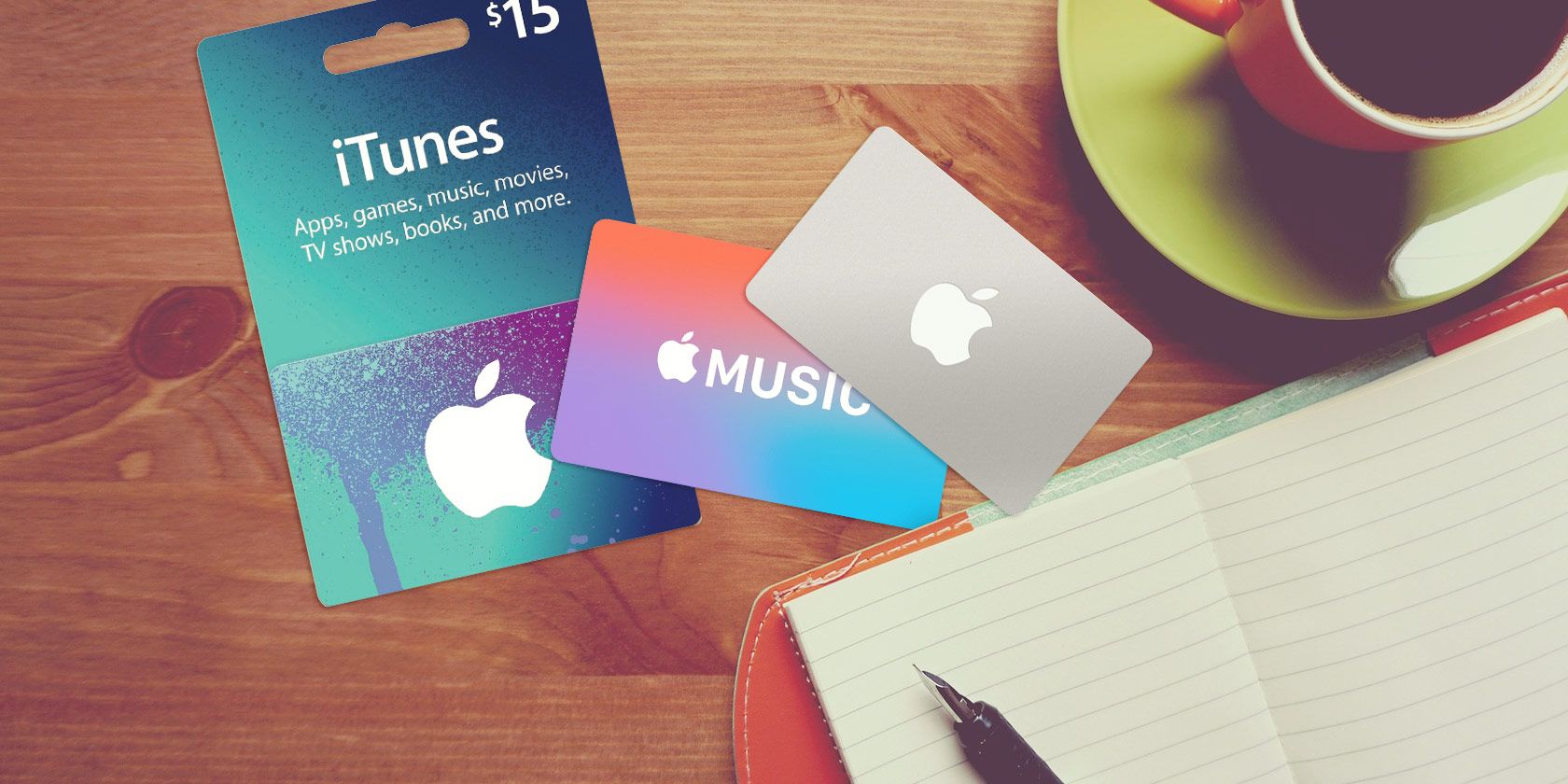
Apple gift cards serve as a versatile digital currency that simplifies the process of making purchases across the Apple ecosystem, including the App Store, Apple TV, Apple Music, and iCloud storage subscriptions. By redeeming a gift card to your Apple Account balance, you gain the ability to buy apps, games, music, movies, and even physical products from the Apple Store, providing a centralized way to manage your digital and hardware expenditures.
Understanding the Apple Gift Card Ecosystem
In the current landscape of 2026, Apple has unified its gift card system. Previously, users might have encountered distinct "App Store & iTunes" cards alongside separate "Apple Store" gift cards. Today, Apple uses a consolidated gift card model. A single Apple Gift Card can be used to fund your Apple Account balance, which is then applicable for almost every service and product offered by the company.
When you redeem an Apple Gift Card, the funds are deposited into your personal Apple Account balance. This balance acts as a digital wallet associated with your Apple ID. Whether you are looking to purchase a new film, subscribe to an additional tier of iCloud+, or buy a new accessory via the Apple Store app, the system automatically checks your Apple Account balance first before attempting to charge any secondary payment methods, such as a credit or debit card on file.
Prerequisites for Redeeming and Purchasing
Before you can utilize an Apple Gift Card for your iTunes or App Store needs, you must ensure your environment is correctly configured. The primary requirement is an active Apple ID. If you do not have an Apple ID, you cannot redeem the card, as the funds must be tethered to a verified user account.
Additionally, ensure your region settings are accurate. Apple Gift Cards are generally country-specific; a card purchased in the United States must be redeemed to an Apple ID set to the United States region. Attempting to use a card issued in one currency or jurisdiction in another will result in a redemption error.
Essential Checklist:
- Active Apple ID: You must be signed in to your account on your iPhone, iPad, Mac, or PC.
- Regional Compatibility: Ensure the card's region matches your Apple ID billing region.
- Active Internet Connection: Redemption requires a real-time connection to Apple’s servers to validate the code.
- Payment Method on File: While not strictly required for the redemption of a gift card, having a payment method on file is often necessary for certain subscriptions or if your purchase exceeds your current gift card balance.
Step-by-Step Redemption Process
Redeeming your card is a straightforward process that can be performed across various devices. The most common method involves the App Store app on an iPhone or iPad.
- Locate the Code: Scratch off the label on the back of the physical card to reveal the 16-digit code. If you have an electronic gift card, the code will be provided in the email you received.
- Open the App Store: Navigate to the App Store on your iOS or iPadOS device.
- Access Account Settings: Tap your profile photo or the sign-in button located at the top right of the screen.
- Select Redemption: Choose "Redeem Gift Card or Code."
- Enter the Code: You may use your device’s camera to scan the code, or select "Enter Code Manually" to type the 16-digit alphanumeric string.
- Confirmation: Once validated, the funds will be credited to your Apple Account balance immediately. You will see the new total reflected under your Apple ID settings.
Managing Your Apple Account Balance
Once the funds are available, they function as your default payment method for all digital services. It is important to understand how Apple prioritizes payment methods. When you attempt a purchase—such as renting a movie on the Apple TV app or buying a song on iTunes—the transaction will draw from your gift card balance first. If the transaction total is greater than your balance, the remaining amount is charged to your primary payment method linked to your Apple ID.
If you ever wish to check your remaining balance, you can do so by visiting the App Store and tapping your profile icon. The balance will be displayed clearly under your name. Note that you cannot transfer your Apple Account balance to another person; once redeemed, these funds are locked to your specific Apple ID.
Comparative Overview of Payment Methods
To help you decide how to fund your digital lifestyle, the table below highlights the differences between using an Apple Gift Card and a standard credit or debit card.
| Feature | Apple Gift Card | Credit / Debit Card |
|---|---|---|
| Budget Control | Excellent (Fixed amount) | Variable (Potential for overspending) |
| Privacy | High (No bank info required) | Lower (Requires linked bank data) |
| Recurring Billing | Supported (Deducted from balance) | Supported (Direct charge) |
| Gifting Potential | Yes (Transferrable to others) | No |
| Expiration | None | N/A |
Common Pitfalls and Troubleshooting
Users occasionally run into issues when attempting to redeem or use their cards. Below are the most frequent problems and their resolutions:
The "Code Not Valid" Error
This often occurs due to a typo. Verify that you have not mistaken a "0" for an "O" or a "1" for an "I." Also, verify that the card has been properly activated at the point of purchase by the retailer. If you purchased a physical card at a store and it was not activated at the register, the code will be invalid.
Regional Restrictions
If you are traveling abroad, you may find that you cannot redeem a card from your home country while connected to a foreign network or using a foreign Apple ID. If you receive an error stating the code is not valid in your country, confirm that your Apple ID region matches the store where the gift card was purchased.
Compromised Codes
Never share your gift card code with anyone you do not know. Scammers often use gift cards as a payment method for fraudulent services or phishing schemes. Apple official support will never ask you to provide a gift card code over the phone or email to settle a debt or pay for a service. If you suspect your code has been stolen, contact Apple Support immediately, though recovery of used funds is rarely possible.
Frequently Asked Questions
Can I use my Apple Gift Card to buy physical hardware? Yes. Unlike older iterations of iTunes gift cards, the current Apple Gift Card can be used at the Apple Store website or the Apple Store app to purchase hardware such as MacBooks, iPads, or accessories.
Does my Apple Account balance ever expire? No, Apple Gift Cards do not have an expiration date. Once you have redeemed the funds into your Apple Account, the balance remains available until it is spent.
What happens if I have a subscription and my balance runs out? If your gift card balance does not cover the full cost of a recurring subscription, the remaining balance will be charged to the primary payment method stored in your Apple ID (e.g., a credit card). If you have no other payment method, the service may be suspended until funds are added.
Can I use an Apple Gift Card for in-app purchases? Yes. Any app, game, or in-app purchase made through the App Store will utilize your Apple Account balance as long as funds are available.
Is it possible to combine multiple gift cards? Yes. You can redeem multiple gift cards to your Apple Account, and they will aggregate into a single total balance.
How can I see my purchase history? You can view your transaction history by logging into your Apple ID on a computer or by accessing "Purchase History" within the settings menu of your iPhone or iPad. This will show you exactly what was paid for using your gift card balance.
Final Recommendation
To maximize the value of your Apple Gift Cards, always ensure they are purchased from reputable retailers or directly from the Apple website. If you are gifting a card, verify the recipient's region to avoid redemption complications. By keeping your Apple Account balance healthy, you can enjoy seamless access to the vast array of services provided by the Apple ecosystem without the need to manage individual credit card transactions for every small digital purchase. Always protect your 16-digit code as you would cash; once the balance is applied to an account, it cannot be reversed.