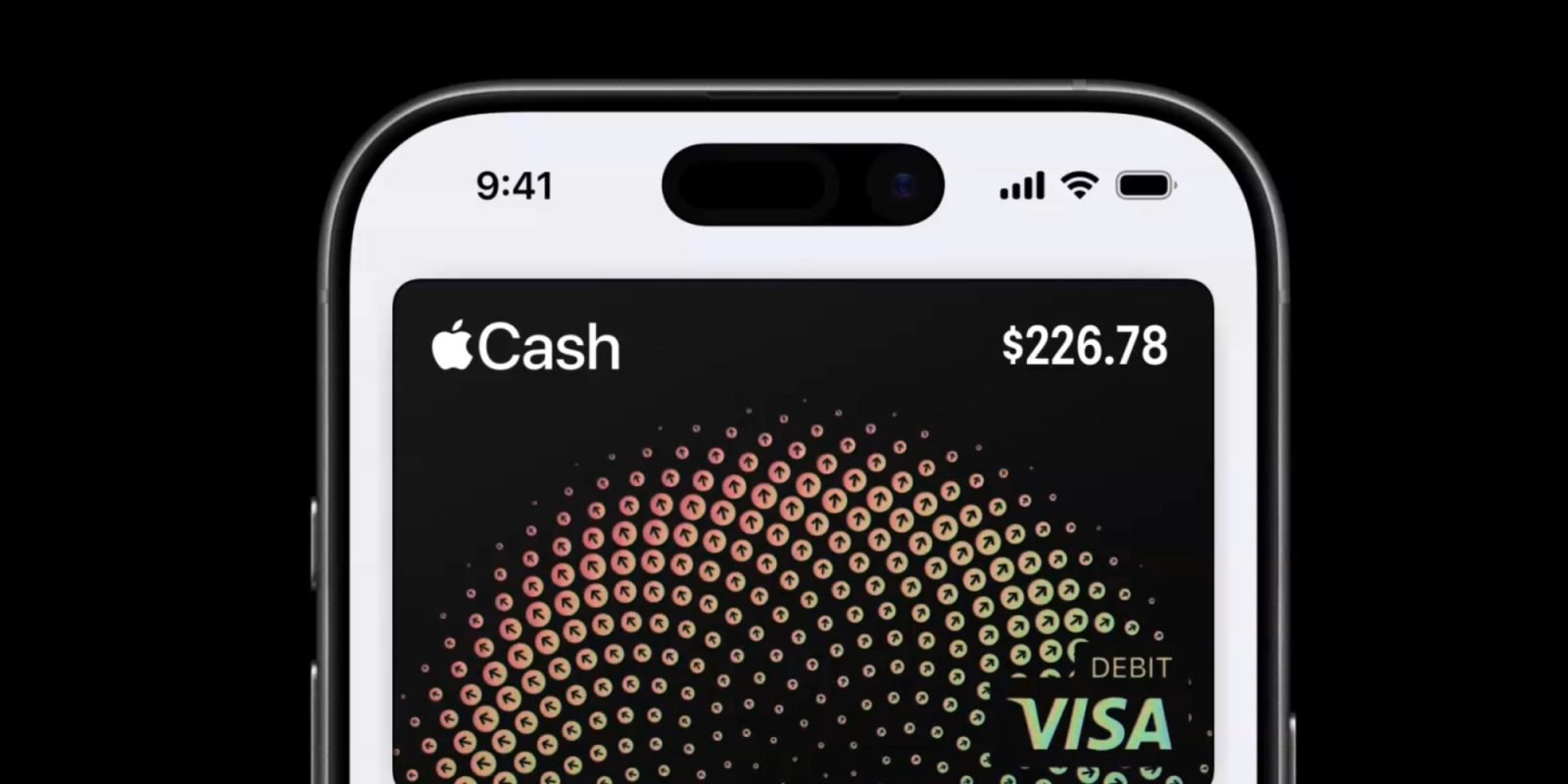
When Apple Cash will not transfer to your bank, the issue typically stems from an unverified identity with Green Dot Bank, incorrect account or routing numbers, an ineligible debit card for Instant Transfer, exceeding transaction limits, or a temporary account restriction. Resolving this requires verifying your details, re-linking payment methods, or switching transfer protocols.
Understanding Apple Cash Transfer Protocols and System Architecture
Apple Cash is a digital payment card built into the iOS Wallet ecosystem, allowing users to send, receive, and store money directly on an iPhone, iPad, or Apple Watch. Behind the user interface, Apple Cash services are provided by Green Dot Bank, a member of the Federal Deposit Insurance Corporation (FDIC). Understanding how funds move out of the Apple Wallet ecosystem is essential for diagnosing why a transfer attempt fails.
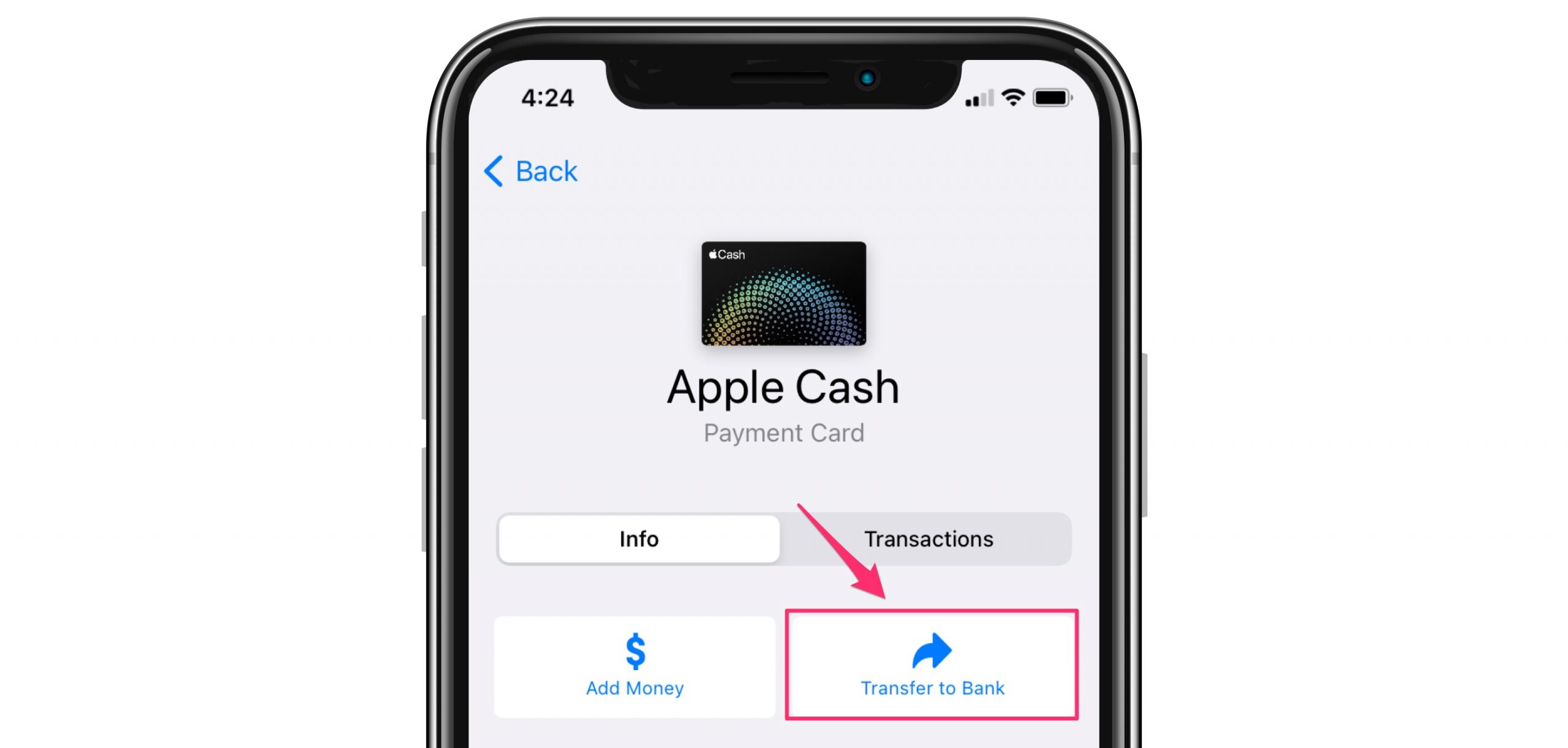
When you initiate a transfer from Apple Cash to your personal financial institution, Apple offers two distinct payment rails:
- Instant Transfer: This rail utilizes direct-to-card debit payment networks (such as Visa Direct or Mastercard Send). Funds are pushed from Green Dot Bank directly to an eligible debit card linked in your Apple Wallet, typically arriving within 30 minutes. This method incurs a 1.5% fee (with a minimum fee of $0.25 and a maximum fee of $15).
- 1 to 3 Business Days Transfer: This rail uses standard Automated Clearing House (ACH) network processing. Funds move electronically from Green Dot Bank to your bank account using your bank's routing number and individual account number. This process takes between one and three business days, excludes weekends and federal holidays, and carries no transfer fees.
Because these two mechanisms operate over entirely separate technical infrastructures, a failure on one rail does not automatically mean the other is unusable. Determining which rail failed is the first major diagnostic step.
Primary Reasons Apple Cash Won't Transfer to Your Bank
Transfer failures occur across several categories: regulatory compliance, invalid financial identifiers, protocol mismatches, account restrictions, and local device software errors.
1. Unverified Identity (Green Dot Bank KYC Requirements)
Under U.S. anti-money laundering laws and the USA PATRIOT Act, financial institutions providing prepaid card services—including Green Dot Bank—must implement Know Your Customer (KYC) identity verification procedures.
If your Apple Cash account has not undergone full identity verification, you may be able to receive small amounts or spend money via Apple Pay, but transfers to external bank accounts will be blocked. Green Dot Bank requires identity verification if your cumulative transactions reach certain dollar thresholds or if suspicious activity triggers a security review.
Common identity verification triggers include:
- Attempting a transfer without a verified Social Security Number (SSN) or Individual Taxpayer Identification Number (ITIN) attached to the account.
- Mismatches between your Apple ID name, legal billing address, and government-issued documentation.
- Unanswered requests in the Wallet app to upload a government-issued photo ID (driver’s license or passport).
2. Ineligible Debit Card for Instant Transfer
Instant Transfer requires a participating bank and an eligible Visa or Mastercard debit card. If Instant Transfer fails or appears greyed out, the linked debit card may be ineligible.
Instant Transfers cannot be processed to:
- Credit cards of any issuer.
- Most prepaid debit cards or government benefit cards (such as EBT).
- International debit cards or debit cards issued by non-U.S. institutions.
- Cards issued by regional banks or credit unions that do not support Visa Direct or Mastercard Send real-time payment rails.
3. Incorrect Routing or Account Numbers (ACH Rejections)
For standard 1 to 3 business day transfers, manual entry of bank routing numbers and account numbers creates opportunity for typographical errors. If a routing number is invalid or belongs to a bank branch that does not accept ACH credits, the transaction will fail.
If you enter an incorrect account number that happens to match another customer's account at your bank, the transfer may be accepted initially by the ACH network and later rejected (and returned) by the receiving institution during automated reconciliation. Returned ACH transfers usually cause the funds to bounce back into your Apple Cash balance within several business days, often accompanied by an administrative status message.
4. Account Limits and Threshold Violations
Apple Cash and Green Dot Bank enforce strict transaction limits to reduce fraud risk and maintain regulatory compliance. If your transfer exceeds any of these thresholds, the system will decline the operation immediately.
Standard Apple Cash transfer limits include:
- Minimum Transfer: $1.00 per transaction (or your entire remaining balance if your total balance is less than $1.00).
- Maximum Single Transfer: $10,000 per transaction.
- Rolling 7-Day Transfer Cap: $20,000 total within any consecutive 7-day period.
Note: These limits apply to personal Apple Cash accounts. Accounts set up for Apple Cash Family under age 18 have stricter limits managed by the family organizer.
5. Bank Account and Account Holder Name Mismatch
When Green Dot Bank submits an ACH credit push to your financial institution, the transfer message includes the account holder's legal name registered on your Apple Cash profile.
If the receiving bank account is registered under a completely different name (e.g., attempting to transfer funds to a spouse’s, business's, or friend's account), the receiving bank’s automated compliance filters may block or reject the incoming ACH transfer due to a legal name mismatch.
6. Restricted or Locked Apple Cash Account
If Green Dot Bank flags your account for suspected fraud, policy violations, or unusual velocity of transactions, your Apple Cash account will be placed in a Restricted or Locked state.
- Restricted Account: You cannot add funds, send money, or transfer money to your bank, but you may still spend existing funds using Apple Pay at retail terminal points.
- Locked Account: All transactions, including spending existing funds, sending money to peers, and transferring to external accounts, are completely suspended pending manual identity review by Green Dot Bank support.
7. iOS System Outages or Local Software Corruption
Occasionally, the problem lies neither with Green Dot Bank nor your personal bank, but with Apple's infrastructure or the local iOS operating system state:
- Apple Services Outage: Temporary service interruptions to the Apple Card / Apple Cash backend can prevent transaction approval.
- Outdated iOS Software: Legacy bugs in older iOS builds can interrupt handshake protocols between Apple Wallet and bank card security tokens.
- Stale Authentication Tokens: Cached security tokens stored on the iPhone secure element may become desynchronized, requiring a refresh of Apple ID credentials.
Technical Comparison of Apple Cash Transfer Methods
The table below outlines the core differences, prerequisites, limits, and common failure points of the two transfer mechanisms available within Apple Cash.
| Feature / Criteria | Instant Transfer | 1 to 3 Business Days (ACH) |
|---|---|---|
| Processing Speed | Typically within 30 minutes (up to 2 hours) | 1 to 3 business days (excludes weekends/holidays) |
| Transaction Fee | 1.5% fee (Min: $0.25 / Max: $15.00) | $0.00 (Free) |
| Required Payment Endpoint | Eligible Visa or Mastercard debit card | Standard U.S. Routing and Account Number |
| Minimum Transfer Amount | $1.00 (or full balance if $<1.00$) | $1.00 (or full balance if $<1.00$) |
| Maximum Per-Transaction Limit | $10,000 | $10,000 |
| Rolling 7-Day Limit | $20,000 | $20,000 |
| Primary Failure Cause | Ineligible card / Non-participating bank | Typo in routing/account numbers |
| Verification Prerequisite | Identity Verification (KYC) required | Identity Verification (KYC) required |
| Reversion Time for Failed Transfer | Immediate to 24 hours | 3 to 5 business days |
Step-by-Step Troubleshooting Guide
Follow these steps sequentially to identify and fix the issue preventing your Apple Cash from transferring to your bank.
- Check System Status (Apple & Network Connection)
- Check Identity Verification Status (Wallet App Settings)
- Diagnose Transfer Method:
- Instant Transfer: Verify Debit Card Eligibility & Expiration
- ACH Transfer: Remove & Re-enter Routing/Account Numbers
- Verify Account Status with Green Dot Bank (Contact Support if Locked)
Step 1: Check System Outages and Device Requirements
Before reconfiguring bank settings, confirm that Apple Cash systems are online and functioning normally.
- Visit the official Apple System Status Page to verify that Apple Cash and Apple Pay & Wallet show a green status icon.
- Ensure your iPhone is running a current version of iOS. Go to Settings > General > Software Update and install any pending updates.
- Verify your device is connected to a secure cellular network or Wi-Fi. VPN connections can sometimes block security handshakes with Green Dot Bank; try temporarily turning off any active VPN software.
Step 2: Complete Identity Verification in Apple Wallet
If your identity is unverified, Green Dot Bank will reject attempts to cash out your balance.
To check and complete your identity verification status:
- Open the Wallet app on your iPhone.
- Tap your Apple Cash card.
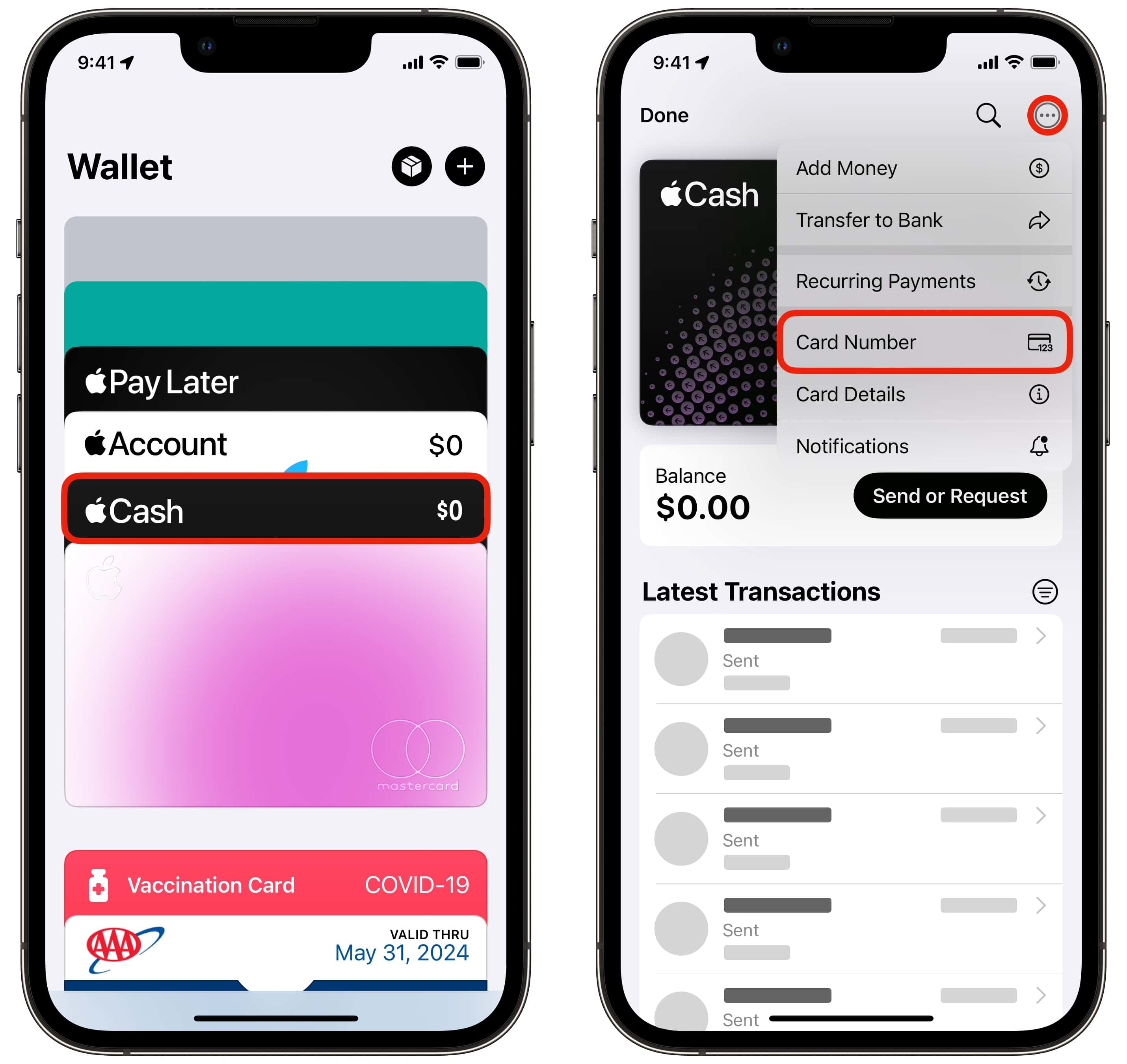
- Tap the More (...) button in the top-right corner, then select Card Details.
- Scroll down to the Verify Identity section.
- Tap Verify Identity and follow the on-screen instructions.
- You will be asked for your full legal name, date of birth, home street address, and the last four digits of your Social Security Number.
- If prompted, capture a clear picture of your legal government-issued ID (such as a Driver’s License or Passport). Ensure all four corners are visible and there is no glare on the text.
If identity verification fails repeatedly, verify that the address on your Apple ID matches the address listed on your state identification and tax filings.
Step 3: Re-enter Bank Routing and Account Numbers
If you are using the free 1 to 3 Business Days ACH transfer method, a single wrong digit in your routing or account details will cause the transfer to stall or fail.
To update and correct your bank details:
- Open the Wallet app and tap your Apple Cash card.
- Tap the More (...) button, then select Card Details.
- Tap Bank Account.
- Select your existing listed bank account and tap Delete Bank Account Information.
- Return to the Card Details menu, tap Add Bank Account, and carefully re-enter your details:
- Routing Number: Enter the 9-digit ACH routing number provided by your bank. (Do not use wire transfer routing numbers; ACH routing numbers can differ).
- Account Number: Enter your exact checking or savings account number.
- Re-attempt the transfer.
For official guidance on managing linked bank accounts, refer to Apple Support's guide on transferring money to a bank.
Step 4: Fix Instant Transfer Debit Card Issues
If an Instant Transfer fails or returns an error message stating that your card is not eligible:
- Confirm that the card you are using is a debit card linked directly to a U.S. bank checking account. Instant Transfer does not support credit cards or commercial payment cards.
- Remove and re-add the card:
- Go to Settings > Wallet & Apple Pay.
- Select the debit card you wish to use for Instant Transfer.
- Scroll to the bottom and tap Remove Card.
- Return to Wallet & Apple Pay, tap Add Card, and scan or manually enter the debit card details again.
- Contact your debit card issuer (the issuing bank) and ask if your specific card supports real-time push payments via Visa Direct or Mastercard Send. Some smaller credit unions or online fintech banks disable real-time push credits by default.
Step 5: Refresh Apple ID Sign-In State
If technical glitches persist within the Wallet application, refreshing your Apple ID authorization can clear corrupt authentication tokens stored in the iOS Keychain.
- Open Settings on your iPhone and tap your name at the top.
- Scroll to the bottom and tap Sign Out.
- Restart your iPhone completely.
- Go back to Settings and sign back into your Apple ID.
- Open the Wallet app, select Apple Cash, and re-attempt the transfer.
When to Escalate to Green Dot Bank or Your Financial Institution
If you have verified your identity, confirmed your bank account details, updated iOS, and still cannot complete a transfer, your account may be subject to a security hold or administrative freeze applied directly by Green Dot Bank.
Signs of an Account Hold or Restriction
- An on-screen message appears stating "Your Account Has Been Restricted" or "Your Account Has Been Locked".
- The transfer button is permanently greyed out regardless of the amount entered.
- Funds were deducted from your Apple Cash balance but did not arrive at your bank within 5 business days, nor were they returned to your balance.
Contacting Green Dot Bank Support
Apple Support representatives can assist with device-level software troubleshooting, but they cannot bypass compliance restrictions or view detailed account records held by Green Dot Bank.
To resolve account-level flags or trace lost ACH transfers:
- Phone Support: Contact Green Dot Bank directly by calling (877) 233-8552.
- Apple Wallet Direct Contact: Open Wallet > Apple Cash > Card Details, scroll to Call Apple Cash Support, and ask to be connected or transferred to Green Dot Bank specialists.
- Have your full legal name, SSN, and transaction reference numbers available when calling.
If Green Dot Bank confirms that the transfer was successfully pushed to the ACH network, contact your receiving bank's ACH Operations department and provide them with the Trace Number (available from Green Dot customer support) to locate the stuck deposit.
Frequently Asked Questions
Why is my Apple Cash Instant Transfer greyed out?
Instant Transfer will appear greyed out if your balance is below the minimum $1.00 threshold, if you do not have an eligible Visa or Mastercard debit card linked in Apple Wallet, or if your Apple Cash account has not completed identity verification. Add an eligible debit card under Settings > Wallet & Apple Pay to enable the option.
How long does an Apple Cash transfer take if it falls on a weekend?
If you select the 1 to 3 Business Days option on a Friday afternoon, weekend day, or federal holiday, processing does not begin until the next official business day (Monday morning). Consequently, a transfer initiated on Friday evening may not clear into your bank account until Tuesday or Wednesday.
Can I transfer Apple Cash to someone else’s bank account?
No. Apple Cash transfers are intended to move money to a bank account or debit card held in your own legal name. Attempting to transfer funds to an external bank account registered under a different individual's name can cause the receiving bank to reject the ACH transfer, leading to processing delays or temporary account restrictions.
Will I lose my money if I enter the wrong bank routing number?
If you enter an invalid 9-digit routing number, the Wallet app will usually flag the error immediately and block the submit request. If you enter a valid routing number belonging to the wrong bank, the ACH network will process the payment, but the destination bank will fail to match the account number and will automatically return the funds to Green Dot Bank within 3 to 5 business days.
Why was my Apple Cash account restricted after attempting a transfer?
Green Dot Bank may place a temporary restriction on an account if a transfer pattern triggers automated anti-fraud monitors. Common triggers include making rapid transfers immediately after receiving large sums from peers, transferring funds right after changing device settings, or failing identity verification checks. Contact Green Dot customer service to submit requested verification documents and remove the restriction.
Recommended Next Actions
If your transfer is currently failing, work through these steps in order:
- Confirm that your Apple Cash account displays a Verified identity status within the Wallet app card settings. If prompted for verification, upload your government ID immediately via Apple's Identity Verification Interface.
- For no-fee transfers, double-check your bank's 9-digit ACH routing number and individual account number by viewing a physical check or logging into your bank's online portal. Delete and re-add the bank details in Apple Wallet to eliminate hidden entry errors.
- For immediate funds access, switch your transfer method to an eligible Visa or Mastercard debit card, ensuring the issuing bank permits real-time direct payment transactions.
- If an administrative block or account restriction prevents transfer execution, contact Green Dot Bank customer support at (877) 233-8552 to clear regulatory holds.