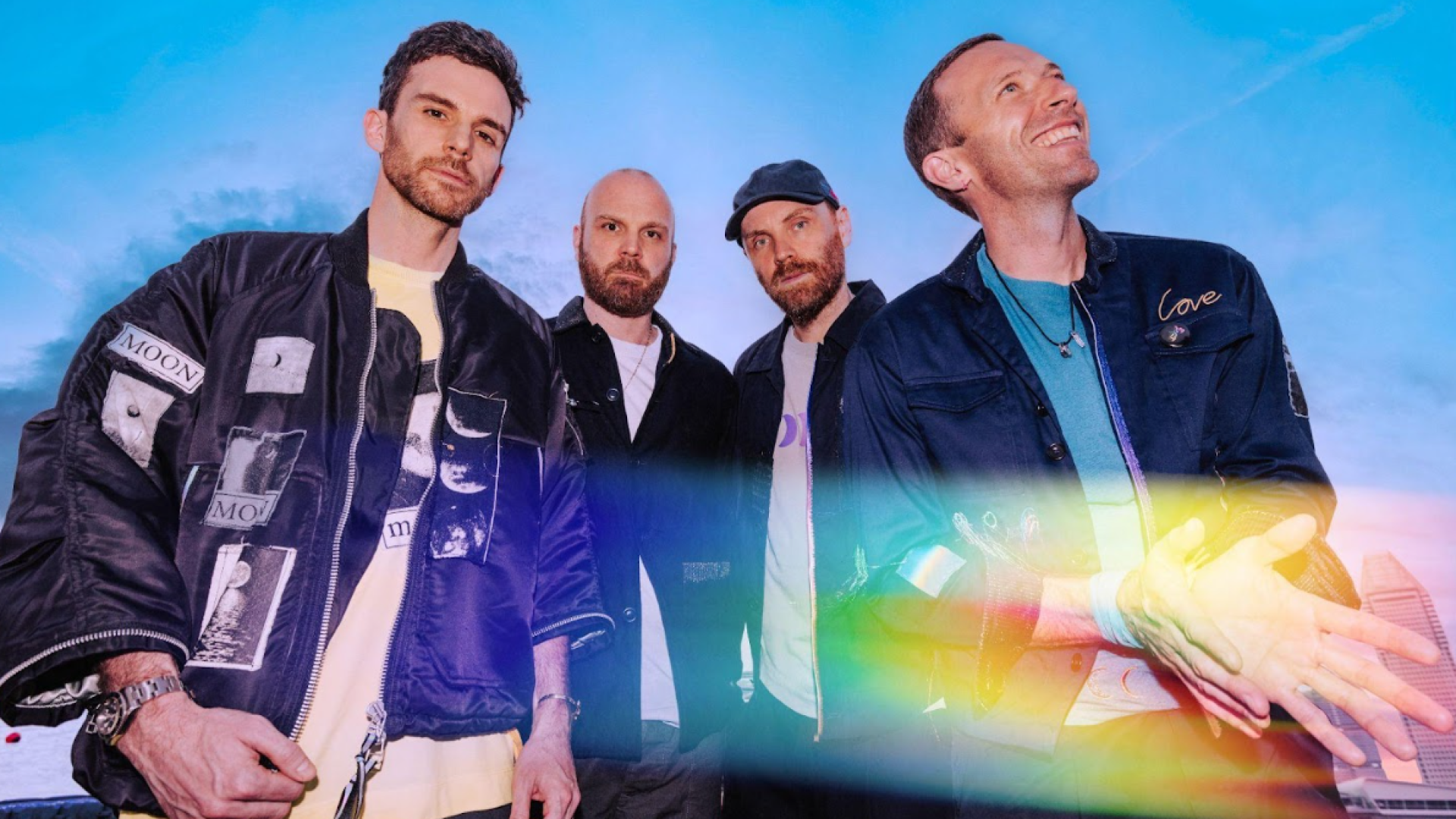
The ongoing collaboration between Apple and Coldplay represents a pivotal multi-decade partnership that has repeatedly reshaped digital music distribution, marketing, and immersive audio technology. From the landmark 2008 iTunes silhouette commercial featuring "Viva La Vida" to pioneering spatial mixing in Dolby Atmos and high-resolution Immersive Video on Apple Vision Pro, this synergy continues to define how global artists leverage cutting-edge tech ecosystems.
The Historical Evolution of the Apple-Coldplay Partnership
The relationship between Apple Inc. and Coldplay is one of the most commercially and technologically influential alliances in modern music history. Rather than operating as a conventional sponsorship deal, the partnership has consistently aligned major hardware and software milestones from Apple with landmark creative releases from the British band.
| Year | Milestone |
|---|---|
| 2008 | iTunes & iPod "Viva La Vida" Global Commercial Campaign |
| 2011 | Steve Jobs Memorial Campus Performance at Apple HQ |
| 2021 | Spatial Audio Launch & Dolby Atmos Album Masterings |
| 2024-2026 | Apple Immersive Video & VisionOS Spatial Concerts |
The iTunes and iPod Golden Era (2008)
In May 2008, Apple launched a global television campaign for the iPod and iTunes Store built around Coldplay’s single "Viva La Vida," prior to the release of their fourth studio album, Viva la Vida or Death and All His Friends. The ad featured the band performing against high-contrast, multi-colored artistic backgrounds, continuing Apple's iconic silhouette aesthetics while introducing full-band real-action visuals.
This campaign yielded immediate commercial dividends for both parties:
- iTunes Distribution: The track surged to the top of digital download charts worldwide, demonstrating the power of hardware advertising as a direct song launchpad.
- Hardware Sales: Apple cemented the iPod Touch and classic iPod line as premier portable entertainment devices tied directly to mainstream pop culture.
- Digital Licensing Model: It established a standard for how global acts could premiere lead singles via consumer technology platforms rather than traditional radio-first windows.
Corporate Culture and Personal Ties (2011)
The bond between Apple leadership and Coldplay extended beyond promotional agreements. Following the passing of Apple co-founder Steve Jobs in October 2011, Coldplay was invited to perform live at the private employee memorial service held at Apple’s Infinite Loop campus in Cupertino, California.
Frontman Chris Martin performed acoustic renditions of hits like "Yellow" and "Fix You," reflecting a shared cultural vision between Apple’s creative leadership and the band's artistic output. This performance underscored an authentic corporate alignment that set the stage for deeper technical integration in the streaming era.
Transitioning to Apple Music and High-Resolution Streaming
When Apple shifted its primary music focus from iTunes transactional purchases to the subscription-based Apple Music platform in 2015, Coldplay remained a key launch partner. The band's catalog was frequently featured in global advertising, custom radio interviews on Apple Music 1 (formerly Beats 1) hosted by Zane Lowe, and exclusive live stream performances.
Spatial Audio and Immersive Sound: Redefining Album Production
The arrival of Spatial Audio with Dolby Atmos on Apple Music in June 2021 marked a technical turning point in music production. Coldplay became early adopters of dynamic head-tracking and object-based audio mixing, using these technologies not as post-production add-ons, but as structural elements of their sound design.
Spatial Audio Engineering for Music of the Spheres and Moon Music
With the release of Coldplay's ninth studio album, Music of the Spheres (2021), and its follow-up, Moon Music (2024), the band worked alongside Grammy-winning producers Max Martin, Bill Rahko, and renowned immersive mixing engineers to craft spatial mixes natively within Logic Pro and Pro Tools.
Unlike traditional two-channel stereo panning (left and right), spatial mixing relies on three-dimensional acoustic placement:
- Height Channels: Synthesizers, ambient reverberation, and atmospheric soundscapes are placed in the upper acoustic hemisphere to create a sense of scale.
- Discrete Object Placement: Lead vocals, crisp snare hits, and bass elements are assigned precise 3D spatial coordinates, preventing frequency masking between heavy basslines and complex vocal harmonies.
- Dynamic Head Tracking: When played through compatible hardware—such as AirPods Pro, AirPods Max, or Beats Fit Pro—builtin gyroscopes and accelerometers adjust the soundstage in real time as the listener turns their head, maintaining a stationary virtual stage anchor.
- LISTENER (Dynamic Head Tracking)
- Height Channels: Ambient Synths & Cosmic Reverberation
- Far Left / Right: Wide Guitars & FX (Left) / Stereo Synth Pads (Right)
- Anchored Center: Lead Vocals, Snare & Bass
Technical Requirements for Spatial Audio Mastering
To meet Apple Music’s stringent delivery guidelines for Spatial Audio, mixing teams must produce specialized master files alongside standard stereo deliverables:
- Format Standard: ADM BWF (Audio Definition Model Broadcast Wave Format) containing 7.1.4 bed tracks alongside discrete spatial objects.
- Target Loudness: Apple Music mandates an Integrated Binaural Loudness target of -18 LUFS (+/- 1 LUFS) for Dolby Atmos masters, preserving dynamic range compared to heavily compressed stereo masters (-9 to -6 LUFS).
- Binaural Render Mode: Audio engineers must individually audit each spatial track using Apple's spatial renderer to ensure metadata accurately controls spatial distance, near-field positioning, and frequency response across consumer headphones.
Apple Vision Pro and Immersive Video: The Next Frontier
The launch of Apple Vision Pro and visionOS ushered in an era of Apple Immersive Video—a proprietary recording and playback format utilizing 180-degree 3D 8K video paired with Spatial Audio.
| Specification | Details |
|---|---|
| Video Resolution | Dual-Eye 8K Stereoscopic 3D Capture |
| Frame Rate | 90 fps / 120 fps High Frame Rate (HFR) |
| Field of View | 180-Degree Immersive Viewport |
| Audio Encoding | Ambisonic Spatial Audio with Directional Anchor |
| Compression Standard | High Efficiency Video Coding (HEVC) / MV-HEVC |
Spatial Concert Experiences
Apple collaborated with Coldplay to capture exclusive live performances tailored specifically for spatial computing. Viewers wearing Apple Vision Pro are positioned on stage alongside Chris Martin, Guy Berryman, Jonny Buckland, and Will Champion, or placed in prime stadium vantage points.
Key technological innovations in these immersive releases include:
- MV-HEVC Encoding: Multiview High Efficiency Video Coding delivers synchronized, high-bitrate stereoscopic video to each eye, generating realistic depth perception without motion blur.
- Acoustic Anchoring: As the viewer looks toward the drum riser or piano, the audio engine recalculates the acoustic arrival times and binaural cues, matching visual perspective with acoustic localization.
- Environmental Blending: visionOS allows fans to blend the concert recording into their physical living environment using digital passthrough, or fully immerse themselves in customized virtual stadium environments.
Comparative Matrix: Key Apple-Coldplay Technical Milestones
The table below outlines the progression of technical specifications, platform distribution, and consumer hardware targets across major Apple and Coldplay collaborative campaigns.
| Year | Primary Platform / Feature | Featured Work / Content | Audio / Video Format | Target Hardware Ecosystem | Industry Impact |
|---|---|---|---|---|---|
| 2008 | iTunes Store & iPod TV Ad | "Viva La Vida" | AAC 256 kbps Stereo / SD Video | iPod classic, iPod nano, iPod touch | Established digital store ads as premier global song launchpads. |
| 2011 | Apple Campus Live Event | Steve Jobs Memorial Set | Live Stereo Sound Board Mix | Internal Apple Broadcast & Archive | Highlighted deep cultural and executive connections. |
| 2015 | Apple Music 1 Launch | Album Interviews & Live Sets | AAC 256 kbps / Lossless Stereo | iPhone, iPad, Mac | Shifted audience engagement toward curated digital radio and streaming. |
| 2021 | Apple Music Spatial Audio | Music of the Spheres | Dolby Atmos / ADM BWF 7.1.4 | AirPods Pro, AirPods Max, Apple TV 4K | Popularized object-based 3D mixing for mainstream pop-rock releases. |
| 2024 | Spatial Audio & Fitness+ | Moon Music Spotlight | Dolby Atmos & Apple Lossless (ALAC) | Apple Watch, iPhone, HomePod | Integrated album launches across fitness and lifestyle apps. |
| 2026 | Apple Immersive Video | Live Immersive Experience | 180° 3D 8K Video + Spatial Audio | Apple Vision Pro (visionOS) | Pioneer high-resolution volumetric live performance distribution. |
Cross-Platform Ecosystem Synergy: Music, Fitness+, and Sustainability
The collaboration between Apple and Coldplay extends across Apple's digital services and shared corporate initiatives.
- Coldplay Creative Catalog
- Apple Music
- Atmos Mix
- Lossless
- Apple Vision
- 8K 3D Video
- Spatial Audio
- Apple Fitness+
- Workouts
- Apple Music
Apple Fitness+ Artist Spotlights
Coldplay’s catalog has served as the musical backdrop for dedicated Artist Spotlight workout series across Apple Fitness+.
- Trainers design specialized routines (Cycling, Running, HIIT, Yoga) calibrated to the tempo (BPM) and structural dynamics of Coldplay tracks.
- High-energy tracks like "Higher Power" and "Adventure of a Lifetime" provide peak dynamic motivation during high-intensity intervals, while ambient tracks like "Midnight" support cooldown and mindfulness sessions.
Environmental Alignment and Sustainability
Both Apple and Coldplay have made public commitments to environmental sustainability:
- Coldplay’s Eco-Touring Protocol: For their Music of the Spheres World Tour, Coldplay pledged to cut direct tour carbon emissions by over 50% compared to their 2016–2017 stadium tour. They introduced kinetic dancefloors, power-generating bicycles, and kinetic battery systems developed in partnership with BMW.
- Apple 2030 Goal: Apple aims to make its entire carbon footprint—from supply chains to device lifecycles—completely carbon neutral by 2030.
This shared focus on environmental accountability led Apple to highlight Coldplay’s sustainable touring model across Apple News, Apple Music editorial pieces, and corporate environmental reports.
Technical Guide: Setup and Troubleshooting for Immersive Audio
To experience Coldplay’s immersive mixed catalog as intended by mixing engineers, users must properly configure hardware and software settings across Apple platforms.
Hardware Prerequisites for Spatial Audio
To enable dynamic head tracking and Dolby Atmos playback, users require:
- Headphones: AirPods Pro (1st generation or later), AirPods Max, AirPods (3rd generation or later), or Beats Fit Pro.
- Source Device: iPhone 7 or later running recent iOS, iPad Pro/Air/Mini running iPadOS, Mac equipped with Apple Silicon (M1 or later), or Apple TV 4K.
- Playback Application: Apple Music application with an active individual, family, or voice plan.
iOS / iPadOS Configuration Steps
Verify Dolby Atmos Settings:
- Open Settings on your iOS device.
- Navigate to Music > Audio.
- Tap Dolby Atmos and select Automatic (for supported Apple/Beats headphones) or Always On (when using third-party Atmos-compatible hardware).
Enable Lossless Audio Delivery:
- Under Settings > Music > Audio Quality, toggle Lossless Audio to On.
- Select Hi-Res Lossless (up to 24-bit/192 kHz) for wired external DAC (Digital-to-Analog Converter) connections, or Lossless (up to 24-bit/48 kHz) for standard wired playback.
Configure Head Tracking:
- Connect your AirPods or Beats device.
- Open Control Center, press and hold the Volume Slider.
- Tap Spatial Audio and choose between Fixed (static 3D spatial field) or Head Tracked (dynamic position tracking).
Settings > Music > Audio Quality > Toggle Lossless ON
Settings > Music > Dolby Atmos > Select AUTOMATIC
Control Center > Press & Hold Volume > Select HEAD TRACKED
Troubleshooting Common Spatial Playback Issues
Issue 1: Audio Drops Back to Standard Stereo
- Root Cause: Insufficient network bandwidth or automatic quality downgrading over cellular data.
- Resolution: Open Settings > Music > Cellular Streaming and switch from High Efficiency to High Quality or Lossless. Ensure that "Download in Dolby Atmos" is toggled on under settings to save spatial masters locally to storage.
Issue 2: Unbalanced Head-Tracking Centering
- Root Cause: Gyroscope drift within the wireless headphones.
- Resolution: Look directly forward at your playback screen, toggle Spatial Audio Off in the Control Center volume menu, wait three seconds, and re-enable Head Tracked. Alternatively, place the AirPods back inside their charging case for 10 seconds to reset onboard sensors.
Issue 3: Inconsistent Volume Levels Between Tracks
- Root Cause: Mixing differences between older stereo masters and newer Dolby Atmos spatial masters.
- Resolution: Navigate to Settings > Music and toggle Sound Check to On. This forces iOS to read loudness metadata (-18 LUFS for Atmos, varying for stereo) and normalize playback gain across all songs.
Frequently Asked Questions
What made the 2008 Apple and Coldplay iTunes commercial significant?
The 2008 commercial featuring "Viva La Vida" was a milestone in music marketing because it launched a lead single worldwide through high-visibility hardware advertising rather than traditional radio premieres. It established iTunes as a dominant global force for digital song sales and drove the track to the top of the international charts while promoting the iPod line.
How do I listen to Coldplay’s spatial audio tracks on Apple Music?
To listen to Spatial Audio, open the Apple Music app on an iPhone, iPad, Mac, or Apple TV 4K. Ensure Dolby Atmos is set to Automatic or Always On under Settings > Music. Use compatible headphones like AirPods Pro, AirPods Max, or Beats Fit Pro for automatic dynamic head-tracking capabilities.
Why is Spatial Audio different from conventional stereo mixing?
Stereo mixing restricts audio panning to left and right channels across a flat plane. Spatial Audio with Dolby Atmos uses object-based 3D positioning, allowing audio engineers to place instrument tracks, vocals, and sound effects anywhere in a three-dimensional sphere around the listener—including above and behind the head.
What hardware is required to watch Coldplay’s Immersive Video releases?
Viewing Apple Immersive Video recordings requires an Apple Vision Pro headset running visionOS. The system utilizes dual-eye 8K stereoscopic micro-OLED displays and integrated spatial audio drivers to deliver 180-degree high-frame-rate 3D concert environments.
Does listening to Spatial Audio consume more internet data?
Yes. Spatial Audio master files encoded in Dolby Atmos contain multi-channel metadata and higher bitrates than standard stereo AAC files. If streaming over mobile data, downloading spatial tracks over Wi-Fi beforehand or setting cellular streaming parameters to manage data usage is recommended.
How does Coldplay’s sustainability commitment align with Apple?
Coldplay committed to reducing direct tour carbon emissions by over 50% for their Music of the Spheres tour using renewable energy, kinetic battery storage, and eco-friendly logistics. This directly parallels Apple’s corporate initiative to achieve 100% carbon neutrality across its supply chain and product lifecycles by 2030.
Actionable Recommendations for Music Fans and Producers
- Audit Your Playback Hardware: If you stream Apple Music using standard Bluetooth codecs on non-compatible hardware, you are missing spatial object metadata. Upgrade to hardware supporting Apple's H1/H2 chipsets or external DAC setups to take full advantage of high-resolution lossless and spatial masterings.
- Optimize Streaming Settings: Toggle Sound Check to On in your device settings to prevent abrupt volume shifts when moving between standard legacy stereo masters and dynamic Dolby Atmos mixes.
- Explore Immersive Workflows in Logic Pro: For audio creators and producers, explore Apple's native Spatial Audio tools built into Logic Pro. Use the built-in 3D Multi-Panner and Dolby Atmos Renderer plugins to experiment with object-based panning and binaural rendering workflows pioneered by teams working with artists like Coldplay.
- Experience visionOS Performance Volumes: If you have access to Apple Vision Pro, search the Apple TV app or Apple Music spatial hub for official Immersive Video performance clips to experience state-of-the-art volumetric sound and 180-degree stereoscopic 3D capture.