The Apple Card is a Mastercard, not a Visa. It operates on the Mastercard payment network and is issued by Goldman Sachs Bank USA. Because it uses the Mastercard network, the Apple Card is accepted at millions of merchant locations worldwide wherever Mastercard and Apple Pay are supported.
Disclaimer: This article is intended for informational and educational purposes only and does not constitute formal financial, legal, or investment advice. Credit card terms, interest rates, and network policies are subject to change by the issuing bank and payment network.
Understanding the Apple Card Network: Visa vs. Mastercard
When consumers evaluate credit cards, one of the most common questions is whether a specific card runs on the Visa or Mastercard network. In the case of the Apple Card, Apple partnered with Mastercard as its exclusive global payment network when launching the credit card.
Payment networks—primarily Visa, Mastercard, American Express, and Discover—act as the digital infrastructure connecting financial institutions, merchants, and cardholders. They facilitate the authorization, clearing, and settlement of electronic credit transactions. Because Apple Card is built on the Mastercard network, cardholders benefit from Mastercard's global acceptance footprint, robust fraud prevention protocols, and standardized merchant processing capabilities.
While Visa and Mastercard offer highly comparable global acceptance rates and consumer protections, choosing one network over another dictates specific technical integrations, merchant interchange rules, and underlying card benefits. Apple’s integration with Mastercard allows the physical titanium Apple Card and the digital card stored in the Apple Wallet app to process seamlessly across standard point-of-sale (POS) terminals worldwide.
Payment Network vs. Card Issuer: How Apple Card Works
To fully understand how the Apple Card operates, it is essential to distinguish between the payment network and the card issuer. These are two distinct entities that fulfill separate roles in every transaction:
The Payment Network (Mastercard): Mastercard provides the technological bridge that routes transaction requests between the seller's payment processing system and the card issuing bank. Mastercard sets processing protocols, maintains global acceptance standards, and offers network-level protections like Zero Liability fraud defense.
The Card Issuer (Goldman Sachs Bank USA): The issuer is the financial institution that extends credit to the cardholder, reviews credit applications, sets credit limits, charges interest (APR), manages customer billing statements, and manages customer support.
Cardholder / iPhone (Apple Pay / Titanium Card)
Merchant POS (Mastercard Network)
Mastercard Processing (Authorization Request)
Goldman Sachs Bank
- Approv/Deny to Merchant POS
When you tap your iPhone or swipe your titanium Apple Card at a retail store, Mastercard routes the encrypted request to Goldman Sachs. Goldman Sachs verifies that your account has adequate available credit and approves the transaction within milliseconds.
Although Apple designed the user experience and customer interface within the iOS Wallet application, Apple itself is neither a bank nor a payment network. Apple acts as the technology provider and brand partner, leveraging Goldman Sachs's banking charter and Mastercard's processing rails.
Where Is the Apple Card Accepted?
Because the Apple Card relies on the Mastercard network, its acceptance is virtually identical to any standard Mastercard credit card. However, how you pay dictates both acceptance rates and reward levels.
1. In-Store Acceptance via Apple Pay
The primary way to use the Apple Card is digitally using Apple Pay on an iPhone or Apple Watch. You can pay at any physical merchant that displays the Apple Pay symbol or the universal contactless (NFC) payment symbol. In developed credit card markets, contactless acceptance rates exceed 90% across retail, grocery, dining, and transit sectors.
2. In-Store Acceptance via the Titanium Physical Card
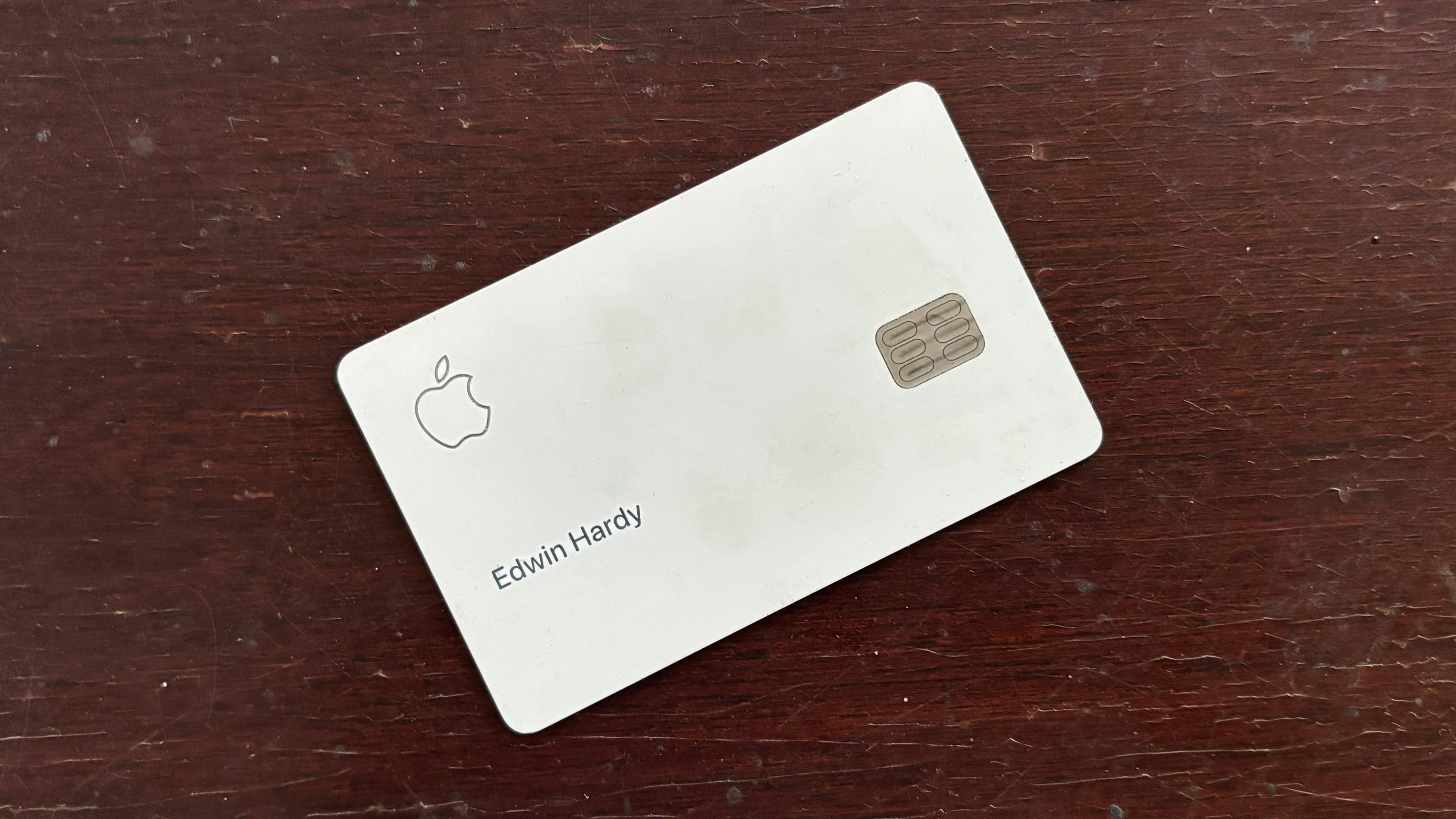
For businesses that do not yet accept contactless payments, cardholders can use the physical titanium Apple Card. The physical card contains a standard magnetic stripe and an EMV chip, allowing it to be inserted into card readers or swiped just like a traditional credit card.
Important Note: The physical titanium Apple Card does not contain an internal NFC chip for tap-to-pay. To make a contactless payment, you must use your iPhone or Apple Watch. Swiping or inserting the physical card works anywhere traditional Mastercard cards are accepted.
3. Online and In-App Purchases
For online shopping and mobile app purchases, acceptance breaks down into two formats:
- Apple Pay Online: Websites and mobile apps supporting Apple Pay allow one-click checkout without manually entering card details.
- Virtual Card Number: For websites that do not accept Apple Pay but accept Mastercard, the Wallet app generates a standard 16-digit virtual card number, expiration date, and CVV security code. This virtual card functions as a standard online Mastercard credit card.
4. International Acceptance
The Apple Card can be used internationally wherever Mastercard is accepted. Furthermore, Apple Card does not charge foreign transaction fees, making it a practical option for overseas travel. International purchases converted to local currencies are processed using Mastercard’s standard wholesale exchange rates.
Mastercard World Elite Benefits and Apple Card Features
Mastercard categorizes its consumer cards into tier levels, including Standard, World, and World Elite Mastercard. The Apple Card is categorized as a World Elite Mastercard, which is Mastercard’s top-tier consumer tier.
However, because Apple custom-designed the Apple Card ecosystem to streamline the user experience, some standard World Elite perks (such as rental car collision damage waivers or travel delay insurance) are omitted in favor of Apple's fee-free structure and Daily Cash rewards model.
Despite these unique customizations, the Apple Card incorporates several core Mastercard network protections:
- Mastercard Zero Liability Protection: Cardholders are not held financially responsible for unauthorized or fraudulent charges made in-store, online, or over the phone, provided the cardholder exercises reasonable care in protecting their card details.
- Mastercard Global Service: Cardholders have access to 24/7 worldwide emergency assistance for lost or stolen cards, emergency card replacement, and emergency cash advances.
- ID Theft Protection: Apple Card users can enroll in Mastercard ID Theft Protection, which monitors personal identification information, alerts cardholders to potential dark web breaches, and provides resolution services if identity theft occurs.
- Advanced Fraud Monitoring: Transactions are continuously monitored by Mastercard’s global artificial intelligence network to flag unusual spending patterns in real time.
Daily Cash Rewards and Payment Network Rules
The rewards program for the Apple Card, known as Daily Cash, operates directly through the Apple Wallet app rather than a traditional points catalog. Unlike legacy credit cards that credit rewards once a month after your billing statement closes, Daily Cash is calculated and deposited daily into your Apple Cash account or applied as a statement credit.
The payment method and merchant channel determine the earnings structure:
| Reward Rate | Payment Method | Applicable Merchants & Conditions |
|---|---|---|
| 3% Daily Cash | Apple Pay (Digital) | Direct purchases from Apple (Apple Stores, Apple.com, App Store, iTunes, iCloud) and select partner merchants using Apple Pay (e.g., Nike, Uber, Uber Eats, Walgreens, Duane Reade, Exxon, Mobil, Panera Bread, Booking.com, Ace Hardware). |
| 2% Daily Cash | Apple Pay (Digital) | All other purchases made using Apple Pay via iPhone or Apple Watch at any contactless merchant worldwide. |
| 1% Daily Cash | Physical Card or Virtual Card Number | Purchases made using the physical titanium Apple Card, purchases made online using the 16-digit virtual card number, or transactions where Apple Pay was not accepted. |
Why Payment Channel Affects Cash Back
Apple structures rewards to incentivize digital transactions via Apple Pay over physical card usage. Processing transactions digitally through Apple Pay provides enhanced security through tokenization (where real card numbers are never shared with merchants), lowering fraud risk and transaction processing overhead.
When you use the physical titanium card or the virtual card number over the traditional Mastercard network infrastructure, the transaction incurs slightly higher risk and conventional interchange dynamics, resulting in the base 1% Daily Cash payout.
Security Features: How Apple and Mastercard Protect Transactions
The combination of Apple's device hardware security and Mastercard’s network infrastructure makes the Apple Card one of the most secure payment cards available.
Device-Level Tokenization
When you add your Apple Card to Apple Pay, your actual 16-digit card number is not stored on your device or on Apple servers. Instead, a unique Device Account Number is assigned, encrypted, and securely stored in the Secure Element—an industry-standard, certified chip designed to hold payment information safely.
When a transaction occurs, the Secure Element provides the Device Account Number along with a dynamic, single-use security code generated specifically for that purchase. Mastercard receives this tokenized data, decodes it securely within its network vault, and routes the approval request to Goldman Sachs.
- User Device (Tokenized Data + Single-Use Code)
- POS Terminal
- Mastercard Vault
- Goldman Sachs Approval
Physical Titanium Card Design
The physical Apple Card is laser-etched from solid titanium. To prevent physical theft of sensitive information, the physical card displays no printed card number, no CVV security code, no expiration date, and no signature line.
If your physical titanium card is lost or stolen, an unauthorized holder cannot easily read your account credentials to make online purchases. If the physical card is compromised, you can lock it instantly within the Apple Wallet app and request a free replacement without needing to change your underlying virtual card number used for online subscriptions.
Dynamic Security Codes for Online Shopping
For online transactions where Apple Pay is unavailable, the Apple Wallet app provides a virtual card number. Cardholders can enable an advanced security feature that automatically rotates the 3-digit CVV security code periodically. This dynamic CVV ensures that even if an online merchant suffers a data breach, the stolen card details become useless to fraudsters shortly after the initial transaction.
Fee Structure Comparison: Apple Card vs. Standard Credit Cards
One of the standout features of the Apple Card, managed under Goldman Sachs guidelines and Mastercard processing standards, is the total elimination of standard credit card fees.
The Consumer Financial Protection Bureau (CFPB) frequently highlights how hidden credit card fees—such as late fees, annual fees, and foreign transaction charges—increase the total cost of credit for consumers. Apple Card departs from standard industry models by removing all fee categories.
Here is how Apple Card compares to standard subprime and rewards cards across common fee types:
| Fee Category | Apple Card (Mastercard) | Standard Rewards Cards | Subprime / Basic Cards |
|---|---|---|---|
| Annual Fee | $0 | $0 – $695 | $39 – $99 |
| Late Payment Fee | $0 | Up to $41 | Up to $41 |
| Foreign Transaction Fee | 0% | 3% per transaction | 3% per transaction |
| Over-the-Limit Fee | $0 | Generally $0 (or up to $35) | Up to $35 |
| Returned Payment Fee | $0 | Up to $40 | Up to $40 |
| Cash Advance Fee | Cash advances unavailable | 3% – 5% (Min. $10) | 5% (Min. $10) |
Note: While Apple Card does not charge late fees or penalty APRs if you miss a payment, late or missed payments will still accumulate interest at your standard variable APR and can negatively affect your credit score.
How to Apply for and Manage Your Mastercard Apple Card
Because Apple Card is designed around iOS hardware, the application and ongoing account management process differs from traditional bank credit cards.
Prerequisites for Application
To apply for an Apple Card, applicants must meet the following baseline requirements:
- Be at least 18 years old (or older depending on state laws).
- Be a U.S. citizen or lawful resident with a valid U.S. residential address (not a P.O. Box).
- Own an iPhone compatible with iOS 12.4 or later, protected by Face ID or Touch ID.
- Have two-factor authentication enabled on your Apple ID.
- Pass a credit evaluation conducted by Goldman Sachs, which includes a review of your credit history, debt-to-income ratio, and identity verification.
Application Steps
- Open the Wallet app on your compatible iPhone.
- Tap the + (add) button in the upper right corner.
- Select Apply for Apple Card and tap Continue.
- Review and complete your personal information, including annual income and the last four digits of your Social Security Number.
- Review the offered credit limit and Variable APR interest rate.
- Accept the terms. (Accepting the offer triggers a hard credit inquiry on your credit report; viewing your initial offer uses a soft credit check that does not impact your credit score).
Requesting the Physical Titanium Card
Once approved, your digital Apple Card is immediately ready for use via Apple Pay. The physical titanium card is optional and must be requested separately:
- Open the Wallet app and tap Apple Card.
- Tap the More button (three dots) or the card order icon.
- Select Get Physical Card and follow the prompts to confirm your shipping address.
- The card is delivered by mail in distinctive packaging. To activate it, simply hold your iPhone near the card packaging to complete the NFC pairing process.
Common Myths and Misconceptions
Myth 1: "Apple Card is issued by Visa."
Fact: Apple Card operates exclusively on the Mastercard network. There is no Visa version of the Apple Card. If a merchant accepts Visa but explicitly rejects Mastercard (a rare occurrence, except at specific warehouse clubs like Costco in the U.S.), you cannot use the physical Apple Card or virtual Apple Card number there.
Myth 2: "You can use the Apple Card at Costco warehouses."
Fact: U.S. Costco warehouse registers exclusively accept Visa credit cards for physical point-of-sale transactions. Because Apple Card is a Mastercard, you cannot use your Apple Card (physically or via Apple Pay) inside U.S. Costco stores. However, you can use your Apple Card online at Costco.com using the virtual card number or Apple Pay, as Costco's online portal accepts Mastercard.
Myth 3: "Apple Card has a contactless chip inside the titanium card."
Fact: The titanium card contains an EMV chip for insertion into payment readers and a magnetic stripe for swiping, but it lacks an NFC chip. To pay tap-to-pay style with Apple Card, you must hold your iPhone or Apple Watch near the contactless reader.
Myth 4: "Apple processes your credit card payments."
Fact: Payments made toward your Apple Card balance are processed by Goldman Sachs Bank USA. Payment processing and account history are reflected inside the Apple Wallet interface, but the funds are received and credited by the issuing bank.
Frequently Asked Questions
Can I change my Apple Card from Mastercard to Visa?
No. The payment network for a credit card is determined by institutional partnership agreements between the card brand (Apple), the issuing bank (Goldman Sachs), and the network operator (Mastercard). There is no option to convert an individual Apple Card account to the Visa network.
Does the Apple Card work at any ATM for cash withdrawals?
No. The Apple Card does not offer cash advances, cash withdrawals at ATMs, or cash-back at point-of-sale registers. Apple and Goldman Sachs designed the card without cash-advance capabilities to simplify the fee structure and prevent high-interest cash-advance charges.
What happens if a merchant does not accept Apple Pay?
If an in-person merchant does not accept Apple Pay, you can pay using the physical titanium Apple Card by inserting its EMV chip or swiping it through the terminal. For online purchases where Apple Pay is absent, you can enter the 16-digit virtual card number located in the Card Information section of your Wallet app. Purchases made without Apple Pay earn 1% Daily Cash.
Does Apple Card charge foreign transaction fees when traveling?
No. Apple Card charges 0% foreign transaction fees. When you make purchases outside the United States, Mastercard converts the purchase amount to U.S. dollars using its standard wholesale network exchange rate without adding extra processing markups.
How do I find my Apple Card number, CVV, and expiration date?
Because no numbers are printed on the physical titanium card, your card details are stored securely inside your iPhone. Open the Wallet app, tap Apple Card, tap the Card Information icon (the card graphic with a small numerical symbol), and authenticate using Face ID, Touch ID, or your passcode. There, you can view your 16-digit virtual card number, expiration date, CVV, and network approval details.
Summary and Next Steps
The Apple Card is a Mastercard World Elite credit card issued by Goldman Sachs Bank USA. Its reliance on the global Mastercard network gives cardholders worldwide payment acceptance, zero-liability fraud protection, and foreign exchange conversion without foreign transaction fees.
If you are deciding whether to apply for the Apple Card, consider your primary spending habits:
- Ideal Candidates: Users who frequently shop using an iPhone or Apple Watch at merchants accepting Apple Pay, buy hardware or digital services directly from Apple, and value a streamlined, fee-free user experience managed entirely through iOS.
- Alternative Considerations: Consumers who heavily spend at merchants that do not accept Apple Pay or tap-to-pay (or who shop frequently at store locations like U.S. Costco warehouses that require Visa cards) may prefer secondary credit cards operating on the Visa network to maximize rewards and acceptance coverage.
To apply, launch the Wallet app on your iPhone, select the application option, and complete the soft credit check to view your personalized credit line and APR offer.