Corporate antivirus solutions protect business networks by providing a centralized security framework that monitors, detects, and neutralizes threats across all connected devices. Unlike consumer software, corporate-grade platforms offer granular administrative control, automated incident response, and integrated threat intelligence, ensuring that an infection on one workstation does not escalate into a network-wide breach or data ransom event.
As we move through 2026, the definition of "antivirus" has evolved significantly. For businesses, the term now encompasses a broad suite of tools often referred to as Endpoint Protection Platforms (EPP) or Endpoint Detection and Response (EDR). These systems are no longer merely reactive scanners; they are proactive shields designed to defend complex, hybrid environments where the perimeter is no longer a physical office wall but a distributed network of remote and local assets.
The Architectural Foundation of Corporate Network Protection
The primary differentiator between a home antivirus and a corporate solution is the architecture. Corporate environments rely on a client-server model or a cloud-managed orchestration layer. This allows IT administrators to deploy security policies to thousands of devices simultaneously from a single console.
Centralized Management and Orchestration
In a business setting, manual updates and individual device configuration are impossible to scale. Corporate antivirus utilizes a central management server—increasingly hosted in the cloud—to act as the "brain" of the operation. This console provides real-time visibility into the health of every laptop, server, and mobile device on the network.
When a threat is detected on a single machine in a branch office, the central console receives an immediate alert. The administrator can then trigger a network-wide "quarantine" or "kill" command to prevent that specific file hash from executing on any other machine. This level of orchestration is what prevents localized infections from becoming catastrophic systemic failures.
Agent-Based vs. Agentless Deployment
Most business networks utilize agent-based protection. A lightweight software "agent" is installed on each endpoint. This agent performs the heavy lifting of scanning and monitoring while communicating back to the central server. In 2026, these agents have become incredibly efficient, utilizing "low-hook" drivers that minimize the impact on system performance—a critical requirement for businesses where employee productivity is directly tied to hardware speed.
Advanced Threat Detection Mechanisms in 2026
The threats facing businesses in 2026 have shifted from simple "viruses" to sophisticated, multi-stage attacks including Ransomware-as-a-Service (RaaS) and living-off-the-land (LotL) techniques. Corporate antivirus protects against these through several layers of advanced detection.
Behavioral Analysis and Heuristics
Traditional antivirus relied on "signatures"—essentially a digital fingerprint of known malware. However, since attackers now create unique malware for specific targets, signatures are often obsolete before they are even released. Corporate solutions prioritize behavioral analysis.
Instead of looking at what a file is, the software looks at what the file does. If a document suddenly attempts to encrypt a large volume of files or tries to modify system registry keys associated with network communication, the antivirus flags this as suspicious behavior. This heuristic approach allows the system to block "zero-day" threats—vulnerabilities that have no known signature yet.
Artificial Intelligence and Machine Learning Integration
By 2026, AI has become the backbone of corporate security. Machine learning models are trained on billions of data points from global threat feeds. These models can identify patterns of an attack in milliseconds, far faster than a human analyst. For example, if a user who typically logs in from New York suddenly initiates a high-volume data transfer from an IP address in a different country at 3:00 AM, the AI-driven corporate antivirus can automatically revoke the user's access tokens and isolate the device.
Sandboxing and Pre-Execution Analysis
To protect the network from malicious email attachments or web downloads, corporate antivirus often employs "sandboxing." Before a file is allowed to run on the user's actual operating system, it is executed in a secure, isolated virtual environment (the sandbox). The system monitors the file's actions within this safe zone. Only if the file proves to be benign is it released to the end-user. This prevents malware from ever touching the actual business network.
Protecting the Hybrid and Remote Workforce
The shift toward permanent hybrid work models has changed the requirements for business network protection. Corporate antivirus now extends its reach far beyond the corporate firewall.
Endpoint-to-Cloud Synchronization
In 2026, employees often work from home networks that lack the robust security of an enterprise office. Corporate antivirus solves this by maintaining a constant connection to the cloud management console via a secure tunnel or "Always On" VPN components. This ensures that even if a laptop is on a public Wi-Fi network at a coffee shop, it is still receiving the latest security updates and is subject to corporate security policies.
Device Control and Peripheral Security
Business networks are frequently compromised through physical means, such as infected USB drives. Corporate antivirus allows administrators to implement strict "Device Control" policies. This can include:
- Disabling all USB mass storage devices.
- Restricting access to specific approved hardware IDs.
- Scanning all peripheral devices the moment they are plugged in.
- Logging all file transfers to external media for audit purposes.
The Role of Corporate Antivirus in Regulatory Compliance
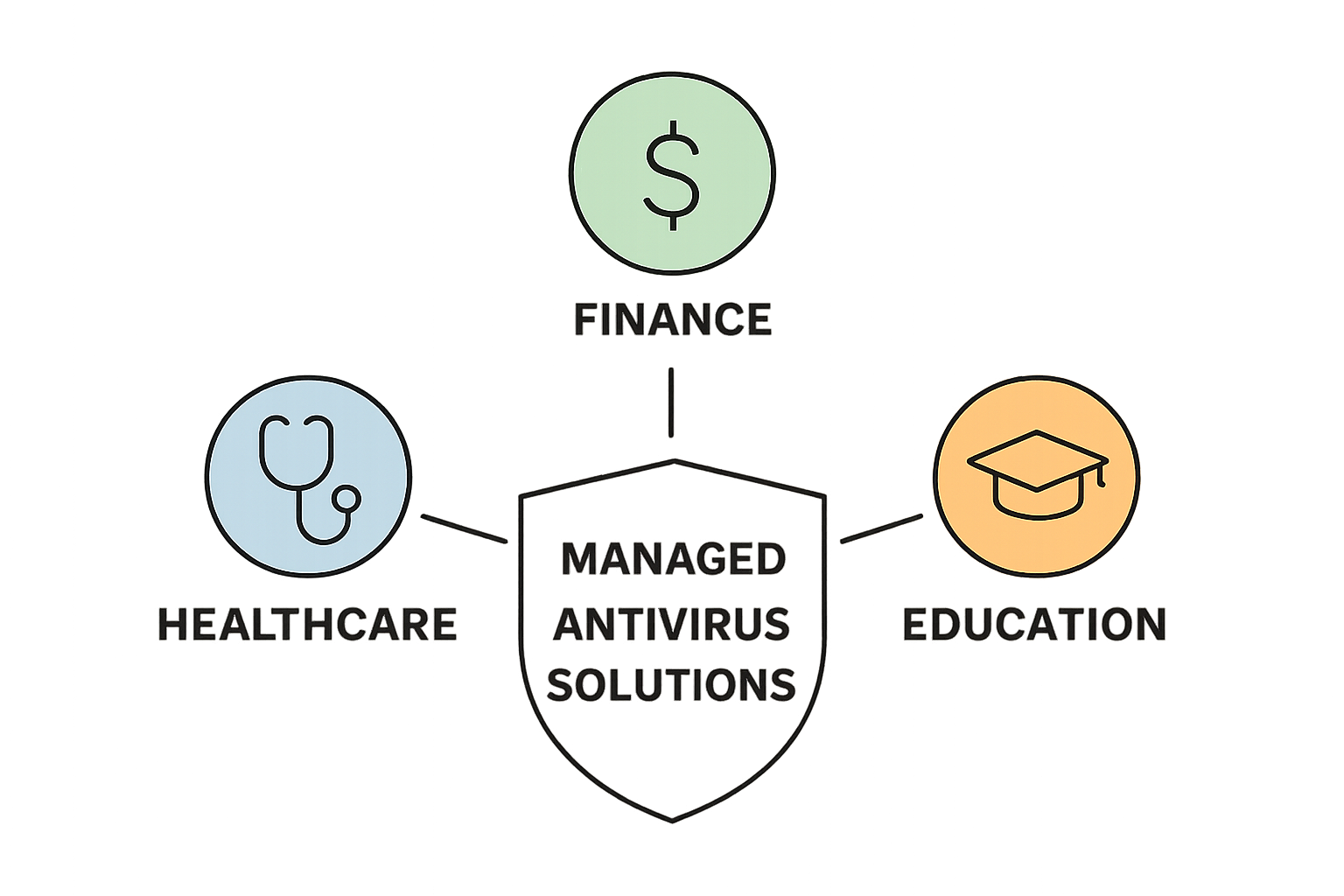
For businesses in sectors like finance, healthcare, and law, antivirus is not just a safety measure—it is a legal requirement. Protecting a business network involves meeting specific standards set by frameworks such as the GDPR (General Data Protection Regulation), HIPAA (Health Insurance Portability and Accountability Act), and the NIST Cybersecurity Framework.
Corporate antivirus provides the necessary documentation and logging required for these audits. It maintains a historical record of every scan, every threat detected, and every remediation action taken. This "audit trail" is essential for proving that a company took "reasonable measures" to protect sensitive data in the event of a forensic investigation.
Comparison: Corporate vs. Consumer Antivirus Solutions
The following table highlights the critical differences that make corporate solutions essential for business network protection.
| Feature | Consumer Antivirus | Corporate Antivirus |
|---|---|---|
| Management | Individual device management. | Centralized console for thousands of devices. |
| Deployment | Manual installation per machine. | Automated deployment via GPO or RMM tools. |
| Threat Intelligence | Localized to the user's data. | Global "community" threat feeds and AI. |
| Policy Control | User-controlled settings. | Admin-enforced, non-bypassable policies. |
| Response | Simple delete or quarantine. | Full EDR (Rollback, Network Isolation). |
| Reporting | Basic notification icons. | Detailed compliance and forensic auditing. |
| Scalability | Not scalable. | Seamlessly scales with business growth. |
Implementation and Best Practices
Simply purchasing a corporate antivirus license is not enough to protect a network. Proper implementation is a multi-step process that requires ongoing attention.
1. Assessment and Inventory
Before deployment, a business must identify every endpoint that requires protection. This includes physical servers, virtual machines, workstations, and "Bring Your Own Device" (BYOD) smartphones. Unmanaged devices are the most common entry point for network intrusions.
2. Configuration of Least Privilege
Corporate antivirus works best when combined with the principle of "Least Privilege." Users should not have administrative rights on their local machines. This prevents malware from gaining the permissions it needs to disable the antivirus software or spread through the network.
3. Integration with SIEM Platforms
Large enterprises often integrate their corporate antivirus with a Security Information and Event Management (SIEM) system. This aggregates data from antivirus logs, firewalls, and server logs to provide a "single pane of glass" view of the entire network's security posture. This allows for complex correlation—for example, matching an antivirus alert on a workstation with a suspicious login attempt on a database.
4. Continuous Patching and Updates
While corporate antivirus is powerful, it cannot always protect against vulnerabilities in the underlying operating system or third-party applications (like browsers or PDF readers). A robust protection strategy must include automated patch management to close the holes that malware uses to enter the system.
Cost Considerations and ROI
While corporate antivirus carries a higher per-seat cost than consumer software, the Return on Investment (ROI) is measured in risk mitigation. The average cost of a data breach for a small-to-medium enterprise in 2026 can exceed hundreds of thousands of dollars when considering downtime, legal fees, and reputational damage.
Subscription models are now the industry standard, typically charging per endpoint per month. This allows businesses to treat cybersecurity as an operational expense (OpEx) rather than a large capital expenditure (CapEx). Many providers also offer tiered pricing, where basic protection is affordable for startups, and advanced EDR/XDR features can be added as the company grows.
Troubleshooting Common Corporate AV Challenges
Even the best systems encounter issues. Common problems in corporate environments include:
- False Positives: Legitimate business software being flagged as malware. This requires "whitelisting" or creating "exclusions" in the management console.
- Performance Bottlenecks: Heavy scans slowing down legacy hardware. Solutions include scheduling scans for off-hours or utilizing cloud-based "thin" scanning.
- Agent Communication Errors: When endpoints fail to report back to the console, often due to firewall misconfigurations or expired certificates.
Addressing these requires a dedicated IT professional or a Managed Service Provider (MSP) who understands the specific configuration needs of the corporate antivirus platform.
Frequently Asked Questions
Does corporate antivirus replace the need for a firewall?
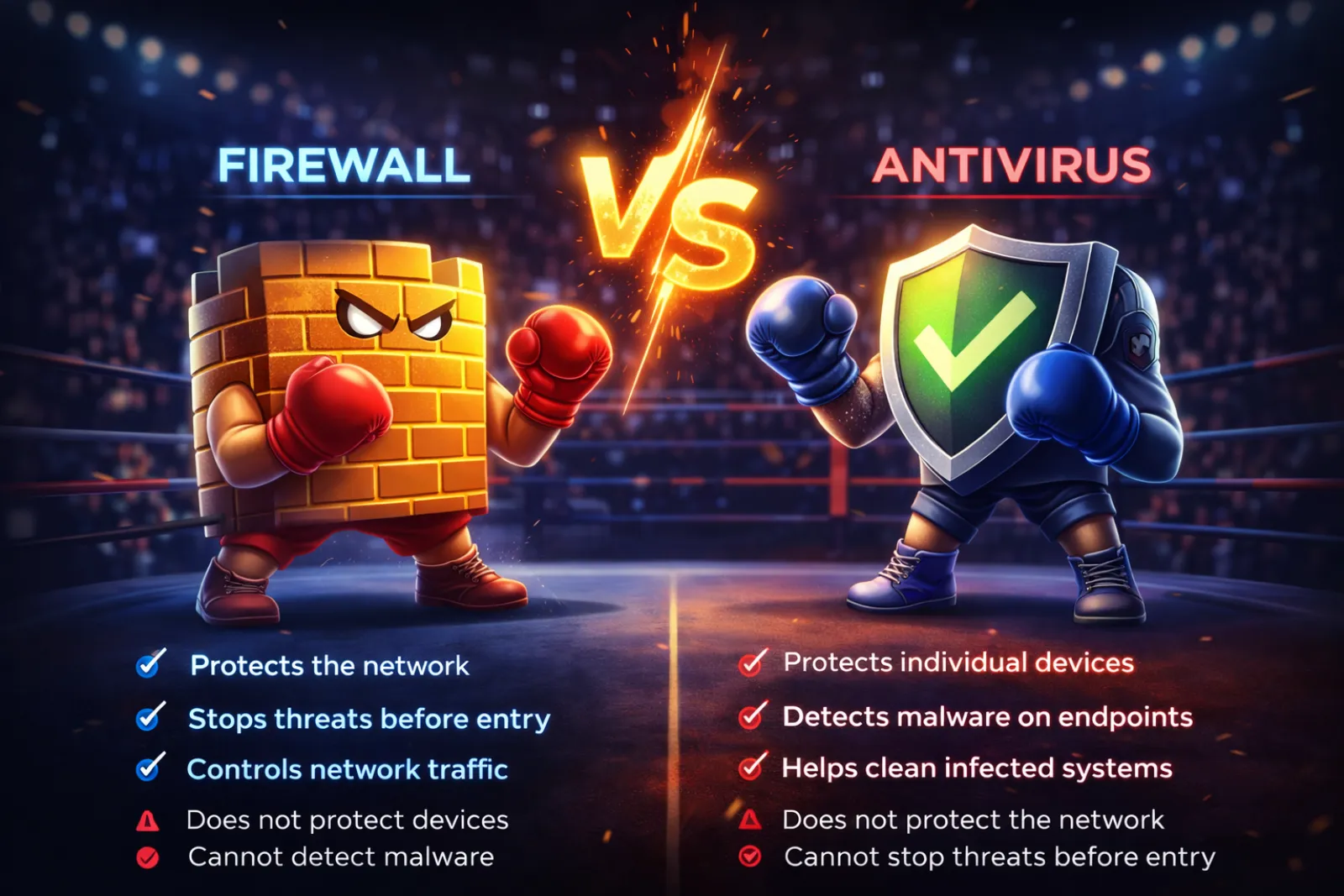
No. A firewall acts as a gatekeeper for network traffic, while corporate antivirus protects the individual devices (endpoints) themselves. They are complementary; the firewall blocks unauthorized access attempts at the perimeter, while the antivirus stops malicious code that might enter via email, web downloads, or physical media.
Can corporate antivirus protect against phishing?
Yes, most modern corporate solutions include web protection modules. These modules check URLs against databases of known phishing sites and use AI to analyze the content of emails for "social engineering" patterns, blocking the link or attachment before the user can click it.
What is the difference between EPP and EDR?
Endpoint Protection Platforms (EPP) are designed to prevent threats from entering (the "shield"). Endpoint Detection and Response (EDR) is designed to find threats that have already bypassed the shield, providing tools for forensic investigation and system rollback to a pre-infection state.
Is cloud-managed antivirus safe for sensitive data?
Yes. Cloud management consoles typically only receive metadata (file names, scan status, device health) rather than the actual content of your business files. Furthermore, leading providers use high-level encryption and multi-factor authentication (MFA) to secure the management portal.
Why is corporate antivirus better than the built-in security in Windows or macOS?
While built-in tools like Windows Defender have improved, they lack the centralized reporting, granular policy control, and multi-platform management (protecting Windows, Mac, and Linux from one screen) that businesses require for compliance and efficient administration.
Practical Recommendation
For businesses evaluating their security in 2026, the first step is to conduct a thorough endpoint audit. If your organization is currently relying on individual licenses or consumer-grade products, transition to a centralized Endpoint Detection and Response (EDR) platform immediately. Prioritize solutions that offer "Rollback" capabilities, which allow you to undo changes made by ransomware with a single click, and ensure the platform integrates with your existing identity management tools (like Azure AD or Okta) for a unified security posture.