An antivirus for computers is a specialized security software designed to prevent, detect, and remove malicious software, commonly known as malware. It functions by monitoring system activity, scanning files against a database of known threats, and using behavioral analysis to identify suspicious patterns that indicate a potential security breach.
As of 2026, the definition of antivirus has expanded significantly. While the term "antivirus" is still the most recognized name, these programs have evolved into comprehensive "endpoint security" suites. Modern solutions do not just target biological-style computer viruses that self-replicate; they defend against a vast spectrum of digital threats, including ransomware, spyware, trojans, rootkits, and sophisticated phishing attempts. Understanding what an antivirus is requires looking past the simple name and into the complex layers of defense that keep personal and corporate data safe in an increasingly connected world.
The Core Functions of Modern Antivirus Software
To truly define antivirus for computers, one must examine the specific tasks the software performs. It is not a passive wall but an active guardian that operates through several distinct phases of protection.
1. Prevention and Blocking
The first line of defense is prevention. Antivirus software acts as a gatekeeper, checking files as they are downloaded from the internet, opened from external drives, or received via email. By analyzing the "fingerprint" or signature of a file before it is allowed to execute, the software can block known threats before they ever touch the computer's storage or memory.
2. Detection and Identification
If a threat manages to bypass initial filters or exists on a system before the antivirus is installed, detection mechanisms come into play. This involves scanning the entire file system (on-demand scanning) or monitoring active processes (real-time scanning). Detection relies on matching code sequences against massive databases of known malware samples, which are updated by security vendors multiple times per day.
3. Neutralization and Removal
Once a threat is identified, the antivirus must act. This typically involves one of three actions:
- Quarantine: Moving the infected file to a secure, isolated folder where it cannot interact with the operating system or other files. This allows the user to inspect the file or for the software to attempt a repair.
- Disinfection: Attempting to strip the malicious code from a legitimate file, restoring the original file to its clean state.
- Deletion: Completely removing the malicious file from the hard drive. This is often the default action for high-risk threats like trojans or worms.
Advanced Detection Methodologies
In 2026, relying solely on a list of "known bad files" is insufficient. Cybercriminals use automated tools to create thousands of unique malware variants every hour. To counter this, antivirus software employs several advanced methodologies.
Signature-Based Detection
This is the traditional method. Every piece of malware has a unique digital signature—a specific string of bits or a cryptographic hash (like SHA-256). The antivirus engine compares every file on your computer against a library of these signatures. While highly effective for known threats, it cannot detect "zero-day" attacks—threats that are so new they haven't been cataloged yet.
Heuristic Analysis
Heuristics involve looking for suspicious characteristics rather than exact matches. For example, if a program attempts to encrypt a large number of files in a short period (a hallmark of ransomware) or tries to modify the computer’s boot sector, the antivirus will flag it as suspicious. This allows the software to catch new, previously unknown malware that shares traits with older threats.
Behavioral Monitoring
Similar to heuristics, behavioral monitoring looks at what a program does while it is running. If an app that is supposed to be a simple calculator suddenly starts trying to access the computer’s microphone and send data to an unknown IP address, the antivirus will intervene. This is particularly effective against "fileless" malware that lives only in the computer's RAM.
Cloud-Based Scanning
Modern antivirus offloads much of the heavy lifting to the cloud. Instead of storing millions of signatures locally and slowing down the computer, the software sends a small "fingerprint" of a suspicious file to the vendor's servers. The server analyzes the file using massive computing power and returns a verdict in milliseconds.
| Feature | Signature-Based | Heuristic/Behavioral | Cloud-Based |
|---|---|---|---|
| Primary Goal | Catch known threats | Catch new/evolving threats | Reduce system impact |
| Detection Speed | Instant for known files | Real-time monitoring | Requires internet connection |
| Accuracy | Extremely high (low false positives) | Moderate (may flag safe apps) | Very high (leverages big data) |
| Resource Usage | Low to Moderate | High (CPU intensive) | Very Low |
The Components of a Security Suite
In the current landscape of 2026, a standalone antivirus is rare. Most products are integrated suites that provide layered security. These components work together to provide a holistic "antivirus" experience:
- Real-time Protection: The background process that monitors every file access and system change as it happens.
- Firewall Integration: While Windows and macOS have built-in firewalls, many antivirus programs provide their own to better manage incoming and outgoing network traffic.
- Web and Phishing Protection: Browser extensions or network drivers that block access to known malicious websites and prevent users from entering credentials into fake login pages.
- Sandboxing: A feature that allows a user to run a suspicious program in a "virtual" environment. If the program turns out to be malware, it cannot escape the sandbox to harm the actual operating system.
- Ransomware Shield: Specific folders (like Documents and Photos) are given extra protection, preventing unauthorized apps from modifying or encrypting the files within them.
Why Antivirus is Essential in 2026
The necessity of antivirus for computers remains a topic of debate, but for the average user, it is an essential safety net. While modern operating systems like Windows 11 and its successors have significantly improved their built-in security (such as Microsoft Defender), the threat landscape has also scaled.
Malware in 2026 is often "polymorphic," meaning it changes its own code to avoid detection. Furthermore, "Malware-as-a-Service" (MaaS) allows even low-skilled attackers to launch sophisticated campaigns. An antivirus provides the specialized, dedicated resources needed to track these fast-moving threats in a way that basic OS security might miss.
Furthermore, the rise of remote work has made personal computers high-value targets. A single compromised home computer can serve as a gateway into a corporate network. Therefore, the "antivirus definition" now includes its role as a critical component of institutional cybersecurity and data privacy.
Common Misconceptions About Antivirus Software
Several myths persist regarding antivirus software that can lead to poor security decisions.
"I don't visit 'bad' websites, so I don't need it."
This is perhaps the most dangerous misconception. Legitimate, high-traffic websites can be compromised through "malvertising"—malicious ads that are served by legitimate ad networks. A user can be infected just by loading a page, without clicking on a single link. This is known as a "drive-by download."
"Antivirus will slow down my computer."
In the early 2000s, this was often true. However, in 2026, modern hardware and the shift toward cloud-based processing have minimized the performance hit. Most users will not notice a well-optimized antivirus running in the background. The performance cost of a malware infection is infinitely higher than the resource usage of the protection software.
"If I have an antivirus, I'm 100% safe."
No security software is perfect. Antivirus is one layer in a "defense-in-depth" strategy. It should be combined with regular software updates, strong password hygiene, and a healthy dose of skepticism regarding unsolicited emails and downloads.
The Difference Between Free and Paid Antivirus
When searching for an antivirus definition for computers, many users wonder if they need to pay for protection.
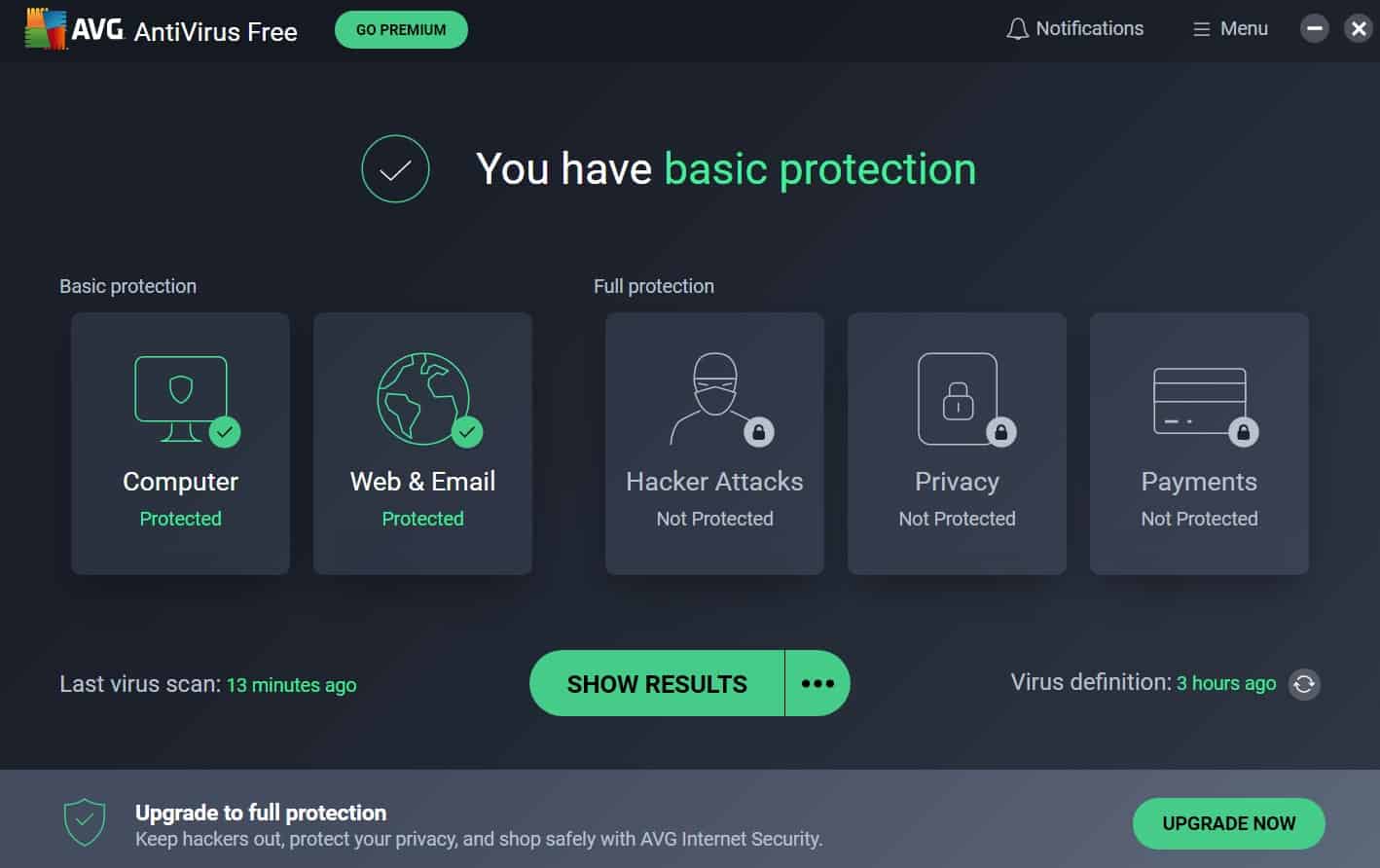
Free Antivirus: These versions usually provide core malware protection engines (signature and heuristic scanning). They are excellent for basic home use. However, they often lack advanced features like dedicated ransomware protection, identity theft monitoring, or secure VPNs. They may also include advertisements for the paid version.
Paid Antivirus: Subscription-based services offer the most comprehensive protection. These often include licenses for multiple devices (PCs, Macs, and smartphones), parent controls, advanced firewalls, and premium customer support. In 2026, paid versions also frequently include automated "patch management," which detects and updates vulnerable software on your computer automatically.
Frequently Asked Questions
Does a computer really need an antivirus in 2026?
Yes. While operating systems have built-in protection, third-party antivirus software often provides faster response times to new threats, better phishing protection, and more advanced behavioral analysis. For most users, having a dedicated security layer is the best way to prevent data loss and identity theft.
What is the difference between antivirus and antimalware?
Historically, "antivirus" targeted viruses, while "antimalware" targeted newer threats like spyware. Today, the terms are used interchangeably. Any reputable antivirus software is actually a full-featured antimalware program capable of handling all types of malicious code.
Can I have two antivirus programs installed at the same time?
Generally, no. Running two real-time antivirus programs simultaneously can cause system instability, crashes, and performance degradation. They may flag each other as threats or compete for system resources. It is best to choose one robust solution and ensure the OS's built-in defender is properly integrated or disabled.
How often should I run a full system scan?
With modern real-time protection, a full scan is rarely needed unless you suspect an infection. However, most experts recommend scheduling a full system scan once a week or once a month to check dormant files that may have been identified as threats after a recent signature update.
Does antivirus protect against phishing?
Many modern antivirus suites include "Web Protection" modules that scan URLs and email links. They compare these links against databases of known fraudulent sites and use AI to analyze the page structure for signs of phishing, providing a significant layer of safety against social engineering attacks.
Can an antivirus protect my privacy?
To an extent, yes. Many suites now include features like webcam protection (notifying you if an app tries to use your camera), microphone alerts, and VPNs (Virtual Private Networks) that encrypt your internet traffic. While not a replacement for privacy-conscious browsing habits, they are powerful tools for data sovereignty.
Final Recommendation
When defining antivirus for computers, it is best to view it as a comprehensive digital immune system. Just as an immune system identifies and neutralizes pathogens before they cause illness, an antivirus monitors the "health" of your operating system to prevent digital infections.
For the best protection in 2026, ensure that your antivirus software is set to auto-update and that real-time protection is always enabled. If you are a casual user, the built-in security of your operating system may suffice, but for those handling sensitive financial data, working from home, or managing multiple devices, a dedicated, paid security suite remains the gold standard for digital safety.