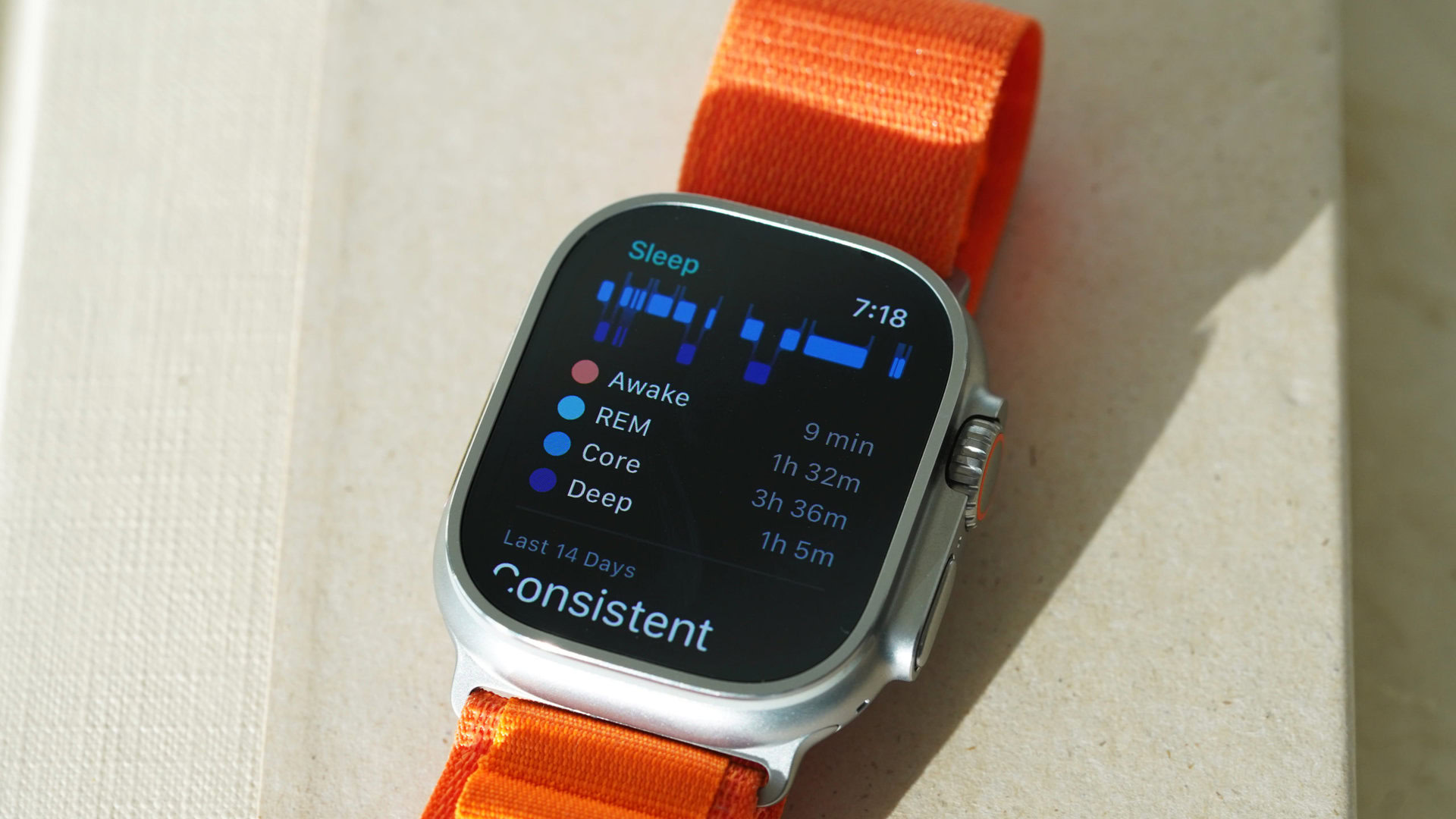
The Apple Watch Series 3 can track sleep using the native Sleep app introduced in watchOS 7, as well as various third-party applications available on the App Store. While it lacks the advanced "Sleep Stages" analysis found in newer models, it provides essential data on sleep duration, consistency, and heart rate trends.
The Evolution of Sleep Tracking on the Series 3
When the Apple Watch Series 3 was first released in 2017, it did not include a native sleep-tracking feature. For several years, users relied exclusively on third-party developers to fill this gap. It wasn't until the release of watchOS 7 in 2020 that Apple officially brought sleep tracking to its wearable lineup, including the Series 3.
As of 2026, the Series 3 occupies a unique position. It is widely considered a "legacy" device, yet many remain in active use due to their durability. To use the native sleep features, the watch must be running at least watchOS 7. However, the Series 3 is compatible up to watchOS 8.7.1, which remains the final stable software version for this specific hardware. Because it cannot upgrade to watchOS 9 or later, it misses out on the "Sleep Stages" (REM, Core, Deep sleep) functionality that Apple introduced for newer models. Despite this, the Series 3 remains a functional, budget-friendly tool for monitoring basic rest patterns.
Prerequisites for Sleep Tracking on Series 3
Before you can begin monitoring your rest, you must ensure your hardware and software are properly configured. Because the Series 3 is an older device, these prerequisites are vital for a smooth experience.
Software Requirements
Your Apple Watch Series 3 must be running watchOS 7 or watchOS 8. To check your version, open the Settings app on the watch, go to General, and select About. If you are on an older version, you will need to update it via the Watch app on your paired iPhone. Note that the Series 3 requires a significant amount of free space for updates, often necessitating a temporary unpairing and restoring process to clear the cache.
iPhone Pairing
The Series 3 must be paired with an iPhone capable of running iOS 14 or later. In 2026, most modern iPhones (iPhone 12 and newer) handle this easily, though the synchronization speed may be slower than with more recent Apple Watch models due to the older Bluetooth standards and the S3 dual-core processor.
Battery Health Considerations
In 2026, the physical battery health of a Series 3 is a primary concern. To track sleep effectively, the watch needs at least 30% battery life before you go to bed. If the battery health has significantly degraded over the years, you may find that the device struggles to last through both a full day of activity and a full night of tracking. We will discuss charging strategies later in this guide to help mitigate this.
Setting Up the Native Sleep App
Apple’s native approach to sleep focuses on "Sleep Schedules." Rather than just recording when you pass out, the system encourages a routine.
Creating a Sleep Schedule
- Open the Sleep app (look for the light blue bed icon) on your Apple Watch Series 3.
- Follow the on-screen instructions to set your "Sleep Goal" (how many hours you wish to sleep).
- Set your Schedule. You can set different schedules for weekdays and weekends.
- Enable the Sleep Screen. This simplifies the watch face at night to reduce distractions and prevent the screen from waking you up with bright light.
Enabling "Track Sleep with Apple Watch"
For the watch to actually record data, the tracking toggle must be active. Navigate to the Watch app on your iPhone, scroll down to Sleep, and ensure that Track Sleep with Apple Watch is turned on. This allows the accelerometer to detect the minute movements associated with sleep versus wakefulness.
Understanding the Data: What the Series 3 Can and Cannot Do
It is important to manage expectations regarding the depth of data the Series 3 provides. Because it is hardware-limited to watchOS 8, the data is more "top-level" than what you would see on a Series 10 or an Ultra model.
What is Tracked
- Time in Bed: This is measured based on when you stop using your devices and when the Sleep Focus mode is active.
- Time Asleep: The watch uses the accelerometer to detect a lack of movement and a specific heart rate dip to estimate when you actually fell asleep.
- Heart Rate: The Series 3 continues to sample your heart rate periodically throughout the night, which is then plotted in the Health app.
- Consistency: The Health app will show you a "Sleep Highlights" section, indicating if your sleep duration is trending up or down over the last 14 days.
What is Missing (The watchOS 9+ Gap)
The most significant limitation of the Series 3 in 2026 is the absence of Sleep Stages. Newer Apple Watches use machine learning models available in watchOS 9, 10, and 11 to differentiate between REM, Core, and Deep sleep. Since the Series 3 cannot run these versions, the native Sleep app will only show a solid bar representing "Time Asleep." It cannot tell you the quality or depth of that sleep natively.
Comparison: Series 3 vs. Modern Apple Watch Sleep Tracking
To better understand where the Series 3 stands in 2026, consider how its capabilities compare to more recent hardware.
| Feature | Apple Watch Series 3 | Apple Watch SE (2nd Gen) | Apple Watch Series 10/Ultra 2 |
|---|---|---|---|
| Max OS Version | watchOS 8.7.1 | watchOS 12 (Current) | watchOS 12 (Current) |
| Sleep Stages | No (Native) | Yes | Yes |
| Blood Oxygen | No | No | Yes |
| Wrist Temperature | No | No | Yes (Cycle/Sleep Tracking) |
| Fast Charging | No | No | Yes |
| Battery Life | 18 hours (New) | 18 hours | 18–36 hours |
| Sleep Apnea Notifications | No | No | Yes (Select Models) |
Third-Party Apps: Unlocking More Depth on Series 3
If the native Apple Sleep app feels too basic, third-party developers have created sophisticated workarounds that extract more information from the Series 3 hardware than Apple’s own software does.
AutoSleep
AutoSleep is widely considered the gold standard for older Apple Watch models. Unlike the native app, AutoSleep does not require you to set a schedule; it detects sleep automatically based on movement and heart rate. Crucially, AutoSleep uses its own algorithms to estimate sleep quality and stages, providing a deeper look into your rest that the Series 3 lacks natively.
Pillow
Pillow offers a visually rich interface and includes features like audio recording (to detect snoring or sleep talking) and a smart alarm. The smart alarm is particularly useful for Series 3 users, as it attempts to wake you up during your lightest sleep phase within a set window, making the transition to wakefulness feel less jarring.
Sleep Cycle
Sleep Cycle focuses heavily on the "Smart Alarm" functionality. While it is famous for its phone-based microphone tracking, its Apple Watch integration allows it to use the haptic engine on your wrist to wake you up silently, which is ideal for those who share a bed.
Overcoming the Battery Hurdle in 2026
The biggest practical challenge to tracking sleep with a Series 3 in 2026 is the battery. Since the device must be worn overnight, you lose the traditional "charge while you sleep" window.
The "Dinner Hour" Charge Strategy
Because the Series 3 lacks fast-charging capabilities, it takes roughly 1.5 to 2 hours to reach a full charge. The most effective strategy is to place the watch on the charger during your evening routine—perhaps an hour before bed while you are showering or winding down. If you can get the watch to 90% or higher before sleep, it should comfortably last through the night and until your next morning routine.
Disabling Non-Essential Features
To maximize battery life for sleep tracking, consider disabling the "Wake on Wrist Raise" feature during the day, or keeping the screen brightness at the lowest setting. Reducing the number of apps that provide background notifications can also preserve the "juice" needed for the overnight sensors.
Troubleshooting Common Sleep Tracking Issues
Even with the correct settings, you may encounter issues where the Series 3 fails to log data.
- Data Gaps in Heart Rate: If the watch is too loose on your wrist, the optical heart rate sensor will fail to get a reading. Ensure the band is snug but comfortable.
- Sleep Mode Not Activating: If you haven't enabled "Use Sleep Focus for Sleep Schedule," the watch might stay in its standard mode, draining battery with notifications and accidental screen wakes.
- Sync Delays: In 2026, the communication between a Series 3 and a modern iPhone can sometimes lag. If your sleep data isn't showing up in the Health app, try toggling Bluetooth off and on again on your iPhone.
- Storage Issues: If the Series 3 storage is completely full, it may struggle to write new health data logs. Deleting unused apps or old music synced to the watch can resolve this.
Privacy and Health Data Security
One aspect where the Series 3 remains modern is its adherence to Apple’s privacy standards. All sleep data collected by the Series 3 is encrypted on the device and when backed up to iCloud (if two-factor authentication is enabled). Apple does not have access to your specific sleep patterns or heart rate data. In an era where health data privacy is increasingly scrutinized, the Series 3 still offers the same robust protections as the latest models.
Expert Tips for Better Sleep Data
- Clean the Sensors: Use a lint-free cloth to wipe the back crystal of the watch regularly. Sweat and skin oils can interfere with the heart rate sensor's accuracy over a long night.
- Use a Comfortable Band: For sleep tracking, the Sport Loop (nylon) is often preferred over the Sport Band (silicone) or metal links. It is breathable and allows for more precise adjustments to ensure the sensors stay in contact with the skin.
- Check for "Theater Mode": If you don't like the Sleep Focus settings, you can manually use Theater Mode. This keeps the screen dark unless you tap it, preventing the watch from lighting up the room when you move in your sleep.
- Calibrate Your Schedule: Be honest with your Sleep Schedule. If you set it for 10:00 PM but regularly stay up until 11:30 PM, the "Time in Bed" metric will be skewed, making your "Sleep Efficiency" look lower than it actually is.
Is the Series 3 Still Viable for Sleep Tracking in 2026?
The answer depends on your needs. If you require high-fidelity medical-grade data or want to track REM/Deep sleep stages natively, the Series 3 will disappoint you. However, if your goal is to track your total sleep duration, monitor your resting heart rate trends, and establish a healthier "wind down" routine, the Series 3 remains a remarkably capable device.
For many, the Series 3 serves as an excellent "secondary" watch—something to wear specifically for sleep while a newer, more expensive Apple Watch charges or is kept for daily fashion and fitness.
Frequently Asked Questions
Can the Apple Watch Series 3 detect sleep apnea?
No, the Apple Watch Series 3 cannot detect sleep apnea. While later models (specifically those released in late 2024 and beyond) have features designed to identify breathing disturbances, the Series 3 lacks the necessary sensors and the processing power required for the sophisticated algorithms that monitor for apnea. If you suspect you have sleep apnea, you should consult a medical professional for a clinical sleep study.
Does the Series 3 track sleep automatically?
Natively, the Series 3 relies on your Sleep Schedule and Sleep Focus mode to determine when you are sleeping. It is not "automatic" in the sense that it just knows you took a nap. However, third-party apps like AutoSleep can provide truly automatic detection by constantly analyzing your movement and heart rate data in the background.
Why doesn't my Series 3 show REM or Deep sleep?
The "Sleep Stages" feature (REM, Core, Deep sleep) requires watchOS 9 or newer. Because the Apple Watch Series 3 is hardware-limited and cannot be updated past watchOS 8.7.1, it does not have the necessary software architecture to process and display sleep stages in the Apple Health app.
How much battery does sleep tracking use on a Series 3?
On average, a Series 3 with a healthy battery will use between 15% and 25% of its charge during an 8-hour sleep session. However, because many Series 3 watches in 2026 have aged batteries, this consumption may be higher. If your battery health is below 80%, you may see a drain of 30% or more overnight.
Can I track naps with the Series 3?
The native Sleep app on the Series 3 does not track naps; it only tracks sleep that occurs during your scheduled "Sleep Window." To track naps, you would need to use a third-party app or manually enter the sleep data into the Health app on your iPhone after the nap has concluded.
Final Recommendation
If you currently own an Apple Watch Series 3, there is no need to upgrade solely for basic sleep tracking. By ensuring you are on watchOS 8 and utilizing a consistent "Dinner Hour" charging routine, you can get reliable duration and heart rate data every night. For those seeking deeper insights into sleep quality, downloading a third-party app like AutoSleep is the most effective way to modernize the capabilities of your legacy device without spending hundreds of dollars on a new model.