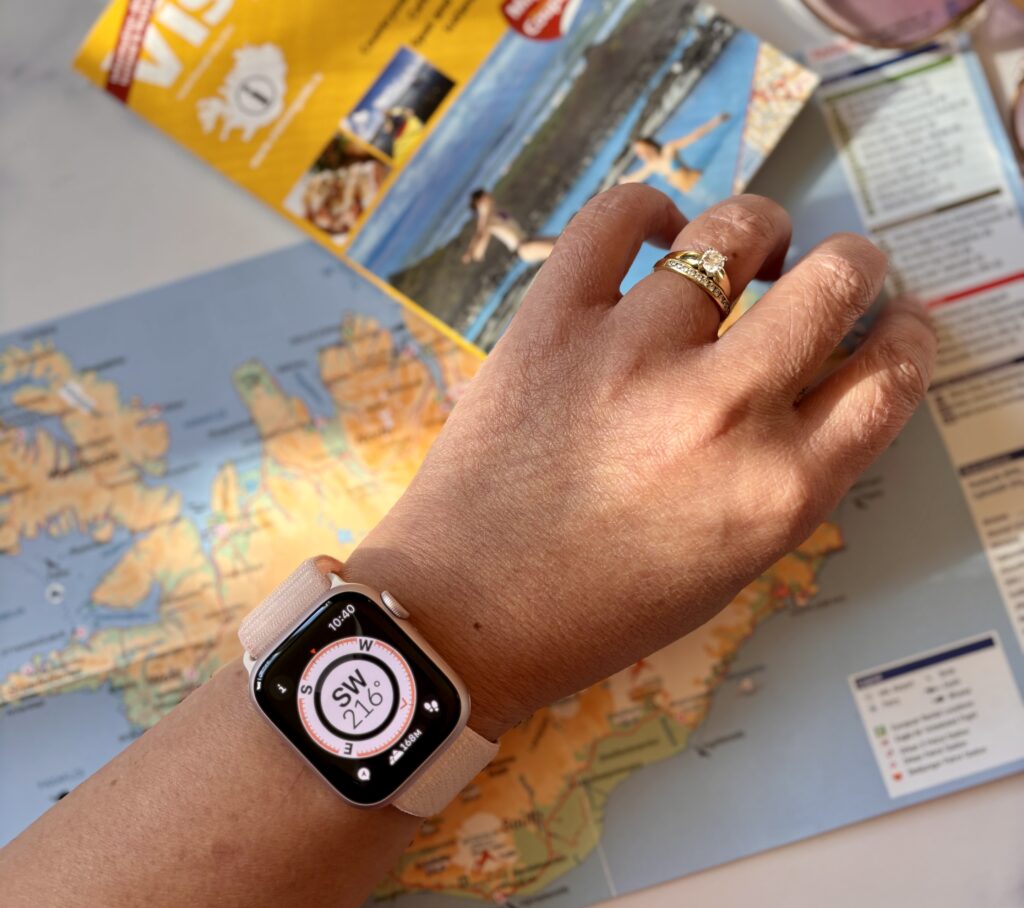
In 2026, the Apple Watch has evolved from a simple notification hub into a critical travel tool that streamlines transit, enhances personal safety, and manages physiological health. By centralizing boarding passes, real-time translation, and biometric jet lag data on the wrist, it minimizes "phone friction," allowing travelers to remain present and observant during their journeys.
The Evolution of Travel Logistics: Moving Beyond the Handheld Device
Travel has historically been a fragmented experience, requiring constant juggling of passports, paper tickets, and later, smartphones. In 2026, the Apple Watch shapes the journey by consolidating these fragments into a seamless, haptic-driven flow. The primary driver of this shift is the maturity of the Apple Wallet ecosystem and its integration with global transit and hospitality standards.
Digital Keys and Contactless Boarding
The days of fumbling for a phone at a crowded boarding gate are largely over. With the Apple Watch Series 11 and Ultra 3, the integration of Ultra Wideband (UWB) technology allows for high-precision proximity sensing. Travelers can approach a boarding gate or a hotel room door, and the watch automatically surfaces the relevant pass or key using "Check In" logic.
Hotel chains like Marriott, Hilton, and Hyatt have standardized digital keys within the Wallet app. Upon arrival, your watch receives a notification that your room is ready. A simple tap of the wrist against the door lock grants entry. This removes the need for physical check-in desks, allowing travelers to go from the airport to their room without a single manual interaction.
Hands-Free Navigation in Foreign Cities
One of the most significant ways wrist tech shapes the journey is through haptic-based navigation. Using Apple Maps on the watch, travelers can navigate unfamiliar streets without staring at a screen—a practice that often marks someone as a tourist and can compromise situational awareness.
The watch provides distinct haptic pulses: a series of steady taps for a right turn and a different rhythm for a left turn. In 2026, these haptics have become more nuanced, providing "terrain feel" and "arrival taps" that are subtle yet unmistakable. This allows the traveler to keep their eyes on the architecture and the people around them, rather than a glowing rectangle in their palm.
Managing the Biological Toll: Jet Lag and Wellness
Long-haul travel imposes a significant physical burden on the body. The Apple Watch has transitioned from a passive fitness tracker to an active health consultant, using the Vitals app and advanced circadian rhythm algorithms to mitigate the effects of jet lag.
The Science of Circadian Shifting
The watch monitors your baseline sleep patterns, heart rate variability (HRV), and wrist temperature for weeks leading up to a trip. When a flight is booked and synced via the Calendar, the watch begins suggesting incremental shifts in sleep and light exposure.
Upon landing in a new time zone, the watch uses its ambient light sensor to monitor your exposure to sunlight. It may send a notification suggesting you "seek bright light for 20 minutes" or "dim your environment" to help reset your internal clock. This proactive management reduces the "brain fog" associated with crossing multiple time zones, allowing business travelers to be more effective and vacationers to enjoy their first days abroad.
Hydration and Movement Reminders
Deep vein thrombosis (DVT) and dehydration remain risks during long-haul flights. The Apple Watch uses its sensors to detect prolonged inactivity in high-altitude environments (detected via the barometer). It provides specific "Stretch and Flex" prompts tailored to the cramped confines of an airplane seat. Integration with smart water bottles or manual logging ensures that travelers maintain hydration levels, which is crucial for recovery after landing.
Safety and Security: A Silent Guardian on the Wrist
Safety is a paramount concern for any traveler, particularly those exploring solo or heading to remote locations. The Apple Watch provides a multi-layered safety net that functions even when the user is incapacitated or in an area with poor cellular coverage.
International Emergency SOS and Fall Detection
The Emergency SOS feature is now globally optimized. If the watch detects a hard fall or a vehicular crash, it can contact local emergency services in over 190 countries and territories, providing your exact GPS coordinates and your Medical ID. In 2026, the Satellite Connectivity features—introduced in earlier models and expanded in the Ultra 3—ensure that even in the middle of a desert or on a remote mountain peak, a distress signal can be sent if cellular towers are out of reach.
The "Check In" Feature for Solo Explorers
Originally introduced in watchOS, the Check In feature is a vital tool for modern journeys. If you are walking back to your hotel at night or hiking a trail, you can set a Check In timer. If you don't arrive at your destination within the expected timeframe, the watch automatically notifies a designated emergency contact with your last known location, battery level, and cellular status. This provides peace of mind for both the traveler and their loved ones.
Communication and Real-Time Translation
Language barriers are one of the last remaining hurdles in global travel. The Apple Watch addresses this through on-device intelligence that facilitates near-instant communication.
On-Device Translate App
In 2026, the Translate app on Apple Watch utilizes the powerful Neural Engine of the S-series chips to perform translation locally. This is a game-changer for travelers without international data plans. You can speak into your watch, and it will play the translated audio through the speaker or display the text in large, clear type for the other person to read.
The Action Button on the Apple Watch Ultra can be mapped specifically to the Translate app, making it a dedicated "translation key." This immediacy allows for more natural interactions at local markets, transit hubs, and restaurants, fostering a deeper connection with the local culture.
Technical Specifications and Hardware Selection for Travelers
Choosing the right hardware is essential for maximizing the benefits of wrist tech during travel. While the Series 11 is an excellent all-rounder, the Ultra 3 remains the gold standard for frequent flyers and adventurers.
| Feature | Apple Watch Series 11 | Apple Watch Ultra 3 | Apple Watch SE (3rd Gen) |
|---|---|---|---|
| Battery Life (Normal) | Up to 18-24 hours | Up to 36-48 hours | Up to 18 hours |
| Low Power Mode | Up to 36 hours | Up to 72 hours | Up to 36 hours |
| Display Brightness | 2000 nits | 3000 nits | 1000 nits |
| GPS Capability | L1 GPS | Precision Dual-frequency (L1/L5) | L1 GPS |
| Durability | Ion-X or Sapphire Glass | Titanium & Sapphire Glass | Ion-X Glass |
| Satellite Features | Emergency SOS via Satellite | Emergency SOS / Find My | Limited |
| Action Button | No | Yes (Customizable) | No |
The Power of the Ultra 3 for Long-Haul Trips
The primary advantage of the Ultra 3 for travelers is battery longevity. On a 14-hour flight from New York to Singapore, a standard watch might struggle to last the full journey if used for sleep tracking, music control, and navigation upon arrival. The Ultra 3, however, can easily manage the flight and the subsequent day of exploration without needing a charger. The dual-frequency GPS is also vital in "urban canyons"—cities like Tokyo or New York—where tall buildings can interfere with standard GPS signals, ensuring your turn-by-turn navigation remains accurate.
Minimizing Digital Distraction: The "Wrist-First" Philosophy
The most profound way the Apple Watch shapes journeys is psychological. By moving essential information to the wrist, it prevents the "rabbit hole" effect of the smartphone. When you pull out a phone to check a gate number, you are often greeted by a barrage of emails, social media notifications, and news alerts.
On the watch, the interaction is transactional and brief. You check the gate, you look at the time, and then your hand drops back to your side. This reinforces a "wrist-first" philosophy where technology serves the moment rather than distracting from it. In the context of travel, this means more time spent looking at the world and less time looking at a screen.
Common Obstacles and Troubleshooting for Travelers
Despite the advancements in 2026, using an Apple Watch abroad requires some preparation to avoid common pitfalls.
- Roaming and Connectivity: Not all cellular Apple Watch models support international roaming. It is essential to check with your carrier (e.g., T-Mobile, Vodafone, Orange) to see if your plan includes "Wrist Roaming." If not, your watch will rely on your iPhone’s connection via Bluetooth.
- Charging Standards: While the Apple Watch uses a proprietary magnetic charger, the wall plug varies by country. Travelers should always carry a universal adapter and, ideally, a fast-charging USB-C cable to take advantage of the Series 11 and Ultra 3’s rapid charging capabilities (0-80% in about 45 minutes).
- Apple Pay Acceptance: While contactless payments are nearly universal in Europe and parts of Asia, some regions still rely on cash. Always carry a secondary form of payment. However, for transit systems (like the London Underground or NYC Subway), the Express Transit feature allows you to tap your watch without even waking the screen or using FaceID/Passcode.
FAQ: Navigating the World with Apple Watch
Can I use my Apple Watch for navigation without a cellular plan?
Yes. Since watchOS 10, Apple Maps allows you to download "Offline Maps" to your iPhone, which are then accessible on your Apple Watch. As long as your watch is within Bluetooth range of your iPhone, or if you have an Ultra model with the maps synced, you can navigate without an active data connection.
How does the Apple Watch handle time zone changes automatically?
The Apple Watch syncs its time with your iPhone. Once your iPhone connects to a local cellular network or Wi-Fi and updates its clock, the Apple Watch will reflect the new time zone almost instantly. If you are in "Airplane Mode," you may need to briefly toggle Wi-Fi or Bluetooth to prompt the sync.
Is the Apple Watch waterproof enough for ocean swimming?
The Apple Watch Series 11 is water-resistant to 50 meters, suitable for pool or ocean swimming. However, the Apple Watch Ultra 3 is rated to 100 meters and is EN13319 certified for recreational scuba diving up to 40 meters. Always rinse your watch with fresh water after swimming in the ocean to remove salt deposits from the seals and speaker ports.
What happens if my Apple Watch is stolen while traveling?
If your watch is stolen, you should immediately use the Find My app on another device to put it into "Lost Mode." This locks the watch with your passcode and suspends Apple Pay capabilities. Because of Activation Lock, the thief cannot pair the watch with a new iPhone without your Apple ID and password, making the device effectively useless to them.
Can I use the Apple Watch to track my luggage?
While the watch doesn't track luggage directly, it integrates perfectly with AirTags. You can use the "Find Items" app on your wrist to see exactly where your suitcase is located—whether it's still at the departure airport or has arrived at the carousel.
Practical Recommendation for Your Next Journey
To fully leverage your Apple Watch for travel in 2026, begin by auditing your Wallet app two days before departure. Ensure your boarding passes, hotel loyalty cards, and at least one travel-friendly credit card (with no foreign transaction fees) are staged and ready.
If you are crossing more than three time zones, activate the Vitals app's sleep tracking features immediately to begin the circadian adjustment process. Finally, map your "Action Button" or a "Modular Ultra" watch face complication to the Translate or Maps app to ensure the most vital tools are always a single tap away. By preparing the digital environment before you leave, you allow the hardware to fade into the background, leaving you free to experience the journey itself.