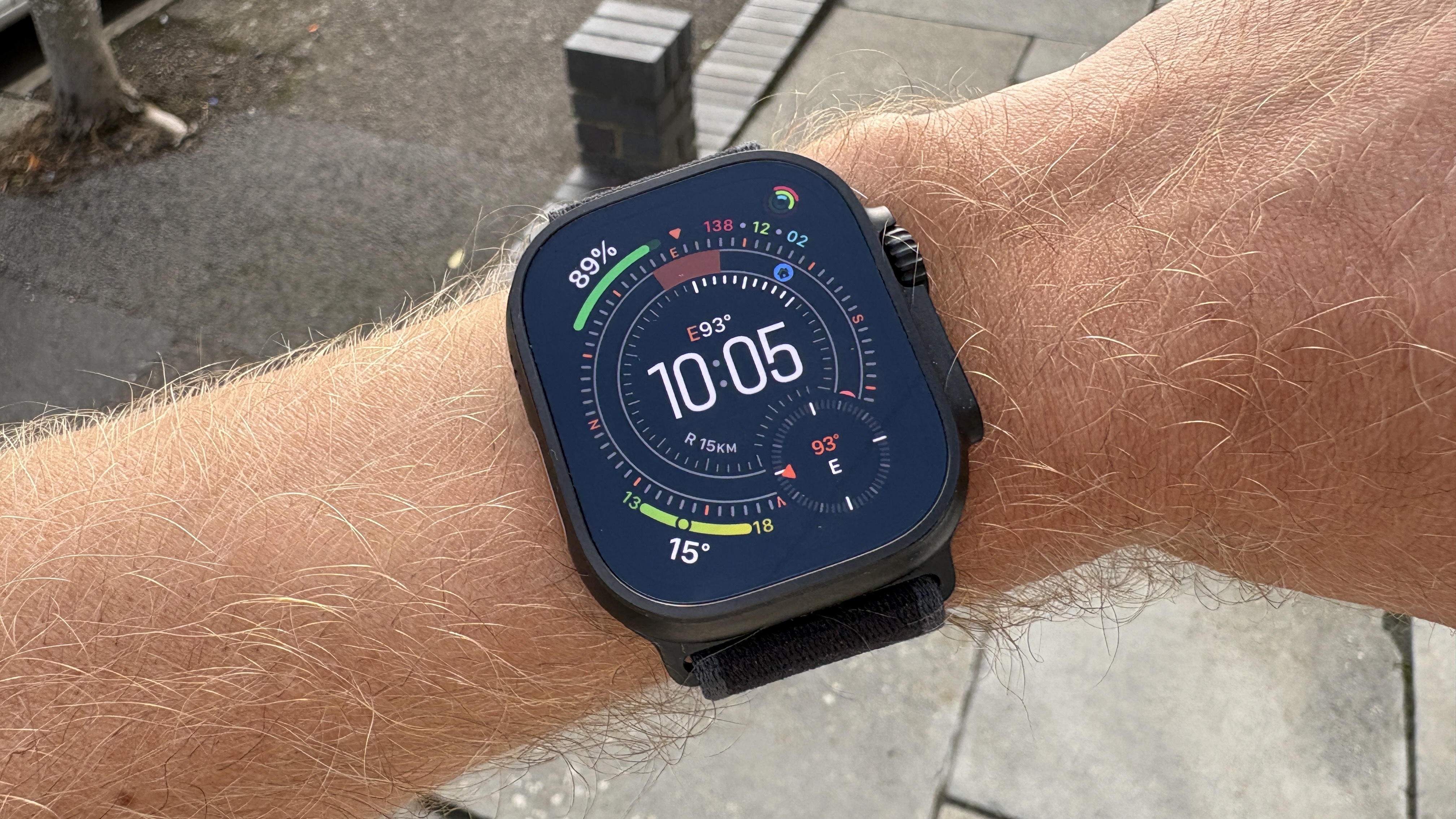
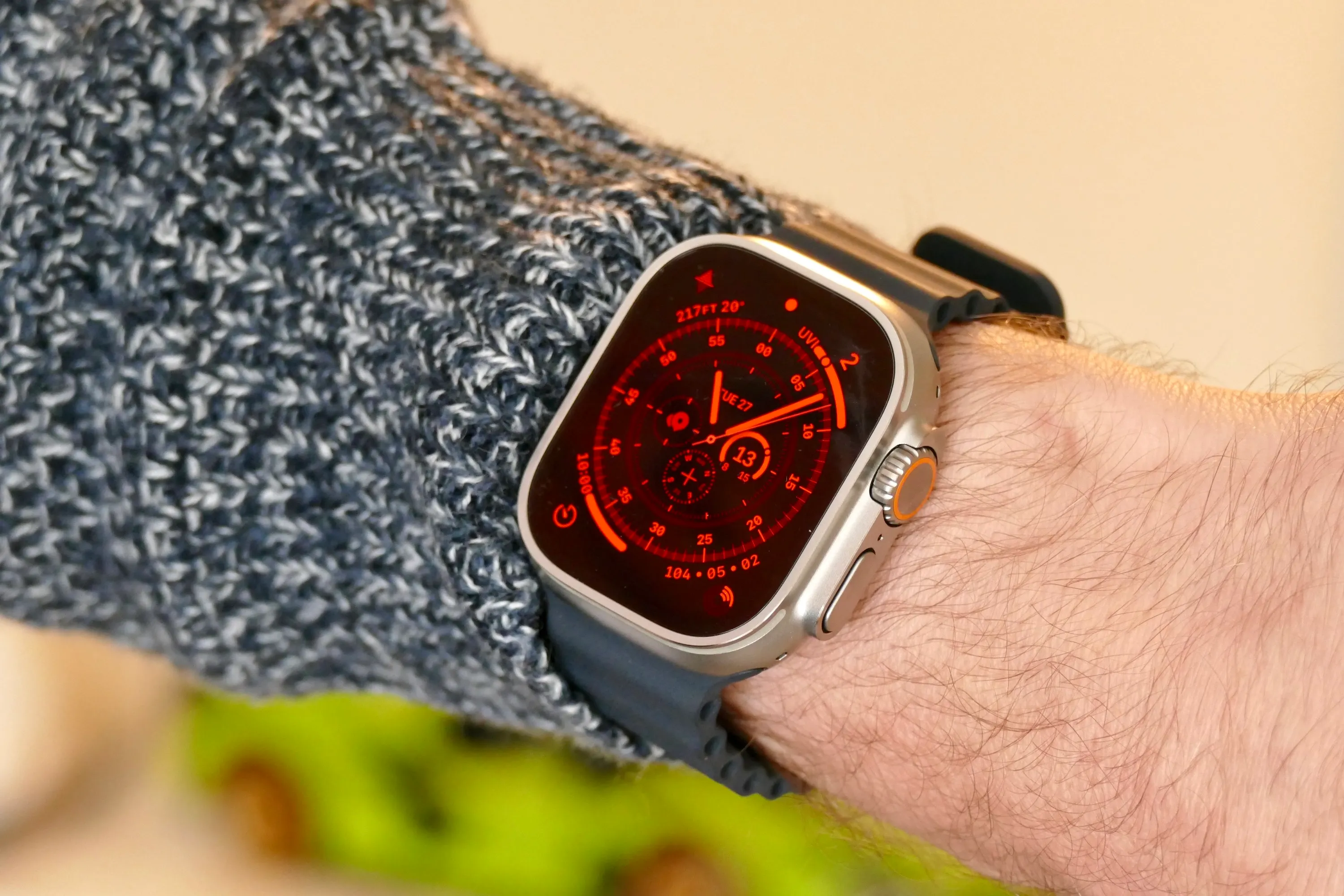
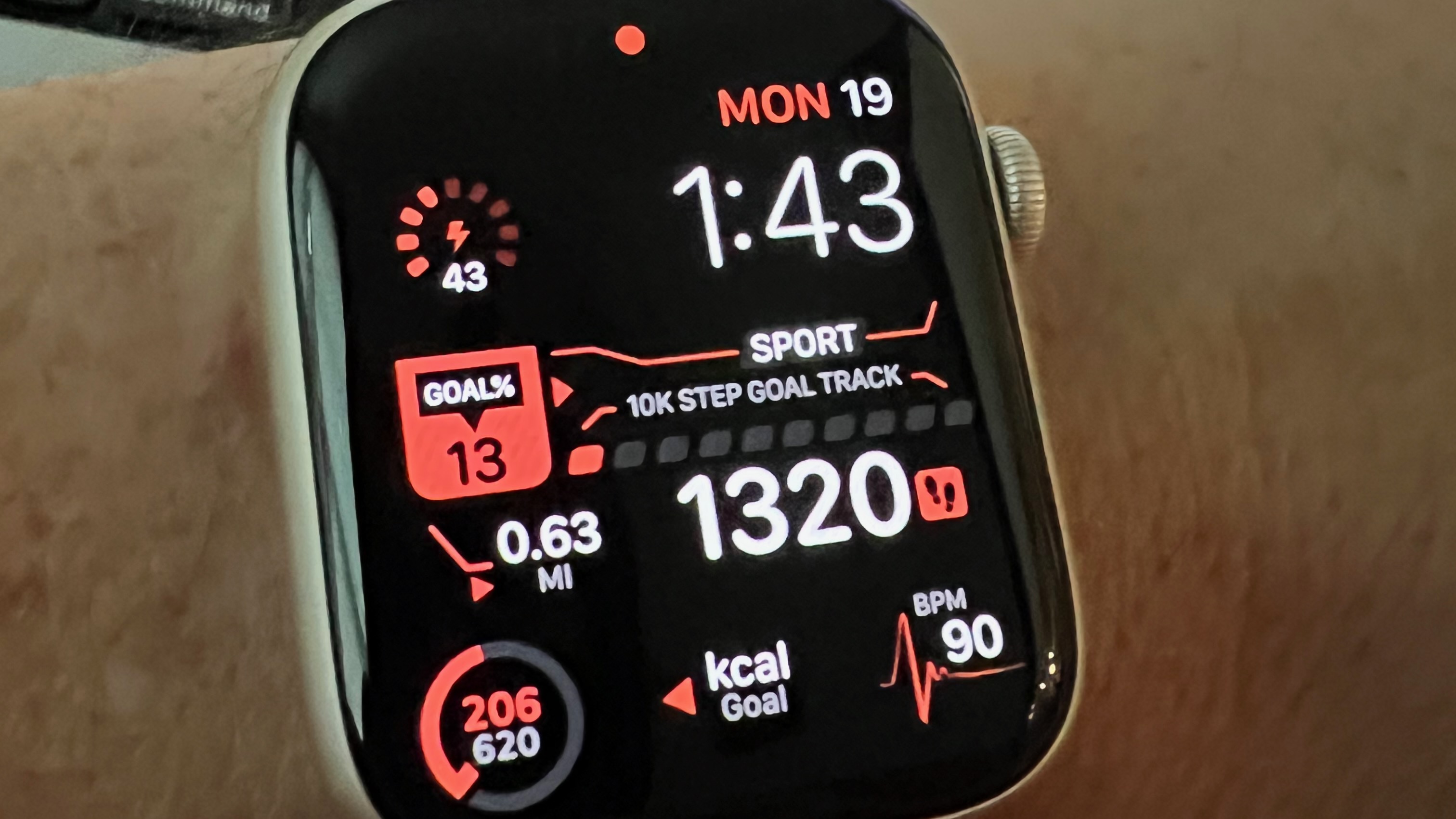
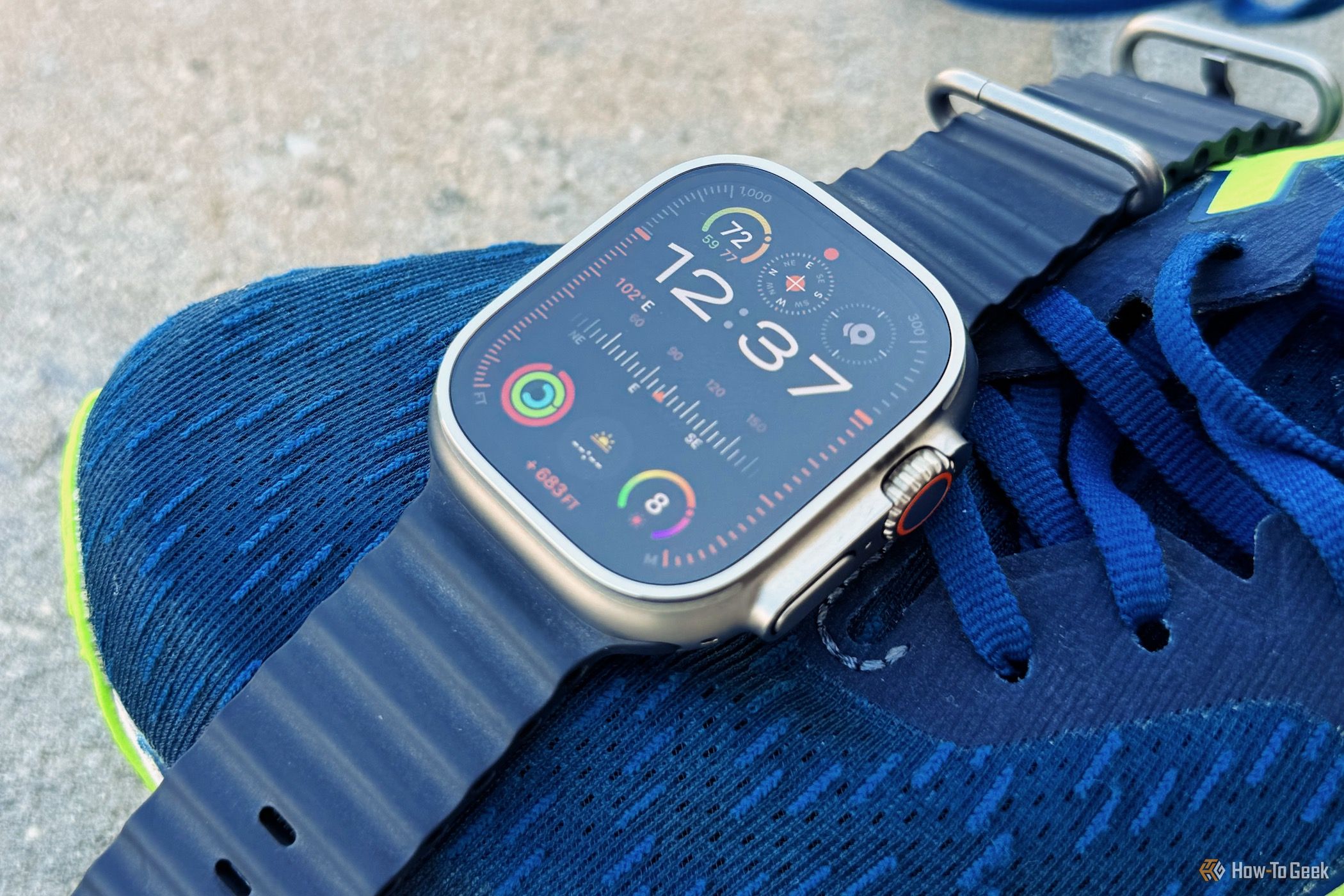
The Apple Watch Ultra series features exclusive watch faces—specifically Wayfinder and Modular Ultra—engineered to leverage the device’s larger 49mm display and advanced sensor suite. These faces offer professional-grade data density, specialized outdoor metrics like live elevation or depth, and a dedicated Night Mode designed to preserve night vision during low-light expeditions.
The Apple Watch Ultra represents a significant departure from the standard Series models, not just in its rugged titanium construction but in how it presents information. In 2026, as the Ultra lineup has matured through several iterations, the software-hardware integration remains the defining characteristic of the "Pro" wearable experience. The exclusive watch faces are the primary interface for this integration, serving as a dashboard for athletes, explorers, and power users who require more than what a standard watch face can provide.
Why Exclusivity Matters: The Hardware-Software Bond
The exclusivity of faces like Wayfinder and Modular Ultra is not merely a marketing tactic; it is rooted in the physical architecture of the Ultra series. Standard Apple Watch models, even those running the latest watchOS 12 in 2026, lack the specific hardware requirements to run these faces effectively.
The 49mm Display and Resolution
The Ultra’s 49mm casing houses a display that offers significantly more screen real estate than the 41mm or 45mm standard models. This extra space allows for "bezel complications"—data points that sit outside the traditional central dial. On the Modular Ultra face, for instance, the edge of the screen displays real-time metrics such as altitude or seconds, which would appear cluttered or illegible on a smaller screen.
Peak Brightness and Night Mode
With displays reaching up to 3,000 nits on the Ultra 2 and subsequent models, the exclusive faces are designed to remain readable in direct desert sun. Conversely, they feature a specialized Night Mode. Unlike the "Theater Mode" found on standard watches, Night Mode on Ultra-exclusive faces turns the entire interface a deep, monochromatic red. This specific wavelength of light is less disruptive to the human eye’s adaptation to darkness, making it essential for stargazing, night hiking, or tactical use.
Sensor Integration
The exclusive faces are hard-coded to pull data directly from the Ultra’s high-precision sensors, including the dual-frequency GPS and the improved depth gauge. While standard faces can show weather or heart rate, the Wayfinder and Modular Ultra faces are optimized for high-frequency updates from the compass and altimeter, ensuring that the information displayed is accurate to the second.
Deep Dive: The Wayfinder Watch Face
Introduced with the original Apple Watch Ultra, the Wayfinder face remains the gold standard for navigators and hikers. It is a dual-purpose face that acts as a traditional timepiece and a sophisticated navigational tool.
The Compass Bezel
The most striking feature of the Wayfinder face is the customizable bezel. By tapping the outer ring, users can toggle between a standard minute track and a live compass. When the compass bezel is active, the face displays the user’s current latitude and longitude in real-time. This is particularly useful for orienteering where precise coordinates are required for map-matching or emergency signaling.
Night Mode Activation
On the original Ultra, Night Mode was activated by rotating the Digital Crown while using the Wayfinder face. In the 2026 software environment, this has been refined. While the manual crown rotation still works for precision control, users can now set Night Mode to "Auto." This utilizes the ambient light sensor to detect when light levels drop below a certain threshold, automatically shifting the Wayfinder face into its red-on-black UI.
Complication Density
Wayfinder supports up to eight complications. This includes four complications in the corners and four in the center dial. This density allows a user to monitor:
- Environmental factors: UV index, wind speed, and temperature.
- Safety metrics: Battery life, cellular signal, and SOS shortcuts.
- Navigation: Compass waypoints, Backtrack, and elevation.
Deep Dive: The Modular Ultra Face
The Modular Ultra face, introduced with the Ultra 2, is designed for the maximum possible data density. It is favored by athletes and data-driven professionals who need to see as many metrics as possible without swiping through different screens.
The Edge Complications
What sets Modular Ultra apart is its use of the "outer edge" of the display. This area can be configured to show one of three real-time metrics:
- Altitude: Continuous tracking of your height above sea level.
- Depth: Essential for divers, showing current depth in feet or meters.
- Seconds: A digital second-counter for precision timing.
Because these metrics reside on the very edge of the glass, the main body of the watch face remains open for seven additional complications. This creates a total of eight data points (including the edge) plus the large central time display.
Dynamic Interaction with watchOS
In 2026, the Modular Ultra face integrates seamlessly with the "Smart Stack" feature. While the face itself is static and dense, a simple scroll of the Digital Crown allows the user to see widgets that complement the face. For example, if your Modular Ultra face is set to "Work" mode, scrolling down will reveal your next calendar appointment or a summary of your emails, while the face continues to show your vital stats in the background.
Customization Options
Modular Ultra offers three distinct "styles" of time display: a clean digital look, a bold typeface for high visibility, and a specialized outdoor variant that prioritizes legibility in high-glare environments. Each style can be color-coordinated, though many users prefer the "Multicolor" option which assigns specific colors to different complication types (e.g., green for fitness, blue for weather) to aid in rapid data recognition.
Comparing Apple Watch Ultra Exclusive Faces
The following table compares the two primary exclusive faces to help users decide which layout best suits their specific activity.
| Feature | Wayfinder Face | Modular Ultra Face |
|---|---|---|
| Primary Use Case | Navigation & Orienteering | Data-Heavy Training & Pro Use |
| Max Complications | 8 | 8 (7 standard + 1 edge) |
| Night Mode | Yes (Manual or Auto) | Yes (Manual or Auto) |
| Edge Metrics | Compass Bezel | Altitude, Depth, or Seconds |
| Time Format | Analog (Digital option in center) | Digital Only |
| Visual Style | Traditional Chronograph | Modern Technical Grid |
| Best For | Hiking, Camping, Travel | Cycling, Diving, Gym, Productivity |
Practical Customization: Optimizing Your Layout
To get the most out of these exclusive faces, users should avoid the "more is always better" trap. A cluttered face can lead to cognitive overload during high-stress activities like technical climbing or deep diving.
Creating Activity-Specific Versions
You are not limited to one version of a face. You can create multiple instances of the Modular Ultra face and switch between them using "Focus" modes.
- The Hiker Layout: Set the edge metric to Altitude. Use corner complications for Compass, Weather, Sunset/Sunrise, and Heart Rate. Use the large center complication for the Elevation Map.
- The Diver Layout: Set the edge metric to Depth. Use complications for Water Temperature, Surface Interval, and Oxygen levels (if using a compatible dive computer app).
- The Power User Layout: Set the edge metric to Seconds. Use complications for Calendar, Reminders, Battery, and Activity Rings.
Color and Contrast for Visibility
While the "Multicolor" setting is visually appealing, it can be distracting. For maximum legibility during intense physical activity, many professional users switch to a "Monochrome" or high-contrast "White" setting. This reduces the time it takes for the brain to process the information, which is critical when moving at high speeds or in low-visibility conditions.
Technical Limitations and Troubleshooting
Despite the power of these faces, there are common issues that users may encounter.
Why Can’t I Find the Wayfinder Face?
If you are using an Apple Watch Ultra but cannot see the Wayfinder face in your Face Gallery, ensure your software is updated. As of 2026, these faces require the latest version of watchOS to function correctly. If the software is current, try restarting both your watch and your iPhone. Note that if you have transferred settings from a standard Apple Watch, you may need to manually add the "Ultra" faces from the "New Watch Faces" section in the Watch app on iOS.
Night Mode Not Triggering
If "Auto" Night Mode is not working, it is likely due to the ambient light sensor being obstructed by clothing or a screen protector. Additionally, check your settings under Settings > Display & Brightness to ensure that the "Auto Night Mode" toggle is enabled. Some third-party watch straps with high "lugs" can also cast shadows over the sensors, causing the face to flip into Night Mode prematurely.
Battery Impact
The high update frequency of the Modular Ultra’s edge complications (especially the Seconds or Depth metrics) can impact battery life. While the Ultra is rated for 36–72 hours depending on the model, running several high-frequency complications simultaneously will lean toward the lower end of that spectrum. To maximize battery on multi-day trips, consider using a simplified version of the Wayfinder face with fewer "live" complications.
Frequently Asked Questions
Can I get Wayfinder or Modular Ultra on an Apple Watch Series 10 or 11?
No. These faces are technically restricted to the Ultra hardware. The code for these faces relies on the specific aspect ratio and the display controller of the Ultra series. Even if the software could be side-loaded, the data density would make the complications illegible on the smaller, curved screens of the standard models.
Does the Red Night Mode save battery?
Contrary to popular belief, the red Night Mode does not significantly save battery compared to the standard face settings. While it uses fewer sub-pixels than a full-color face, the primary battery drain on an OLED screen is the overall brightness and the frequency of data updates. The main benefit of the red mode is ocular (preserving night vision), not electrical.
How do I change the metric on the edge of the Modular Ultra face?
To change the edge metric, long-press the watch face, tap "Edit," and swipe to the "Bezel" or "Edge" customization screen. From there, you can use the Digital Crown to scroll through "None," "Altitude," "Depth," and "Seconds."
Can third-party apps use the "Edge" space on Modular Ultra?
In 2026, Apple has opened the edge complication to select third-party developers, particularly those in the fitness and aviation niches. However, this is still limited to a few verified "Pro" apps to ensure system stability and battery efficiency. Most users will be limited to the three native Apple metrics.
Is the Wayfinder face waterproof?
The watch face itself is software, but it is designed to work with the Ultra’s 100m water resistance. When the watch detects submersion, it will typically switch to the "Depth" app automatically. However, you can configure the Wayfinder face to stay active if you are doing shallow snorkeling and want to keep your compass visible.
Recommendations for New Users
If you have recently acquired an Apple Watch Ultra, the best way to master the exclusive faces is through incremental customization. Start with the default Wayfinder face to get used to the Compass Bezel and the manual Night Mode. As you become more comfortable with the device, transition to a Modular Ultra layout for your most frequent activity.
For the best experience in 2026, utilize the Action Button in conjunction with your faces. Mapping the Action Button to "Waypoints" or "Workouts" allows you to interact with the exclusive face data without having to touch the screen, which is invaluable when wearing gloves or when your hands are wet.