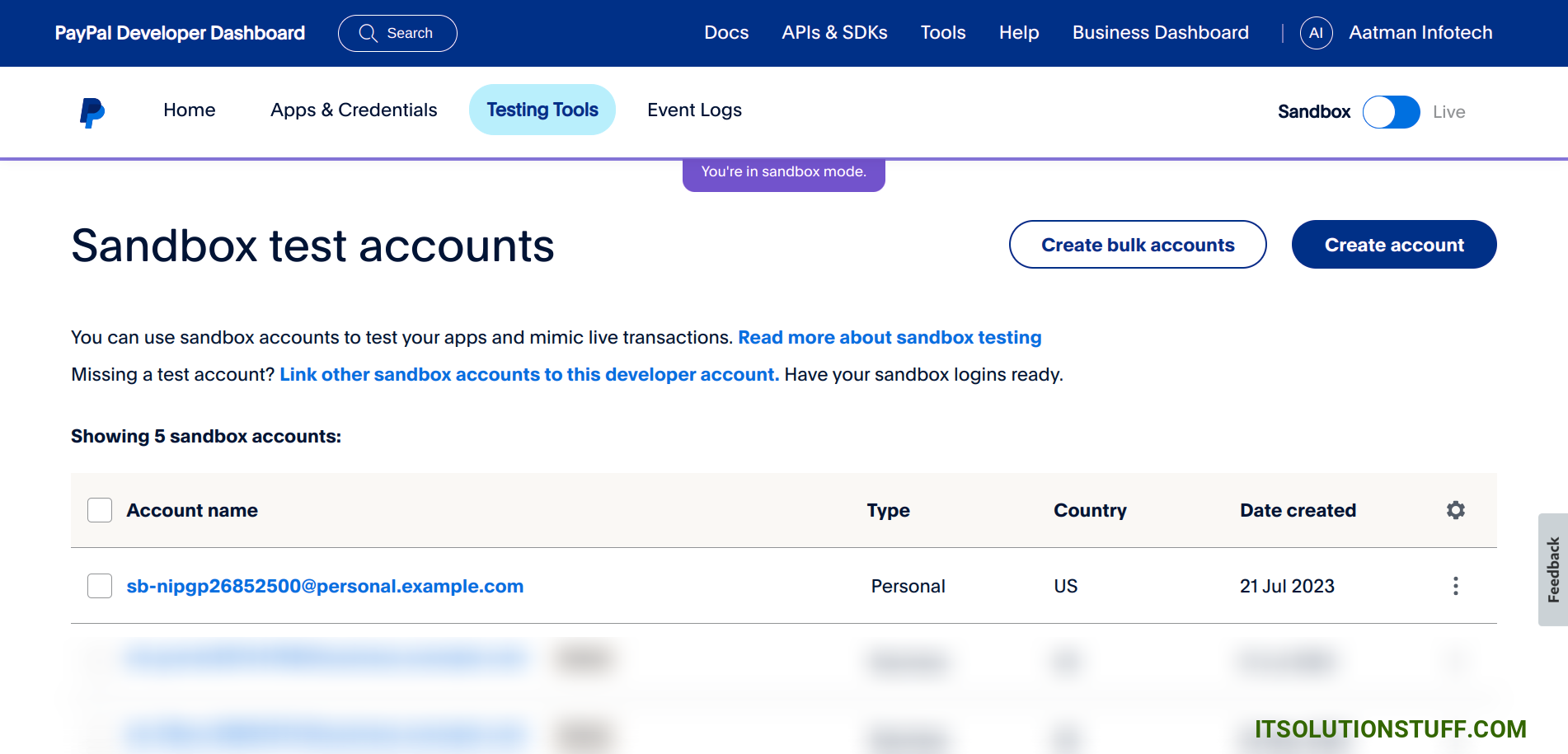
In practice, an example of a PayPal address is simply the registered email address tied to a PayPal account, such as jane.doe@example.com, or a customized payment link like paypal.me/janedoe. Instead of sharing sensitive banking details like routing numbers or account numbers, users share this email address or link to send or receive digital payments securely.
What Is a PayPal Address?
A PayPal address is the core digital identifier used to route money into and out of an account on the platform. Unlike traditional financial institutions that rely on an IBAN, account number, or SWIFT/BIC code, PayPal relies primarily on standard email addresses to identify account holders. When someone requests money or initiates a transfer, the system matches the entered email address against its database of registered user accounts to complete the transaction.
Because PayPal operates as a closed network payment aggregator, it abstracts the complex underlying banking infrastructure. When you provide someone with your PayPal email address, you are giving them the exact target address needed for their bank, credit card, or PayPal balance to deliver funds directly into your account balance.
In addition to standard email addresses, PayPal offers alternative formats for routing payments, such as customized URLs and unique alpha-numeric merchant identifiers. Regardless of the visual format, all these variations function as destination endpoints for digital payments.
Concrete Examples of a PayPal Address in Practice
To understand how a PayPal address functions during daily transactions, it helps to examine the three main forms it takes in real-world personal and commercial scenarios.
Standard Email Address Format: jane.smith@example.com
PayPal.Me Custom URL Format: https://paypal.me/JaneSmithFreelance
Merchant Identification / QR Code Format: Secure encrypted token or printable QR code linked to the primary account email
1. Standard Email Address Example
The primary and most common form of a PayPal address is a valid email address.
- Example:
alex.freelancer@designstudio.com - Practical Scenario: Alex finishes designing a brochure for a client. On the invoice, Alex includes a line reading: "Please send PayPal payments to alex.freelancer@designstudio.com."
- How It Executes: The client logs into their PayPal account, selects "Send," inputs
alex.freelancer@designstudio.com, enters the invoice dollar amount, and approves the payment. PayPal instantly identifies Alex's account and credits the funds to Alex's balance without the client ever seeing Alex's personal bank account details.
2. PayPal.Me Custom Link Example
To simplify peer-to-peer transfers and mobile transactions, PayPal developed the PayPal.Me feature, which creates a short, shareable web link linked directly to the account's primary email.
- Example:
https://paypal.me/AlexDesignStudioorpaypal.me/AlexDesignStudio/50 - Practical Scenario: Alex wants to collect a $50 deposit from a client via text message or chat app. Instead of asking the client to open their PayPal application and type out an email address, Alex texts the short link
paypal.me/AlexDesignStudio/50. - How It Executes: The client taps the link on their smartphone. A mobile-optimized PayPal landing page opens pre-populated with the $50 payment amount. The client logs in, confirms the funding source, and sends the payment in seconds.
3. Merchant ID and QR Code Example
For in-person commerce, micro-vendors, and website integrations, a PayPal address often takes the form of an encrypted Secure Merchant ID or a scannable QR code.
- Example Merchant ID:
9X4K2L7M3P1Q - Practical Scenario: A food truck vendor or craft fair seller displays a printed QR code at the register.
- How It Executes: A customer opens the PayPal app on their mobile device, scans the vendor's printed QR code, types in the total bill amount, and submits the payment. The QR code contains an encrypted token resolving to the seller's account, eliminating manual typing errors completely.
How a PayPal Address Routes Money Behind the Scenes
Understanding how funds travel using just an email address helps clarify why PayPal is both accessible and secure for online commerce. The process follows a structured sequence:
- Sender inputs PayPal Address
- PayPal Engine validates email match
- Sender's Bank/Card or Balance debited
- Receiver Balance Credited
- Initiation: The sender enters the receiver's PayPal address (email or handle) into the payment menu within the PayPal mobile app, browser interface, or integrated checkout portal.
- Account Validation: PayPal checks its central user registry. If the email address exists and is confirmed, PayPal displays the receiver's display name and profile image (if available) so the sender can double-check accuracy.
- Authorization & Settlement: The sender chooses their funding source—such as an existing PayPal balance, linked checking account, debit card, or credit card. Once authorized, PayPal instantly deducts the funds from the sender and credits the recipient's account balance.
- Notification: Both parties receive immediate digital receipts via email and push notifications confirming the transaction ID, amount, and counterparty display name.
What Happens if You Send Money to an Unregistered Email?
If a sender transfers money to an email address that is not currently registered with PayPal, the funds do not disappear. Instead, PayPal places the transaction in a "Pending" status and sends an automated invitation email to that specific email address. The recipient must create a new PayPal account—or add and confirm that email address on an existing account—to claim the funds. If the email remains unconfirmed or unclaimed after 30 days, PayPal automatically cancels the transfer and returns the money to the sender's original payment source.
Managing Multiple Email Addresses on One PayPal Account
A common operational feature of PayPal is the ability to attach multiple email addresses to a single master account. This is particularly valuable for freelancers, small business owners, and individuals who maintain separate online identities.
- Primary Email Address: This address receives account alerts, monthly statements, and security warnings. It serves as your main login credential.
- Secondary Email Addresses: Users can add up to seven secondary email addresses to a single account (for a total of eight confirmed email addresses).
Practical Uses for Multiple PayPal Addresses
- Separating Business and Personal Inquiries: You can give family members
john.personal@example.comwhile providing clients withsales@johnsconsulting.com. Payments sent to either address land in the exact same unified PayPal balance. - Managing Multiple Websites or Online Brands: If you run two distinct e-commerce stores, you can assign store A's contact email and store B's contact email to the same PayPal account, maintaining consistent branding for customers without managing separate account balances.
Step-by-Step: Adding a Secondary PayPal Address
- Log into your account on the PayPal Official Website.
- Go to Account Settings (the gear icon in the top right corner).
- Under the Email section, click the + (Add) button.
- Type the new email address you want to link and click Add Email.
- Check the inbox of the newly added email address for a confirmation message sent by PayPal.
- Click the confirmation link inside the email and log in to finalize verification.
Distinguishing PayPal Address Types from Other Payment Credentials
Because the word "address" is used in multiple contexts within financial and online systems, users frequently confuse a PayPal email address with physical shipping addresses or conventional banking details.
| Feature / Identifier | Example Format | Primary Function | Sensitive Data Exposure |
|---|---|---|---|
| PayPal Payment Address | jane.doe@example.com |
Receives incoming payment transfers inside PayPal | Low: Safe to share publicly for invoicing. |
| PayPal.Me Link | paypal.me/JaneDoe |
Direct web link for rapid peer-to-peer transfers | Low: Designed for public social or messaging sharing. |
| Physical Shipping Address | 123 Main St, Apt 4B, Austin, TX 78701 | Physical delivery location for goods purchased | Medium: Shared only during merchant checkout. |
| Bank Account / Routing Number | Routing: 123456789Account: 987654321 |
Direct deposit and automated clearing house (ACH) clearing | High: Keep strictly confidential; exposes direct account access. |
| Credit/Debit Card Number | 4532 •••• •••• 8901 |
Direct payment processing network funding | High: Never share publicly; requires PCI compliance. |
Security Best Practices for Sharing Your PayPal Address
While sharing a PayPal address is significantly safer than revealing bank account numbers, users should take specific precautions to protect their accounts against fraud, phishing, and scam tactics.
1. Beware of Phishing and Fake Confirmation Emails
A common scam involves a buyer asserting they sent funds to your PayPal email address, followed by a fake email notification that appears to originate from PayPal.
- The Trap: The fake email claims "Funds are on hold until you provide a tracking number" or "You must pay a fee to upgrade to a business account to release the $500 payment."
- The Rule: Always open the official PayPal application or log directly into
https://www.paypal.comin a separate browser tab to confirm that the money reflects in your official balance before shipping items or providing services. Never rely solely on an incoming email notification.
2. Conceal Personal Emails Using PayPal.Me or Business Profiles
If you publish payment options on public forums, personal blogs, or social media channels, posting a personal email address (firstname.lastname@gmail.com) exposes you to spam harvesters and targeted credential stuffing attacks. Instead, utilize a custom PayPal.Me link or create a free PayPal Business account. A Business account allows you to display a registered company name rather than your personal full name and personal email address on client receipts.
3. Enable Two-Factor Authentication (2FA)
Because your PayPal address doubles as your login ID, protecting your account access credentials is vital. Enable Two-Factor Authentication (2FA) through an authenticator app (such as Google Authenticator, Authy, or 1Password) or SMS security codes. This ensures that even if an attacker discovers your PayPal email address and attempts to guess your password, they cannot breach your account without physical access to your authentication device.
How to Find and Share Your PayPal Address
If you are new to the service and need to receive a payment, locating your correct payment details takes only a few simple steps.
Finding Your Email Address on Mobile
- Open the PayPal App on iOS or Android.
- Tap the Profile Icon or avatar located in the top corner.
- Your primary registered email address will be displayed directly beneath your full name.
- Share this exact email address with the party sending you money.
Generating Your PayPal.Me Link
- Log into your account and navigate to the Send and Request tab.
- Select Request from the top navigation bar.
- Click on Create a PayPal.Me Profile (if you have not set one up yet).
- Choose your custom handle (e.g.,
paypal.me/YourNameOrBusiness). - Copy the finished link and paste it into messages, emails, or digital invoices.
Frequently Asked Questions
Is a PayPal address the same as a home shipping address?
No. A PayPal address used for receiving money refers strictly to your registered email address or payment link. While PayPal also stores your physical home or shipping address for delivering tangible goods purchased online, you do not use physical street addresses to transfer digital funds.
Can someone steal money from me if they know my PayPal email address?
No, knowing your PayPal email address alone is not sufficient for someone to withdraw or steal money from your account. It functions similarly to sharing an account holder name—it allows people to send money to you. However, keep your account secured with a strong, unique password and two-factor authentication so malicious actors cannot gain unauthorized entry.
Can I change my primary PayPal email address later?
Yes. You can add a new email address to your account, verify it through the confirmation email sent by PayPal, and then select Make Primary. Once set, you can safely remove your old email address or keep it linked as a secondary email address for receiving payments.
Is my PayPal address visible to the person sending or receiving money?
Yes. During a standard personal or goods and services transaction, the counterparty will see your registered name and the email address associated with the payment. If you prefer to keep your personal name or private email address hidden, you can upgrade to a PayPal Business Account, which displays your official business name and business contact details instead.
Do I need a special business PayPal address to receive payment for goods and services?
No. A standard personal PayPal email address can receive payments for goods and services as well as personal transfers from friends and family. However, commercial transactions received on personal or business accounts are subject to standard PayPal transaction processing fees and Seller Protection guidelines.
Final Summary and Next Actions
A PayPal address in practice is an accessible, privacy-focused alternative to traditional banking transfers. Whether presented as a standard email address (user@example.com), a customized handle (paypal.me/username), or a scannable QR code, it serves as the direct destination point for inbound payments.
Recommended Next Actions:
- Verify Your Addresses: Log into your account settings to confirm that all listed secondary email addresses are verified and active.
- Set Up a Personal Link: Create a customized PayPal.Me handle if you regularly request payments on mobile devices or social platforms.
- Audit Account Security: Turn on Two-Factor Authentication (2FA) immediately to safeguard the primary email credential tied to your financial holdings.