In 2026, the best free anti-malware for Android remains a combination of Bitdefender Antivirus Free, Avast Mobile Security, and Sophos Intercept X. These applications provide essential real-time scanning and web protection without requiring a paid subscription. While Google Play Protect offers a baseline level of security, third-party apps frequently outperform it in independent laboratory tests by detecting newer, more sophisticated "zero-day" threats and phishing attempts.
The Android Threat Landscape in 2026
The security environment for mobile devices has undergone significant shifts over the past few years. While traditional "viruses" are rare on Android, the platform faces a surge in sophisticated malware variants including stalkerware, banking trojans, and AI-driven phishing campaigns. In 2026, malicious actors increasingly utilize automated tools to generate polymorphic code—malware that changes its signature frequently to evade detection by standard scanners.
Free anti-malware tools serve as a critical second layer of defense. They do not just scan for known bad files; they monitor system behavior. For instance, if an app suddenly requests access to your SMS messages or starts overlaying invisible windows on top of your banking app (a common technique for credential theft), these security suites can intervene before data is exfiltrated.
Furthermore, the rise of "fleeceware"—apps that are not technically malicious but use deceptive subscription models to overcharge users—has become a major concern. Modern free security apps now include modules to identify these predatory apps based on community reporting and behavioral analysis, providing a level of consumer protection that goes beyond simple file scanning.
Why Google Play Protect Isn't Always Enough
Google Play Protect is the built-in security layer for Android devices. While it has improved significantly by 2026, it primarily functions as a gatekeeper for the Google Play Store. It is less effective at protecting users who sideload apps from third-party sources or those who encounter "smishing" (SMS phishing) links that lead to malicious websites rather than app downloads.
Independent testing labs, such as AV-Test and AV-Comparatives, consistently show that dedicated security applications maintain a higher detection rate for newly discovered threats. A third-party app often provides a more proactive "Web Shield" that blocks malicious URLs in real-time across various browsers and messaging apps, a feature where Play Protect often lags behind.
Top-Rated Free Anti-Malware Apps for Android
Selecting a free security app in 2026 requires balancing protection levels against system performance and privacy. Many "free" apps monetize through aggressive advertising or data collection. The following options are vetted for their security efficacy and manageable trade-offs.
Bitdefender Antivirus Free
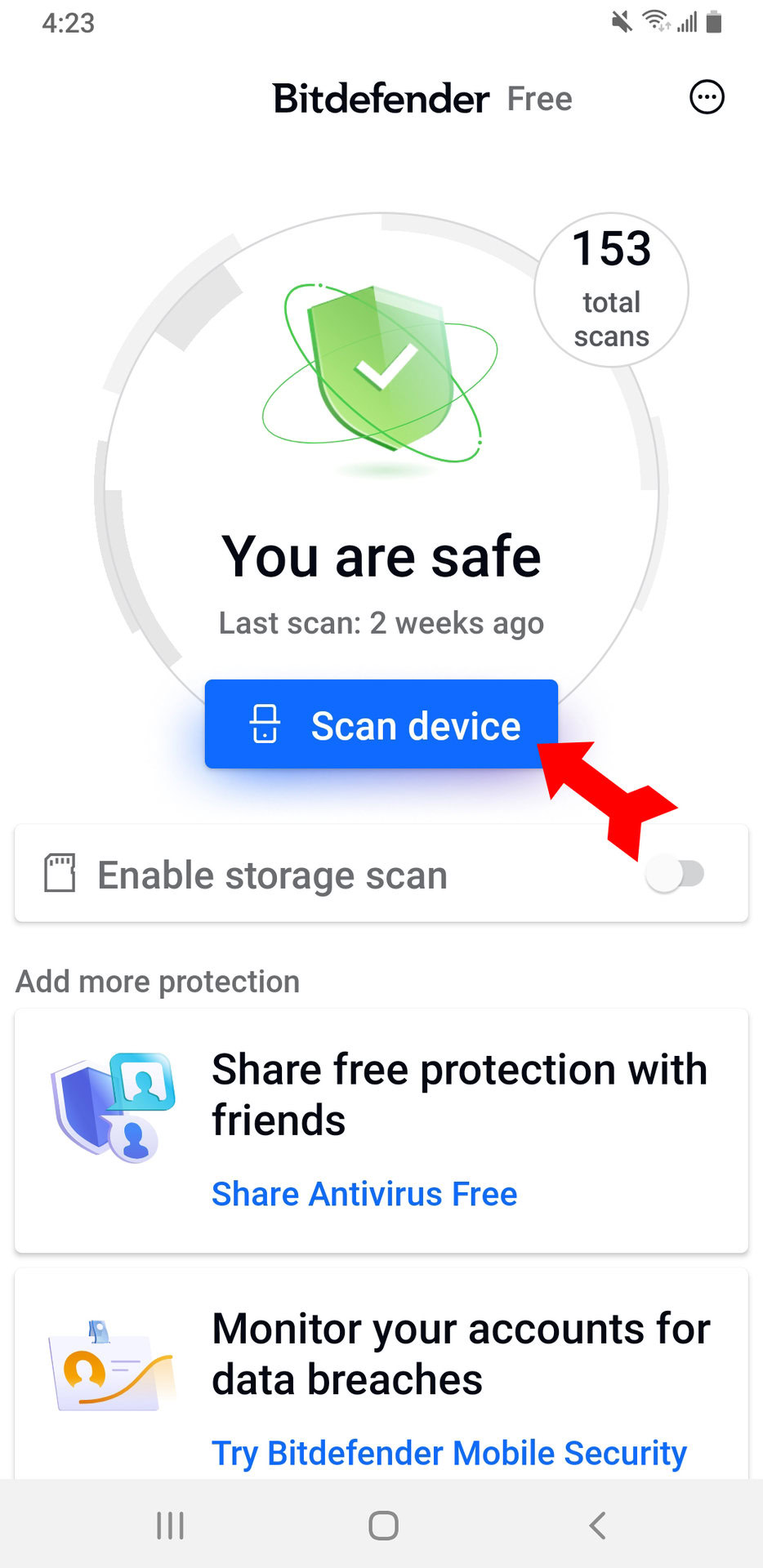
Bitdefender remains a top recommendation due to its "set-it-and-forget-it" philosophy. Unlike the full "Mobile Security" suite, the Free version focuses almost exclusively on the antivirus engine.
- Technical Approach: It uses cloud-based scanning technology, which means the heavy lifting of analyzing file signatures happens on Bitdefender's servers rather than your device. This minimizes the impact on battery life and CPU performance.
- Key Features: Autopilot functionality automatically scans new apps upon installation. It does not include the VPN or anti-theft features of the paid version, keeping the interface clean and lightweight.
- Suitability: Ideal for users with older hardware or those who want invisible protection without constant notifications.
Avast Mobile Security (Free Version)
Avast is one of the most feature-rich free options available in 2026. While the app is supported by ads, the depth of its security tools is unmatched in the free tier.
- Comprehensive Scanning: Avast scans for malware, vulnerable Wi-Fi networks, and outdated system settings. Its "Web Shield" is particularly robust, blocking malicious scripts and phishing sites before they load in your browser.
- Privacy Features: The free version includes a "Photo Vault" to encrypt sensitive images and an "App Insights" tool that shows you which apps are tracking your location or reading your contacts.
- Considerations: Avast can be "chatty," frequently sending notifications to upgrade to the premium version. Users must be diligent in navigating the settings to minimize these interruptions.
Sophos Intercept X for Mobile
Sophos is a standout in 2026 because it provides a completely free, enterprise-grade security app without any advertisements. It is funded by Sophos’s corporate offerings, making the mobile app a "loss leader" for brand awareness.
- Advanced Protection: Beyond standard malware scanning, Sophos includes a "Link Checker" that vets URLs sent via SMS or email. It also features a "Security Advisor" that alerts you if your device is being monitored or if the operating system has been tampered with (root detection).
- Authenticator Integration: It includes a built-in multi-factor authentication (MFA) tool, reducing the need for a separate app like Google Authenticator.
- Suitability: The best choice for privacy-conscious users and tech enthusiasts who want professional-grade tools without the annoyance of ads or "freemium" upsells.
AVG AntiVirus Free
Since AVG and Avast are owned by the same parent company (Gen Digital), they share the same underlying threat detection engine. However, AVG offers a slightly different user interface that some find more intuitive.
- Core Strengths: It excels at identifying "Potentially Unwanted Programs" (PUPs) and adware that may slow down your phone. It also includes a "Power Save" mode that helps mitigate the battery drain sometimes associated with real-time scanners.
- Anti-Theft Tools: Unlike many other free versions, AVG still includes basic anti-theft features like remote locking and device wiping via a web-based dashboard.
Comparison of Free Android Security Solutions (2026)
| Feature | Bitdefender Free | Avast Free | Sophos Intercept X | AVG Free |
|---|---|---|---|---|
| Monetization | No Ads (Freemium) | Ads | No Ads | Ads |
| Real-time Scanning | Yes | Yes | Yes | Yes |
| Web Protection | No | Yes | Yes | Yes |
| Impact on Battery | Minimal | Moderate | Low | Moderate |
| App Lock | No | Yes (Limited) | Yes | Yes |
| Wi-Fi Scanner | No | Yes | Yes | Yes |
Technical Depth: How These Apps Detect Malware
To understand why these apps are effective, it is necessary to look at the two primary methods they use: Signature-based detection and Heuristic analysis.
- Signature-based Detection: This is the traditional method where the app compares a file's unique digital fingerprint (its "hash") against a database of known malware. In 2026, these databases are updated in near-real-time via cloud synchronization. If you download a file that matches a known virus, the app blocks it instantly.
- Heuristic/Behavioral Analysis: This is the more modern approach required for zero-day threats. The security app monitors what a program does. For example, if a simple calculator app tries to access your contact list and then connect to a remote server in a foreign country, the heuristic engine flags this as suspicious behavior, even if the app hasn't been officially identified as malware yet.
Another critical component is the Sandboxing capability of the Android OS itself, which free anti-malware apps leverage. Android isolates each app so they cannot easily interfere with one another. Anti-malware apps utilize "Accessibility Services" or "Usage Access" permissions to look across these sandbox boundaries and identify malicious inter-app communication.
Privacy and Performance Trade-offs
When using free software, the user is often the product. This is a vital consideration for Android security in 2026.
Data Privacy
Some free antivirus providers collect "anonymized" usage data to improve their threat detection engines or for marketing purposes. Before installing, it is essential to review the privacy policy. Companies like Sophos and Bitdefender have historically maintained stricter privacy standards for their free users compared to smaller, lesser-known "cleaner" apps found on the Play Store, which are often fronts for data harvesting.
Resource Consumption
Real-time protection requires the app to stay active in the background. While modern processors in 2026 are efficient, poorly optimized security apps can still cause "micro-stuttering" in the UI or drain the battery faster. Cloud-based scanners like Bitdefender Free mitigate this by offloading the processing power required for deep file analysis to external servers.
Practical Steps for Maximum Mobile Protection
Installing an anti-malware app is only one part of a robust security strategy. To ensure your Android device remains secure in 2026, follow these expert guidelines:
- Enable Play Protect: Do not disable the native Google security tools. Third-party apps should supplement, not replace, the built-in system.
- Limit Permissions: Be wary of any app (even a security app) that asks for "All Files Access" or "Accessibility Services" unless it is from a highly reputable developer. These are the most powerful permissions an app can have.
- Update Regularly: Malware often exploits vulnerabilities in the Android OS or specific apps. Ensure "Auto-update" is enabled in the Google Play Store and system settings.
- Avoid Sideloading: Only install apps from the Google Play Store or the Samsung Galaxy Store. Third-party APK sites are the primary vector for mobile malware.
- Use a Secure Browser: Combine your anti-malware with a browser that has strong built-in phishing protection, such as Firefox or Brave, which can block malicious scripts at the network level.
Frequently Asked Questions (FAQ)
Do I really need an antivirus for Android in 2026?
Yes, while Android is more secure than it was a decade ago, the complexity of threats has increased. Free anti-malware provides protection against phishing, malicious links in messaging apps, and sophisticated spyware that Google Play Protect might miss. It acts as an essential safety net for your personal and financial data.
Will a free anti-malware app slow down my phone?
Most modern free anti-malware apps from reputable developers (like Bitdefender or Sophos) are highly optimized for mobile hardware. You may notice a slight increase in battery consumption—usually between 1% and 3%—but on mid-range and flagship devices from 2024–2026, the performance impact is generally imperceptible during daily use.
Can free anti-malware remove ransomware from Android?
Yes, most reputable free scanners can identify and remove the malicious APK files associated with mobile ransomware. However, if the ransomware has already encrypted your files, the anti-malware app can remove the infection but might not be able to decrypt your data. This highlights the importance of regular cloud backups.
Why do some free antivirus apps have so many ads?
Developing and maintaining a global threat database is expensive. Companies that offer fully-featured "free" versions, like Avast or AVG, use advertising revenue or "upselling" (prompting you to buy the premium version) to fund the service. If you want an ad-free experience, Sophos Intercept X is the primary recommendation.
Is Bitdefender Free better than the paid version?
The paid version of Bitdefender Mobile Security includes additional features like a VPN, anti-theft tools, and "Account Privacy" monitoring. However, the core antivirus engine—the part that actually stops malware—is identical in both the free and paid versions. If you only care about virus protection, the free version is sufficient.
Recommendation for Next Actions
If you are looking for the most efficient and least intrusive protection, install Bitdefender Antivirus Free. It provides high-level detection with almost no impact on your user experience. If you require more comprehensive tools, such as web filtering and Wi-Fi security, and don't mind a few advertisements, Avast Mobile Security is the better choice. For those who want enterprise-grade security without any commercial interruptions, Sophos Intercept X remains the gold standard for free Android protection in 2026.