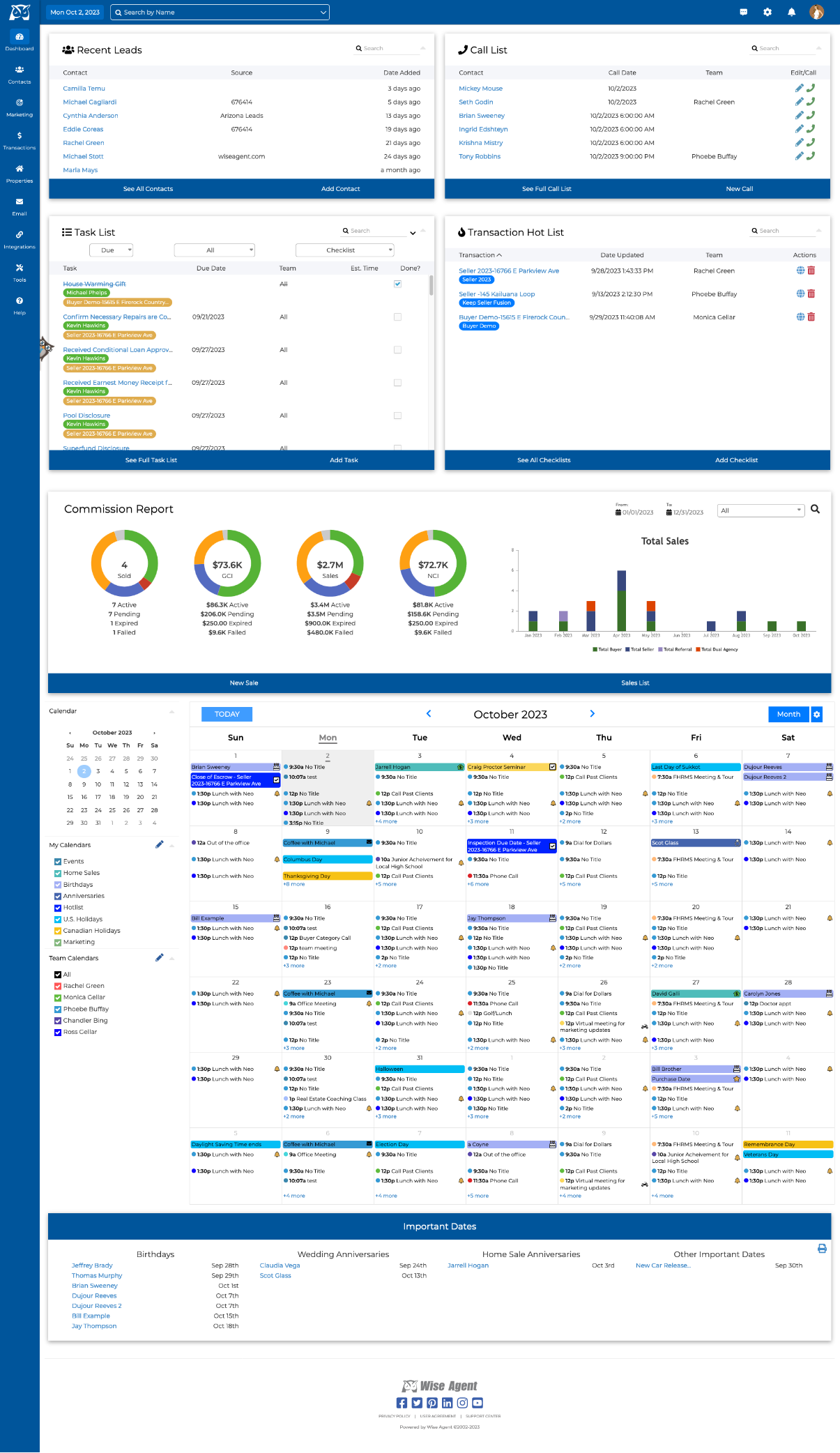
Appraiz real estate appraisers CRM software is a specialized practice management solution designed to streamline appraisal order intake, client management, inspection scheduling, fee tracking, and delivery workflows for residential and commercial appraisers. By centralizing operations for Appraisal Management Companies (AMCs), lenders, and private clients, it reduces administrative overhead and enhances regulatory compliance.
Understanding Appraisal CRMs: Why General CRMs Fall Short for Appraisers
General-purpose Customer Relationship Management (CRM) platforms like Salesforce, HubSpot, or Zoho are built around traditional sales pipelines, lead nurturing sequences, and long-term deal closing stages. While these generic systems excel at managing broad business leads, they rarely align with the day-to-day operational realities of real estate appraisal firms.
Real estate appraisal is heavily regulated, operationally rigorous, and governed by strict dead-driven workflows. An appraiser does not simply move a prospect from "Lead" to "Closed Contract." Instead, an appraisal office manages complex order lifecycles subject to federal standards, such as the Uniform Standards of Professional Appraisal Practice (USPAP), alongside tight lender-mandated turnaround times (turn times).
Order Intake ➔ Fee Quote / Engagement ➔ Inspection Scheduled ➔ Field Inspection Complete ➔ Report Writing ➔ Internal Quality Control ➔ Final Delivery ➔ Invoicing & Payment Tracking
A dedicated solution like Appraiz bridges the gap between client relationship management and appraisal practice management. It accounts for entity-specific data points that general CRMs ignore:
- Property-Centric Data Structuring: Ability to associate multiple orders, clients, and historical appraisals with a single physical address or parcel number (APN).
- AMC and Client Panel Tracking: Managing relationships with Appraisal Management Companies (AMCs), mortgage brokers, direct lenders, law firms, and private individuals under different fee schedules and performance metrics.
- Turn-Time Monitoring: Tracking order progression against strict contractual deadlines to preserve high scores on AMC performance cards.
- USPAP Workfile Archiving: Managing file retention rules (minimum 5-year retention, or 2 years after final disposition of judicial proceedings) attached directly to client records and property files.
- Fee Splits and Vendor Management: Handling split fees between fee appraisers, staff appraisers, trainees, and administrative coordinators within a single appraisal practice.
Core Capabilities of Appraiz CRM Software
To operate efficiently in a market where turn times and accuracy dictate revenue, appraisal practices rely on CRM tools that automate manual administrative tasks. Appraiz provides a centralized operational hub designed to eliminate double-data entry and prevent missed deadlines.
1. Order Intake and Automated Logging
Appraisal orders originate from diverse sources, including email attachments, online intake forms, and automated integrations with AMC portals. Appraiz centralizes incoming job requests into a single dashboard.
The software parses incoming order emails and PDF engagement letters to extract critical metadata automatically:
- Subject property address and Legal Description
- Client name, AMC file number, and loan type (FHA, VA, Conventional, Jumbo)
- Due date, agreed fee, and billing instructions
- Contact information for property access (borrower, real estate agent, occupant)
Automating intake eliminates manual data entry errors, ensuring that property addresses, contact numbers, and special assignment conditions (such as specific comparable sales instructions or FHA case numbers) are accurately recorded from day one.
2. Client Relationship & AMC Panel Management
Maintaining profitability requires managing relationships with high-volume AMCs while expanding relationships with higher-margin direct lenders, estate attorneys, and tax appeal clients.
Appraiz allows firms to segment clients into clear categories, storing unique parameters for each entity:
- Custom Fee Schedules: Automatically populating baseline fees for standard single-family residential (Form 1004), multi-family (Form 1025), condo (Form 1004C), and commercial narrative reports based on the ordering client.
- Client Guidelines and Requirments: Storing specific client overlays, such as required photo sets, comp age parameters, or mandatory appraisal software report attachments.
- Payment Terms and Aging Tracking: Categorizing clients by billing terms (e.g., Net 30, Net 60, or Payment at Door/Credit Card) and flagging late-paying clients before accepting new orders.
3. Inspection Scheduling and Route Optimization
Fieldwork forms a major bottleneck in the appraisal process. Appraiz integrates calendar management directly with mapping services to help appraisers schedule property inspections efficiently.
When setting appointments, the software checks geographic location relative to existing inspections, helping appraisers group nearby inspections on the same day. Integrated contact logs record all communication attempts with property contacts (borrowers, property managers, listing agents), establishing a clear audit trail if access issues delay a report beyond its due date.
4. Accounting, Invoicing, and Payment Reconciliation
Appraisal accounting presents unique challenges, including handling upfront payments from private buyers, managing split fees for trainee appraisers, and tracking long payment cycles from third-party management companies.
Appraiz streamlines financial tracking by providing:
- Automated Invoicing: Generating branded invoices upon report delivery or order completion.
- Accounts Receivable Monitoring: Highlighting overdue invoices by client type and automating follow-up payment reminders.
- Appraiser Fee Split Calculations: Automatically calculating split fees for independent contractor appraisers or staff appraisers based on pre-set commission structures.
- Payment Gateway Integration: Accepting credit cards and ACH payments directly through client portals for non-lender jobs (probate, divorce, tax assessment appeals).
5. USPAP Workfile and Document Management
Compliance requires appraisers to maintain a complete workfile for every assignment. Appraiz links all digital assets directly to the master order record.
Supported file attachments include:
- Signed engagement letters and scope of work agreements
- Field notes, sketch files, and original property inspection photos
- Public records data, deed histories, zoning maps, and MLS printouts
- Communication logs with clients, property contacts, and underwriters
- Final delivered PDF reports and XML data files (MISMO XML)
Storing these files in a cloud-backed environment ensures compliance with state appraisal board rules and USPAP recordkeeping requirements without cluttering local physical storage.
Comparing Appraisal CRM & Practice Management Features
When selecting CRM software for a real estate appraisal firm, evaluating core features against operational needs is essential. The following comparison highlights key functionalities provided by specialized systems like Appraiz versus standard office tools or generic CRMs.
| Feature / Capability | Generic CRM (e.g., Salesforce/HubSpot) | Standard Office Tools (e.g., Spreadsheets) | Specialized Appraisal CRM (e.g., Appraiz) |
|---|---|---|---|
| Order Tracking Structure | Generic Sales Pipeline (Leads/Deals) | Manual Row Data Entry | Appraisal-Specific Lifecycle (Intake to Delivery) |
| Property-Level History | Requires Custom Objects/Development | Highly Prone to Duplication | Native Address & APN File Association |
| AMC & Portal Integration | None (Requires Custom API Build) | Manual Copy/Paste | Integrated Order Parsing & Status Sync |
| USPAP Workfile Compliance | Standard File Uploads (No Rule Tracking) | Local Folders / Vulnerable to Loss | Structured 5-Year Cloud Retention & Archiving |
| Appraiser Fee Splits | Requires Custom Commission Rules | Complex Manual Formulas | Native Staff/Contractor Commission Splits |
| Turn-Time Analytics | Standard Sales Cycle Metrics | Manual Calculation | AMC Scorecard & On-Time Delivery Metrics |
| Client Payment Tracking | Standard Invoicing | Manual Recordkeeping | Native Accounts Receivable with Payment Portals |
Step-by-Step Implementation Guide for Appraisal Practices
Transitioning to a specialized CRM like Appraiz requires systematic planning to avoid disrupting ongoing operations. Follow this step-by-step roadmap to implement the software smoothly within your practice.
Step 1: Audit & Clean Client Data ➔ Step 2: Establish Fee & Workflow Rules ➔ Step 3: Configure Roles & Security ➔ Step 4: Import Active & Historical Orders ➔ Step 5: Test & Launch
Step 1: Audit and Standardize Existing Client Data
Before migrating to Appraiz, audit your existing client contact lists, AMC profiles, and fee schedules.
- Consolidate contact lists from spreadsheets, email clients, and form-filling software databases.
- Standardize client names (e.g., ensuring "ABC Appraisal Management" is not entered under three different variations).
- Record specialized client instructions, preferred payment terms, and negotiated fee structures for standard appraisal forms (1004, 1073, 1025, 2055, and narrative reports).
Step 2: Define Workflow Stages and Status Badges
Configure Appraiz to reflect your office's operational steps. Standardized workflow stages ensure every team member understands an order's exact status at a glance:
- New / Order Pending: Order received; engagement terms under review.
- Accepted / Unscheduled: Order accepted; outreach to contact initiated.
- Inspection Scheduled: Date and time confirmed with property contact.
- Inspected / In Writing: Fieldwork complete; appraiser drafting report.
- Internal Review / QC: Draft complete; undergoing internal review or administrative check.
- Completed / Delivered: Final signed report submitted to client.
- Invoiced / Paid: Financial transaction completed and reconciled.
Step 3: Set Up Roles and Permissions
If managing an appraisal firm with multiple fee appraisers, trainees, and office staff, set up role-based access control:
- Administrators / Office Managers: Full access to financial reports, client settings, fee splits, and global order assignments.
- Staff / Contractor Appraisers: Access limited to assigned orders, inspection schedules, client overlays, and relevant workfiles.
- Trainee Appraisers: Access to assigned assignments with mandatory review workflows before reports move to final delivery status.
Step 4: Integrate Storage and Form-Filling Ecosystems
Connect Appraiz with your cloud storage services (such as Google Drive, Dropbox, or OneDrive) and configure export paths for form-filling software (such as TOTAL by a la mode, AppraiseIt by SFREP, or ClickFORMS). Connecting these tools ensures that completed appraisal files, XML data packages, and workfile archives sync automatically to your central storage repository.
Step 5: Import Data and Conduct Test Runs
Perform a test migration by importing active orders and a limited set of historical client records into Appraiz. Run several simulated assignments through the entire lifecycle—from order parsing to inspection booking, status tracking, invoicing, and workfile archiving—to verify that data flows accurately before retiring legacy systems.
Best Practices for Maximizing Efficiency and Reducing Turn Times
Adopting Appraiz provides the structural foundation for practice management, but operational policies determine overall firm performance. Implementing the following operational best practices helps maximize software value.
Automate Status Updates to Reduce Client Inquiries
Administrative staff often spend significant time responding to status calls from lenders and AMCs asking, "Has the inspection been scheduled?" or "When will the report be delivered?"
Use Appraiz to set up automated status triggers. When an appraiser updates an order status to "Inspection Scheduled" or "Fieldwork Completed," the system can automatically notify the client via automated email or status sync. This reduces incoming phone calls and improves client satisfaction scores.
Monitor AMC Scorecard Metrics Proactively
AMCs select appraisers based on automated scorecards evaluating turn time, response speed to order requests, quality control revision rates, and compliance with due dates.
Use Appraiz analytics dashboards to track key performance metrics:
- Average Acceptance Time: How quickly your firm accepts or declines order requests.
- On-Time Delivery Rate: The percentage of reports delivered on or before the agreed due date.
- Revision Rates: Tracking how many reports require correction, helping identify common errors before submission.
Monitoring these numbers internal allows firm owners to adjust workload distribution before performance drops affect incoming order volume from top-paying clients.
High Scorecard Rating ➔ Priority Order Allocation ➔ Higher Volume & Better Fees ➔ Sustained Firm Profitability
Separate Private Appraisal Workflows from Lender Orders
Private appraisal assignments (e.g., divorce proceedings, estate planning, bail bonds, pre-listing valuations, tax assessment appeals) operate on different payment rules and timelines than lender work.
Establish separate workflow rules in Appraiz for non-lender jobs:
- Upfront Payment Collection: Require automated credit card payment via client portal or payment link before scheduling inspections.
- Custom Engagement Contracts: Require digital signatures on private engagement contracts defining scope of work and non-lender intended use before initiating research.
- Direct Client Messaging: Use automated SMS or email updates customized for non-professional clients who may not understand standard appraisal terminology.
Common Implementation Mistakes to Avoid
Even robust software can underperform if implemented incorrectly. Avoid these common pitfalls when onboarding Appraiz:
- Neglecting Workfile Maintenance Rules: Failing to attach field notes, scope of work modifications, or public record data immediately to the CRM job file can lead to incomplete workfiles during state board audits or legal inquiries years later.
- Failing to Update Unscheduled Job Statuses: Allowing orders to sit in "Accepted" status without logging contact attempts creates operational blind spots. Always log outreach attempts immediately within the client record.
- Ignoring Accounts Receivable Aging Reports: Allowing unpaid invoices from high-volume clients to stretch past 60 or 90 days damages firm cash flow. Set automated alerts for past-due balances and withhold new order acceptance for delinquent accounts.
- Overcomplicating Workflow Stages: Creating dozens of hyper-specific workflow stages can confuse appraisers and lead to inconsistent status updates. Keep status stages clear, distinct, and actionable.
Frequently Asked Questions
What is Appraiz real estate appraisers CRM software?
Appraiz real estate appraisers CRM software is specialized management software tailored for real estate appraisers and appraisal firms. It centralizes order tracking, AMC client panels, inspection scheduling, fee split accounting, USPAP workfile archiving, and invoicing into a unified operational platform.
How does an appraisal CRM differ from standard real estate CRM software?
Standard real estate CRMs focus on lead generation, open-house tracking, and buyer-seller drip campaigns for real estate agents and brokers. An appraisal CRM like Appraiz focuses on order lifecycle management, property-centric recordkeeping, lender/AMC requirements compliance, USPAP workfile retention rules, and appraiser fee split calculations.
Can Appraiz handle both residential and commercial appraisal workflows?
Yes. Dedicated appraisal CRMs support both residential form-based assignments (such as Fannie Mae Forms 1004, 1073, 1025) and commercial narrative reports. They allow firms to set up distinct workflow stages, custom fee schedules, and variable turnaround schedules tailored to both residential and commercial property evaluations.
How does an appraisal CRM help with USPAP compliance?
USPAP requires appraisers to retain full workfiles for at least 5 years (or 2 years following the final disposition of any judicial proceeding in which testimony was given). Appraiz supports compliance by linking digital assets—such as signed engagement letters, field notes, photos, data sources, and delivered reports—directly to the electronic order record in secure, searchable cloud storage.
Can staff and independent contractor fee splits be managed within the platform?
Yes. The software allows firm managers to set variable commission structures and fee splits for staff appraisers, independent contractors, and trainee appraisers. When an order is billed or paid, the system automatically calculates the appropriate compensation breakdown based on pre-configured split percentages.
Does using an appraisal CRM reduce administrative phone calls from clients?
Yes. By centralizing job milestones and providing automated status updates (via email or client portal integration), clients receive real-time notifications when an inspection is scheduled, completed, or sent to quality control. This significantly reduces routine status inquiries from lenders and AMCs.
Practical Recommendation & Next Actions
Adopting specialized CRM software like Appraiz helps appraisal firms eliminate operational bottlenecks, enforce regulatory compliance, and stabilize cash flow. To maximize your practice's operational efficiency, follow these recommended next steps:
- Audit Current Workflow Bottlenecks: Identify whether your office loses time primarily during order intake, scheduling, client status updates, or payment collection.
- Clean and Standardize Data: Clean up legacy client lists, standardize AMC contact records, and document custom fee schedules before importing data into a new platform.
- Configure Status Triggers: Map out clear, concise order stages and set up automated status updates to keep clients informed without manual phone calls.
- Establish USPAP Archiving Protocols: Train all team members to upload field notes, data sheets, and final reports directly to the central workfile archive upon report completion.
- Review Financial Metrics Monthly: Use built-in accounts receivable and scorecard reports to manage client aging balances and track turn-time performance metrics continuously.
EDITORIAL CATEGORY METADATA: