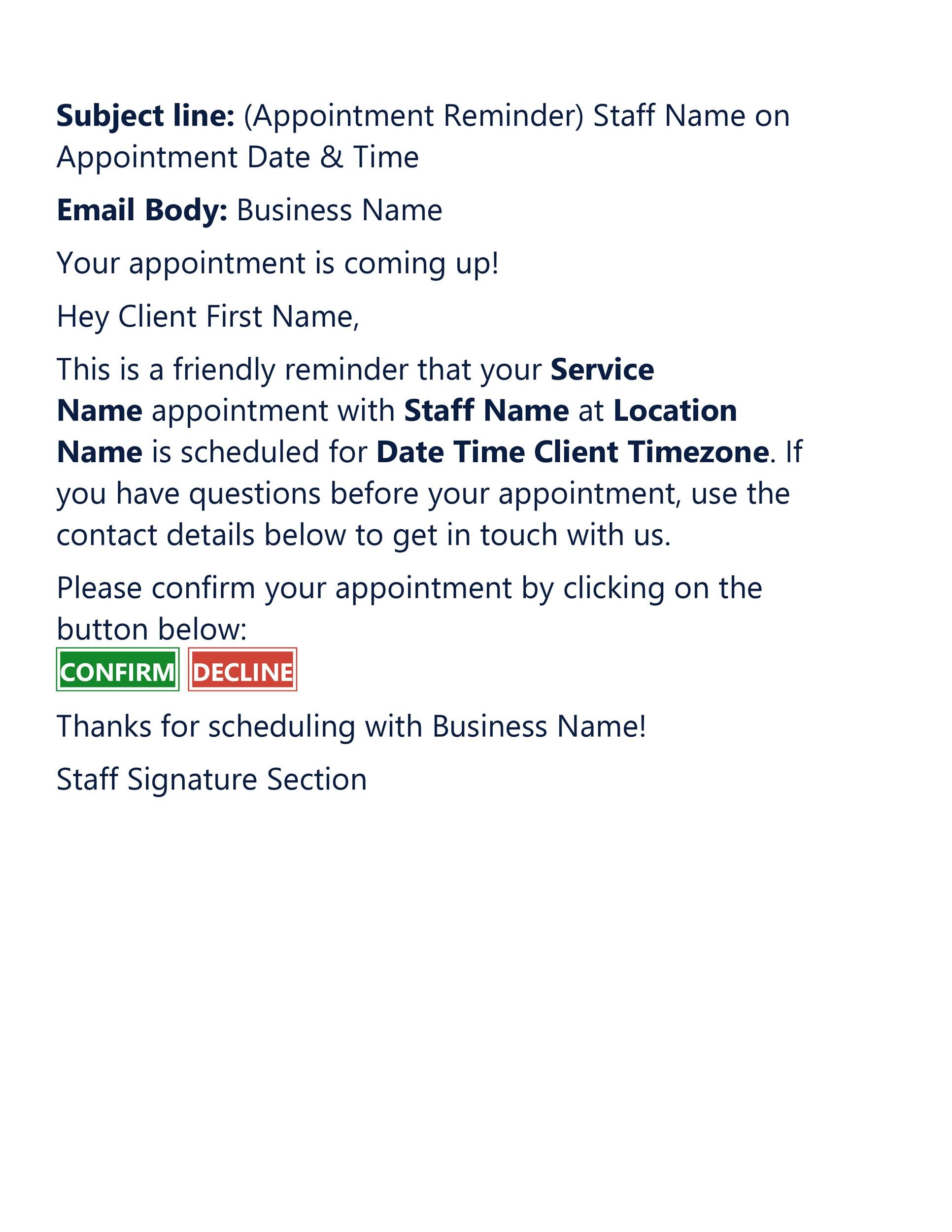
An appointment confirmation text message is a short, automated SMS sent to a customer immediately after they book a service to verify the date, time, and location. These messages serve as a digital receipt, reducing no-show rates by up to 40% and providing clients with essential details for their upcoming engagement.
The Vital Role of SMS in Modern Appointment Management
In 2026, the reliance on mobile communication has reached an all-time high. While email remains a staple for long-form communication, the appointment confirmation text message has become the gold standard for transactional updates. The primary reason for this shift is the near-universal open rate of SMS. Statistics consistently show that over 95% of text messages are read within three minutes of delivery, a figure that email marketing platforms cannot match.
For businesses, this isn't just about convenience; it is about operational efficiency. Every "no-show" represents lost revenue, wasted staff time, and an empty slot that could have been filled by another paying client. By implementing a robust confirmation system, businesses create a reliable touchpoint that bridges the gap between the initial booking and the actual arrival.
Furthermore, the appointment confirmation text message sets the tone for the customer experience. It demonstrates professionalism, organization, and a respect for the client’s time. In a competitive market, these small automated interactions build trust and reduce the friction often associated with professional services, medical consultations, and home maintenance visits.
Technical Requirements and Compliance in 2026
Implementing an SMS confirmation system is no longer as simple as sending a text from a personal smartphone. As of 2026, strict regulatory frameworks and carrier requirements govern how businesses interact with consumers via mobile networks.
TCPA and Consent Protocols
The Telephone Consumer Protection Act (TCPA) remains the primary legal framework in the United States. To send an appointment confirmation text message, businesses must have "express written consent" from the recipient. This is typically obtained during the booking process through a checkbox that explicitly states the user agrees to receive transactional SMS updates.
It is a common mistake to assume that because a customer provided their phone number, they have consented to SMS. Under 2026 guidelines, consent must be granular. Opt-in records must be maintained, detailing when and how the customer agreed to receive messages.
A2P 10DLC and Toll-Free Verification
Mobile carriers now require businesses to register their "Application-to-Person" (A2P) traffic. If you are using a standard 10-digit local phone number (10DLC), you must register your brand and your specific "campaign" (in this case, appointment reminders) with the Campaign Registry. Failure to do so results in high filtering rates, where your confirmation messages are blocked by carriers before they ever reach the client.
Alternatively, many businesses opt for verified Toll-Free numbers. While these also require a vetting process, they often provide a more streamlined path for small to medium-sized enterprises (SMEs) to ensure high deliverability without the complexities of local number reputation management.
The Opt-Out Mandate
Every confirmation sequence must include a clear path for the user to stop receiving messages. Including "Reply STOP to cancel" in the initial confirmation or the first reminder is not just a best practice; it is a legal requirement. Automated systems must be configured to recognize these keywords and immediately cease all outgoing traffic to that specific number to avoid heavy litigation and fines.
The Anatomy of an Effective Confirmation Message
A successful appointment confirmation text message must be concise yet comprehensive. Because SMS is limited to 160 characters per segment (to avoid being broken into multiple, potentially out-of-order messages), every word must earn its place.
- The Business Identity: The recipient should immediately know who is texting them. Start with the business name.
- The Essential Details: Date and time are non-negotiable. In 2026, it is standard to include the day of the week to help the client mentally visualize their schedule.
- The Specific Service: Briefly mentioning what the appointment is for (e.g., "Dental Cleaning" or "Oil Change") prevents confusion for clients who may have multiple appointments across different providers.
- The Location/Link: For physical appointments, include a truncated address or a link to Google Maps. For virtual appointments, provide the direct meeting link (Zoom, Teams, etc.).
- The Call to Action (CTA): Give the user a way to interact. Usually, this is "Reply C to confirm" or a link to manage the booking.
- Cancellation Policy Mention: Briefly noting a 24-hour cancellation window can protect your revenue and remind the client of their commitment.
Comparing Confirmation Channels
While SMS is the leader, businesses often weigh it against other methods. The following table compares the most common confirmation channels available in 2026.
| Feature | SMS Confirmation | Email Confirmation | Voice Call (Automated) | In-App Notification |
|---|---|---|---|---|
| Open Rate | ~98% | ~20-30% | Low (Spam Filters) | High (If App is Installed) |
| Response Speed | Immediate | Delayed | Real-time | Immediate |
| Cost | Low (Per Message) | Very Low/Free | Moderate | Variable |
| Character Limit | 160 (Standard) | Virtually Unlimited | N/A | Variable |
| Best Use Case | Urgent/Time-Sensitive | Documentation/Receipts | Elderly Demographics | Loyal/Repeat Customers |
| Rich Media | Limited (MMS) | High (Images/HTML) | None | High |
Strategic Implementation: Automation and Integration
To maximize the efficacy of an appointment confirmation text message, it should not exist in a vacuum. It must be integrated into your existing tech stack, specifically your CRM (Customer Relationship Management) or POS (Point of Sale) system.
Real-Time Triggers
The "Confirmation" message should be triggered the moment the booking is saved in the database. Any delay between the booking and the text creates a window of uncertainty for the customer. Modern APIs, such as those provided by Twilio, MessageBird, or industry-specific software like Jane App or Mindbody, allow for instantaneous delivery.
The Multi-Step Cadence
A single confirmation text is rarely enough to eliminate no-shows entirely. A professional cadence in 2026 typically follows this structure:
- The Instant Confirmation: Sent immediately upon booking.
- The 48-Hour Reminder: Sent two days before the appointment, often requiring a "Confirm" reply.
- The Day-Of "On My Way" (Optional): Used for service industries where the professional travels to the client.
Dynamic Personalization
Using "Merge Tags" or "Variables" is essential. Your system should automatically pull the client's first name and the specific time into the template. A message that says "Hi Sarah, your appointment is tomorrow at 2 PM" is significantly more effective than a generic "You have an appointment tomorrow."
Industry-Specific Templates and Best Practices
Different industries require different tones and specific data points within their appointment confirmation text messages.
Healthcare and Medical
In the medical field, privacy is paramount. While the TCPA governs the sending of the message, HIPAA (in the U.S.) governs the content. Avoid including sensitive diagnostic information.
- Template: "Hi [Name], your appt with Dr. Smith at [Clinic Name] is confirmed for [Date] at [Time]. Please arrive 15 mins early. Reply STOP to opt out."
Professional Services (Legal/Accounting)
The tone should be formal and include a reminder about necessary documentation.
- Template: "[Firm Name]: Hi [Name], your consultation is set for [Date] at [Time]. Please remember to bring your 2025 tax records. Map: [Link]. Reply C to confirm."
Personal Care (Salons/Spas)
These businesses benefit from a friendlier tone and a clear mention of the cancellation policy, as their margins are heavily dependent on time-slot utilization.
- Template: "Hey [Name]! Can't wait to see you for your [Service] at [Business Name] on [Date] at [Time]. Note: We require 24h notice for cancellations. See you soon!"
Home Services (Plumbing/HVAC)
For these services, the confirmation needs to emphasize the "window" of arrival rather than a pinpoint time.
- Template: "[Company Name]: Hi [Name], your service call is confirmed for [Date]. Our technician will arrive between [Start Time] and [End Time]. We will text when they are en route!"
Common Mistakes to Avoid
Even with the best software, businesses often stumble on the execution of their SMS strategy.
1. Over-Messaging: Sending a confirmation, three reminders, and two follow-ups is an easy way to get your number blocked. Stick to a maximum of three messages per appointment.
2. Poor Timing: Avoid sending automated confirmations in the middle of the night. Even if a customer books online at 3:00 AM, configure your system to hold the confirmation text until 8:00 AM local time to avoid being intrusive.
3. Ignoring Replies: Many customers will reply to a text with questions ("Can I bring a friend?" or "Where should I park?"). If your SMS system is "outbound only" and does not monitor for replies, you create a poor customer experience. Ensure your platform has a dashboard for manual intervention or an AI-driven chatbot to handle basic inquiries.
4. Using Shortlinks Incorrectly: While space is limited, using generic, suspicious-looking shortlinks (like bit.ly/3xJk9) can trigger carrier spam filters. Use branded short domains that reflect your business name to maintain trust and deliverability.
Troubleshooting Deliverability Issues
If you find that your appointment confirmation text messages are not reaching clients, the issue is likely technical or regulatory.
- Carrier Filtering: If your messages contain "spammy" words like "Free," "Winner," or excessive exclamation points, carriers may block them.
- Unregistered 10DLC: As mentioned previously, ensure your brand is registered. In 2026, unregistered traffic is often subjected to "Throttling," where messages are significantly delayed or discarded.
- Incorrect Phone Formatting: Ensure your database captures numbers in E.164 format (e.g., +14155551234). This prevents errors when the system attempts to route the message through international or regional gateways.
Frequently Asked Questions
Can I automate appointment confirmations through my existing phone number?
In most cases, no. Standard landlines and personal mobile lines are not designed for automated high-volume traffic. To automate confirmations, you generally need to use a VoIP or SMS API provider that can "text-enable" your business number or provide a dedicated short code or 10DLC. This ensures your messages are recognized as legitimate business traffic by mobile carriers.
What is the best time to send a final reminder text?
The most effective time for a final reminder is 24 to 48 hours before the appointment. This provides enough notice for the customer to rearrange their schedule while still being close enough to the date that they won't forget again. For high-demand services, a "same-day" reminder sent 2-4 hours before the slot can also be highly effective in reducing last-minute no-shows.
Do customers prefer SMS over phone calls for confirmations?
Yes, the vast majority of consumers in 2026 prefer SMS. Phone calls are often viewed as intrusive and are frequently screened by automated "Silence Unknown Callers" features on smartphones. Text messages allow the customer to confirm at their convenience without interrupting their workflow, and it provides a written record they can refer back to later.
Are there character limits for appointment confirmation texts?
A standard SMS is limited to 160 characters. If your message exceeds this, it is split into multiple segments. While most modern phones concatenate these segments so they appear as one long message, you are billed for each segment. To keep costs down and ensure readability, it is best to stay under the 160-character limit.
Is it legal to send confirmation texts without an opt-in?
Strictly speaking, you must have consent. However, transactional messages (like a confirmation for a service the user just requested) are treated differently than marketing messages. If a user provides their number specifically for a booking, there is an "implied transaction," but to remain fully compliant with TCPA and 10DLC regulations in 2026, it is highly recommended to have a clear opt-in checkbox at the point of data entry.
Final Recommendations for 2026
To stay ahead in 2026, businesses should prioritize clarity and compliance. Start by auditing your current booking flow to ensure you are capturing explicit SMS consent. Next, select an SMS gateway that supports 10DLC registration to ensure your messages actually reach the recipient's inbox. Finally, keep your templates simple: identify your business, state the time and date clearly, and provide an easy way for the customer to confirm or reschedule. By treating the appointment confirmation text message as a core component of your customer service rather than just a technical necessity, you will see a measurable increase in both customer satisfaction and operational revenue.