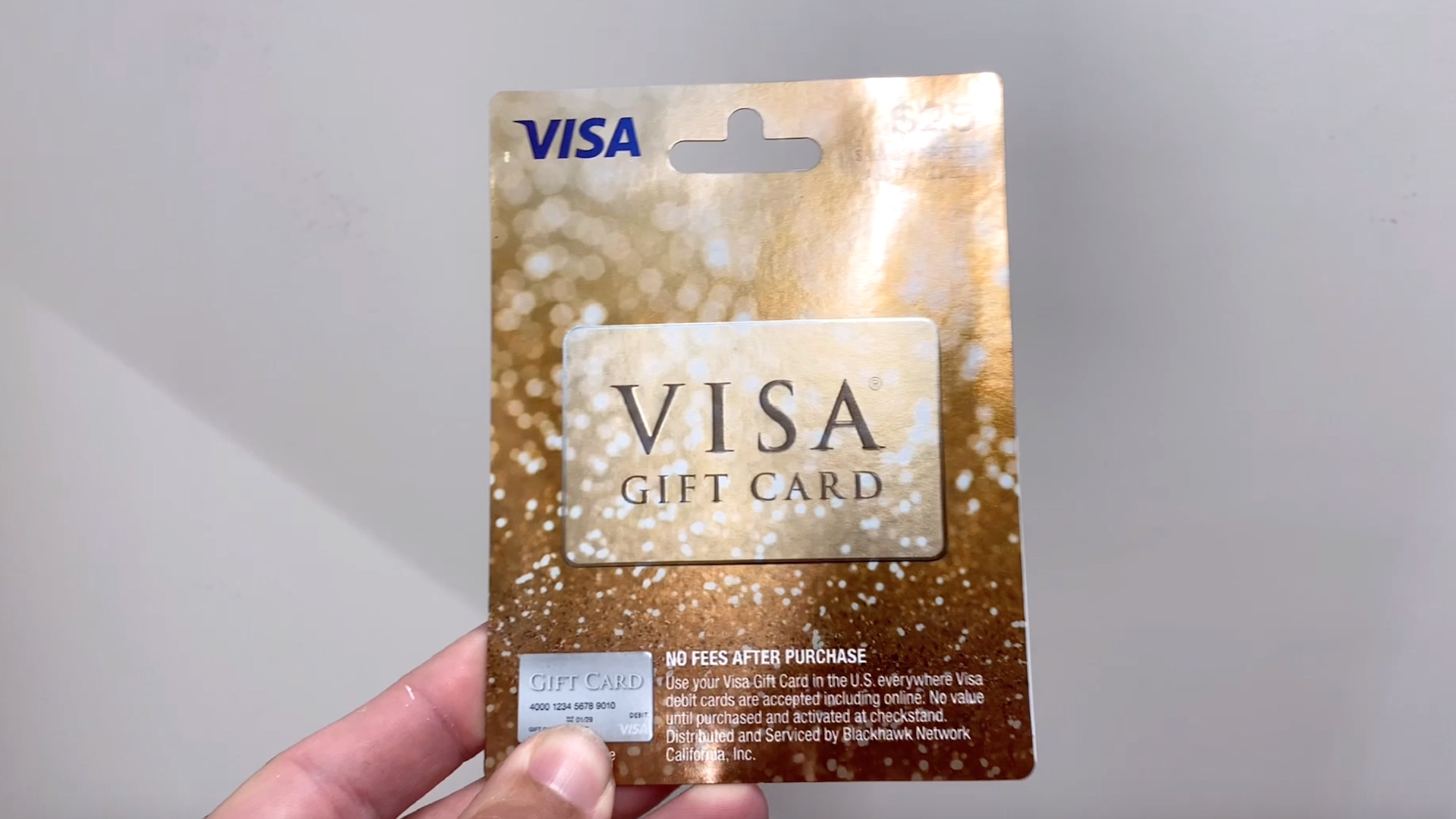
Yes, Amazon sells physical Visa gift cards through various third-party vendors and its marketplace. These cards typically come in fixed or variable amounts and require an upfront activation fee. While digital-only Visa gift cards are less common on the platform due to fraud prevention, physical cards are readily available for Prime shipping.
Visa gift cards represent a versatile middle ground between cash and a traditional credit card. For Amazon shoppers in 2026, these cards serve several purposes: they are popular holiday gifts, effective tools for personal budgeting, and a means of making online purchases without exposing a primary bank account. Understanding how to navigate the Amazon marketplace to find these cards, and more importantly, how to use them effectively within the Amazon ecosystem, requires a look at specific merchant policies and technical workarounds.
Understanding Visa Gift Card Options on Amazon
When searching for "Visa gift cards" on Amazon, the results are often a mix of Amazon's own branded gift cards and "open-loop" cards like those from Visa. An open-loop card is one that can be used at any merchant that accepts the payment network (in this case, Visa). In contrast, a "closed-loop" card, like an Amazon-branded card, can only be used at that specific retailer.
As of 2026, Amazon primarily carries physical Visa gift cards issued by major financial entities such as MetaBank or Pathward and marketed under brands like Vanilla Visa or Gift Card Bank. These are tangible plastic cards that are mailed to your address. Digital delivery of Visa gift cards—where a code is sent instantly via email—is frequently restricted on Amazon to mitigate the high risk of account takeovers and fraudulent transactions that plague the digital gift card industry.
Activation Fees and Pricing Structures
Unlike Amazon gift cards, which cost exactly their face value, Visa gift cards carry an "activation fee." This fee is charged at the point of sale to cover the costs of the payment network, the issuing bank, and the physical production of the card. On Amazon, this fee is usually bundled into the listing price or added at checkout.
For example, a $50 Visa gift card might be listed for $55.95. It is critical to recognize that this extra $5.95 does not add to your spendable balance; it is a non-refundable service fee. These fees vary based on the denomination of the card, with higher-value cards generally offering a better fee-to-value ratio.
How to Purchase a Visa Gift Card on Amazon
Buying a Visa gift card on Amazon follows a similar process to buying any other physical product, but there are specific nuances regarding payment and shipping.
- Search and Filter: Use specific terms like "Physical Visa Gift Card" or "Vanilla Visa." Avoid clicking on results that are clearly for Amazon-branded cards unless that is what you intend to buy.
- Verify the Seller: Look for listings that are "Shipped from Amazon." While many are sold by third-party merchants, Amazon's fulfillment ensures better tracking and customer service if the card does not arrive.
- Select Denomination: You will typically find fixed increments such as $25, $50, $100, and $200. Some listings may allow for variable amounts, though these are less common for physical cards on the platform.
- Checkout Restrictions: You cannot use an existing Amazon Gift Card balance or an Amazon "No-Bite" promotional credit to purchase a Visa gift card. You must use a valid credit card, debit card, or a linked bank account.
Shipping and Security
Because these cards are "loaded" with value, they are treated as high-risk shipments. In 2026, Amazon often requires a secure delivery method for these items, which might include a one-time password (OTP) provided to you via the Amazon app that you must give to the driver upon delivery. This prevents "porch piracy" and ensures the card reaches the intended recipient.
The Cost of Buying Visa Gift Cards
To help you decide which denomination offers the best value, consider the following table detailing the standard fee structures seen on Amazon in 2026.
| Card Face Value | Average Activation Fee | Total Estimated Cost | Percentage Fee Load |
|---|---|---|---|
| $25.00 | $3.95 | $28.95 | 15.8% |
| $50.00 | $4.95 | $54.95 | 9.9% |
| $100.00 | $5.95 | $105.95 | 5.9% |
| $200.00 | $6.95 | $206.95 | 3.5% |
| Variable ($20-$500) | $5.95 - $9.95 | Variable + Fee | 2% - 10% |
As shown, the $200 card is significantly more cost-effective in terms of percentage than the $25 card. If you are using these for personal budgeting, it is always advisable to buy the highest denomination you can afford to minimize the impact of the activation fee.
Limitations and Usage Restrictions
Before purchasing, it is vital to understand the legal and technical limitations of these cards. Most Visa gift cards sold on Amazon are restricted to use within the United States. They cannot be used for international transactions or at merchants located outside the U.S., even if those merchants have an online presence.
Furthermore, these cards are non-reloadable. Once the initial balance is spent, the card cannot be topped up with more funds. From a legal standpoint, the Consumer Financial Protection Bureau (CFPB) provides certain protections regarding fee disclosures and expiration dates. Under the CARD Act, the funds on your Visa gift card typically do not expire for at least five years from the date of purchase, though the physical card itself may have an "expiry" date, after which you would need to request a replacement card to access the remaining funds.
How to Use a Visa Gift Card as a Payment Method on Amazon
While buying a Visa gift card on Amazon is one thing, using one to buy things on Amazon is a separate technical process. Amazon’s payment system is designed to handle traditional credit cards with a billing address, which prepaid cards often lack.
Adding the Card to Your Wallet
To use the card, you must first add it as a payment method in your Amazon account:
- Go to "Your Account" and select "Your Payments."
- Click "Add a payment method" and select "Add a credit or debit card."
- Enter the 16-digit card number, the expiration date, and the CVV code.
- For the "Name on card," you can usually enter "Gift Card Recipient" or your own name, depending on the card issuer’s instructions.
The "Balance Reload" Workaround
The most effective way to use a Visa gift card on Amazon is to use it to "Reload Your Balance." Because Amazon does not allow "split payments" (using two different credit cards for one order), you might find yourself with a $50 Visa card but an order totaling $55. The transaction will be declined.
To solve this, use the Visa card to buy an Amazon Gift Card for the exact amount on the Visa card. For instance, if you have a Visa card with $50.00, go to the "Amazon Reload" page and buy a $50.00 credit using that Visa card as the payment source. This moves the money into your Amazon Gift Card balance, which can then be easily combined with other payment methods for larger purchases.
Troubleshooting Common Issues
If your Visa gift card is being declined on Amazon, the issue usually stems from one of three factors:
- Lack of Address Verification: Many online merchants, including Amazon, use Address Verification System (AVS) checks. If your Visa gift card isn't registered with a billing address, the transaction might fail. Visit the website listed on the back of the card (e.g., vanillagift.com) to register your zip code.
- Pending Authorizations: If you recently tried to use the card elsewhere, a "pending hold" might be tying up your funds. Even a $1.00 temporary hold can cause a transaction for the full balance to fail.
- Insufficient Funds for Taxes: Remember that Amazon orders often include sales tax and shipping. If your order total is $50.01 and your card has exactly $50.00, it will be declined immediately.
Security and Fraud Prevention
The gift card market is a primary target for scammers. When purchasing Visa gift cards on Amazon, always inspect the product upon arrival. Ensure the silver security strip on the back of the card is intact and has not been tampered with.
Scammers sometimes record the card numbers and CVVs in the store before the card is sold, then wait for the card to be activated to drain the funds. While this is less common with Amazon-shipped items compared to those hanging on a grocery store rack, it is still a risk. If you suspect your card has been compromised, contact the issuer immediately using the phone number on the back of the physical card. The Federal Trade Commission (FTC) provides extensive resources on how to identify and report gift card fraud.
Frequently Asked Questions
Can I use an Amazon gift card to buy a Visa gift card?
No. Amazon’s terms of service strictly prohibit the use of Amazon gift card balances to purchase other gift cards, including Visa, Mastercard, or third-party retailer cards like Starbucks or Google Play. This policy is in place to prevent money laundering and the liquidation of stolen gift card balances.
Do Visa gift cards bought on Amazon expire?
The funds themselves generally do not expire for at least five years due to federal law. However, the physical plastic card will have an expiration date printed on it. If the card expires while you still have a balance, you must contact the issuing bank to have a new card issued or the balance transferred.
Can I use a Visa gift card for Amazon Prime subscriptions?
Generally, no. Amazon typically requires a traditional credit or debit card with a recurring billing agreement for Prime memberships and other subscriptions (like Kindle Unlimited). Prepaid Visa cards are often rejected for subscription services because they cannot guarantee future availability of funds.
Is there an "Email Delivery" version of the Visa gift card on Amazon?
While Amazon offers email delivery for its own gift cards and several hundred other brands, it rarely offers this for generic Visa or Mastercard prepaid cards. This is primarily a security measure to prevent fraudulent transactions that are difficult to reverse once a digital code has been generated and sent.
Can I return a Visa gift card to Amazon for a refund?
No. All gift card sales on Amazon, including those for Visa prepaid cards, are final and non-returnable. If you experience an issue with the card’s balance or activation, you must resolve the dispute with the card issuer (e.g., Vanilla Visa or Pathward) rather than Amazon customer service.
Final Recommendation for Shoppers
If you are looking to buy a Visa gift card on Amazon in 2026, the most reliable path is to purchase a physical card that is shipped by Amazon. This ensures you have access to Amazon's logistical tracking and provides a layer of security through their delivery verification systems. To maximize your value, opt for higher denominations to offset the mandatory activation fees. If you are the recipient of such a card, the most efficient way to spend it is by reloading your Amazon Balance with the card's full value, thereby avoiding the common pitfalls of split-payment declines at checkout.