Assessment tools for teachers encompass digital and physical instruments designed to measure student learning, track academic progress, evaluate skill acquisition, and gather actionable data to inform classroom instruction. These tools range from formative quizzes and interactive polling platforms to comprehensive digital portfolios and summative testing suites.
Understanding the Landscape of Educational Assessment
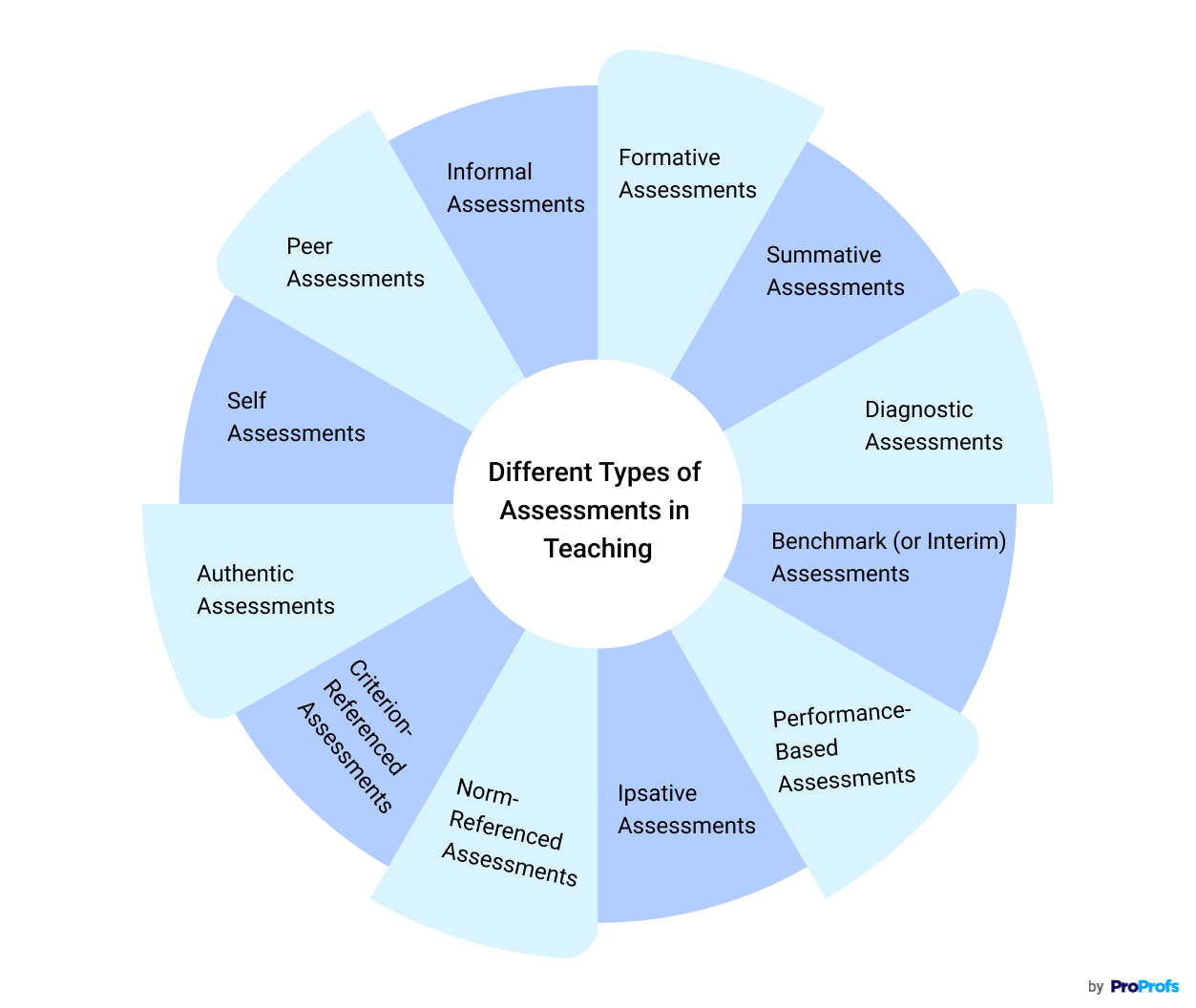
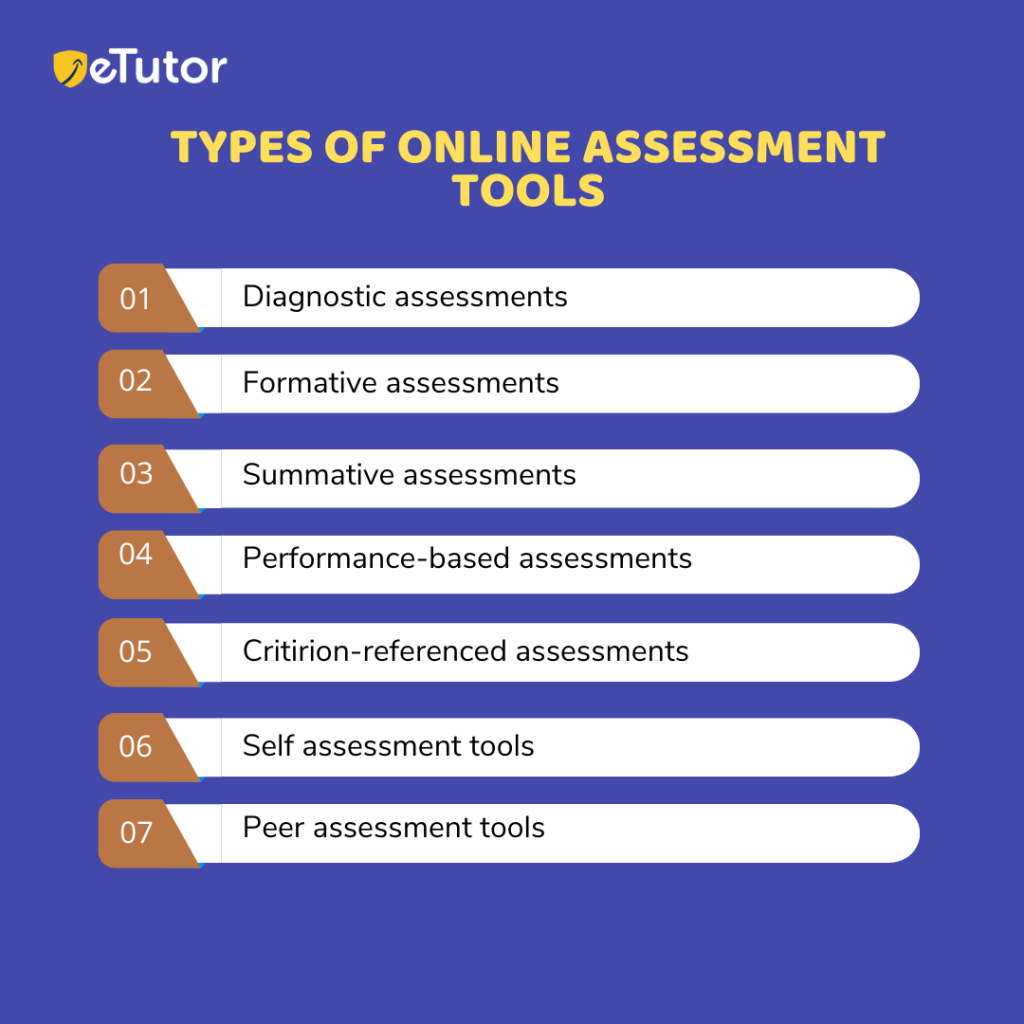
The modern classroom relies heavily on a balanced framework of assessment types. To select the appropriate tools, educators must first understand the fundamental purposes these instruments serve. Assessments are broadly divided into three main categories: formative, summative, and diagnostic. Each serves a distinct pedagogical function and requires different technological or physical capabilities.
Assessment Framework:
- Formative Assessment: Checks for understanding during learning
- Summative Assessment: Evaluates learning at a unit/term end
- Diagnostic Assessment: Identifies baseline skills & gaps
Formative assessments happen continuously during the learning process. They provide immediate feedback, allowing teachers to adjust instruction in real-time. Digital formative tools—such as live quizzing software, interactive whiteboards, and exit-ticket applications—enable educators to gauge the comprehension of an entire classroom within seconds.
Summative assessments occur at the end of an instructional unit, semester, or school year. Their primary goal is to measure cumulative learning against established educational standards. Tools designed for summative evaluation often include robust security features, data encryption, and detailed reporting dashboards that integrate directly with school district database systems.
Diagnostic assessments take place prior to instruction. They identify baseline skills, learning gaps, and specific educational needs. Specialized diagnostic tools often feature adaptive testing algorithms, which adjust question difficulty based on student responses to pinpoint exact instructional levels.
Key Features to Evaluate in Teacher Assessment Tools
When evaluating assessment software or platforms, educators and administrators must weigh multiple operational and technical factors. Selecting a tool without proper vetting can lead to data privacy vulnerabilities, workflow inefficiencies, and poor user adoption among students.
Data Privacy and Security Compliance
Educational technology must adhere strictly to student privacy regulations. In the United States, tools must comply with the Family Educational Rights and Privacy Act (FERPA) and the Children's Online Privacy Protection Act (COPPA). In regions adhering to European standards, compliance with the General Data Protection Regulation (GDPR) is mandatory. Teachers and IT administrators must verify that vendor platforms encrypt data in transit and at rest, do not sell student data to third parties, and maintain transparent data retention policies.
Interoperability and Learning Management System (LMS) Integration
A standalone assessment tool creates administrative friction if it cannot communicate with the school's existing infrastructure. Modern assessment platforms should integrate seamlessly with major Learning Management Systems—such as Canvas, Google Classroom, Schoology, and Moodle. Single Sign-On (SSO) capabilities, roster synchronization via platforms like OneRoster, and automated gradebook export functions save teachers hours of manual data entry.
Accessibility and Universal Design for Learning (UDL)
Equitable assessment requires that tools are accessible to all learners, including students with disabilities and English language learners. High-quality assessment platforms incorporate built-in accommodations such as screen reader compatibility, adjustable contrast modes, text-to-speech functionality, extended time controls, and support for translated instructions. Adherence to Web Content Accessibility Guidelines (WCAG) is a critical technical benchmark for digital assessment software.
Categorizing Assessment Platforms: A Comparative Overview
Different teaching environments require different technological solutions. The market features tools tailored for gamified engagement, formal psychometric testing, and qualitative portfolio building.
| Category | Primary Function | Ideal Use Case | Key Strengths | Potential Limitations |
|---|---|---|---|---|
| Gamified Quizzing | Real-time formative feedback | Low-stakes quizzes, review sessions, warm-ups | High student engagement, instant analytics | Limited depth for complex analytical writing |
| Formative Check-Ins | Open-ended response tracking | Exit tickets, concept checks, drawing prompts | Versatile question formats, qualitative feedback | Requires device access and stable internet |
| Summative Suites | Formal standardized testing | Unit exams, benchmark assessments | Secure testing environments, standards alignment | High setup complexity, rigid structures |
| Digital Portfolios | Longitudinal skill tracking | Project-based learning, arts, early childhood | Captures multi-media artifacts, showcases growth | Time-intensive grading and organization |
Popular Digital Assessment Tools in Modern Classrooms
Formative and Gamified Solutions
Platforms like Kahoot!, Quizizz, and Gimkit have transformed how teachers conduct formative checks. These platforms leverage game mechanics—such as leaderboards, timed challenges, and point multipliers—to boost student participation. While historically used primarily for multiple-choice review, many of these platforms now support open-ended questions, audio responses, and diagram labeling, making them versatile components of a daily lesson plan.
For open-ended formative checks, tools like Mentimeter and Padlet allow students to submit ideas anonymously or via structured boards. This approach supports quieter students in sharing their thoughts while giving teachers an immediate visual summary of class sentiment and conceptual understanding.
Comprehensive Digital Workspaces
Platforms such as Seesaw and Book Creator function as digital portfolios where students document their learning journeys over time. Rather than relying solely on traditional tests, these tools allow students to record videos of themselves explaining mathematical concepts, upload photos of physical science experiments, or type reflections on literature. Teachers can provide audio feedback, and parents gain transparent visibility into their child's daily progress.
Formal Assessment and Quiz Builders
For educators requiring rigorous test creation, platforms like Formative (Smartboard), Edulastic, and Quizlet offer deep standards-aligned question banks. These platforms allow teachers to align questions directly with state standards or Common Core objectives. When students complete an assessment, the software generates automated item-analysis reports, highlighting which specific standards require reteaching and which students have mastered the material.
Implementation Strategies and Best Practices
Introducing new assessment tools requires a structured rollout plan to ensure technical reliability and pedagogical alignment. Rushing implementation often leads to software fatigue and inaccurate data collection.
1. Define the Pedagogical Objective First
Technology should serve instruction, not dictate it. Before selecting an assessment tool, educators should identify the specific learning objective they wish to measure. If the goal is immediate student engagement after a lecture, a gamified polling tool is appropriate. If the goal is evaluating a multi-step algebraic proof, a digital whiteboard or collaborative workspace is necessary.
2. Conduct Pilot Testing with Small Cohorts
Before mandating a new assessment platform across an entire grade level or department, conduct a controlled pilot program. Test the software with a single class to evaluate load times, device compatibility, student onboarding friction, and the clarity of the reporting dashboard. Gather feedback from students regarding usability and accessibility barriers.
3. Establish Clear Data Feedback Loops
Collecting assessment data is valuable only if it leads to instructional action. Teachers should establish routine workflows for reviewing analytics reports generated by assessment tools. This includes grouping students for targeted intervention based on diagnostic data, adjusting upcoming lesson plans to address widespread misconceptions identified in formative quizzes, and sharing longitudinal growth data with students during conferences.
Common Pitfalls to Avoid
Even with advanced software, educators can encounter significant challenges when deploying assessment tools. Recognizing these pitfalls helps prevent wasted instructional time and flawed data.
- Over-Testing and Assessment Fatigue: Subjecting students to constant digital quizzes can lead to disengagement and anxiety. Balance digital assessments with low-stakes, non-digital discussions and observations.
- Ignoring Technical Prerequisites: Deploying complex testing software without verifying school bandwidth, device battery life, or operating system updates frequently results in mid-exam crashes and lost student work.
- Misinterpreting Automated Analytics: Algorithms and automated grading engines cannot always capture nuance in student reasoning. Teachers must manually review open-ended responses and complex problem-solving steps rather than relying entirely on automated scores.
- Neglecting Digital Literacy Barriers: Assuming all students possess equal familiarity with a specific software interface can disadvantage learners with limited access to technology outside of school. Always provide low-stakes tutorials before grading high-stakes assessments.
Frequently Asked Questions
What is the difference between formative and summative assessment tools?
Formative assessment tools monitor student learning during the instructional process to provide ongoing feedback, helping teachers adjust teaching methods and students identify learning gaps. Summative assessment tools evaluate student learning at the end of an instructional period, such as a unit or semester, comparing performance against a benchmark or standard.
How do I ensure student data privacy when using online assessment tools?
To protect student data, verify that the platform complies with federal and local privacy laws such as FERPA and COPPA. Review the vendor's privacy policy to confirm that student data is encrypted, never sold to third parties, and deleted upon account termination. School district IT departments should vet and approve all software before classroom deployment.
Can assessment tools accommodate students with special learning needs?
Yes. Many modern assessment platforms feature built-in accessibility tools aligned with Universal Design for Learning principles. These include screen reader compatibility, adjustable contrast modes, text-to-speech features, translation tools, and the ability to assign customized testing time limits to individual students.
How often should teachers use digital assessment tools?
Digital assessment tools should be used purposefully rather than continuously. Daily formative check-ins can be brief and informal, lasting only three to five minutes. Summative evaluations occur less frequently at natural instructional milestones. The frequency should match the learning objectives without overwhelming students or creating excessive grading burdens for the teacher.
What should I do if a digital assessment platform crashes during use?
Always have an offline contingency plan. If a platform experiences technical failure, teachers should allow students to transition to paper-based responses or alternative tasks while IT support contacts the software vendor. Design assessments to allow pausing or saving state to minimize data loss during unexpected disconnections.