Apple device unlock mechanics rely on a hardware-isolated Secure Enclave coprocessor that fuses the user's passcode or biometric hash with a unique hardware key. Upon successful authentication, the Secure Enclave releases class key material to decrypt data protection keys in system memory, enabling real-time file system access while preventing hardware-based brute-force attacks.
The Hardware Foundation of Apple Security
The security model of Apple devices—including iPhone, iPad, Mac, and Apple Watch—is rooted in custom silicon design. Rather than delegating cryptographic operations and credential validation to the primary application processor (AP), Apple isolates sensitive cryptographic keys and sensitive logic within dedicated hardware components. This architectural separation ensures that even if the primary operating system (iOS, iPadOS, or macOS) is completely compromised at the kernel level, plaintext encryption keys and biometric data remain inaccessible to unauthorized processes.
- Application Processor
- Executes OS Kernel, User Apps, Untrusted/Decrypted File Operations
- Encrypted Inter-Processor Mailbox Pipeline
- Secure Enclave Subsystem
- Secure Enclave Processor (SEP)
- Dedicated Hardware AES Crypto Engine
- Silicon-Fused UID / GID Keys
- Secure Storage (TRNG Engine)
- Monotonic Hardware Attempt Counter
- Secure Boot ROM Integrity Code
The Secure Enclave Processor (SEP)
The Secure Enclave is an isolated System-on-Chip (SoC) subsystem integrated directly into Apple silicon chips. It operates its own microkernel (based on an L4-variant), runs isolated firmware signed directly by Apple, and possesses its own dedicated memory space protected by a hardware Memory Protection Unit (MPU).
The application processor communicates with the Secure Enclave exclusively through a hardware-enforced mailbox system and shared memory buffers. Because the main operating system cannot directly read or write to the internal memory of the Secure Enclave, malicious software running on the main processor cannot inspect key derivation routines or intercept raw biometric data.
Silicon-Fused Hardware Keys: UID and GID
At the core of Apple's device encryption are two cryptographic keys burned directly into the silicon during the chip manufacturing process:
- Unique ID (UID): A 256-bit AES key that is unique to every individual device. No two devices share the same UID. It is fused into the silicon hardware using fuses or one-time programmable memory. Neither Apple, nor hardware suppliers, nor software applications can read the raw UID key directly; it is accessible exclusively to the Secure Enclave’s dedicated AES engine.
- Group ID (GID): A 256-bit key common to an entire class of devices sharing the same processor architecture (such as all devices utilizing the A17 Pro or M4 chip family). The GID is used to authenticate system updates and verify software signatures, ensuring that generic hardware configurations match official release profiles without compromising individual device uniqueness.
Because the UID is permanently bound to the physical silicon and cannot be extracted via software calls, data encrypted using the UID cannot be decrypted by removing the storage chip (NAND flash) and mounting it on different hardware. The original silicon hardware must perform the cryptographic operations.
The Dedicated AES Crypto Engine
Cryptographic operations (such as AES-256 encryption and decryption) are performed not by software instructions executing on a general CPU core, but by a hardware-based AES engine situated directly between the Secure Enclave, the flash controller, and system memory. This dedicated engine handles inline encryption, performing real-time data protection as blocks of data are written to or read from NAND flash memory.
By offloading cryptographic processing to dedicated silicon, Apple devices achieve full-disk and per-file encryption with virtually zero latency overhead or battery tax, rendering unencrypted storage obsolete across all contemporary product lines.
Cryptographic Key Hierarchy and Data Protection
Apple's security architecture does not rely on a single master password to lock and unlock the device memory. Instead, it utilizes a sophisticated hierarchy of layered keys managed by the Data Protection API. This multi-tiered structure allows the device to keep certain files completely locked while allowing background tasks (such as receiving phone calls, push notifications, or alarm alerts) to process securely while the device screen remains locked.
- User Passcode / PIN + Hardware UID (Silicon Sealed)
- Key Derivation Function (PBKDF2)
- Key Encryption Key (KEK)
- Volume Master Key
- Class Keys:
- Class A Key (Complete) -> Encrypted Files
- Class B Key (Unless Open) -> Encrypted Files
- Class C Key (Until Auth) -> Encrypted Files
Data Protection Classes
When a file is created on iOS, iPadOS, or macOS (APFS format), the file system generates a unique 256-bit key called the Per-File Key. The system encrypts this per-file key using a Class Key. The resulting encrypted key is stored alongside the file's metadata.
The availability of the Class Key depends on the state of the device lock screen and the specific Data Protection class assigned to the file:
- Complete Protection (Class A /
NSFileProtectionComplete): The class key is generated using a combination of the user’s passcode and the hardware UID. The moment the user locks the device screen, the Class A keys are purged entirely from the Secure Enclave's active RAM. Files belonging to this class cannot be read or written until the user unlocks the device with a valid passcode or biometric verification. - Protected Unless Open (Class B /
NSFileProtectionCompleteUnlessOpen): If a file is already open when the screen locks, the file system keeps the key active in memory to permit ongoing write operations (such as recording a voice memo or downloading a large background asset). However, new attempts to open previously closed Class B files while locked will be denied. - Protected Until First User Authentication (Class C /
NSFileProtectionCompleteUntilFirstUserAuthentication): This is the default protection level for many operating system assets and third-party app databases. Upon cold booting the device, these files remain encrypted until the user enters their passcode for the first time. Once unlocked, the Class C keys are decrypted and held in system RAM until the device is completely powered down or restarted (the BFU or Before First Unlock state). - No Protection (Class D /
NSFileProtectionNone): While these files are still encrypted at rest using a master key tied to the disk hardware (protecting data if the physical NAND flash is desoldered), the encryption key is not bound to the user's passcode. Class D files are readable whenever the operating system kernel is booted, even if the device screen is currently locked.
Key Chains and Hardware Attestation
System credentials, Wi-Fi passwords, financial tokens, and private application keys are stored within the system Keychain. The Keychain leverages the same Data Protection API framework, wrapping individual item keys with class protection layers.
For high-security operations, such as Apple Pay transactions or WebAuthn cryptographic keys, the Keychain requires hardware attestation. In this scenario, the key pair is generated directly inside the Secure Enclave, and the private key is permanently marked as non-exportable. The Secure Enclave will sign external challenges using this private key only after an explicit, hardware-validated authentication event (such as a successful Face ID scan).
Step-by-Step Unlock Mechanics: Biometrics vs. Passcodes
Unlocking an Apple device appears to be an instantaneous software transition from a lock screen to a home grid. Underneath the interface, a complex cryptographic exchange occurs between the user's input, the Secure Enclave, and the storage system.
- User Input (Passcode or Biometric Sensor)
- Passcode Option:
- Sent directly to Secure Enclave Mailbox
- PBKDF2 Key Derivation Engine (Combines Passcode + Hardware UID)
- Calculates Key Encryption Key (KEK)
- Biometric Option:
- Sensor captures Depth/Fingerprint data
- Local Neural Engine / Secure Sensing Hardware maps vector math
- Matches against encrypted biometric template in Secure Enclave
- Unlocks cached KEK held in isolated SEP RAM
- Passcode Option:
- Key Encryption Key (KEK) Released
- Decrypts Class Keys (Class A, Class B) in System RAM
- APFS File System Access Granted -> User Screen Displays Unlocked OS
Passcode Authentication and Key Derivation
When a user sets up a device passcode, the operating system does not store the passcode itself anywhere on the local storage or on Apple’s cloud servers. Instead, the passcode undergoes hardware-bound key stretching:
- Input Transfer: The user enters their PIN or alphanumeric string on the display. The screen controller delivers the raw touch coordinates to the Application Processor, which converts them to characters and immediately forwards the input to the Secure Enclave via the isolated hardware mailbox.
- PBKDF2 & Hardware Binding: The Secure Enclave takes the raw passcode and passes it through an extended Key Derivation Function (PBKDF2 using HMAC-SHA256). This algorithm combines the passcode with two additional elements: a random salt stored in local storage and the device’s silicon-fused hardware UID.
- Iteration Delay: The PBKDF2 algorithm is intentionally configured with tens of thousands of iterations. This forces a measurable CPU execution delay for every single attempt. Because the calculation must incorporate the hardware UID inside the Secure Enclave, it cannot be offloaded to external graphics processors or supercomputing clusters.
- KEK Generation: If the derived hash matches the stored reference hash inside the Secure Enclave, the computation yields the Key Encryption Key (KEK). The KEK is then used to decrypt the Class A and Class B Data Protection keys, which are passed to the APFS file system driver to unlock user data.
The Face ID and Touch ID Biometric Pipeline
Biometric authentication mechanisms do not replace the user's passcode; rather, they serve as a secure wrapper that dynamically authorizes the Secure Enclave to release the stored KEK without forcing the user to re-type their master passcode every few minutes.
Touch ID Mechanics
- Capacitive Scan: When a finger touches the capacitive ring, the Touch ID sensor captures a high-resolution raster image of the sub-epidermal skin layers.
- Vector Conversion: The raw image data is encrypted in transit using a session key negotiated between the Touch ID sensor and the Secure Enclave. The data is sent directly to the Secure Enclave without passing through main system memory.
- Map Matching: The Secure Enclave parses the image into a mathematical vector map of minutiae points (ridge endings, bifurcations) and compares this map against the encrypted biometric template created during initial setup.
- Release of Key Material: If the match score crosses the strict security threshold, the Secure Enclave releases the cached KEK to the system memory.
Face ID Mechanics
- Infrared Projection: The TrueDepth camera system projects over 30,000 invisible infrared dots onto the user's face while illuminating the scene with a flood illuminator.
- 3D Mesh Capture: An infrared camera reads the dot pattern, generating a three-dimensional depth map of the facial contours alongside a 2D infrared image.
- Neural Engine Verification: This raw spatial data is processed by the Apple Neural Engine. The Neural Engine transforms the structural depth map into a normalized mathematical model (vector embedding).
- Enclave Authentication: The mathematical model is forwarded securely to the Secure Enclave. The SEP verifies that the model matches the enrolled mathematical representation (which accounts for dynamic changes like glass wear, facial hair, or aging). It also checks for "attentiveness" by confirming the user's eyes are open and directed at the display, mitigating unauthorized unlocks while the user is asleep.
The Authentication Handshake to the File System
Whether authenticated via passcode or biometrics, the sequence terminates in the exact same cryptographic state:
- Biometric/Passcode Verified
- Secure Enclave Releases Class A/B Master Keys
- Keys Loaded into Main System MPU-Protected Memory
- APFS Disk Driver Decrypts Per-File Keys in Real-Time
- Application Data Made Readable to OS Kernel
Anti-Exploitation and Brute-Force Countermeasures
Because passcodes are often brief numeric sequences (such as 4-digit or 6-digit PINs), a mathematically simple numeric range could theoretically be cracked in minutes via automated brute-force attacks. Apple prevents these attacks through hardware-enforced rate limiting and automated data destruction mechanisms.
Hardware-Enforced Delay Timers and Maximum Attempt Limits
Rate limiting on Apple hardware is not handled by the main operating system software; it is enforced directly by hardware timers inside the Secure Enclave. This prevents attackers from modifying iOS software to bypass wait periods between failed passcode entries.
- Attempts 1 to 4: Evaluated instantaneously with no added delay.
- Attempt 5: Imposes a mandatory 1-minute delay before the Secure Enclave will accept another attempt.
- Attempt 6: Imposes a mandatory 5-minute delay.
- Attempts 7 and 8: Impose a mandatory 15-minute delay.
- Attempts 9+: Impose a mandatory 60-minute delay per attempt.
If the user has enabled the Erase Data feature in system settings, the Secure Enclave immediately destroys all stored cryptographic key material (including the Class keys and the device master key) upon the 10th consecutive failed attempt. This renders all user data stored on the NAND flash permanently and mathematically unrecoverable, effectively reducing the device to factory default status.
Furthermore, the Secure Enclave utilizes a physical hardware counter backed by non-volatile storage. An attacker cannot bypass the delay timer by powering off the device, resetting the system clock, or reflashing the operating system firmware, as the counter state is evaluated during the Secure Enclave's isolated boot check.
Memory Integrity, Pointer Authentication, and Lockdown Mode
Modern hardware attacks often attempt to exploit memory corruption bugs (such as buffer overflows) in system services to bypass the unlock screen without entering a passcode. Apple integrates advanced hardware and software mitigations to neutralize these exploitation vectors:
- Pointer Authentication Codes (PAC): Built into Apple silicon, PAC adds a cryptographic signature to memory pointers before they are executed. If an attacker attempts to overwrite a return address in memory to redirect execution flow (a typical buffer overflow payload), the CPU detects an invalid PAC signature and instantly terminates the process.
- Address Space Layout Randomization (KASLR): The operating system randomizes the location of kernel components in memory during every boot cycle, preventing attackers from hardcoding payload memory targets.
- Lockdown Mode: Introduced for users who may be targeted by sophisticated, mercenary spyware (such as zero-click exploit frameworks), Lockdown Mode severely hardens the device attack surface. It disables complex web rendering engines, blocks incoming wire-level USB data connections when the device is locked, removes vulnerable image processing frameworks, and blocks remote management profile installation.
Activation Lock and Cloud-Bound Device Identity
While Data Protection secures the local confidentiality of files, Activation Lock secures the physical ownership identity of the hardware. Activation Lock prevents stolen or lost devices from being erased and reused by unauthorized parties, effectively neutralizing the monetary resale value of stolen devices.
- Device Activation Flow:
- Device Power-On / Setup: Query local Secure Enclave hardware ID
- Attestation Request: Transmit hardware signature + IMEI/Serial to Apple Activation Servers
- Cloud Database Check: Is Device Bound to an Apple Account?
- If Yes:
- Require Original Apple ID Account Password / Token
- Unlock Setup Engine
- If No:
- Issue Cryptographic Activation Record
- Proceed to Lock Screen
- If Yes:
Server-Side Attestation and Hardware Disambiguation
Activation Lock operates via an attestation handshake between the device’s Secure Enclave and Apple's central authentication servers:
- Enrolment Binding: When a user logs into an Apple ID and enables the Find My network on a device, the device's hardware identifiers—specifically the chip serial number, Wi-Fi MAC address, and IMEI (for cellular devices)—are bound to the user's Apple Account on Apple’s identity servers.
- Activation Check: If the device is erased, factory reset, or restored via Recovery Mode, it cannot complete the initial setup assistant without contacting Apple’s Activation Servers.
- Cryptographic Proof: The device generates a unique activation request payload signed by keys embedded inside the Secure Enclave. The server evaluates this payload against the central database. If Activation Lock is flagged as active for that hardware signature, the server refuses to issue a signed Activation Record.
- Enforcement: Without a valid, Apple-signed Activation Record present in local system memory, the operating system kernel prevents access to the user interface, blocking the device at the "iPhone Locked to Owner" or equivalent setup barrier.
Offline Activation Lock Mechanics
Modern devices operating on modern software frameworks maintain Activation Lock controls even when offline. The device’s hardware configuration registers local locks within the Secure Enclave storage. If an unauthorized party attempts to flash new firmware or wipe storage partitions offline using low-level hardware tools (such as DFU mode), the Secure Enclave will refuse to decrypt critical board-level components or complete hardware initialization sequences upon boot until valid owner credentials are presented.
Technical Security Comparison of Unlock Mechanisms
The following table summarizes the operational parameters, cryptographic foundations, and primary security characteristics of Apple's primary unlock and identity verification mechanics:
| Mechanism | Primary Authentication Factor | Cryptographic Foundation | Rate Limiting Enforcement | Primary Vulnerability / Attack Vector |
|---|---|---|---|---|
| Numeric Passcode | Knowledge (4/6-Digit PIN) | PBKDF2 (HMAC-SHA256) combined with Silicon Hardware UID | Hardware-enforced by Secure Enclave (Up to 60-min delays; wipe at 10) | Shoulder surfing; coercive entry; weak passcode selection. |
| Alphanumeric Password | Knowledge (Complex String) | High-entropy PBKDF2 key stretching combined with Hardware UID | Hardware-enforced by Secure Enclave (Exponential delay growth) | Social engineering; keylogging on compromised secondary devices. |
| Touch ID | Biometric (Fingerprint Surface) | Capacitive vector map matched inside Secure Enclave against template | Fallback to Passcode after 5 failed attempts or 48h inactivity | Physical high-resolution spoofing (2.5D mold); coercive physical placement. |
| Face ID | Biometric (3D Facial Geometry) | Infrared 3D depth mesh + Neural Engine vector embedding in SEP | Fallback to Passcode after 5 failed attempts or 48h inactivity | Advanced 3D mask spoofs (extremely rare); identical twin false-positive window. |
| Activation Lock | Cloud Attestation / Account | Public Key Cryptography signed by Apple Central Activation Server | Unlimited online verification attempts (bound by Apple ID rate limits) | Phishing of Apple ID credentials; social engineering of support channels. |
Frequently Asked Questions
Can Apple brute-force or extract the passcode from a locked device?
No. Because the passcode is combined directly with the hardware UID inside the Secure Enclave, the calculation must physically occur on the individual device's silicon chip. Apple does not possess a copy of the device's UID key, nor can they bypass the hardware timers built directly into the Secure Enclave firmware. Unless an attacker or law enforcement agency discovers an unpatched hardware-level exploit within the Secure Enclave silicon itself, remote or automated passcode extraction remains mathematically infeasible.
What is the difference between BFU (Before First Unlock) and AFU (After First Unlock)?
BFU (Before First Unlock) refers to the device state immediately after a fresh system boot or restart, before the user has entered their passcode even once. In BFU mode, all Class A, Class B, and Class C encryption keys remain fully encrypted inside storage; system memory contains virtually no data decryption keys.
AFU (After First Unlock) describes the device state after the user enters their passcode once following a boot. In AFU mode, Class C keys are decrypted and retained in system RAM so the device can receive incoming calls, run background tasks, and process notifications. Forensic extraction tools generally target devices in AFU mode because some encryption keys reside unencrypted within active RAM.
How does Lockdown Mode affect device unlock security?
Lockdown Mode does not alter the underlying cryptographic math of the passcode or Secure Enclave. Instead, it systematically reduces the overall software attack surface to prevent remote zero-click exploits from executing code on the main processor. It disables advanced web features, limits message attachments, blocks incoming FaceTime calls from unknown contacts, and strictly blocks wired USB data connections when the device is locked, preventing hardware-based exploitation tools from interfacing with the system controller.
Why does a device force a passcode entry after a restart instead of allowing biometrics?
Biometric encryption keys (Touch ID and Face ID keys) are stored in volatile RAM inside the Secure Enclave and are encrypted using a master key derived directly from the user’s passcode. When a device restarts or powers down, that volatile RAM is cleared entirely. The Secure Enclave requires the raw passcode to re-derive the master key (KEK) and unlock access to the biometric matching pipelines. Biometrics serve as a temporary convenience key, not a replacement for the master passcode.
Can replacing hardware components bypass Activation Lock?
Replacing components like the screen, battery, or camera modules will not bypass Activation Lock. The hardware identity attestation relies on core logic board components—specifically the SoC containing the Secure Enclave and paired storage chips. Swapping these core silicon chips typically destroys the cryptographic integrity of the board, rendering the device entirely non-functional due to hardware pairing and cryptographic verification failures.
Recommended Security Configuration Practices
To maximize the mathematical and practical security of an Apple device based on its underlying architectural mechanics:
- Transition to an Alphanumeric Passcode: Replace standard 4-digit or 6-digit numeric PINs with a custom alphanumeric passcode containing 8 or more characters. This dramatically expands the cryptographic space, rendering even theoretical hardware-level rate-limit bypasses computationally impossible.
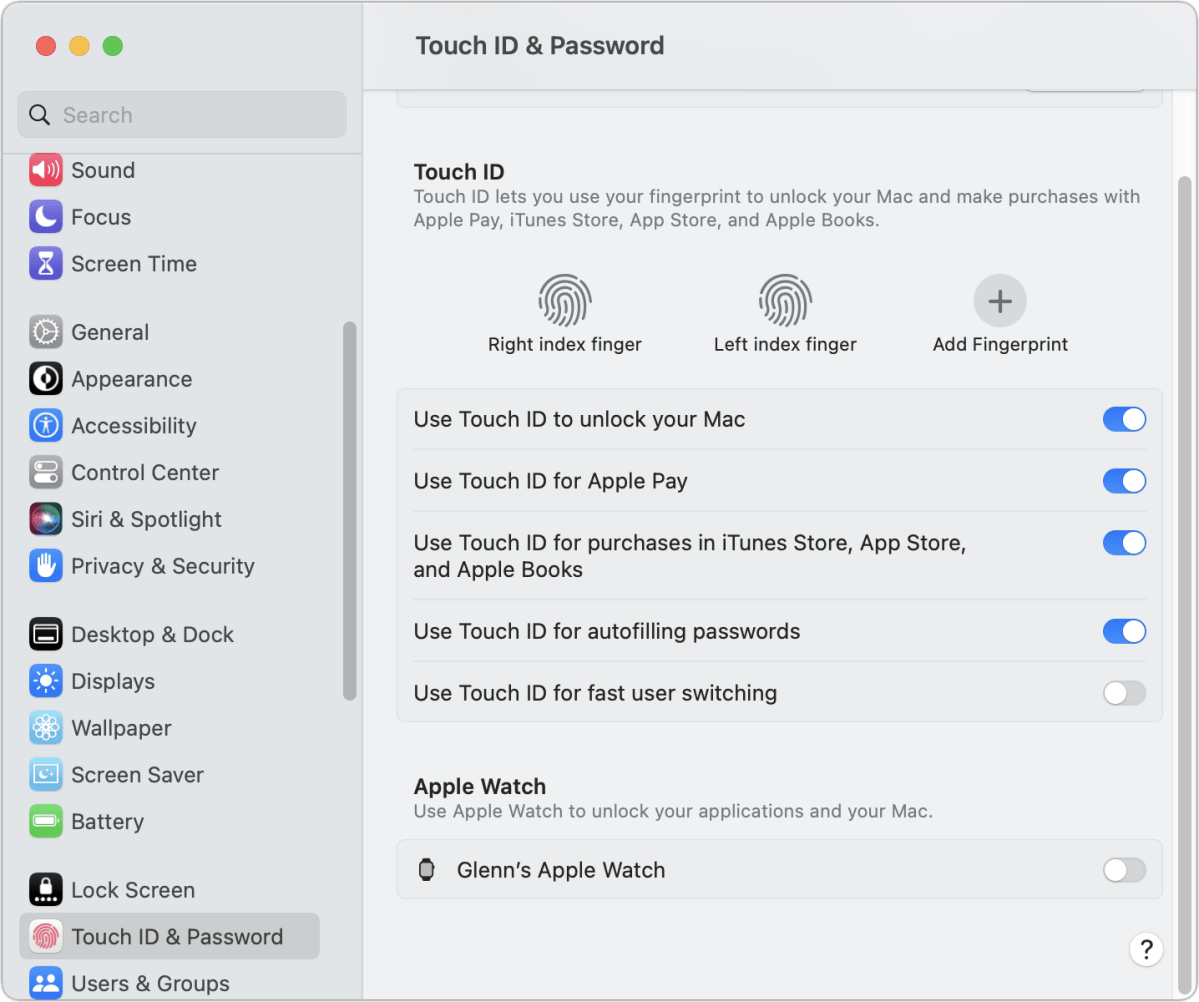
- Enable Automatic Erase Data: Navigate to Settings > Face ID & Passcode (or Touch ID & Passcode) and toggle on Erase Data. This ensures that if a physical attacker attempts to brute-force the device using advanced hardware probing, the Secure Enclave will purge all cryptographic Class keys on the 10th failed attempt.
- Maintain Regular Boot Cycles (Reboot to BFU): If traveling through high-risk environments or carrying sensitive data, periodically restart the device to return it to the Before First Unlock (BFU) state. This purges Class C keys from active RAM, ensuring that all data protection classes are completely sealed behind the master passcode derivation pipeline.
- Enable Stolen Device Protection: On compatible iOS devices, ensure Stolen Device Protection is toggled on. This enforces a mandatory hardware-based time delay and biometric requirement for critical security actions (such as changing an Apple ID password or altering device passcodes) when away from familiar locations like home or work.