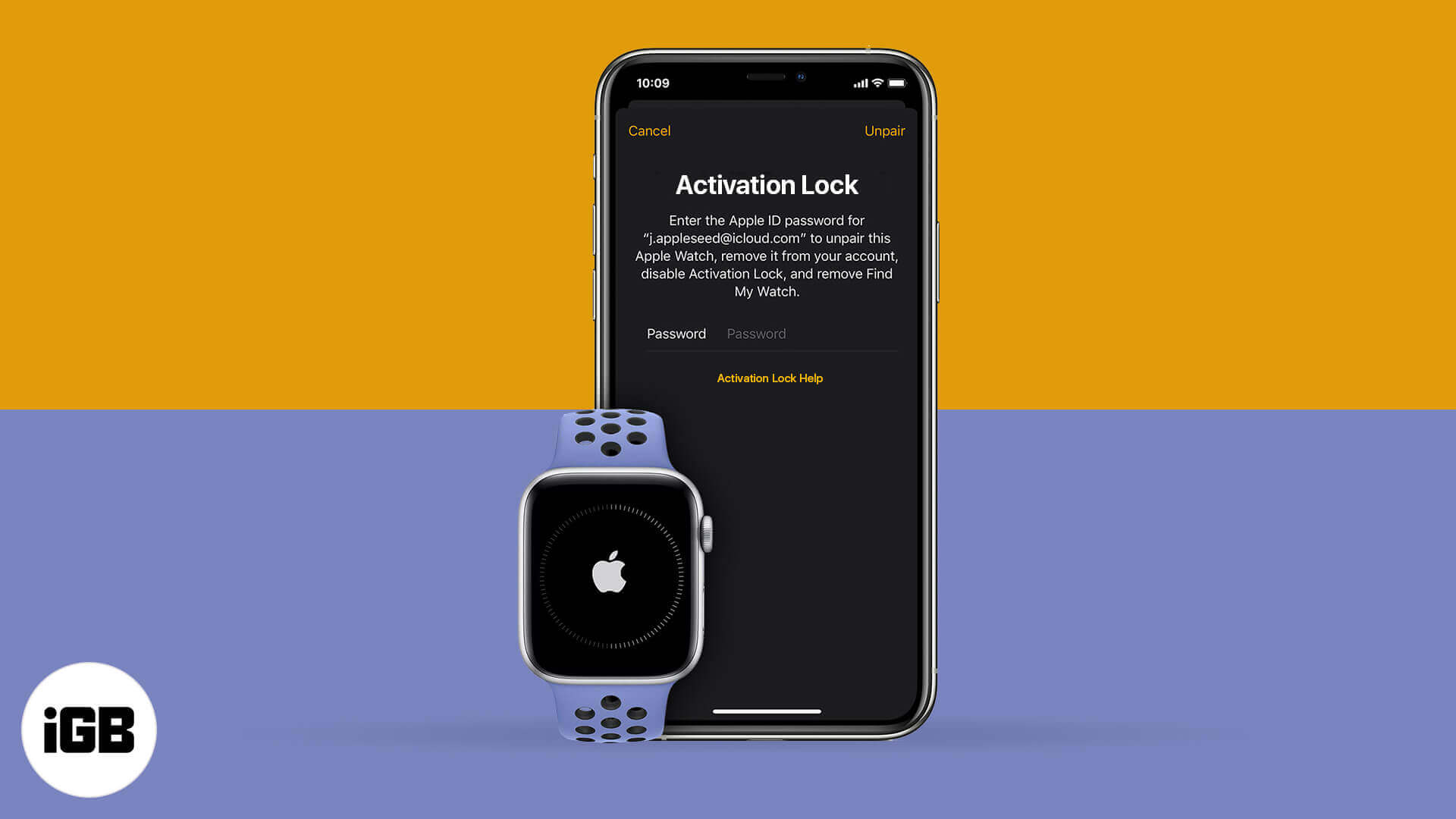
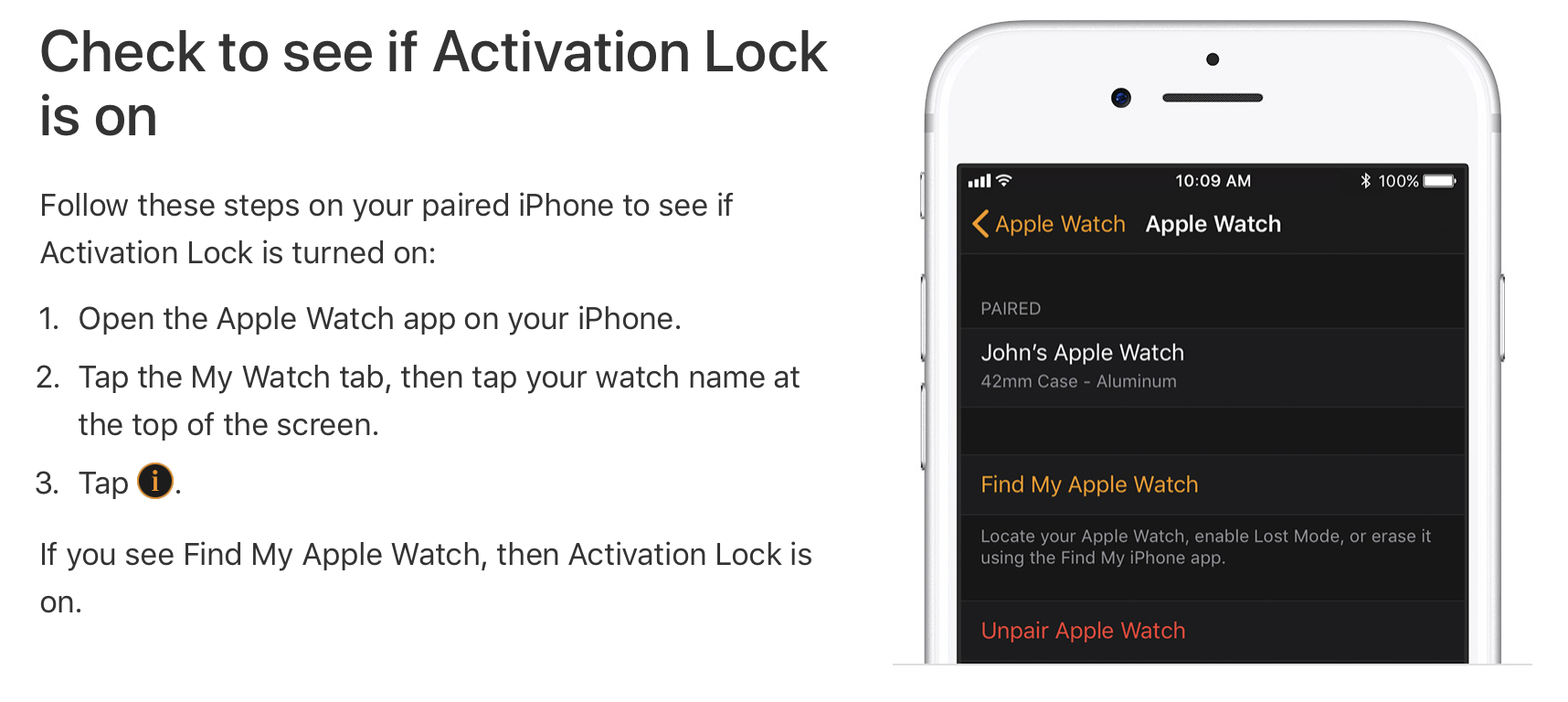
Apple Watch Activation Lock, commonly referred to as an iCloud lock, is a security feature designed to prevent unauthorized use of the device if it is lost or stolen. It automatically links the watch to the owner’s Apple ID, requiring that specific password for unpairing, erasing, or reactivating the device on a new account.
The iCloud lock remains one of the most effective theft deterrents in the wearable technology market. In 2026, as Apple Watch models like the Series 11 and Ultra 3 continue to dominate the market, understanding the mechanics of this security layer is essential for both current owners and those looking to purchase pre-owned hardware. While it provides peace of mind for security, it can become a significant hurdle for legitimate buyers who acquire a device that was not properly reset by the previous owner.
The Technical Mechanism of Activation Lock
The Apple Watch Activation Lock is an extension of the "Find My" ecosystem. When you set up a new Apple Watch and pair it with an iPhone, the "Find My Watch" feature is typically enabled by default. Once active, Apple’s activation servers store your Apple ID and associate it specifically with the unique hardware identifier (UDID) or serial number of the watch.
When any attempt is made to reset the watch—whether through the device settings or via a hard reset using the side buttons—the watchOS software communicates with Apple’s servers upon the next setup attempt. If the servers detect that the device is still "claimed" by an Apple ID, the watch will refuse to proceed past the initial setup screens. It will display a message stating that the watch is linked to an Apple ID and will prompt for the original credentials.
This lock exists at the firmware level, meaning that simply reinstalling the operating system or "flashing" the device does not remove the restriction. Because the verification happens on Apple’s server side rather than exclusively on the local hardware, the lock persists across different versions of watchOS.
Why Your Apple Watch Displays an Activation Lock
There are several common scenarios in which a user might encounter the iCloud lock screen. Understanding these can help determine the appropriate course of action for removal.
Purchasing a Used Device
The most frequent cause of an iCloud lock issue occurs in the secondary market. If a seller erases the Apple Watch via the settings menu but does not first "unpair" it from their iPhone, the Activation Lock remains active. Many sellers mistakenly believe that "Reset All Content and Settings" makes the device ready for a new user; however, for the Apple Watch, the unpairing process is the only action that signals Apple's servers to release the device from the ID.
Forgotten Apple ID Credentials
Long-term owners who have not needed to sign into their Apple ID for years may find themselves locked out of their own devices. This often happens during a transition to a new iPhone or after a major software update that requires re-authentication.
Security Lockouts and Lost Mode
If a user marks their Apple Watch as "Lost" through the Find My app on another device, the watch enters a state of heightened security. Not only is the iCloud lock active, but the device may also display a custom message and phone number on the screen, and all Apple Pay capabilities are suspended.
How to Verify Activation Lock Status Before Buying
If you are purchasing a used Apple Watch in 2026, whether it is a legacy Series 6 or a modern Ultra model, you must verify the lock status before any money changes hands. Apple no longer provides a public web-based serial number checker for Activation Lock, so verification must be done manually.
- Power on the device: If the watch displays the "Language" selection screen, it has been reset, but it may still be locked.
- Begin the pairing process: Bring the watch near your iPhone. If the "Set Up Apple Watch" prompt appears, proceed.
- Check for the prompt: If the watch asks for an Apple ID and password during the initial handshake, it is iCloud locked. If it proceeds to the "Terms and Conditions" and "Wrist Preference" screens, it is unlocked.
- Physical Inspection: If the seller claims they cannot turn it on because it has no battery, insist on charging it. A device that cannot be powered on to verify the lock status should be considered a "parts-only" device with zero resale value.
Official Methods for Removing the iCloud Lock
There are only three legitimate ways to remove an iCloud lock from an Apple Watch. Any service claiming to do so through "software hacks" is likely a scam or a temporary bypass that will fail during the next update.
Method 1: Using the Paired iPhone (Best for Sellers)
If you still have access to the iPhone the watch was originally paired with, this is the simplest method.
- Keep the Apple Watch and iPhone close together.
- Open the Watch app on the iPhone.
- Go to the My Watch tab and tap All Watches at the top.
- Tap the info (i) icon next to the watch you want to unpair.
- Select Unpair Apple Watch.
- For cellular models, choose whether to keep or remove your data plan.
- Enter your Apple ID password to disable Activation Lock and confirm the unpair.
Method 2: Remote Removal via iCloud.com (Best for Remote Sales)
If you have already sold the watch or no longer have the paired iPhone, you can release the lock from any web browser.
- Go to iCloud.com/find and sign in with the Apple ID currently linked to the watch.
- Select All Devices and click on the Apple Watch.
- If the watch is offline, click Remove from Account.
- Warning: Do not just click "Erase." You must specifically choose "Remove from Account" to fully disable the Activation Lock. If you click erase, the device will be wiped, but it will still ask for your password when the next person tries to set it up.
Method 3: Apple Support Request
Apple can remove the Activation Lock if you can prove you are the legal owner. This is typically used in cases where an owner has passed away or a business has discovered locked devices in their inventory.
- You must provide the original sales receipt. The receipt must include the device's serial number, the date of purchase, and the price paid.
- Apple will verify that the device has not been reported stolen or lost.
- You can initiate this request through the Official Apple Support Activation Lock portal.
Comparison of Removal Methods
| Method | Requirement | Success Rate | Timeframe | Best For |
|---|---|---|---|---|
| Paired iPhone | Original iPhone & Apple ID | 100% | Instant | Preparing to sell |
| iCloud.com | Apple ID Credentials | 100% | Instant | Remote unpairing |
| Apple Support | Original Sales Receipt | High | 2-7 Days | Forgotten ID/Inherited devices |
| Third-Party Bypasses | Unverified Software | Very Low | Temporary | Not recommended (Scams) |
| Court Orders | Legal Documentation | High | Varies | Estate settlements |
Handling Locked Devices from Deceased Family Members
Dealing with the digital estate of a loved one is a common issue in 2026. If you have inherited an Apple Watch that is iCloud locked, Apple provides a specific path for access. Under the "Digital Legacy" program, if the deceased person added you as a Legacy Contact, you can use the access key provided to request the removal of the lock.
If no Legacy Contact was set up, Apple generally requires a court order that specifies:
- The name and Apple ID of the deceased.
- The name of the next-of-kin or legal representative.
- That the deceased was the owner of all accounts associated with the Apple ID.
- That the court is ordering Apple to assist in the provision of access to the decedent's information.
The Reality of Third-Party "Bypass" Services
The internet is flooded with advertisements for tools that claim to "unlock any iCloud locked Apple Watch." It is vital to exercise extreme caution. Most of these services fall into two categories:
- DNS Bypasses: This involves changing the Wi-Fi settings on the watch to point to a custom server. While this may allow you to browse the web or use basic apps on the watch, it does not actually "unlock" the device. The watch remains unusable for its primary purpose—tracking health data and syncing with an iPhone.
- Paid Scam Sites: Many websites ask for a fee (ranging from $20 to $100) to "whitelist" your serial number. Since Apple’s activation database is private and highly secure, these services are almost universally fraudulent. Once the payment is made, the seller usually disappears, or the software provided simply doesn't work.
Hardware-based "unlocks" involving chip replacement are technically possible but are economically unfeasible. The cost of the labor and the "clean" motherboard required often exceeds the value of a used Apple Watch.
Avoiding the "Locked" Trap as a Buyer
To ensure you are not buying a "paperweight," follow these guidelines during your purchase:
- Request a Video: If buying online (e.g., eBay, Swappa), ask the seller for a video of the watch being turned on and showing the "Pairing" screen without any Apple ID prompts.
- Use Protected Payment Methods: Only use platforms that offer buyer protection. If a watch arrives iCloud locked and it wasn't disclosed, you can initiate a return.
- Meet in Person: If buying locally, meet at a location with Wi-Fi or use your phone's hotspot to attempt the pairing process before handing over cash.
Frequently Asked Questions
Can I bypass Activation Lock by jailbreaking the Apple Watch?
No. While jailbreaking exists for some versions of watchOS, it does not remove the server-side check that governs Activation Lock. The lock is verified when the device contacts Apple's activation servers, which occurs independently of whether the local operating system has been modified.
What happens if I find an Apple Watch? Can I unlock it?
If you find an Apple Watch, you cannot unlock it for your own use. The most ethical and practical step is to keep the device powered on and charged. If the owner has put it into "Lost Mode," a message may appear on the screen with a phone number. You can also take the device to a local police station or an Apple Store, though Apple employees cannot give you the owner's information due to privacy laws.
Does erasing the Apple Watch remove the iCloud lock?
No. Erasing the watch only deletes the local data (apps, music, and health stats). The association between the hardware and the Apple ID remains on Apple’s servers. This is a safety feature to ensure that if a thief wipes your device, they still cannot use it or sell it as a working unit.
Is there a "master code" to unlock an Apple Watch?
There is no master code or "backdoor" for iCloud locks. Apple designed this system specifically to be impenetrable to protect user data and discourage theft. The only "key" is the Apple ID password or an official unlock from Apple Support based on ownership documentation.
Can I use an Apple Watch if it is MDM locked?
Mobile Device Management (MDM) is different from an iCloud lock. MDM locks are typically found on devices owned by corporations or schools. While some MDM profiles can be removed by the managing organization, an MDM-locked device often has restricted features and may still be subject to an iCloud lock as well.
Will a factory reset from the watch buttons remove the lock?
No. Performing a "hard reset" using the side buttons will wipe the device, but upon restarting, the watch will immediately enter the Activation Lock screen. It will require the previous owner's Apple ID to move forward.
Moving Forward with Your Device
If you find yourself with an iCloud-locked Apple Watch, your first priority should be contacting the original owner. If you are the owner and have forgotten your credentials, use Apple's "iforgot" service to regain access to your account. For those who have purchased a locked device from a third party and cannot contact the seller, the device is unfortunately limited to being used for spare parts, such as the screen or casing, as the logic board remains permanently restricted.
For sellers, the most important takeaway is to always unpair the watch through the iPhone Watch app rather than just erasing it. This ensures a smooth transition for the buyer and protects your personal Apple ID from remaining linked to a device you no longer possess.