ASP.NET migration is the process of upgrading legacy web applications from the older .NET Framework (versions 4.8 and below) to the modern, cross-platform .NET ecosystem, including .NET 8, .NET 9, and the recently released .NET 10. This transition involves refactoring code, updating project structures to the SDK-style format, and adopting new middleware-based architectures to improve performance, security, and cloud scalability.
The landscape of web development in 2026 has solidified around the unified .NET platform. While many organizations still maintain legacy systems built on the original .NET Framework, the pressure to migrate has intensified due to the massive performance advantages, reduced hosting costs on Linux, and the end of innovation for the older Framework. Migration is no longer just a technical "nice-to-have"; it is a strategic necessity for maintaining security compliance and leveraging modern DevOps practices.
Why Migrate to Modern .NET in 2026?
The primary driver for ASP.NET migration is the performance gap. Modern .NET (versions 6 through 10) utilizes the Kestrel web server, which consistently ranks among the fastest in the world. Compared to the legacy System.Web-based architecture of ASP.NET 4.x, modern .NET can handle significantly more requests per second with a fraction of the memory footprint.
Furthermore, the shift toward containerization and cloud-native development has made the Windows-only requirement of legacy .NET Framework a significant financial burden. By migrating to .NET 10, organizations can host their web applications on Linux-based containers and Kubernetes clusters, often reducing infrastructure costs by 30% to 50%.
Beyond cost and speed, the developer experience has fundamentally changed. Modern .NET features a unified programming model where MVC (Model-View-Controller), Web API, and Razor Pages share the same underlying infrastructure. This unification simplifies the code surface and makes it easier to implement cross-cutting concerns like logging, authentication, and dependency injection, which are now first-class citizens in the platform.
Assessing Your Legacy ASP.NET Application
Before writing a single line of code, a thorough assessment of the existing application is required. Not every legacy ASP.NET application is a candidate for a quick port. You must categorize your current assets into three main groups: MVC/Web API, Web Forms, and WCF services.
Identifying Technical Debt and Blockers
The most significant hurdle in ASP.NET migration is the reliance on legacy libraries and APIs that do not exist in the modern ecosystem. Common blockers include:
- System.Web.dll dependencies: Modern .NET does not use the heavy System.Web assembly. Any code tightly coupled to
HttpContext.Currentor legacy HTTP modules must be rewritten. - ASP.NET Web Forms: There is no direct migration path for
.aspxpages. These must be rewritten using Blazor, Razor Pages, or a client-side framework like React or Angular. - WCF (Windows Communication Foundation): While some support exists via CoreWCF, many complex WCF configurations require a transition to gRPC or RESTful Web APIs.
- AppDomains and Remoting: These concepts are obsolete in modern .NET and must be replaced with inter-process communication (IPC) or microservices.
Tooling for Assessment
In 2026, the .NET Upgrade Assistant remains the gold standard for initial assessments. This Visual Studio extension provides a comprehensive compatibility report, highlighting APIs that lack a modern equivalent and suggesting NuGet package updates. Additionally, the Microsoft.DotNet.Analyze tool can be used via the command line to scan entire solution folders for binary incompatibilities.
Strategic Migration Approaches
Choosing the right migration strategy depends on the size of the application, the available budget, and the tolerance for downtime.
1. The Strangler Fig Pattern (Incremental Migration)
For large, monolithic applications, a "big bang" rewrite is often too risky. The Strangler Fig pattern involves placing a reverse proxy (such as YARP - Yet Another Reverse Proxy) in front of both the legacy application and the new modern .NET application.
- Requests for existing features are routed to the legacy app.
- New features are built in .NET 10.
- Existing features are migrated one by one and redirected to the new app. Eventually, the legacy application is "strangled" and decommissioned entirely.
2. Side-by-Side Migration
This approach involves creating a new .NET 10 project and manually porting logic from the old project. It is best suited for medium-sized applications where the domain logic is well-separated from the UI and infrastructure. By maintaining the legacy app in a stable state, developers can verify the new implementation against the old one in a staging environment.
3. Greenfield Rewrite
While technically not a migration, a greenfield rewrite is sometimes the most cost-effective path for applications built on obsolete technologies like ASP.NET Web Forms or classic ASP. A rewrite allows the team to adopt modern architectural patterns like Microservices, Hexagonal Architecture, or Domain-Driven Design (DDD) from the ground up.
Technical Execution: The Migration Roadmap
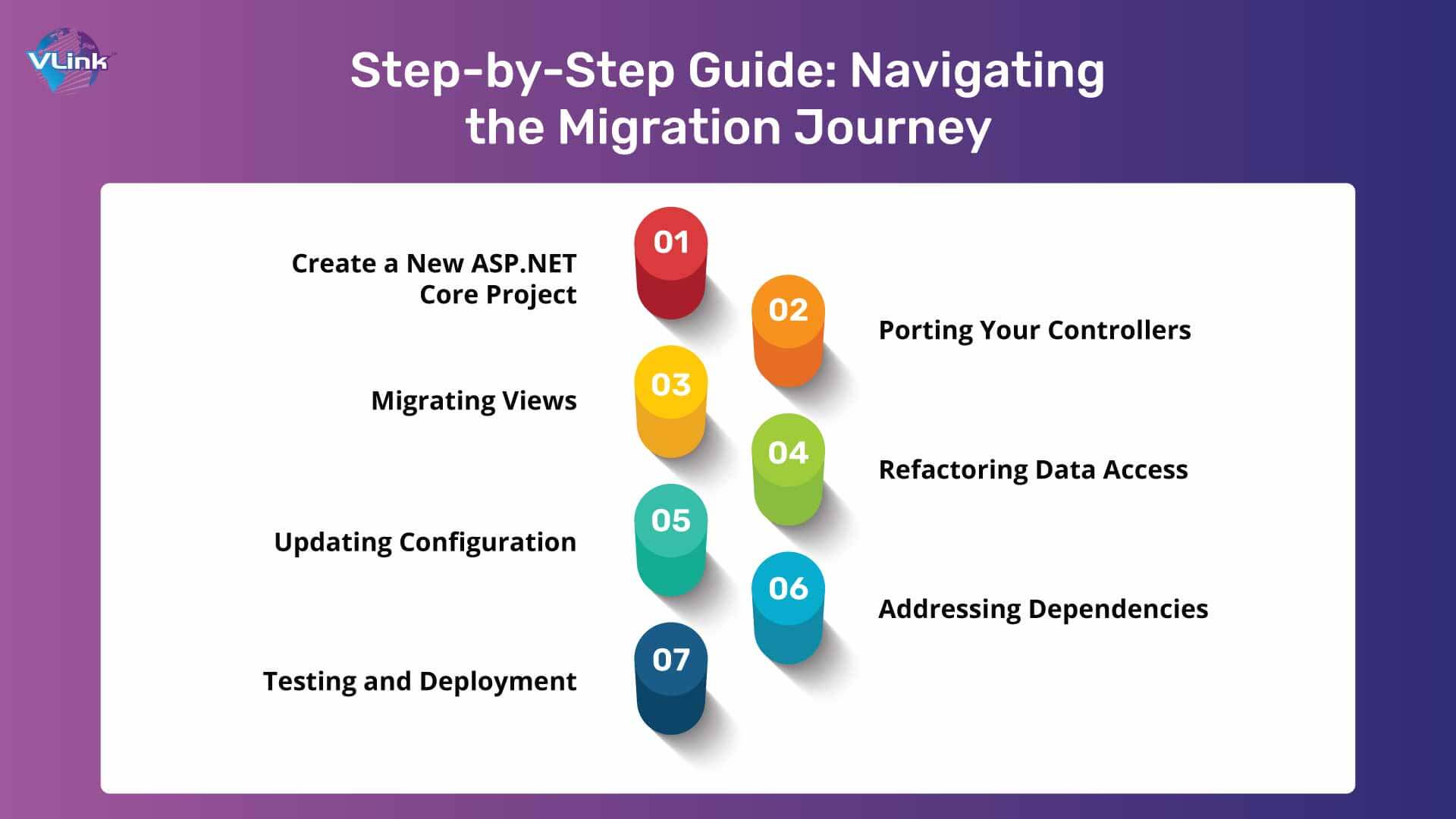
The following steps outline the technical process of moving an ASP.NET MVC or Web API project to modern .NET.
Step 1: Converting to SDK-Style Project Files
Legacy .csproj files are verbose and prone to merge conflicts. Modern .NET uses a simplified SDK-style format. The first step of migration is to convert the project file. This involves removing the long list of explicit file inclusions and replacing them with a simple declaration.
Step 2: Modernizing the Startup Logic
In legacy ASP.NET, startup logic was scattered across Global.asax.cs, Startup.auth.cs, and various App_Start folders. In .NET 10, all configuration is centralized in Program.cs.
- Middleware: Replace
IHttpModuleandIHttpHandlerwith custom middleware components. - Dependency Injection (DI): Move from third-party containers (like Autofac or Ninject) to the built-in
IServiceCollection. - Configuration: Transition from
web.configXML settings toappsettings.jsonand theIConfigurationAPI.
Step 3: Porting Controllers and Routes
ASP.NET Core (the foundation of modern .NET) unified the Controller (for MVC) and ApiController (for Web API) into a single ControllerBase or Controller class.
- Update namespaces from
System.Web.MvctoMicrosoft.AspNetCore.Mvc. - Replace
HttpRequestandHttpResponsewith the updated versions inMicrosoft.AspNetCore.Http. - Update Attribute Routing to match the modern syntax, which is more flexible and supports features like route constraints more natively.
Step 4: Data Access and Entity Framework
If your legacy application uses Entity Framework 6, you have two choices. You can continue using EF6 (which is supported on modern .NET) or migrate to Entity Framework Core (EF Core). EF Core offers significantly better performance and features like Global Query Filters and Shadow Properties, but it does require some changes to LINQ queries and migration scripts.
| Feature | ASP.NET Framework (Legacy) | Modern .NET 10 |
|---|---|---|
| Hosting | IIS on Windows Server | Kestrel (Cross-platform: Linux, Windows, macOS) |
| Project Format | Non-SDK (Heavy XML) | SDK-style (Minimalist XML) |
| Dependency Injection | Optional / Third-party | Built-in / First-class citizen |
| Configuration | web.config (XML) |
appsettings.json, Environment Variables, KeyVault |
| Startup Logic | Global.asax & App_Start |
Program.cs (Minimal APIs or Top-level statements) |
| Performance | High Overhead (System.Web) | Ultra-low Overhead (Kestrel/Span) |
| Deployment | Web Deploy / MSI | Docker Containers / CI/CD Pipelines / Zip Deploy |
Addressing the Web Forms Challenge
Because Web Forms relies heavily on the System.Web.UI namespace and the stateful ViewState mechanism—neither of which exist in modern .NET—the migration path is unique. Organizations essentially have two options in 2026:
- Blazor WebAssembly/Server: Blazor is the spiritual successor to Web Forms. It allows developers to build interactive web UIs using C# instead of JavaScript. While the component model is different, the logic and many of the UI patterns feel familiar to Web Forms developers.
- Razor Pages: For simpler, page-focused applications, Razor Pages provides a model-based approach that is more streamlined than full MVC but more modern than Web Forms.
For many, the best approach for Web Forms is an incremental rewrite using the Strangler Fig pattern mentioned earlier, moving one module at a time to Blazor components while sharing the same underlying data layers.
Common Pitfalls and Troubleshooting
Migration is rarely a linear process. Several common issues frequently arise:
- NuGet Incompatibility: Some older NuGet packages may not support .NET Standard or .NET 10. In these cases, you must find a modern alternative or use the .NET Compatibility Shim, which allows modern .NET to reference Framework libraries (though this can lead to runtime errors if the library calls unsupported APIs).
- Static State: Legacy applications often rely heavily on static variables or
HttpContext.Current. Modern .NET encourages an instance-based approach via Dependency Injection. Refactoring static code is often the most time-consuming part of the logic port. - Authentication Shifts: Moving from Windows Authentication or ASP.NET Membership providers to modern ASP.NET Core Identity or OpenID Connect (OIDC) requires careful database schema mapping and session management adjustments.
Practical Recommendation for 2026
If you are beginning an ASP.NET migration in 2026, the recommended path is to target .NET 10 LTS (Long-Term Support). This version provides the maximum stability and support window. Start by running the .NET Upgrade Assistant to generate a roadmap. If your application is a large monolith, do not attempt to migrate it all at once; use YARP to implement an incremental migration. This reduces risk and allows you to deliver value to stakeholders by deploying modernized features to production while the rest of the app still runs on the legacy framework.
Frequently Asked Questions
Is ASP.NET Web Forms supported on .NET 10?
No, ASP.NET Web Forms is not and will never be supported on modern .NET (Core/.NET 5+). The architecture is fundamentally tied to the Windows-only System.Web.dll. To migrate a Web Forms application, you must rewrite the UI layer using Blazor, Razor Pages, or a modern JavaScript framework like React.
How much does an ASP.NET migration cost?
The cost varies based on application complexity and the chosen strategy. An automated upgrade of a simple MVC app might take a few weeks of developer time. However, a large-scale migration of a legacy system with deep dependencies on WCF and Web Forms can take several months or even years. The ROI is usually found in reduced hosting costs, improved developer productivity, and higher system performance.
Can I still use my old C# libraries in .NET 10?
In many cases, yes. If your libraries are built using .NET Standard, they will work natively in .NET 10. If they are built for .NET Framework 4.8, modern .NET can often reference them through a compatibility mode, provided the library does not use Windows-only APIs like the Registry or specific IIS hooks.
What is the .NET Upgrade Assistant?
The .NET Upgrade Assistant is a specialized tool provided by Microsoft to help automate the migration process. It can convert project files, update NuGet packages, and suggest code changes for common migration scenarios. While it doesn't do 100% of the work, it typically handles 60-80% of the repetitive boilerplate tasks involved in a migration.
Should I migrate to .NET 8 or .NET 10?
In 2026, .NET 10 is the current flagship release. If you are starting a new migration project now, you should target .NET 10 to take advantage of the latest performance improvements, C# 14 language features, and the longest remaining support lifecycle. .NET 8 is still a viable LTS option but will have a shorter remaining support window compared to .NET 10.