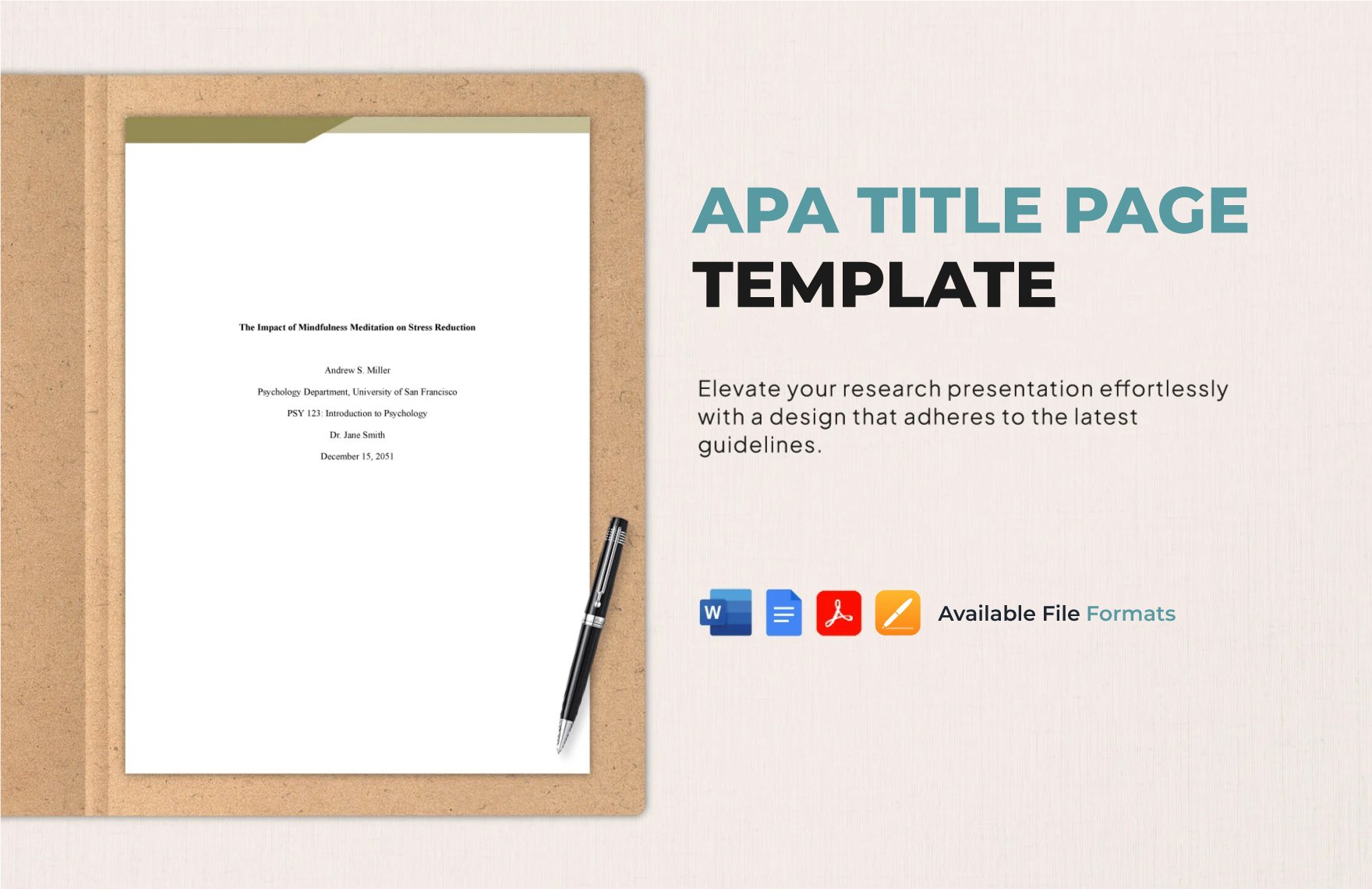
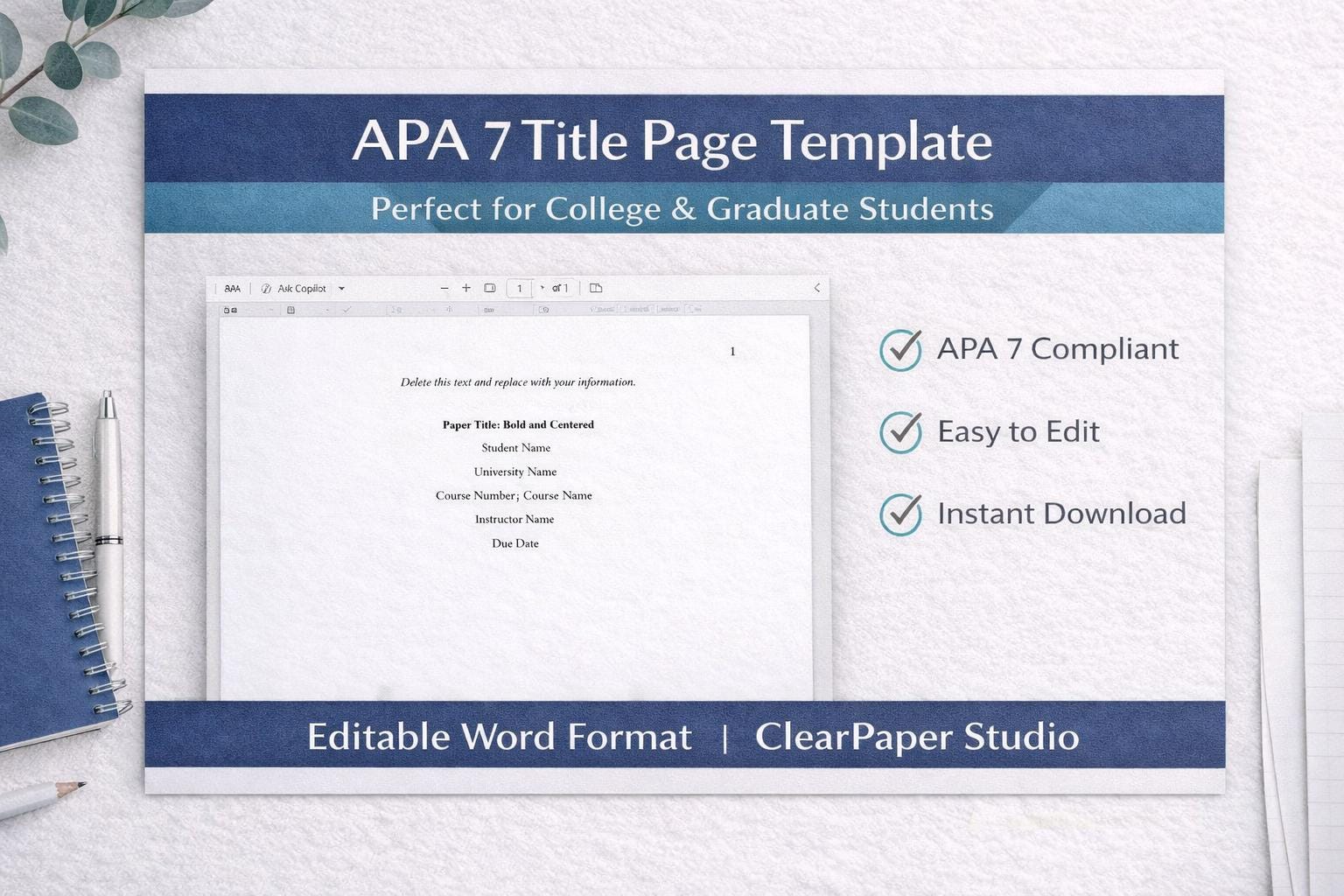
To format an APA title page for a student paper, place the page number in the top right header. Center the bolded paper title three to four lines down. Below it, add the author’s name, department and university, course number and name, instructor’s name, and the assignment’s due date.
The American Psychological Association (APA) style serves as the gold standard for academic writing in the social sciences, education, and business. As of 2026, the APA 7th Edition remains the definitive authority for student formatting. While professional researchers must include a running head and an author's note, the student version is streamlined to focus on essential academic metadata. Mastering this format ensures that your work meets institutional standards and presents your research with a professional, organized aesthetic from the very first page.
The Core Components of the Student Title Page
An APA student title page is designed to convey specific information to the instructor and the institution without the clutter of professional publication requirements. Each element has a precise location and formatting rule that must be followed to maintain compliance with 7th Edition standards.
The Page Header
In the student version of an APA paper, the header is remarkably simple. It consists solely of the page number. This number must be placed in the top right-hand corner of every page, including the title page. You should use the automatic page-numbering function in your word processor (such as Microsoft Word or Google Docs) to ensure it appears exactly 0.5 inches from the top and aligned with the right margin. Unlike professional papers, student papers do not require a "running head" (a shortened version of the title) unless specifically requested by an instructor or a university department.
The Paper Title
The title is the most prominent feature of the page. It should be centered and positioned approximately three to four lines down from the top margin. The title must be written in bold and use Title Case Capitalization—meaning you capitalize all major words. It should be descriptive but concise, ideally avoiding unnecessary abbreviations or filler phrases like "A Study of" or "An Analysis of." If the title is long enough to require two lines, it should be double-spaced.
Author Name (Byline)
One double-spaced line below the paper title, you must list the author’s name. This should be centered and not bolded. The standard format is First Name, Middle Initial(s), and Last Name. Do not include professional titles or academic degrees such as "PhD," "Dr.," or "RN." If two students authored the paper, use the word "and" between their names (e.g., Sarah J. Miller and Mark T. Stevenson). For three or more authors, use commas and include "and" before the final name.
Academic Affiliation
Directly below the author's name, list the academic affiliation. For students, this typically consists of the name of the department followed by the name of the college or university. For example: "Department of Psychology, University of Texas at Austin." This line should be centered and double-spaced.
Course Number and Name
The next line provides the specific course information. This helps instructors organize submissions and ensures the paper is filed correctly within the academic department. Include the course code (e.g., PSY 101) followed by a colon and the full course name. For example: "PSY 101: Introduction to Psychology." This should be centered and double-spaced.
Instructor Name
Below the course information, provide the name of the instructor for whom the paper was written. It is vital to use the instructor's preferred title and correct spelling (e.g., Dr. Jane Smith, Professor Robert Jones, or Ms. Clara Barton). Check your course syllabus to ensure you are using the correct designation. This line is centered and double-spaced.
Due Date
The final element of the title page is the assignment's due date. The standard APA format for the date is the month, day, and year (e.g., November 15, 2026). Some international institutions may prefer the day-month-year format, but the month-day-year format is the default for American APA standards. This line is also centered and double-spaced.
Technical Specifications and Layout
Beyond the specific text elements, the physical layout of the page must adhere to strict typography and spacing rules. These rules ensure that the document is accessible and easy for instructors to annotate.
Font Options and Sizes
For years, Times New Roman 12-point was the only acceptable font. However, the APA 7th Edition (current in 2026) allows for a variety of highly legible fonts to improve digital accessibility. The key is to use the same font throughout the entire paper. Acceptable options include:
- Sans Serif Fonts: Calibri (11-point), Arial (11-point), or Lucida Sans Unicode (10-point).
- Serif Fonts: Times New Roman (12-point), Georgia (11-point), or Computer Modern (10-point).
Line Spacing and Margins
The entire title page must be double-spaced. Do not add extra blank lines between the components, with one notable exception: there should be one extra double-spaced blank line between the paper title and the author’s name. This creates a small visual break that highlights the title. Margins must be set to exactly one inch (2.54 cm) on all four sides of the page.
Comparison: Student vs. Professional Title Page
While students generally follow the simplified format, it is helpful to understand how it differs from the professional version used for journal submissions.
| Feature | Student Format | Professional Format |
|---|---|---|
| Running Head | Not required (unless specified) | Required (e.g., TITLE OF PAPER) |
| Author Note | Not required | Required (contains ORCID, contact info) |
| Page Number | Top right (starts at 1) | Top right (starts at 1) |
| Bold Title | Yes | Yes |
| Course Name | Required | Not required |
| Instructor Name | Required | Not required |
| Due Date | Required | Not required |
Detailed Breakdown of Formatting Steps
To ensure your title page is perfect, follow these sequential steps in your word processing software.
- Set Margins: Go to the "Layout" or "Page Setup" tab and ensure all margins are 1 inch.
- Choose Font: Select an approved font (e.g., Arial 11 or Times New Roman 12) and set the entire document to double-spacing.
- Insert Page Number: Use the "Insert" menu to add a page number in the top right corner. Ensure the font of the page number matches the rest of your text.
- Position the Title: Hit "Enter" three or four times to move down the page. Center the alignment and turn on Bold. Type your title.
- Add the Extra Space: Hit "Enter" twice (creating one double-spaced blank line).
- Enter Author Details: Turn off bold. Type your name, affiliation, course, instructor, and date on separate, double-spaced lines.
- Final Review: Check for typos and ensure everything is perfectly centered horizontally.
Common Mistakes to Avoid
Even with clear guidelines, certain errors frequently appear on student submissions. Being aware of these can prevent point deductions for formatting.
- Including a Running Head: Many students see "Running Head" in older templates or professional examples. Unless your instructor specifically asks for it, leave it out. In the 7th edition, "Running Head:" as a label is no longer used even in professional papers; only the shortened title in all caps is used.
- Incorrect Bold Usage: Only the title should be bolded. The author's name, university, and course details should be in standard type.
- Improper Spacing: Students often add too much space between the title and the author, or they forget the single extra double-spaced line. Consistency is the hallmark of APA style.
- Date Format Errors: Ensure the date is the due date of the assignment, not the date you started writing the paper. Use the full month name rather than numbers (e.g., "10/12/2026" should be "October 12, 2026").
- Title Case Neglect: Small words like "and," "of," and "in" should not be capitalized in the title unless they are the first word. However, all major words (nouns, verbs, adjectives) must be capitalized.
Frequently Asked Questions
Do I need a running head for an APA student paper in 2026?
No, the APA 7th Edition specifically removed the running head requirement for student papers. You only need the page number in the top right header. However, always check your syllabus, as some professors may still require a running head to prepare students for professional publishing.
What is the correct way to list multiple authors?
If there are two authors, use "and" between names: Jane A. Smith and John B. Doe. If there are three or more, use commas and an "and": Jane A. Smith, John B. Doe, and Sam C. Wright. All names should be on the same line if they fit; otherwise, they should continue onto the next double-spaced line.
Where exactly should the title be placed on the page?
The title should be positioned in the upper half of the page. The APA manual suggests placing it three to four lines down from the top margin. This provides enough white space to make the title stand out without pushing the rest of the information too far down.
Should the title page be its own separate page?
Yes, the title page is always the first page of your document and should contain no other text besides the required formatting elements. The actual body of your paper begins on page two, where you will repeat the paper title (centered and bolded) at the very top before starting your introduction.
Can I include an image or the university logo?
Standard APA style does not include images, clip art, or university logos on the title page. Academic papers prioritize a clean, professional appearance. Unless your instructor has provided a specific template that includes a logo for a creative project, it is best to stick to text only.
What if I don't have a middle initial?
Middle initials are not mandatory. If you do not have a middle name or do not use an initial professionally, simply use your first and last name. The goal is to provide your formal academic identity.
Practical Recommendation for Success
Before submitting your paper, use a "blank space" check. Open your document and turn on the "Show/Hide ¶" function in your word processor. This allows you to see the exact number of paragraph breaks. You should see three or four paragraph marks before the title, one extra mark after the title, and then a single mark after each subsequent line of information. This level of precision ensures your layout is mathematically correct according to APA standards. Additionally, consider saving a "Template" file on your computer with these settings already applied, so you never have to format from scratch for future assignments.