Apache Spark configuration involves defining the operational parameters that determine how the engine allocates resources, manages memory, and executes distributed tasks across a cluster. By fine-tuning these settings, you can optimize processing speed, minimize cloud infrastructure costs, and prevent common execution failures like memory exhaustion or CPU bottlenecks.
Apache Spark has evolved into the most critical engine for large-scale data processing and AI model training. As of 2026, Spark remains the industry standard, but its complexity has increased with deeper integrations into Kubernetes and advanced cloud-native architectures. Proper configuration is no longer just about making a job "work"; it is about making it cost-effective and resilient in a production environment.
The Three Pillars of Spark Configuration
To manage a Spark application effectively, you must understand where and how settings are applied. Spark provides a hierarchical configuration system that allows for global defaults, cluster-wide environment variables, and job-specific overrides.
1. Spark Properties
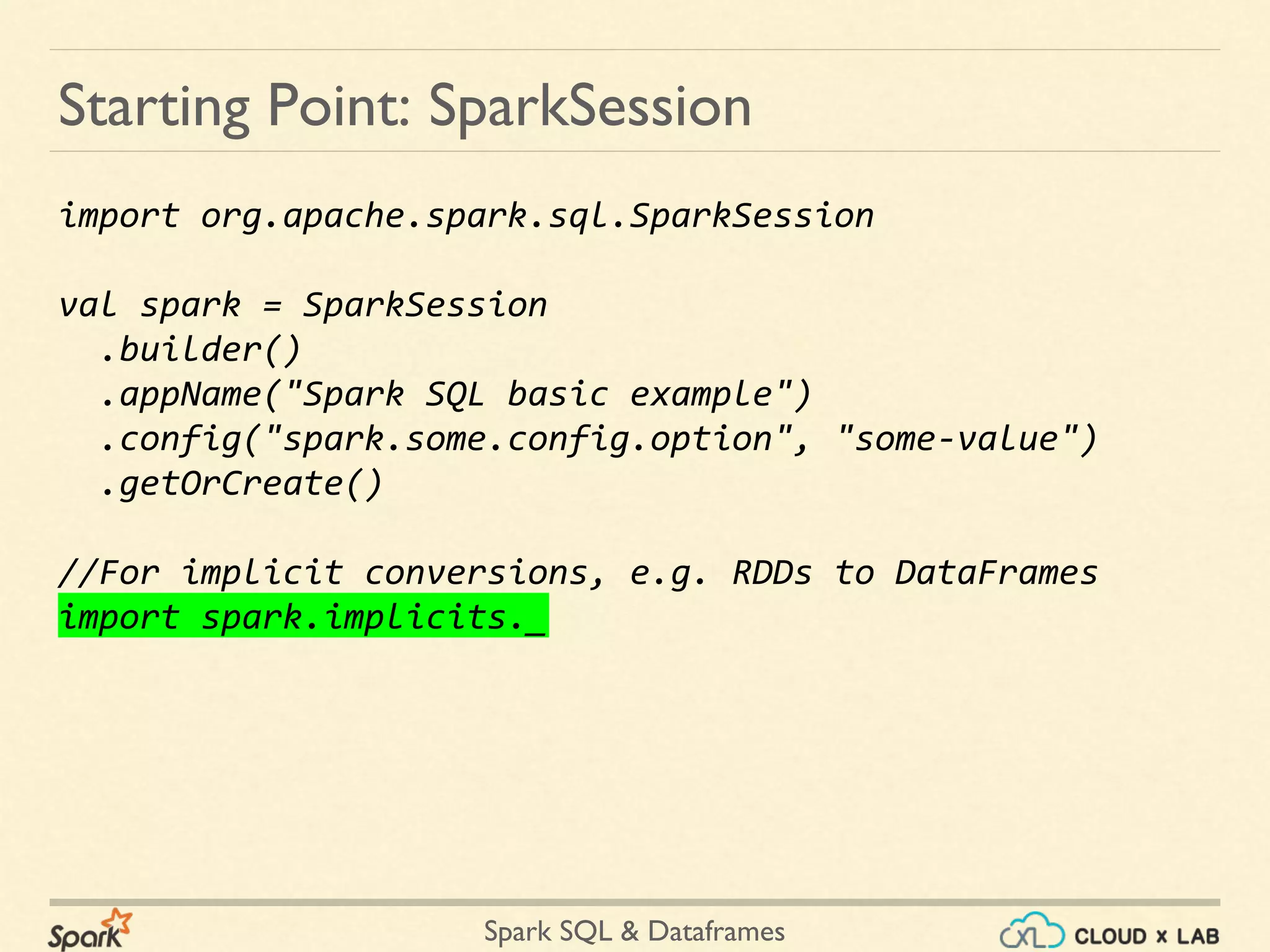
Spark properties control most application parameters and can be set in several ways. The most common method for persistent settings is the spark-defaults.conf file located in the Spark configuration directory. However, for specific jobs, developers typically use the SparkConf object within their application code or pass flags directly to the spark-submit script.
When properties are set in multiple places, Spark follows a strict order of precedence. Settings defined in the SparkConf object in your code take the highest priority, followed by flags passed during submission, and finally the defaults defined in the configuration files. This hierarchy allows developers to maintain standard cluster behaviors while overriding specific settings for unique workloads.
2. Environment Variables
Environment variables are managed through the spark-env.sh script. These settings are more structural than operational; they define the environment in which Spark processes run. Examples include the JAVA_HOME path, the Spark master URL, and local directory paths for temporary data storage. In 2026, environment variables are frequently used to pass secrets and configuration paths in containerized environments like Docker and Kubernetes.
3. Logging Configuration
Spark uses log4j for logging. Configuration is handled through the log4j2.properties file. Proper logging configuration is essential for troubleshooting. If the log level is set too high (e.g., DEBUG), the volume of logs can overwhelm the local disk or the logging aggregator. Conversely, setting it too low (e.g., FATAL) makes it impossible to diagnose why a job failed.
Fundamental Resource Allocation
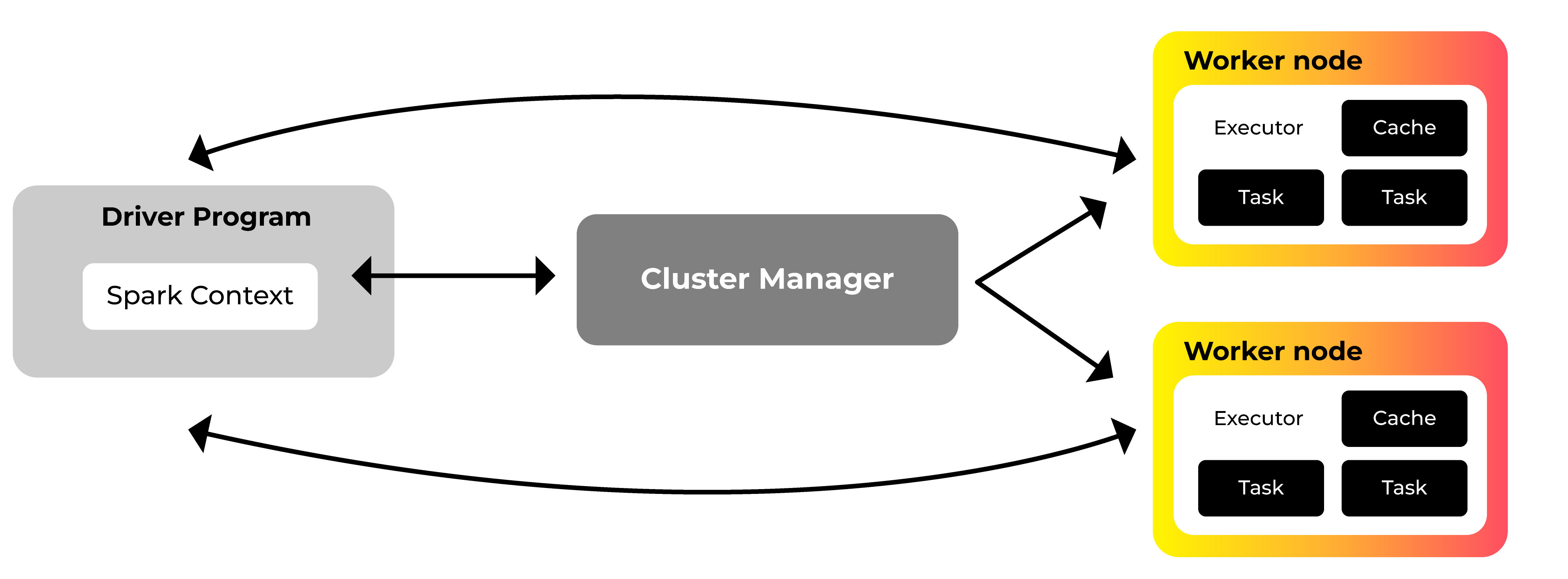
The most common cause of Spark job failure is the misallocation of CPU and memory. Spark operates using a driver-executor model. The driver is the "brain," orchestrating the flow, while executors are the "workers" performing the actual data processing.
Configuring Executors and Cores
The setting spark.executor.instances determines how many executor processes are launched. While it is tempting to launch as many as possible, this can lead to excessive resource consumption and diminishing returns.
The spark.executor.cores property defines how many concurrent tasks an executor can run. A common mistake is setting this to a very high number. In modern high-memory environments, the "sweet spot" is typically 5 cores per executor. This number allows for sufficient parallelism while keeping the overhead of HDFS (Hadoop Distributed File System) or cloud storage I/O throughput manageable. If an executor has too many cores, they often compete for the same memory and network bandwidth, leading to performance degradation.
Driver Configuration
The driver program requires its own resources. The spark.driver.memory property is vital when your application uses actions like collect(), which brings data from the executors back to the driver. If the driver memory is too low, the application will crash with an OutOfMemoryError. For large-scale joins or complex query planning in Spark SQL, increasing spark.driver.maxResultSize is also necessary to prevent the driver from being overwhelmed by metadata or result sets.
Advanced Memory Management
Spark’s memory management is divided into two main categories: Execution memory and Storage memory. Understanding how Spark balances these is key to preventing data "spilling" to disk, which is significantly slower than in-memory processing.
Execution vs. Storage Memory
Execution memory is used for shuffles, joins, sorts, and aggregations. Storage memory is used for caching and propagating internal data across the cluster. The property spark.memory.fraction (defaulting to 0.6 in most versions) determines the fraction of the heap space dedicated to these two types.
Within that fraction, spark.memory.storageFraction defines how much space is immune to eviction. If Spark needs more execution memory, it can "borrow" from the storage memory, unless the data in storage is actively being used. This dynamic occupancy is what makes Spark 3.x and 4.x versions much more resilient than earlier iterations.
Off-Heap Memory
For very high-performance applications, enabling off-heap memory can reduce the overhead of Java Garbage Collection (GC). By setting spark.memory.offHeap.enabled to true and specifying a size in spark.memory.offHeap.size, you allow Spark to manage memory directly outside the Java heap. This is particularly beneficial for large-scale caching where GC pauses would otherwise stall the entire application.
Tuning Data Shuffling and Parallelism
Shuffling is the process of redistributing data across the cluster so that it is grouped differently (e.g., for a join or a group-by). It is almost always the most expensive part of a Spark job because it involves disk I/O, data serialization, and network transfer.
Controlling Shuffle Partitions
The property spark.sql.shuffle.partitions controls the number of partitions used when shuffling data for joins or aggregations. The default value is 200, which is often inappropriate. For small datasets, 200 partitions create too much overhead. For multi-terabyte datasets, 200 partitions make each partition too large for an executor to handle.
As a rule of thumb, you should aim for each partition to be between 100MB and 200MB in size. In 2026, the use of Adaptive Query Execution (AQE) is standard. By enabling spark.sql.adaptive.enabled, Spark can automatically coalesce small partitions or split large ones during runtime based on the actual statistics of the data.
Default Parallelism
While spark.sql.shuffle.partitions is for SQL and DataFrames, spark.default.parallelism applies to RDD (Resilient Distributed Dataset) operations. This should typically be set to 2 or 3 times the total number of cores in the cluster to ensure that the CPU stays busy even if some tasks finish faster than others.
Spark SQL and Catalyst Optimization
Most modern Spark development occurs using the DataFrame and Dataset APIs, which rely on the Catalyst Optimizer. Several configuration flags directly influence how Catalyst plans your queries.
Broadcast Joins
A broadcast join is the fastest way to join a large table with a small table. Spark sends the small table to every executor, avoiding a shuffle of the large table. The threshold for this is controlled by spark.sql.autoBroadcastJoinThreshold. If you know your small table fits in memory, increasing this value (e.g., to 100MB or more) can result in a massive performance boost. However, setting it too high risks crashing executors if the broadcasted data exceeds the available memory.
CBO and Statistics
The Cost-Based Optimizer (CBO) uses data statistics to choose the most efficient query plan. For the CBO to work, you must set spark.sql.cbo.enabled to true. Additionally, you should periodically run the ANALYZE TABLE command to ensure Spark has up-to-date information about the distribution and size of your data.
Configuration for Cloud-Native and Kubernetes Environments
By 2026, the majority of Spark workloads have migrated to Kubernetes (K8s). This shift has introduced new configuration requirements that bridge the gap between Spark and the container orchestrator.
Dynamic Resource Allocation
In a cloud environment, you don't want to pay for idle executors. Dynamic allocation allows Spark to give resources back to the cluster when they are not in use and request more when the workload increases. This requires setting spark.dynamicAllocation.enabled to true. On Kubernetes, this is often paired with an External Shuffle Service or a Remote Shuffle Service to ensure that shuffle data is not lost when an executor is decommissioned.
Local Storage and Scratch Space
Spark needs local disk space for "spilling" data that doesn't fit in memory. In K8s, this is configured via the spark.kubernetes.executor.volumes settings. Using high-performance NVMe SSDs for these volumes is one of the most effective ways to speed up shuffle-heavy applications.
Key Configuration Parameters Comparison Table
The following table summarizes the most impactful configuration parameters used in production environments in 2026.
| Parameter Name | Default Value | Recommended Setting | Impact Area |
|---|---|---|---|
| spark.executor.memory | 1g | 4g - 16g (Workload dependent) | Memory Management |
| spark.executor.cores | 1 | 4 or 5 | CPU Utilization |
| spark.sql.shuffle.partitions | 200 | Dynamic (via AQE) | Shuffle Performance |
| spark.memory.fraction | 0.6 | 0.6 to 0.8 | GC and Spilling |
| spark.sql.autoBroadcastJoinThreshold | 10MB | 10MB - 100MB | Join Performance |
| spark.dynamicAllocation.enabled | false | true (for cloud/K8s) | Cost Optimization |
| spark.serializer | Java | org.apache.spark.serializer.KryoSerializer | Network/Storage |
| spark.sql.adaptive.enabled | true | true | Query Optimization |
Monitoring and Troubleshooting Configurations
Setting configurations is only half the battle; you must also verify that they are working as intended.
The Spark UI
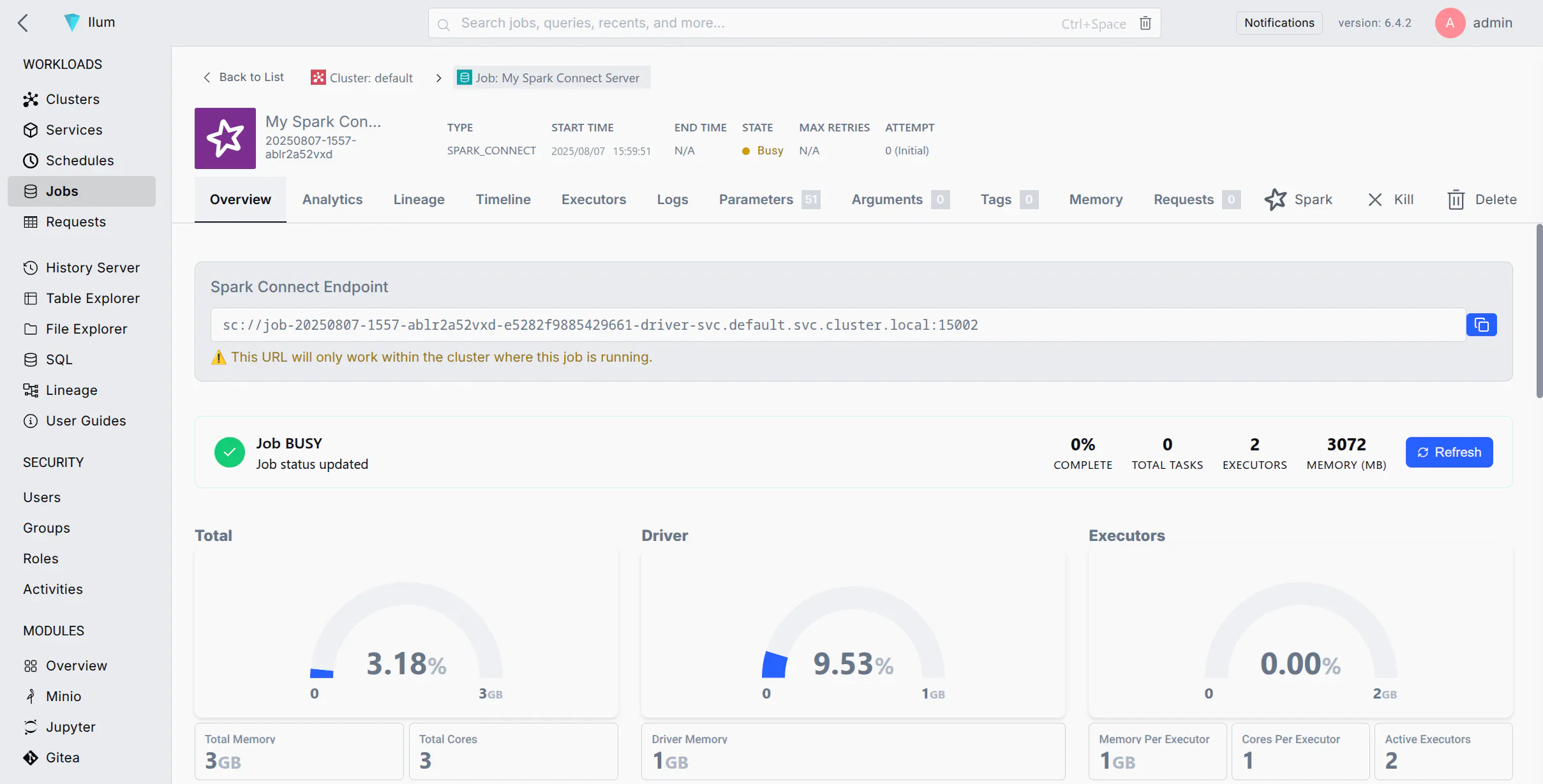
The Spark UI (typically on port 4040) is the primary tool for monitoring configuration impact. The "Environment" tab shows exactly which properties were applied to the job. The "Stages" tab reveals if tasks are suffering from "skew," where one partition is much larger than the others, indicating that your spark.sql.shuffle.partitions or your partitioning key needs adjustment.
Common Errors and Fixes
- OutOfMemoryError (Executor): Usually caused by too many cores competing for too little memory, or a partition that is too large. Fix: Increase spark.executor.memory or increase the number of partitions.
- OutOfMemoryError (Driver): Caused by collect() or very large broadcast joins. Fix: Increase spark.driver.memory.
- Total delay is high but CPU usage is low: This often points to small file problems or excessive task overhead. Fix: Decrease the number of partitions or use coalesce() before writing data.
Frequently Asked Questions
What is the difference between spark.default.parallelism and spark.sql.shuffle.partitions?
spark.default.parallelism is used primarily for RDDs and sets the number of partitions for operations like join, reduceByKey, and parallelize when no partition count is specified by the user. spark.sql.shuffle.partitions, on the other hand, is specific to the DataFrame API and Spark SQL. It determines the number of partitions created during the shuffle phase of a query. In modern Spark usage, the SQL setting is the one most developers need to tune.
Should I always use Kryo serialization?
Yes, in almost all cases. Kryo serialization is significantly faster and more compact than standard Java serialization. You enable it by setting spark.serializer to org.apache.spark.serializer.KryoSerializer. While it requires some class registration for maximum efficiency, the performance gains in network transfer and disk I/O are substantial for large datasets.
How do I determine the right number of executor cores?
The general recommendation is to stay between 3 and 6 cores per executor. While a single executor can technically handle more, having too many cores leads to high memory contention and increases the time spent in Garbage Collection. A 5-core configuration is widely considered the optimal balance for HDFS throughput and multi-threaded processing.
Why is my Spark job ignoring the spark-defaults.conf file?
Spark properties follow a hierarchy. If you have defined a property within your application code using the SparkConf object, or if you have passed it as a flag in the spark-submit command, those will take precedence over the spark-defaults.conf file. Check your submission script and application code for overrides.
Does increasing executor memory always improve performance?
Not necessarily. If you increase memory without a specific need, you may face longer Garbage Collection pauses, which can actually slow down your application. Furthermore, in cloud environments, larger memory allocations result in higher costs. It is better to use the minimum memory required to avoid spilling to disk.
How does Adaptive Query Execution (AQE) change configuration?
AQE reduces the need for manual tuning. In the past, you had to guess the perfect number of shuffle partitions. With AQE enabled (spark.sql.adaptive.enabled=true), Spark looks at the data at the end of each stage and decides if it should combine small partitions or split large ones. This makes configurations like spark.sql.shuffle.partitions act more like an upper limit rather than a fixed value.
Practical Recommendation for Next Actions
To achieve the best results with Apache Spark configuration, do not attempt to tune every parameter at once. Start by enabling Adaptive Query Execution (AQE) and setting a reasonable baseline for spark.executor.cores (typically 5) and spark.executor.memory (based on your cluster's node size).
Monitor your first few runs using the Spark UI. Look specifically for "Spill (Disk)" metrics in the Stage details. If you see disk spilling, it is a clear signal to either increase executor memory or adjust your memory fractions. Finally, if you are running in a cloud environment, ensure Dynamic Allocation is active to prevent unnecessary infrastructure costs. Regularly reviewing your configurations as your data grows will ensure your pipelines remain robust and efficient throughout 2026 and beyond.