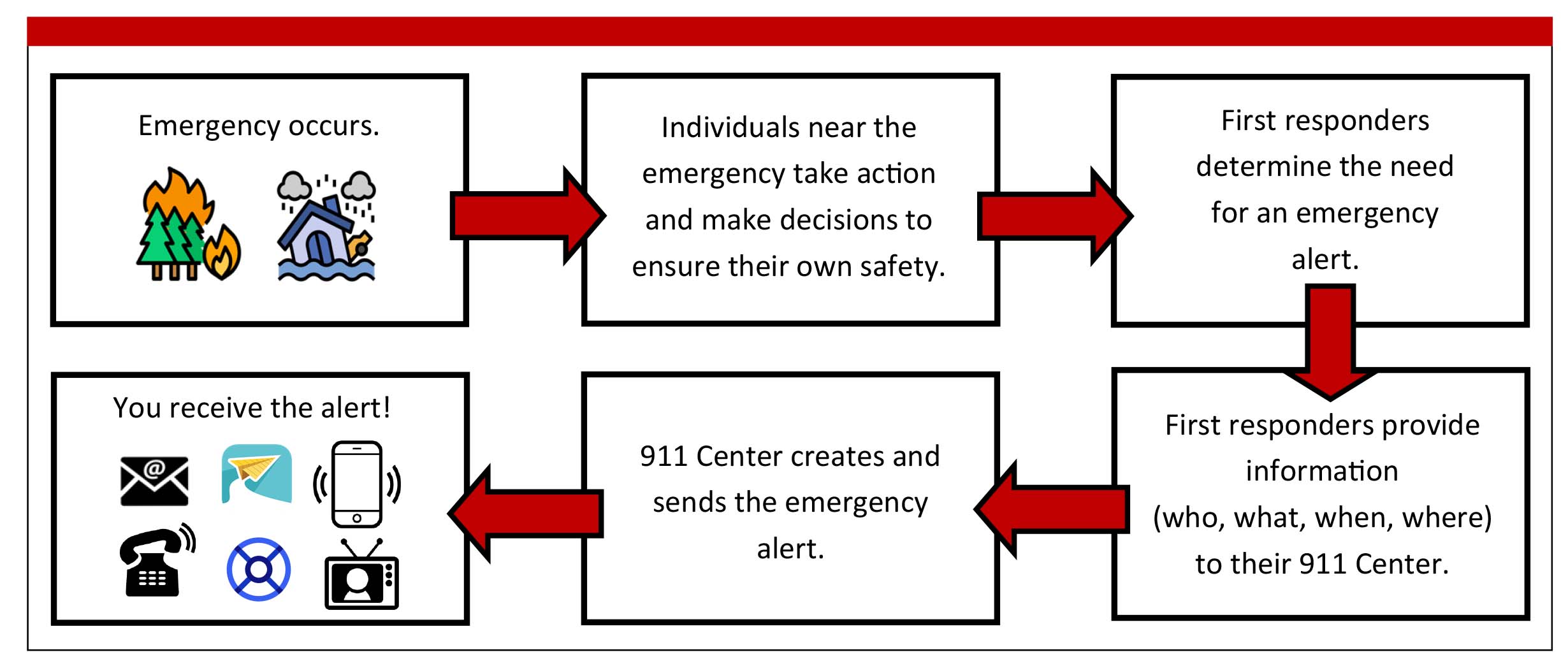
Arizona residents receive emergency notifications through a multi-layered framework involving federal, state, and local agencies. To stay safe, you must understand the Integrated Public Alert and Warning System (IPAWS), which includes Wireless Emergency Alerts (WEA) on mobile devices, the Emergency Alert System (EAS) via broadcast media, and localized opt-in notification systems managed by individual counties.
The Arizona emergency alert landscape is designed to provide redundant communications during critical events. Because Arizona experiences unique environmental hazards—ranging from extreme heat and flash flooding to rapid-onset wildfires—relying on a single notification source is rarely sufficient. As of 2026, the technology behind these systems has become more geographically precise, yet the responsibility remains with the resident to ensure their devices are configured correctly and that they are registered for hyper-local alerts that federal systems might not cover.
The Hierarchy of Arizona Emergency Communications
Emergency alerts in Arizona operate on a "top-down and bottom-up" architecture. At the highest level, the Federal Emergency Management Agency (FEMA) maintains the national infrastructure, while the Arizona Department of Emergency and Military Affairs (DEMA) coordinates state-level responses through the Arizona Emergency Information Network (AzEIN).
Integrated Public Alert and Warning System (IPAWS)
IPAWS is the "system of systems" that allows authorized alerting authorities to send a single message that is simultaneously broadcast across multiple channels. This includes cellular networks, satellite radio, digital signage, and traditional broadcast stations. In Arizona, this system ensures that if a major dam failure or a state-wide civil emergency occurs, the message reaches as many people as possible regardless of their location.
The Role of DEMA and AzEIN
The Arizona Department of Emergency and Military Affairs (DEMA) serves as the central hub for state emergency operations. Their public-facing portal, the Arizona Emergency Information Network (AzEIN), acts as the official state source for real-time updates. During active emergencies, AzEIN provides detailed context that the brief text of a mobile alert cannot convey, such as specific evacuation routes, shelter locations, and recovery resources.
Wireless Emergency Alerts (WEA) vs. Emergency Alert System (EAS)
Residents often confuse these two primary delivery methods. While they frequently transmit the same information, their technical delivery and user requirements differ significantly.
Wireless Emergency Alerts (WEA)
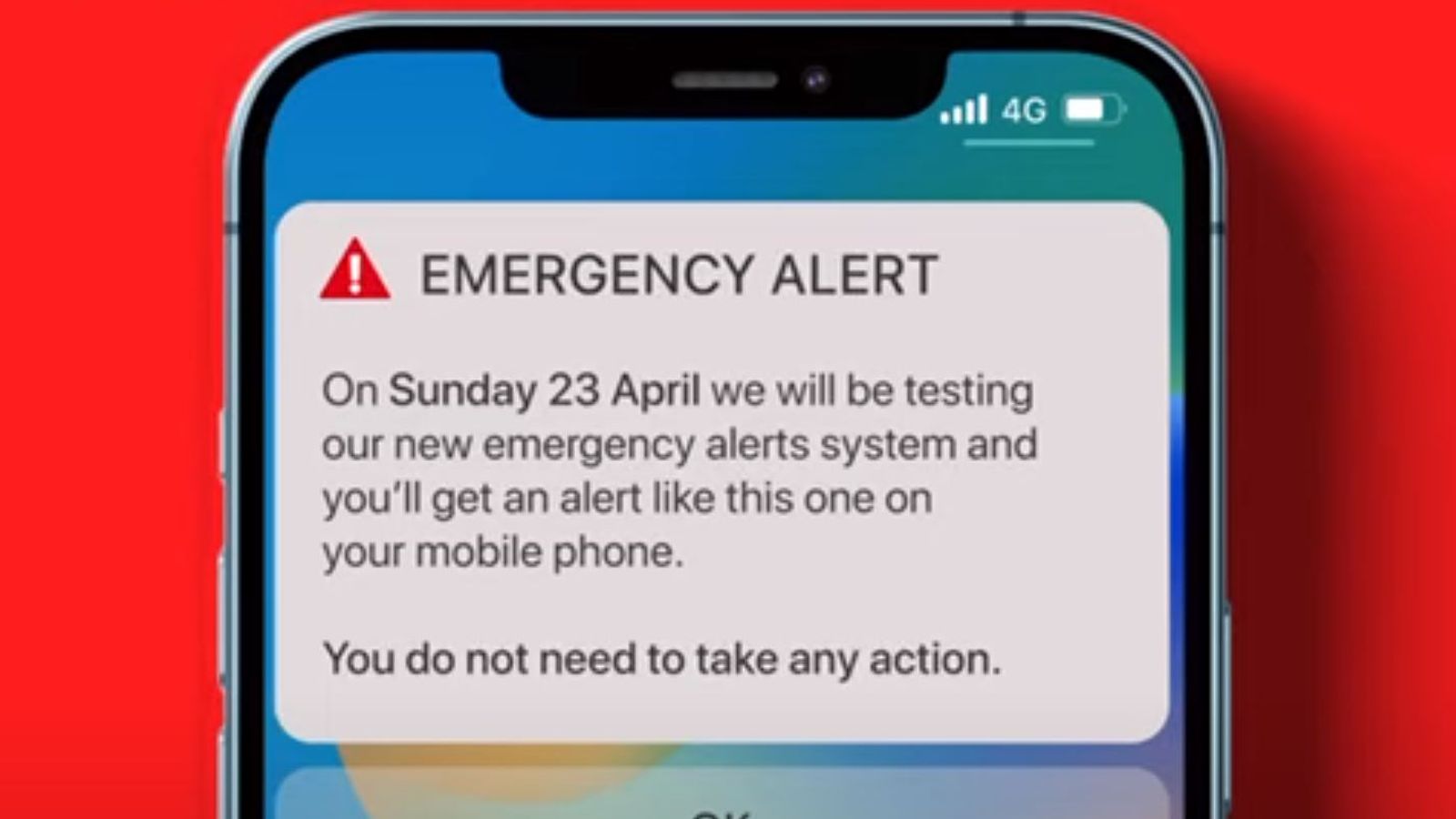
WEAs are short, text-like messages sent to your mobile device. They are not standard SMS messages; they use a specialized cellular broadcast technology that avoids network congestion.
- No Sign-up Required: These are automatically sent to any compatible mobile device within range of a specific cell tower.
- Geofencing: Modern WEA technology (version 3.0 and higher) allows authorities to target messages to within a one-tenth of a mile radius, reducing "over-alerting" of people not in danger.
- Distinctive Sound: WEAs have a unique, high-pitched tone and vibration designed to grab attention even if the phone is on "Do Not Disturb" (though some settings allow users to silence specific types).
Emergency Alert System (EAS)
The EAS is the legacy system that interrupts radio and television broadcasts. In Arizona, this is vital for residents in rural areas with poor cellular reception.
- Broad Coverage: It reaches anyone listening to FM/AM radio or watching cable/satellite TV.
- Detailed Audio: EAS messages often provide more verbal instructions than a 360-character WEA message.
- Arizona EAS Plan: The state maintains a specific EAS plan that designates "LP-1" (Lead Primary) stations in various regions of Arizona. These stations are the first to receive and relay emergency data to other broadcasters.
Regional and Local Opt-In Systems
While federal WEAs cover life-threatening emergencies and AMBER alerts, they are rarely used for localized issues like water main breaks, neighborhood-specific police activity, or localized street flooding. For these, Arizona residents must use local opt-in systems.
Why Local Registration is Mandatory for Safety
Most Arizona counties use a system often referred to as "Reverse 911." These databases originally relied on landline phone numbers. As households moved toward mobile-only communication, local governments moved to systems like Everbridge, CodeRED, or Genasys. If your mobile number is not registered with your specific county’s database, you will not receive these localized alerts.
Major Arizona County Systems
- Maricopa County: Uses the Community Emergency Notification System (CENS). This is critical for residents in Phoenix, Mesa, and Scottsdale.
- Pima County: Operates MyAlerts, providing coverage for Tucson and surrounding communities.
- Coconino County: Utilizes specialized alerts for wildfire and snow-related road closures, which are frequent in the high-country regions.
- Yavapai County: Uses the Yavapai County Emergency Notification System to manage the high risk of wildland-urban interface fires.
Arizona-Specific Hazards and Alert Types
Arizona’s climate and geography necessitate specific types of alerts that may not be common in other states.
The "Ready, Set, Go!" Evacuation Framework
Arizona fire and law enforcement agencies use a standardized three-step model for evacuations. Alerts will often use these specific terms:
- READY (Preparedness): You should be aware of the danger in your area and have a "Go Kit" packed. This is the time to clear brush around your home and sign up for alerts.
- SET (Be Alert): Significant danger exists. You should be prepared to leave at a moment's notice. This is when you should load pets and essential documents into your vehicle.
- GO (Evacuate Now!): Danger is imminent. If you receive a "GO" alert, you must leave the area immediately via designated routes.
Weather-Related Notifications
The National Weather Service (NWS) offices in Phoenix, Tucson, Flagstaff, and Las Vegas (covering Northwest Arizona) trigger WEAs for:
- Flash Flood Warnings: Critical during the July–September monsoon season.
- Dust Storm Warnings (Habubs): Arizona was the first state to implement localized WEAs specifically for dust storms to prevent massive multi-vehicle pileups on I-10 and I-17.
- Tornado Warnings: Rare, but they do occur in the high desert and northern plains.
AMBER, Silver, and Blue Alerts
- AMBER Alerts: Used for abducted children where there is a belief of imminent danger.
- Silver Alerts: Specifically for missing persons over 65 or those with cognitive impairments (e.g., Alzheimer’s or dementia).
- Blue Alerts: Triggered when a law enforcement officer has been killed, seriously injured, or is missing in the line of duty and the suspect is at large.
Technical Configuration: Ensuring Your Device Receives Alerts
Even the most robust alert system is useless if your device is configured to block notifications. In 2026, most smartphones have these settings enabled by default, but they should be verified manually.
How to Check Settings on iOS (iPhone)
- Open Settings.
- Tap Notifications.
- Scroll to the very bottom to the Government Alerts section.
- Ensure AMBER Alerts, Public Safety Alerts, and Emergency Alerts are toggled ON.
- Check that Test Alerts are generally OFF (unless you are a first responder or emergency manager) to avoid unnecessary interruptions.
How to Check Settings on Android
- Open Settings.
- Tap Safety & Emergency or search for "Wireless Emergency Alerts."
- Ensure Allow alerts is toggled ON.
- You can typically customize whether you want a vibration or the alert to be read aloud via text-to-speech.
| Alert Type | Source Agency | Delivery Channel | Action Required |
|---|---|---|---|
| Presidential Alert | FEMA / White House | WEA & EAS | Immediate national attention; follow instructions. |
| Flash Flood Warning | National Weather Service | WEA, Radio, Apps | Move to higher ground; do not cross flooded washes. |
| Dust Storm Warning | National Weather Service | WEA, Highway Signs | "Pull Aside, Stay Alive"; exit the roadway immediately. |
| Evacuation (GO) | County Sheriff / Fire | WEA, CENS, Door-to-door | Leave the area immediately using specific routes. |
| Silver Alert | AZ Dept. of Public Safety | WEA (Local), Social Media | Watch for the described individual or vehicle. |
| Boil Water Advisory | Local Utility / Health Dept. | Opt-in SMS, Local News | Do not consume tap water without boiling; see instructions. |
Verification and Avoiding Alert Scams
As digital threats evolve, bad actors may attempt to spoof emergency notifications. In Arizona, official alerts will never ask for your Social Security number, banking information, or payment to "reserve" a spot in a shelter.
How to Verify a Real Alert
- Check Official Portals: If you receive a suspicious text, immediately go to ein.az.gov or the official Twitter/X account of your local Sheriff’s office.
- No Links for Payments: Real government emergency alerts will rarely contain links unless they point to a
.govor.orgwebsite for situational maps. They will never link to a payment processor. - Redundancy Check: A legitimate life-safety emergency will almost always be broadcast across multiple channels. If your phone buzzed but the local news and radio are silent, exercise caution and verify.
Accessibility and Language Support
Arizona is committed to ensuring alerts reach all residents, including those with disabilities and non-English speakers.
Spanish Language Alerts
Under FCC rules and the latest IPAWS updates, WEA messages can be sent in both English and Spanish. If your phone’s primary language is set to Spanish, you will automatically receive the Spanish version of the alert if the alerting agency has provided one.
Support for the Deaf and Hard of Hearing
WEAs use a specific vibration cadence and high-intensity strobe flashes (on compatible devices) to ensure individuals who cannot hear the tone are still notified. Additionally, the Arizona Commission for the Deaf and the Hard of Hearing (ACDHH) provides resources on specialized weather radios that use bed shakers and strobe lights triggered by the EAS signal.
Common Troubleshooting and FAQ
Do I get alerts if my phone is on "Do Not Disturb" or "Sleep Mode"? Yes. High-level "Emergency Alerts" and "Public Safety Alerts" are designed to bypass "Do Not Disturb" settings on most modern devices. However, you can often silence "AMBER Alerts" and "Silver Alerts" in your notification settings.
Will I receive alerts if I am roaming or using a SIM card from another state? Yes. WEAs are broadcast-based, meaning any device connected to an Arizona cell tower will receive the alert for that tower's coverage area, regardless of the phone's "home" area code or service provider.
Why did my neighbor get an alert but I didn't? This is often due to the "geofencing" technology used. If your neighbor is one block over and that block is inside the hazard zone while yours is not, their phone will trigger and yours will stay silent. It can also be due to different cellular providers having varying speeds of broadcast propagation.
Is there a cost for receiving these alerts? No. Wireless Emergency Alerts are free. They do not count against your data plan or text messaging limits.
Can I opt-out of all alerts? While you can opt-out of AMBER, Silver, and many Public Safety alerts, federal law prevents users from opting out of "Presidential" or "National" alerts. It is strongly discouraged to opt-out of any safety-related alerts in Arizona due to the speed at which wildfires and flash floods can move.
Practical Recommendations for Residents
To ensure complete coverage, Arizona residents should follow this three-step verification process:
- Audit Your Device: Go into your smartphone settings today and ensure all government alerts are toggled to the "ON" position.
- Register for Local Alerts: Visit your specific county’s emergency management website (e.g., Maricopa.gov or Pima.gov) and register your mobile number in their mass notification system. Do this for both your home address and your workplace address.
- Bookmark Official Sources: Keep the Arizona Emergency Information Network bookmarked on your mobile browser. In the event of a mass alert, this is where the most detailed, verified data will be published first.
By maintaining these layers of communication, you ensure that whether a threat comes from a seasonal monsoon or a localized public safety incident, you have the information necessary to make life-saving decisions for yourself and your family.