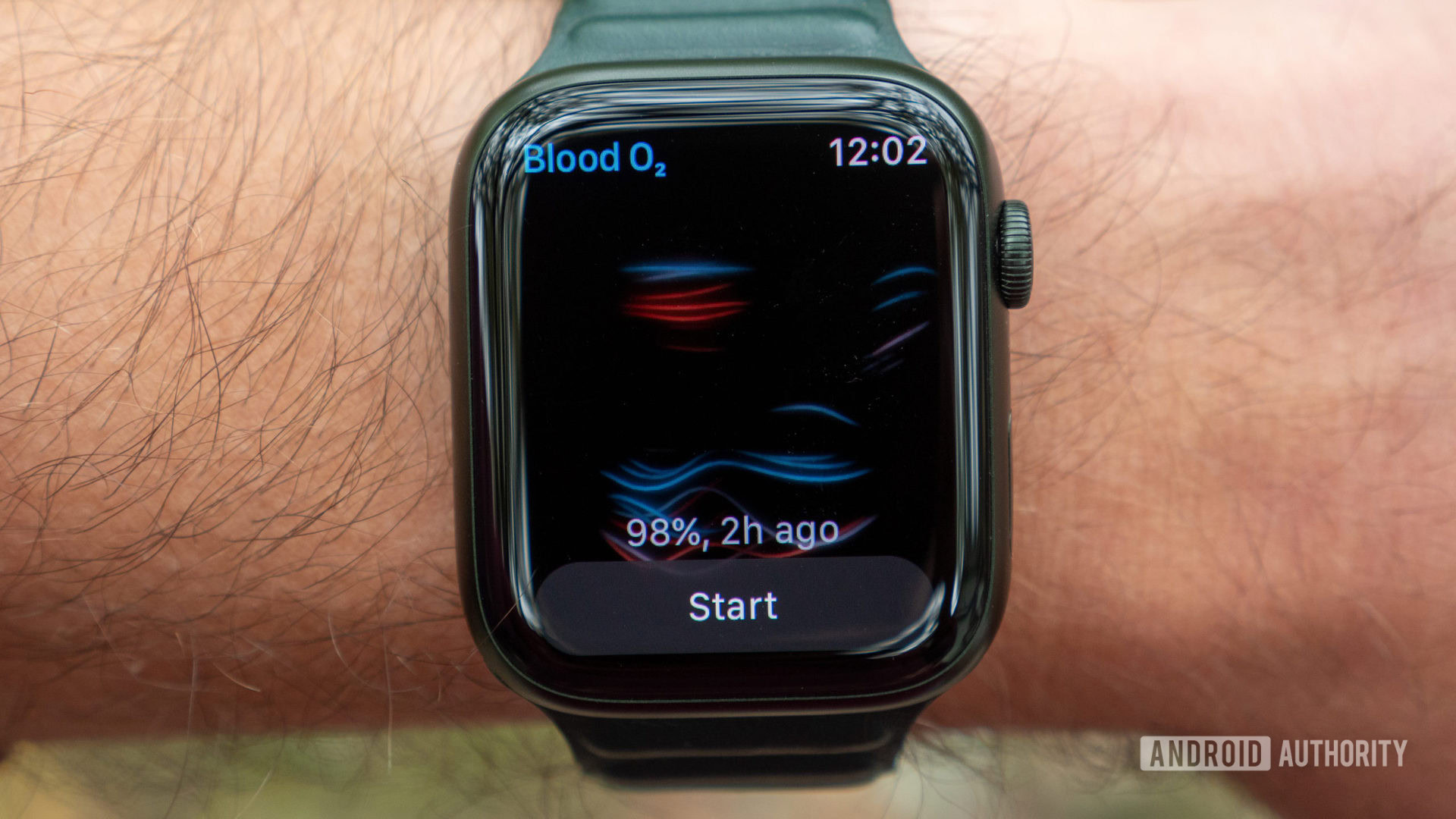
The Apple Watch oxygen levels feature, known as SpO2 monitoring, allows users to measure the percentage of oxygen their red blood cells carry from the lungs to the rest of the body. Available on Series 6 and later models, the feature utilizes a specialized sensor and the Blood Oxygen app to provide both on-demand and background readings. In the United States, current models sold since early 2024 have this feature disabled due to ongoing legal disputes, while international versions remain fully functional.
Understanding Blood Oxygen Saturation (SpO2)
Blood oxygen saturation represents the fraction of oxygen-saturated hemoglobin relative to total hemoglobin in the blood. For most healthy adults, a normal reading fluctuates between 95% and 100%. This metric is a vital indicator of how effectively your cardiovascular and respiratory systems are distributing oxygen. While the Apple Watch feature is designed for "general fitness and wellness purposes" rather than medical diagnosis, tracking these levels can provide insights into how your body adapts to various environments, such as high altitudes, or how it performs during sleep.
Oxygen is transported through the body via hemoglobin, a protein in red blood cells. When hemoglobin is saturated with oxygen, it is called oxyhemoglobin; when it is not, it is called deoxyhemoglobin. The Apple Watch oxygen levels feature measures the ratio of these two states. In a wellness context, consistently lower-than-average readings might suggest that a user should consult a healthcare professional, even though the watch itself is not a substitute for a clinical-grade pulse oximeter.
The Hardware and Science Behind the Sensor
The technology used in the Apple Watch to measure oxygen levels is called photoplethysmography. This process relies on the fact that oxygenated and deoxygenated blood absorb light differently. On the back crystal of compatible Apple Watch models, there is a specialized sensor array consisting of four LED clusters—green, red, and infrared—and four photodiodes.
To perform a measurement, the red and infrared LEDs shine light through the skin and into the blood vessels of the wrist. The photodiodes then measure the amount of light reflected back. Oxygenated blood absorbs more infrared light and allows more red light to pass through, whereas deoxygenated blood absorbs more red light. The Blood Oxygen app’s algorithms process this reflected light data to calculate the color of the blood, which directly correlates to the oxygen level. Redder blood has more oxygen, while darker blood has less.
This "reflective" pulse oximetry differs from the "transmissive" pulse oximetry used in hospitals, where a clip is placed on a finger to shine light through the tissue to a sensor on the other side. Because the wrist is a more complex environment with bone, hair, and varied blood flow, Apple’s algorithms must account for significant "noise" to produce an accurate reading.
The Masimo Patent Dispute and US Availability
As of 2026, the availability of the oxygen levels feature in the United States remains a complex issue. In late 2023, the International Trade Commission (ITC) ruled that Apple had infringed on patents held by Masimo, a medical technology company. This ruling led to an import ban on Apple Watch models containing the disputed pulse oximetry technology.
To continue selling the Apple Watch Series 9, Ultra 2, and subsequent models (such as the Series 10 and Ultra 3) in the US market, Apple was forced to disable the Blood Oxygen app on new units sold starting in January 2024. This was achieved through a software-level lockout for devices with specific part numbers designated for the US market.
For users in 2026, this means:
- Existing Units: Devices purchased in the US before the ban (specifically prior to January 18, 2024) typically retain the feature.
- International Units: Apple Watches purchased outside the United States generally have the feature enabled, provided local regulations allow it.
- New US Units: Any Apple Watch Series 10, Series 11, or Ultra 3 purchased through official US retail channels will likely show the Blood Oxygen app icon, but attempting to open it will result in a message stating the feature is no longer available.
This legal landscape is subject to change based on potential settlements or the expiration of the patents involved, but users should verify the specific status of their device based on its region of origin.
Requirements and Compatibility
To use the blood oxygen feature where available, several hardware and software prerequisites must be met. The feature is not a universal update for all Apple Watch owners; it requires specific sensor hardware that was first introduced in September 2020.
- Hardware: You must have an Apple Watch Series 6, Series 7, Series 8, Series 9, Series 10, or an Apple Watch Ultra/Ultra 2/Ultra 3. The Apple Watch SE (all generations) does not include the blood oxygen sensor.
- Age Restriction: The Blood Oxygen app is only intended for users who are at least 18 years old. This is because the physiological parameters and blood flow patterns in children differ significantly from adults, and the algorithms were not validated for pediatric use.
- Software: Your iPhone must be running a modern version of iOS (compatible with your watch), and the watch must be running the appropriate watchOS version (watchOS 7 or later).
- Regional Settings: The feature must be supported in your country or region. Even if the hardware exists, the software may be restricted by local health authority regulations.
Setting Up the Blood Oxygen App
If you are using a compatible device in a supported region, the setup process is integrated into the Health app on your iPhone.
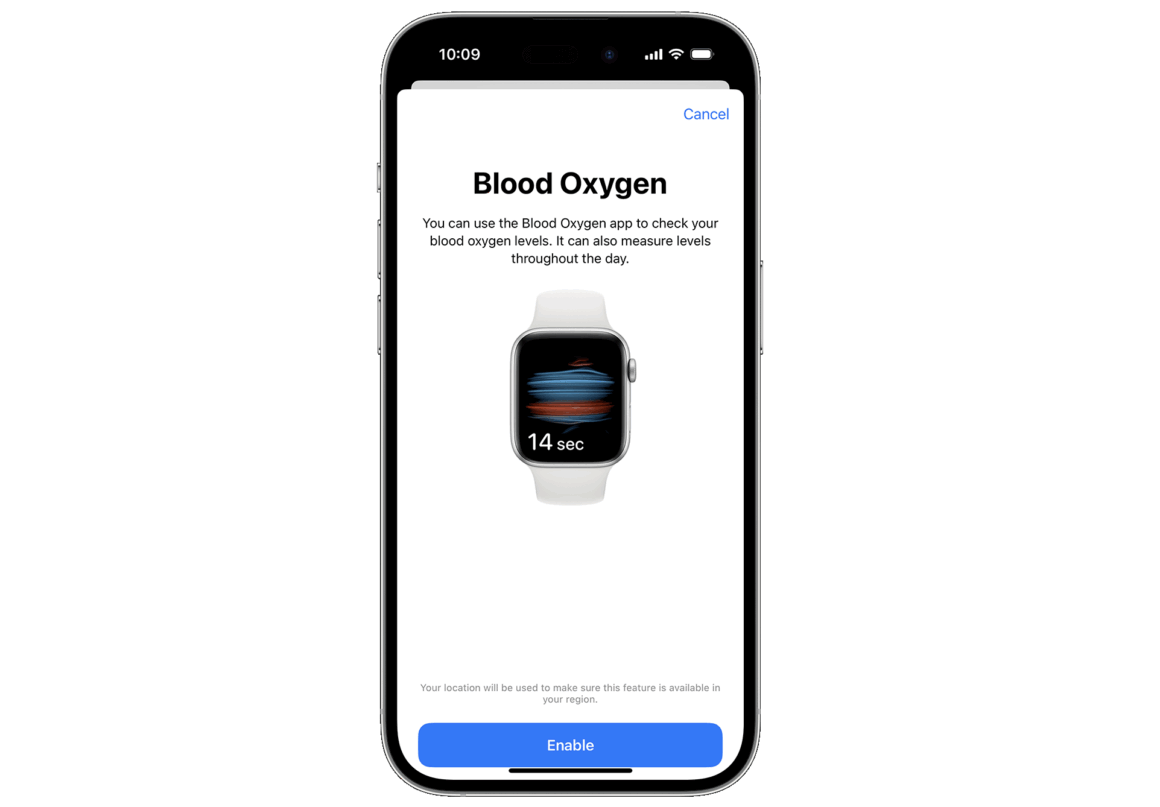
- Initial Configuration: Open the Health app on your iPhone. Follow the on-screen prompts to set up the feature. If you don't see a prompt, tap the "Browse" tab, select "Respiratory," and then tap "Blood Oxygen." Follow the instructions to enable the feature.
- Permissions: During setup, you will be asked to allow the watch to take background measurements. This is essential for tracking your oxygen levels during sleep and throughout the day.
- Verification: Once enabled, the Blood Oxygen app will appear on your Apple Watch home screen (the icon with blue and red lines forming a circle).
How to Take an Accurate Manual Measurement
Taking a manual reading requires more precision than a standard heart rate check. Because the sensor must read reflected light from the wrist, any movement or improper positioning can cause the measurement to fail.
- Fitment: Ensure your Apple Watch is snug but comfortable on your wrist. If the band is too loose, the sensor cannot maintain consistent contact with the skin, allowing ambient light to interfere with the photodiodes.
- Positioning: The watch should be worn on the top of the wrist, slightly away from the wrist bone.
- Stability: Rest your arm on a table or in your lap. It is crucial to keep your wrist flat and as still as possible. The measurement takes 15 seconds, and even minor muscle tremors can invalidate the result.
- Launching the App: Open the Blood Oxygen app on your watch. Tap "Start." A timer will count down from 15. Keep your hand still and your palm facing down.
- Results: After 15 seconds, the watch will display your percentage. You can then view the full data history in the Health app on your iPhone.
Background Readings and Sleep Tracking
One of the most valuable aspects of the Apple Watch oxygen levels feature is its ability to take measurements automatically. When enabled, the watch periodically checks your oxygen levels when it detects that you are not moving.
The most consistent background readings occur while you are sleeping. If you wear your Apple Watch to bed with "Sleep Tracking" enabled, it will collect data throughout the night. These readings are often lower than daytime readings due to changes in breathing patterns during different sleep stages. In the Health app, you can filter these results to see "Sleep" vs. "High Altitude" environments, helping you identify trends or potential issues like breathing disturbances.
Interpreting Your Results and Technical Limitations
While the Apple Watch sensor is highly sophisticated, it is not infallible. Several factors can influence the accuracy of the oxygen levels feature.
| Factor | Impact on Accuracy | Recommendation |
|---|---|---|
| Skin Perfusion | Low blood flow in the skin (e.g., in cold weather) can prevent the sensor from getting a signal. | Warm up your arm or wrist before taking a measurement. |
| Tattoos | Ink, patterns, and saturation of some tattoos can block light from the sensor. | Wear the watch on an area of the wrist without tattoos. |
| Motion | Even slight movement of the arm or fingers can cause a "Unsuccessful" reading. | Rest your arm on a flat surface and remain completely still. |
| Heart Rate | If your resting heart rate is above 150 bpm, the SpO2 measurement may be less accurate. | Wait until your heart rate stabilizes before measuring. |
It is also important to note that the sensor is not designed to detect carbon monoxide poisoning or other specific blood chemistry issues. If you receive a reading below 90% consistently, or if you feel short of breath, dizzy, or have chest pain, you should seek immediate medical attention regardless of the watch's reading.
Future Developments in Wearable Oxygen Monitoring
By 2026, the technology has moved toward greater integration with other health metrics. While the basic SpO2 measurement remains the core of the feature, software updates have improved the ability of the watch to correlate oxygen dips with breathing disturbances during sleep. This integration helps provide a more holistic view of respiratory health, even as the hardware remains subject to legal and regulatory hurdles in specific markets like the United States.
Researchers are also exploring how SpO2 data can be used to monitor recovery in athletes or detect early signs of respiratory illness before symptoms become severe. The Apple Watch oxygen levels feature remains a cornerstone of the device's transition from a notification hub to a proactive health monitor.
Frequently Asked Questions
Why does my Apple Watch say the Blood Oxygen app is not available?
This usually occurs for one of two reasons: either your device is a US model purchased after January 18, 2024, where the feature was disabled due to a patent dispute, or you are in a region where the feature has not received regulatory approval. Additionally, if the user's age is set to under 18 in the Health app, the feature will be disabled.
Can I use the Blood Oxygen app for medical diagnosis?
No. Apple explicitly states that the Blood Oxygen app is for "fitness and wellness purposes only." It is not intended for medical use, including self-diagnosis or consultation with a doctor. It should not be used to monitor chronic conditions like COPD or sleep apnea in a clinical capacity.
How does the Apple Watch measure oxygen without a finger clip?
It uses reflective pulse oximetry. Instead of passing light through a finger (transmissive), it shines red and infrared light into the wrist and measures the light that reflects back. This is technically more difficult and requires the user to remain perfectly still to be accurate.
Does the blood oxygen sensor drain the battery?
Background measurements do consume a small amount of battery, but the impact is generally negligible. If the watch's battery is very low (below 10-15%), it may skip scheduled background readings to preserve power for essential functions.
Is the Apple Watch blood oxygen sensor as accurate as a hospital device?
Independent studies have shown that the Apple Watch can be very accurate under ideal conditions (stillness, proper fit). However, it is more susceptible to "noise" and errors than hospital-grade transmissive pulse oximeters. It should be viewed as a tool for tracking trends rather than precise, single-point medical data.
Practical Recommendations for Users
To get the most out of the Apple Watch oxygen levels feature, prioritize consistency over individual data points. Look at your "Sleep" averages over a week rather than a single 15-second manual check. If you are in the United States and shopping for a new watch, verify the model's status regarding the Masimo dispute if SpO2 monitoring is a critical requirement for you. For those with the feature enabled, ensure a snug fit and use the background sleep tracking to gain the most insightful long-term data regarding your respiratory wellness.