An ecommerce host is a specialized web hosting provider that offers the server infrastructure, security protocols, and software compatibility required to operate an online storefront. Choosing the right host involves balancing server performance, transaction security compliance, shopping cart integration, and scalability to ensure your digital shop remains accessible and fast for customers 24/7.
Defining the Role of an Ecommerce Host
At its core, an ecommerce host provides a digital storefront’s foundation. Unlike a simple blog or informational website, an online store requires specific environmental configurations to handle database-intensive operations, such as inventory management, real-time credit card processing, and secure session management.
A dedicated ecommerce hosting environment typically includes specialized hardware configurations, such as high-performance solid-state drives (SSDs) and dedicated caching systems, to ensure that page load speeds—a critical factor in search engine ranking and user conversion—remain optimal. Furthermore, these providers manage the underlying server software, such as PHP versions, MySQL or PostgreSQL databases, and web server software like Nginx or Apache, ensuring they are patched against vulnerabilities.
When evaluating a host, you are looking for an entity that manages the technical "heavy lifting" so you can focus on inventory, marketing, and customer service. Without a specialized host, store owners often face downtime during traffic spikes or security breaches that compromise customer payment data.
Key Technical Requirements for Online Stores
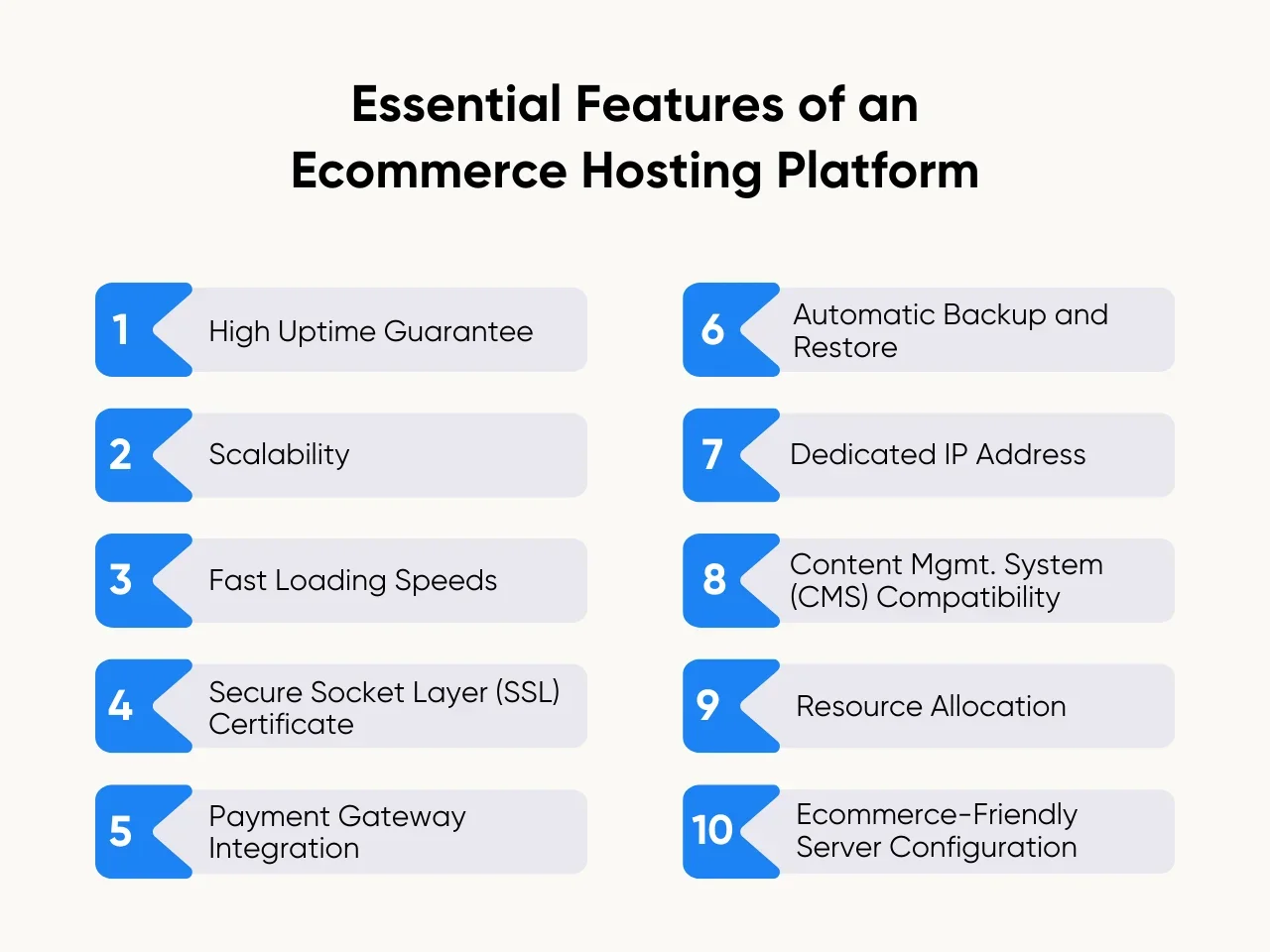
Operating a store in 2026 demands more than just basic disk space and bandwidth. To maintain a competitive edge, you must prioritize specific technical features that protect your revenue stream and reputation.
PCI-DSS Compliance
The Payment Card Industry Data Security Standard (PCI-DSS) is a set of security requirements intended to ensure that all companies that process, store, or transmit credit card information maintain a secure environment. A high-quality ecommerce host will offer infrastructure that is inherently PCI-compliant, simplifying the certification process for your business. This often includes managed firewalls, regular vulnerability scanning, and secure data encryption at rest and in transit.
SSL/TLS Certificates
Secure Sockets Layer (SSL) and its successor, Transport Layer Security (TLS), are mandatory. Not only do they encrypt communication between your customer's browser and your server, but they are also a fundamental requirement for modern browsers to display your site as "Secure." Most ecommerce hosts now include complimentary automated SSL management, which renews certificates automatically to prevent expiration-related downtime.
Database Performance and Optimization
Ecommerce sites are database-driven. Every time a customer browses a category or adds an item to their cart, a database query is executed. An effective host utilizes high-performance databases with proper indexing and object caching (such as Redis or Memcached) to reduce server strain. If your database is sluggish, your checkout process will be sluggish, leading to high cart abandonment rates.
Comparing Hosting Models: Managed vs. Self-Hosted
Choosing the right hosting model often comes down to the trade-off between control and convenience.
Managed Ecommerce Hosting
In a managed environment, the provider takes responsibility for the server-side experience. This usually includes automated backups, plugin updates, security monitoring, and performance tuning.
- Pros: Minimal technical maintenance for the user; usually optimized for specific platforms like WooCommerce or Magento.
- Cons: Higher monthly fees; less flexibility to change underlying server configurations.
Virtual Private Servers (VPS) and Dedicated Servers
These options offer a partition of a server or an entire physical machine for your exclusive use.
- Pros: Total control over the server environment; excellent performance for high-traffic stores.
- Cons: Requires advanced system administration skills to manage security, updates, and software installations.
Evaluating Performance Metrics
When researching potential providers, you should look beyond promotional promises of "unlimited" everything. Focus on concrete performance indicators that impact your bottom line.
| Feature | Importance for Ecommerce | What to Look For |
|---|---|---|
| Time to First Byte (TTFB) | Critical for SEO | Under 200ms in target markets |
| Uptime Guarantee | Revenue protection | 99.9% or higher with SLAs |
| CDN Integration | Global reach | Built-in or easy Cloudflare support |
| Automated Backups | Disaster recovery | Daily snapshots with one-click restore |
| Staging Environment | Risk management | Separate area to test code changes |
Uptime and Service Level Agreements (SLAs)
An ecommerce host must guarantee uptime. If your site is down for one hour during a peak shopping period, you lose direct revenue. Review the host’s SLA to see what compensation is offered if they fail to meet their uptime guarantees. A reputable host will provide clear definitions of what constitutes "downtime" and how they track it.
Scalability and Elasticity
Your hosting needs will change. As your marketing campaigns succeed, your traffic may spike. A modern ecommerce host should offer "vertical scaling," allowing you to increase your CPU and RAM allocation instantly without requiring a complex site migration. This elasticity ensures that your store remains fast during seasonal sales, such as Black Friday or holiday peaks.
Common Mistakes to Avoid
Many store owners make the mistake of choosing a host based solely on the lowest monthly price. While budget is a factor, consider the following pitfalls:
- Ignoring Geographical Proximity: If your customers are primarily in Europe, hosting your site on a server in North America will significantly increase latency. Choose a host with data centers located near your primary customer base.
- Overlooking Backup Frequency: Some entry-level plans only back up your data once a week. In the event of a database corruption, you could lose an entire week's worth of orders. Always confirm that daily incremental backups are standard.
- Lack of Specialized Support: General hosting support teams may know how to fix an email issue but might be unable to troubleshoot a platform-specific error in a database table. Look for support teams that have certified experience with your chosen commerce platform.
Troubleshooting Performance Issues
Even with the best hosting provider, performance bottlenecks can occur. If your store begins to load slowly, follow this systematic approach to identify the root cause:
- Check Server Logs: Access your error and access logs. High numbers of 500-series errors often indicate a server-side configuration issue or a plugin conflict.
- Monitor Resource Usage: Use your hosting control panel to check CPU and RAM usage. If you are consistently hitting your limits, it is time to upgrade your plan.
- Review Third-Party Scripts: Sometimes, the culprit is not the host, but external scripts (like live chat widgets or tracking pixels) that call data from slow third-party servers. Remove non-essential scripts to test if page speed improves.
- Database Optimization: Over time, databases accumulate orphaned data. Use optimization tools provided by your host to clean up database overhead.
Frequently Asked Questions
Is shared hosting suitable for an ecommerce site?
Shared hosting is generally discouraged for established ecommerce stores. While it is cost-effective for small hobby shops, the shared resources mean your site's performance can be negatively impacted by other websites on the same server, and it often lacks the robust security features necessary for high-volume transactions.
Does my ecommerce host handle security updates?
This depends on the plan. "Managed" hosting usually includes automatic updates for the hosting environment and sometimes for your CMS and plugins. "Unmanaged" or standard VPS hosting places the burden of security updates entirely on you. Always clarify the scope of "managed" services before signing a contract.
What is a CDN, and why does my store need one?
A Content Delivery Network (CDN) stores copies of your site's static files (images, CSS, JavaScript) on servers around the world. When a customer visits your site, the CDN serves these files from the server closest to them, which drastically reduces load times and improves the global user experience.
Can I migrate my store to a new host?
Yes, most reputable ecommerce hosts offer free or low-cost migration services. They will move your files and databases from your old provider to their infrastructure. If you have a complex store, look for a provider that performs a "dry run" migration to ensure no data is lost before the final DNS switch.
What happens if my site outgrows my current plan?
A quality ecommerce host offers a clear upgrade path. Ideally, you should be able to upgrade your hardware resources (CPU, RAM, Storage) through a single click or a quick support request. Avoid providers that require you to move to an entirely new server infrastructure (which involves significant downtime) just to increase your capacity.
Making Your Final Decision
The selection of an ecommerce host is a long-term business decision. Prioritize providers that offer a balance of transparent performance metrics, dedicated security features, and responsive support. Start by mapping out your expected traffic and the technical requirements of your chosen software (e.g., WordPress with WooCommerce, Shopify, or Magento). Once you have a shortlist, reach out to their support teams with a specific technical question. The speed and quality of their response will often give you the best indication of how they will treat you once you are a paying customer.