Apple iCloud functions as a cloud-based synchronization and storage ecosystem that links your personal data, media, and device settings across all your Apple hardware. By utilizing remote servers to host your information, iCloud ensures that any change made to a file, photo, or preference on an iPhone is reflected on your iPad, Mac, or web browser in near real-time, effectively eliminating the need for manual file transfers.
The Core Architecture of iCloud
At its fundamental level, iCloud is not a single file repository but a series of interconnected services. When you create an Apple ID, you are granted access to a portion of secure, encrypted server space managed by Apple. When you enable iCloud features on your devices, the operating system (iOS, iPadOS, macOS, or visionOS) begins a process of "handshaking" with these servers.
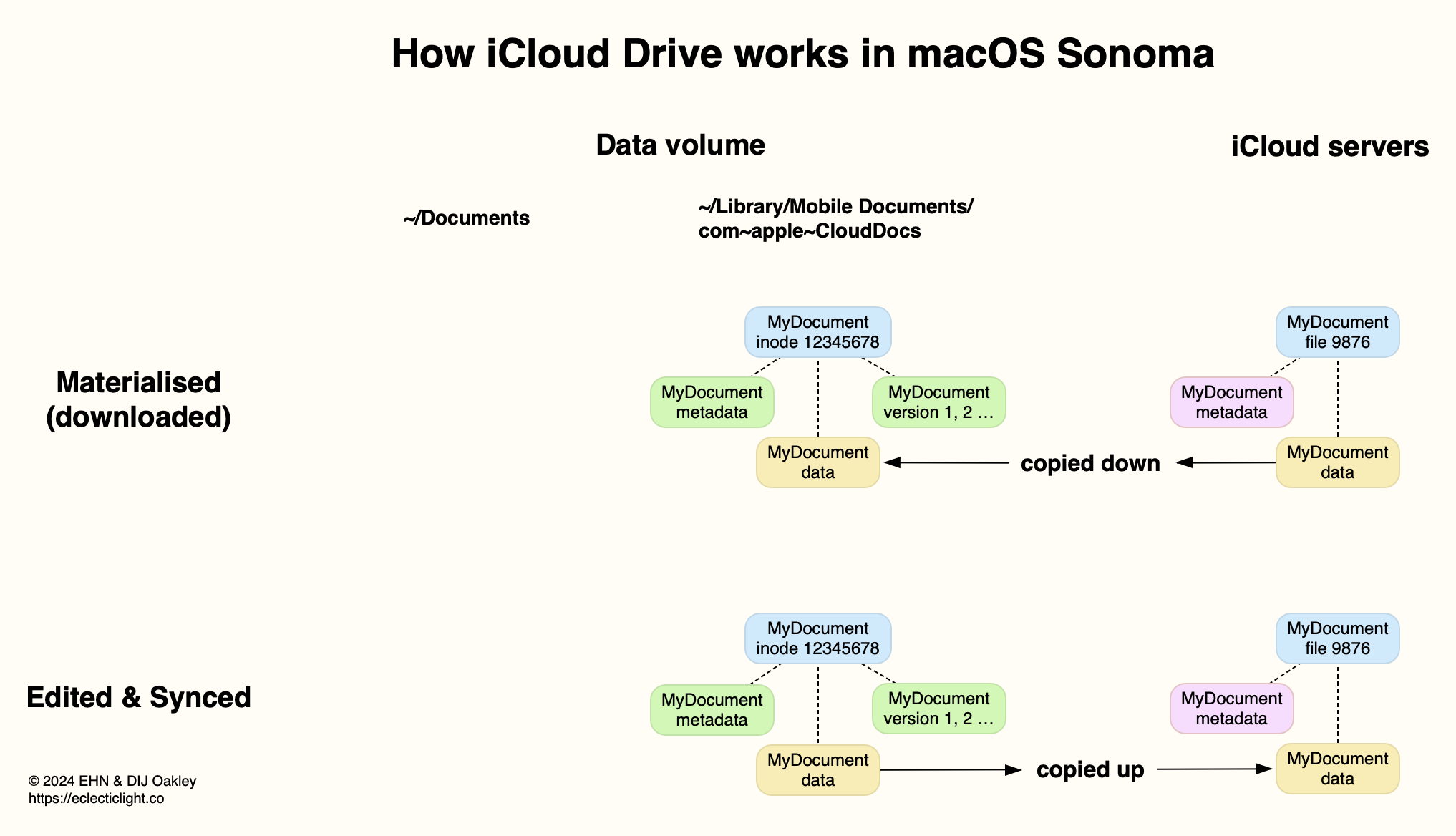
Instead of keeping data siloed on a single device, iCloud uses a push-and-pull mechanism. When you take a photo on an iPhone, the system transmits that data via an encrypted tunnel to the iCloud servers. Simultaneously, the operating system flags that data for synchronization. When your other devices are online, they receive a notification or perform a background check, discovering that new data is available. They then pull that data down, ensuring all devices remain in a consistent state.
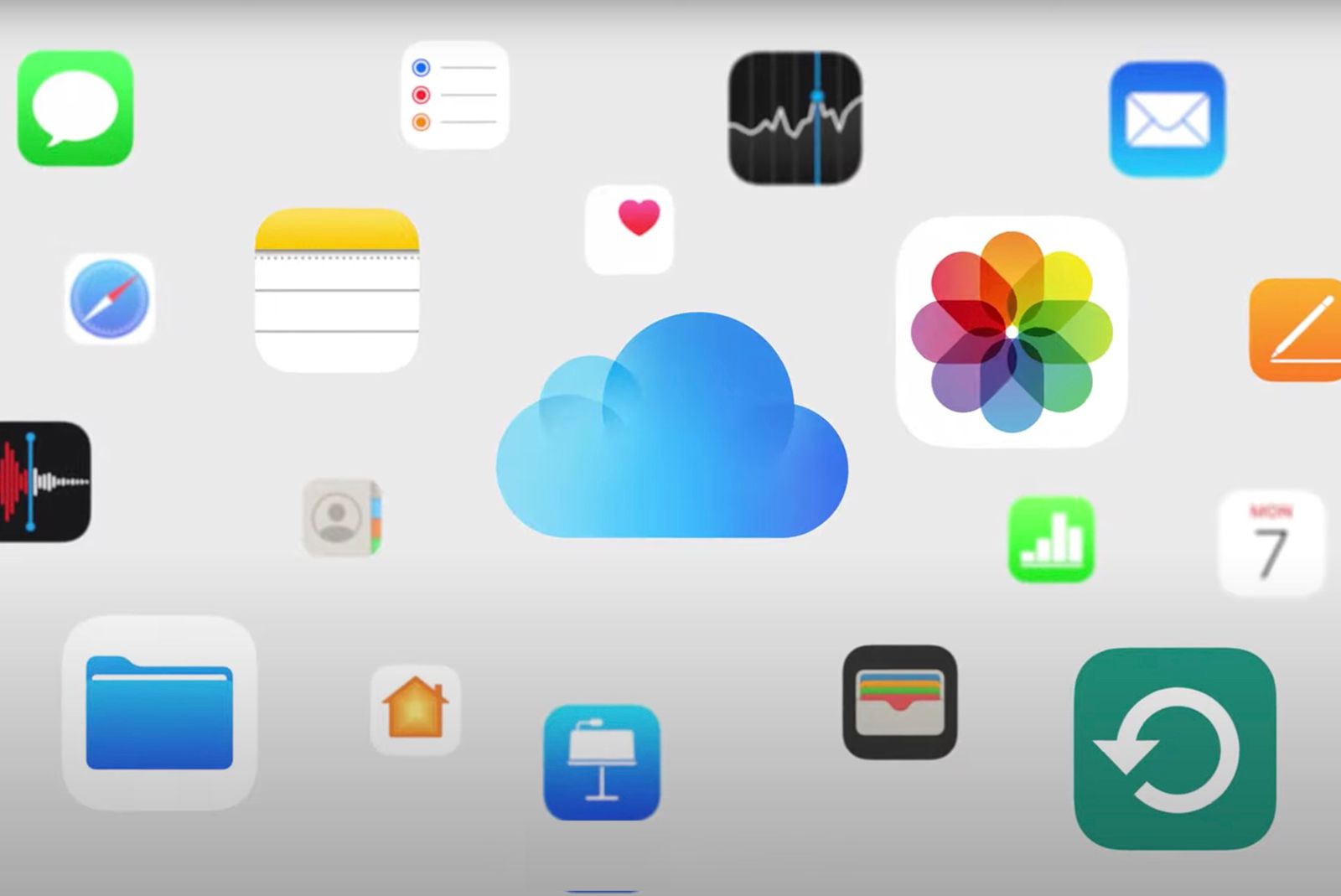
This system is built upon two major components: storage and synchronization. Storage involves the long-term holding of data—such as full-resolution photos or device backups—while synchronization focuses on the state of your apps and data—such as keeping your Safari bookmarks, Notes, or Reminders identical across your hardware.
Prerequisites and Setup Requirements
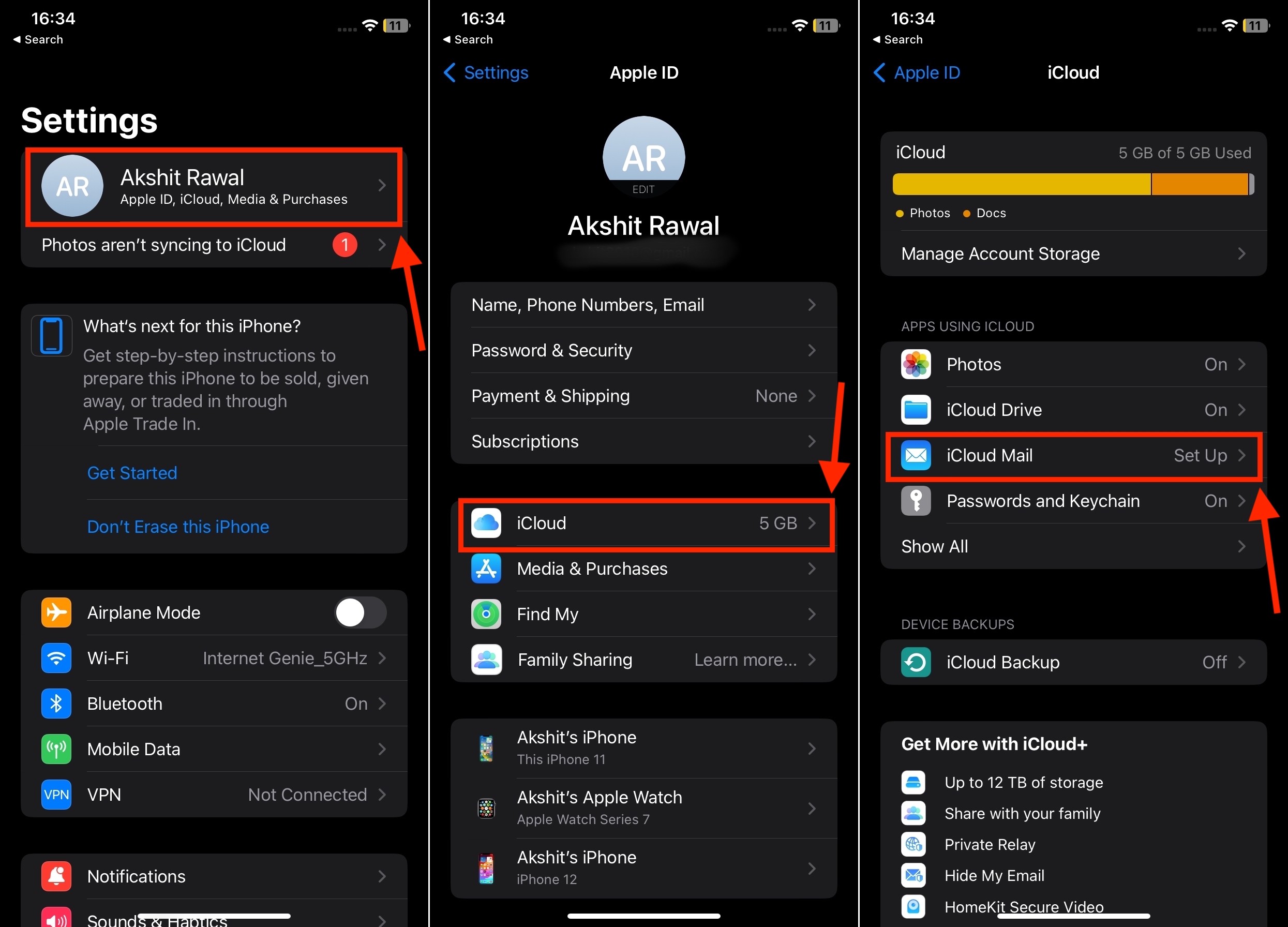
To successfully integrate your devices into the iCloud ecosystem, you must satisfy a few technical prerequisites. Without these, the system cannot authenticate your identity or manage your data securely.
- Apple ID: This is your primary credential. It serves as the unique identifier for your iCloud account. It is strongly recommended to enable Two-Factor Authentication (2FA) for this ID, as it adds a layer of security by requiring a code sent to a trusted device whenever you sign in on a new machine.
- Active Internet Connection: iCloud relies on Wi-Fi or cellular data to transmit information. While the system is optimized to work over cellular connections, large backups and high-resolution video syncing are often deferred to Wi-Fi to preserve data plans and battery life.
- System Software: Your devices must run relatively current versions of their respective operating systems. While legacy versions may support basic iCloud functions, newer features—such as Advanced Data Protection—often require the latest major software updates to ensure compatibility with Apple’s evolving encryption standards.
Understanding Storage Tiers and Costs
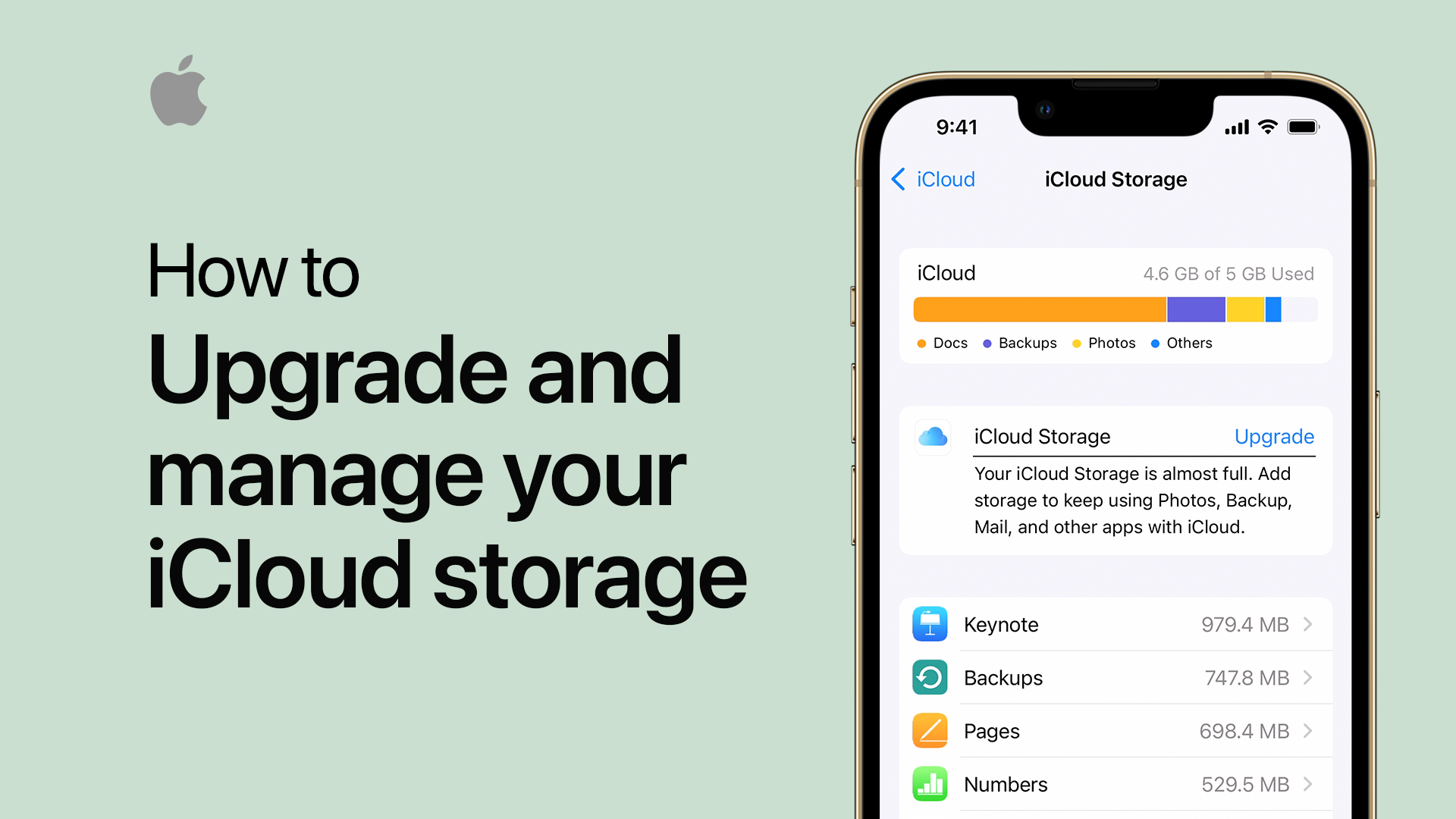
While iCloud is free to use, the amount of space allocated for your data is tiered. As of 2026, every Apple ID includes 5GB of storage at no cost. For many users, this is insufficient for modern needs, particularly when storing extensive photo libraries or multiple device backups.
To expand this capacity, Apple provides the iCloud+ service. This is a subscription-based model that offers additional storage and privacy-focused features.
| Storage Tier | Typical Monthly Cost | Primary Use Case |
|---|---|---|
| 5 GB | Included (Free) | Basic contacts, calendars, and light notes. |
| 50 GB | Entry-Level Subscription | Moderate photo collection, single-device backup. |
| 200 GB | Family-Friendly | Multiple devices, shared family photos. |
| 2 TB | Professional/Power User | Large RAW photo libraries, massive video archives. |
| 6 TB / 12 TB | Enterprise/Creative | Extensive high-resolution video and professional work. |
Note: Pricing for these tiers is subject to regional tax variations and local currency adjustments. Check your device's "Manage Storage" settings for the exact current pricing in your billing region.
Key Features Beyond Basic Backup
iCloud is often misunderstood as merely a backup tool. While backups are a central feature, the ecosystem offers several advanced capabilities designed to simplify the digital user experience.
iCloud Photos
When enabled, iCloud Photos stores your entire library in the cloud. A key technical feature here is "Optimize Storage." When active, the device stores full-resolution originals in the cloud while keeping smaller, space-efficient versions on your device. When you tap a photo to view it, the device instantly downloads the high-resolution version from the cloud. This allows users with 64GB or 128GB devices to manage libraries containing terabytes of images.
Keychain
iCloud Keychain is a password management system. It synchronizes your website passwords, credit card information, and Wi-Fi credentials across your devices using end-to-end encryption. This means that even Apple cannot access your saved passwords; they are decrypted only on your trusted devices using your specific device passcode.
iCloud Drive
Functioning similarly to other cloud file systems, iCloud Drive allows you to store documents, PDFs, and folders. You can access these through the "Files" app on iOS or the "Finder" on macOS. The benefit here is the ability to edit a document on a Mac and find those exact changes waiting for you on your iPad within seconds.
Hide My Email and Private Relay
As part of the iCloud+ subscription, Apple includes privacy features. "Hide My Email" allows you to create unique, random email addresses that forward to your personal inbox, useful for preventing tracking or reducing spam. "iCloud Private Relay" masks your IP address and browsing activity in Safari from network providers and website trackers, enhancing your anonymity online.
Privacy, Encryption, and Security
Security is the cornerstone of the iCloud architecture. Apple employs multiple layers of protection, primarily categorized as standard data protection and Advanced Data Protection.
Standard protection encrypts your data in transit and on Apple's servers. Apple holds the encryption keys, which allows the company to assist with account recovery if you lose your password. However, with Advanced Data Protection—a user-selectable feature—your data is encrypted using keys derived from your device passcode. In this mode, Apple does not hold the keys. This provides a significantly higher level of security but also places the burden of account recovery entirely on you. If you enable Advanced Data Protection, you must have a recovery key or designated recovery contact, as Apple cannot reset your password for you.
Troubleshooting Common iCloud Issues
When iCloud fails to sync, it is rarely a catastrophic system error and usually a connectivity or authentication issue.
- Check System Status: Before troubleshooting your device, visit the official Apple System Status page to ensure there are no regional server outages.
- Verify Apple ID: Go to Settings on your device and ensure your Apple ID is signed in and there are no alerts requiring you to update your terms and conditions or payment method.
- Storage Limits: If your iCloud storage is full, syncing will pause immediately. You must either delete unnecessary files or upgrade your subscription tier to resume operation.
- Network Conflicts: If you are on a restricted network (such as a corporate firewall), iCloud traffic might be blocked. Test by switching to a different network, such as a personal mobile hotspot.
- Restarting Sync: In some instances, toggling an individual service off and on—for example, turning off iCloud Contacts, waiting ten seconds, and turning it back on—can force a "re-handshake" that resolves stalled sync tasks.
Frequently Asked Questions
Is iCloud necessary to use an iPhone or Mac? While you can technically use these devices without signing in to iCloud, it is highly discouraged. You will lose access to critical features like Find My, automatic backups, and seamless file synchronization across Apple hardware, effectively turning a highly integrated ecosystem into a set of disconnected devices.
What happens to my data if I stop paying for iCloud+? If you downgrade or cancel your subscription, your data remains intact, but you will stop syncing if your total data exceeds your free 5GB limit. You have a window of time to download your data or clear space. If you fail to do so, Apple may eventually delete data exceeding the free storage quota to maintain account services.
Can I use iCloud on a Windows PC? Yes. Apple provides an "iCloud for Windows" application. This allows you to sync your photos, files, and even your passwords (via a browser extension) to your PC. It bridges the gap for users who prefer an Apple mobile device but use a Windows machine for work or home computing.
How secure is my data in iCloud? Your data is heavily encrypted. By default, most information is encrypted both in transit and at rest. If you enable Advanced Data Protection, you move to end-to-end encryption for almost all data, meaning only you have the keys to decrypt and view your information.
Does iCloud back up my entire device? Yes, iCloud Backup creates an encrypted copy of your device's settings, app data, home screen layout, and iMessage history. When you buy a new device, you can sign in with your Apple ID during the initial setup to restore this backup, making the transition to new hardware almost instantaneous.
Conclusion
Understanding how iCloud works allows you to move beyond viewing it as a simple storage folder and instead utilize it as the central nervous system of your digital life. Whether it is ensuring your photos are safe, keeping your passwords accessible, or allowing you to transition effortlessly between your phone and your computer, iCloud provides the glue that binds Apple products together. By managing your storage effectively and leveraging features like Advanced Data Protection, you can ensure that your digital footprint remains both synchronized and secure throughout the coming years.