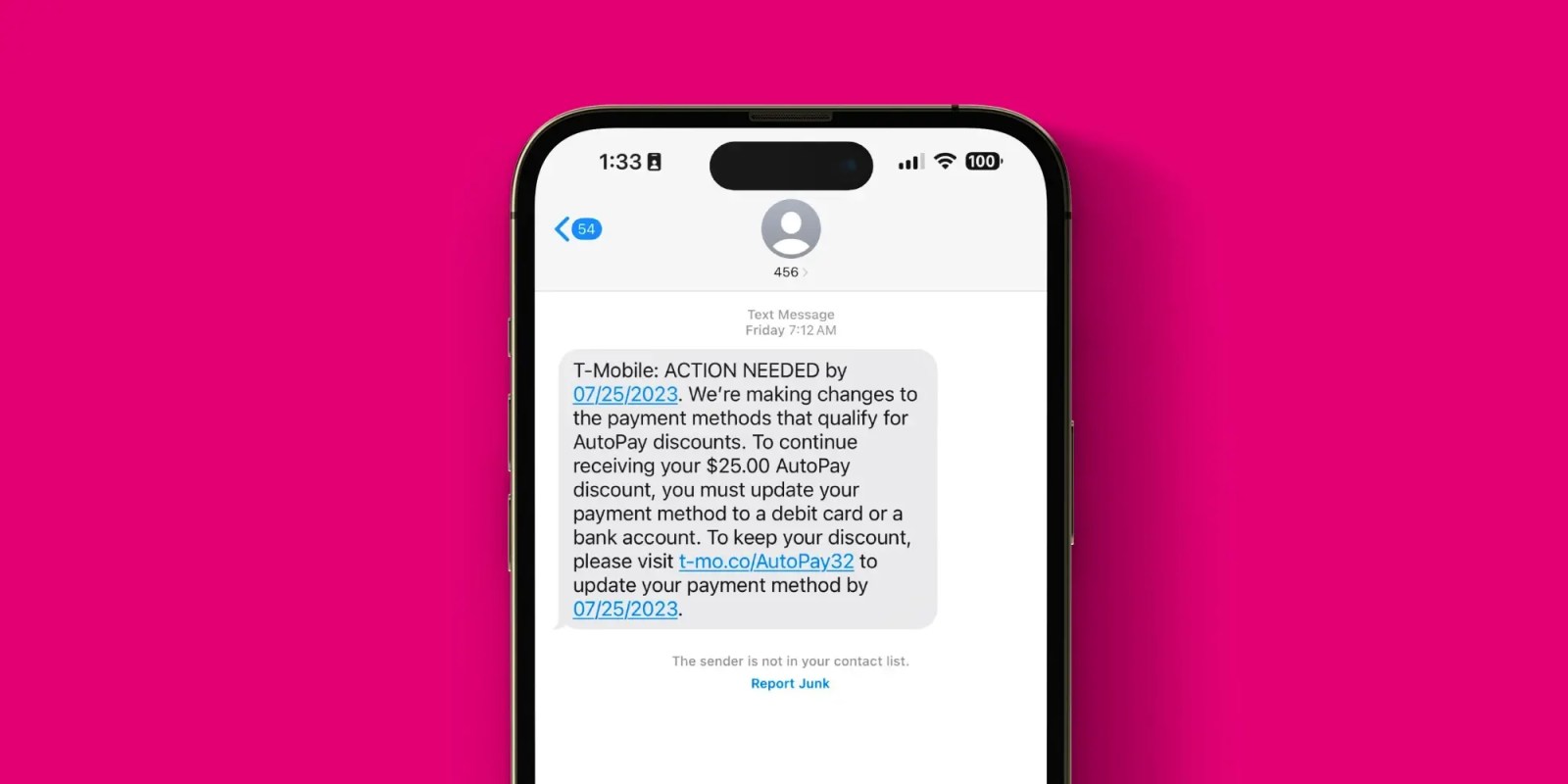
When managing your T-Mobile billing, it is critical to understand how specific payment methods affect your eligibility for the company’s AutoPay discount. As of 2026, T-Mobile requires customers to use specific payment methods—typically a direct debit from a bank account or a signature debit card—to qualify for the monthly AutoPay discount. Utilizing Apple Pay, which often masks the underlying card type, may result in the loss of this discount if the system does not properly recognize the funding source as a qualifying debit method.
The Mechanics of the T-Mobile AutoPay Discount
T-Mobile offers a monthly discount on most service plans for customers who enroll in AutoPay. This program is designed to streamline the billing process for both the subscriber and the carrier. By automating the payment, T-Mobile reduces its administrative overhead and ensures consistent revenue collection, passing those savings on to the customer in the form of a bill credit.
However, the terms of this discount have evolved significantly over the years. Originally, the discount was broad and applied to almost any payment method, including credit cards. As part of a strategy to minimize transaction fees associated with credit card processing, T-Mobile adjusted its requirements. Today, the discount is primarily reserved for customers who use methods that incur lower merchant processing fees, such as electronic funds transfers (EFT) from a checking or savings account, or specific PIN-less debit transactions.
Why Apple Pay Triggers Eligibility Concerns
The primary conflict between Apple Pay and the T-Mobile AutoPay discount lies in how the payment data is transmitted. When you add a card to your Apple Wallet and use it via Apple Pay, the system uses tokenization. This process replaces your sensitive primary account number (PAN) with a unique device-specific token.
From the perspective of T-Mobile’s billing systems, this transaction may appear as a "digital wallet" transaction rather than a direct debit. If T-Mobile’s payment processor cannot verify that the underlying funding source is an eligible debit card or checking account, the system may classify the payment as "ineligible" for the AutoPay discount. Even if the card inside your Apple Wallet is a debit card, the tokenized transmission can sometimes be categorized as a credit transaction by the merchant’s gateway, leading to an automatic removal or denial of the discount.
Verifying Your Payment Method for 2026
To ensure you continue to receive your AutoPay discount throughout 2026, you must verify that your T-Mobile account is linked to an accepted payment instrument. The following table outlines the general landscape of payment method eligibility.
| Payment Method Category | Likely AutoPay Eligibility | Why? |
|---|---|---|
| Direct Bank Transfer (ACH) | Eligible | Lowest processing cost for carrier. |
| Signature/PIN-less Debit Card | Eligible | Lower processing fees than credit cards. |
| Standard Credit Cards | Ineligible | Higher interchange/transaction fees. |
| Apple/Google Pay (Tokenized) | Variable/Ineligible | Often masked as credit; inconsistent verification. |
| Prepaid/Gift Cards | Ineligible | Generally not accepted for recurring AutoPay. |
If you are currently using Apple Pay and have noticed an increase in your bill, it is highly probable that the system has reclassified your payment and invalidated your discount status.
Steps to Secure or Re-enable Your Discount
If you have lost your AutoPay discount or want to prevent a future loss, you should audit your account settings. Relying on digital wallets for recurring T-Mobile bills is convenient but carries the risk of non-qualification.
1. Audit Your Current Payment Profile
Log into your T-Mobile account via the official mobile app or the web portal. Navigate to the "Billing" section and locate your current payment methods. Check if the saved method is a direct card entry or a digital wallet token.
2. Switch to a Direct Debit Entry
For maximum reliability, delete any tokenized digital wallet entries and manually input your debit card information directly into the T-Mobile billing interface. By entering the card number, expiration date, and CVV directly, you ensure that the transaction is transmitted through the T-Mobile payment gateway as a standard debit transaction, which is correctly identified by their eligibility engine.
3. Consider Linking a Bank Account
If you frequently change debit cards or want to avoid potential "debit-vs-credit" misclassification, linking your checking account via routing and account numbers is the most stable path. This method is universally recognized as the preferred, eligible payment type for the AutoPay discount and is not subject to the verification nuances of card networks or digital wallets.
4. Monitor Your Monthly Statement
After updating your payment method, wait for the next billing cycle to conclude. Check your bill carefully to confirm that the "AutoPay Discount" line item has returned. If it has not, contact T-Mobile customer support specifically to inquire about the "AutoPay discount eligibility status" for your current payment method.
Common Pitfalls and Troubleshooting
Many users believe that because their card is a "Debit Card," it should always qualify. However, the distinction is often technical. Some debit cards, when processed through certain gateways, default to a credit network if not explicitly forced to a debit network. Apple Pay exacerbates this by abstracting the card details.
Common Mistakes to Avoid:
- Assuming all debit cards are treated equally: Some cards issued by credit unions or smaller regional banks may not be correctly tagged in the T-Mobile system as debit cards.
- Overlooking expiration dates: If your debit card expires and you update it through a digital wallet, the tokenization process may fail to properly register the new expiration date with T-Mobile, causing the payment to fail or the discount to drop.
- Ignoring email notifications: T-Mobile frequently sends notifications when a payment method is updated or when the status of an AutoPay discount changes. Never treat these as automated spam; they often contain critical information about your billing eligibility.
Addressing Eligibility Discrepancies
If you have confirmed that you are using a standard debit card or a direct bank account and you are still being denied the discount, you may be facing a system glitch or a specific limitation tied to your plan type. Some legacy plans or promotional bundles have different rules regarding how they interact with AutoPay discounts.
It is also worth noting that if you have multiple lines on your account, the AutoPay discount is usually calculated per line or per account depending on the plan structure. A change in payment method often triggers a blanket disqualification across all associated lines. If you suspect an error, reach out to T-Mobile’s "T-Force" support via social media or the chat function in the T-Mobile app. These specialized representatives often have deeper access to billing records than general phone support and can identify exactly why the discount was removed.
Frequently Asked Questions
Will I lose my AutoPay discount if I use Apple Pay for a one-time payment?
Usually, no. One-time payments made via Apple Pay to cover a specific balance generally do not impact your recurring AutoPay status. The issue arises when Apple Pay is set as the default recurring payment method in your AutoPay settings.
Does T-Mobile accept any digital wallets for AutoPay?
T-Mobile's system requirements prioritize direct account inputs. While some users report success with certain digital wallet setups, there is no official guarantee of eligibility. To ensure you receive the discount, use a direct entry of your bank account or debit card.
If I switch from Apple Pay to a debit card, how long until the discount returns?
If the switch is made before your billing cycle closes, the discount is typically applied to that cycle. If you switch mid-cycle, the discount may not reflect until the following month. Always verify the specific date of your billing cycle closure.
Can I use a credit card and still get the discount?
Generally, no. As of 2026, T-Mobile has standardized its requirements to exclude most credit cards from the AutoPay discount program to offset processing costs. You must use an eligible debit card or checking account.
Why did my discount disappear even though I haven't changed anything?
Sometimes, a card issuer may change the underlying network identification for a debit card (e.g., reissuing a card as a premium debit or changing the card network). This can cause T-Mobile’s system to stop recognizing it as a qualifying debit card, triggering an automatic loss of the discount.
Final Steps for Your Billing Optimization
Maintaining your AutoPay discount is a matter of ensuring the "technical language" of your payment matches what T-Mobile requires. If you are currently using Apple Pay for your recurring payments, the safest and most reliable course of action for 2026 is to manually update your payment method to a standard, non-tokenized debit card or a direct ACH bank transfer. By taking this step, you remove the "middleman" of the digital wallet, ensuring that T-Mobile’s system correctly identifies your payment as an eligible method, thereby securing your monthly savings without further friction.