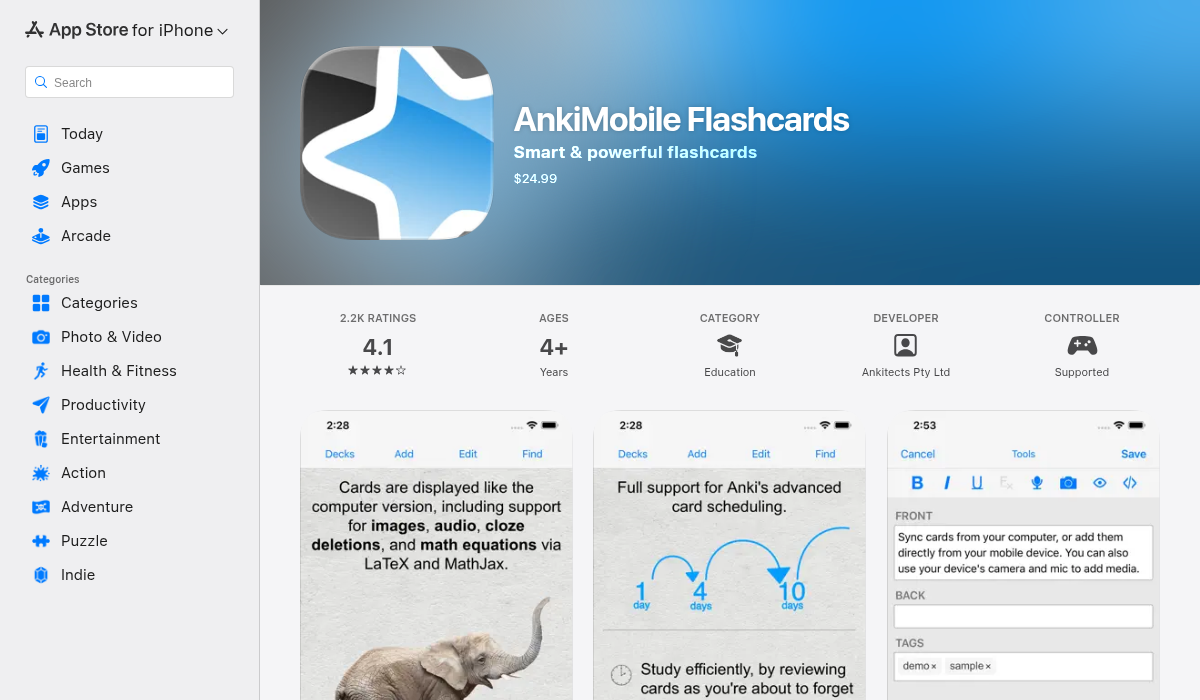
As of 2026, the official AnkiMobile app for iOS remains a paid one-time purchase on the Apple App Store, typically priced at $24.99. There is no legitimate "free" version of the official app for iPhone or iPad; however, users can access their flashcards for free on iOS devices by using AnkiWeb through a mobile browser.
The Anki Ecosystem in 2026: Why the Pricing Varies
To understand why people search for a free version of AnkiMobile, one must first understand the fragmented but interconnected nature of the Anki ecosystem. Anki is a powerful spaced-repetition system (SRS) used globally by medical students, language learners, and professionals to commit large amounts of information to long-term memory. Unlike many modern software suites, Anki does not follow a unified subscription model. Instead, it utilizes a "cross-subsidy" model to remain sustainable and open-source.
The ecosystem is divided into four primary platforms:
- Anki Desktop (Windows, macOS, Linux): Completely free and open-source.
- AnkiDroid (Android): Completely free and open-source, maintained by a separate group of volunteer developers.
- AnkiWeb (Browser-based): A free service that allows users to study online and sync data between devices.
- AnkiMobile (iOS/iPadOS): A paid app developed by the lead creator of the Anki ecosystem, Damien Elmes.
The revenue generated from AnkiMobile is the primary financial engine that keeps the Anki ecosystem alive. It pays for the high costs of server maintenance for AnkiWeb—which handles millions of card syncs daily—and funds the ongoing development of the free desktop software.
Using AnkiWeb: The "Free" Workaround for iOS Users
If you are looking for a way to use Anki on your iPhone without the $24.99 upfront cost, your only official and safe option is AnkiWeb. While it is not a standalone "app" in the traditional sense, it is fully optimized for mobile browsers like Safari and Chrome.
How to Set Up AnkiWeb as a "Web App" on iPhone
To make AnkiWeb feel more like a native application, you can add it to your iOS Home Screen. This removes the browser address bar and provides a more immersive experience.
- Create an Account: Go to the official AnkiWeb site on your desktop or mobile browser and sign up for a free account.
- Sync Your Decks: Ensure your cards are uploaded to the cloud from your desktop version of Anki.
- Open Safari on iOS: Navigate to
ankiweb.net/decks/and log in. - Add to Home Screen: Tap the Share icon (the square with an upward arrow) at the bottom of the screen. Scroll down and select "Add to Home Screen."
- Launch: You will now have an Anki icon on your iPhone home screen. When you tap it, it will open AnkiWeb in a full-screen window.
Limitations of the Free AnkiWeb Method
While AnkiWeb is a functional alternative, it lacks several high-level features found in the paid AnkiMobile app:
- No Offline Access: You must have an active internet connection to study. AnkiMobile, conversely, allows you to download your entire library for offline use.
- Limited Media Handling: While you can view images and hear audio, adding new media or using complex "Image Occlusion" cards is significantly more cumbersome on the web version.
- No Gesture Support: AnkiMobile allows for custom swipes and taps to grade cards. AnkiWeb relies on clicking standard buttons.
- Missing Add-on Support: Most desktop add-ons do not function on AnkiWeb, though the same is largely true for the mobile app versions.
The "AnkiApp" and "Anki Pro" Confusion: Avoiding Scams
A common pitfall for users searching for "AnkiMobile free" is falling for copycat applications. Because the core Anki algorithm is open-source, many third-party developers have created apps with similar names.
AnkiApp and Anki Pro are the two most common examples. It is critical to note that these apps are not part of the official Anki ecosystem. They often use a "freemium" model, where the app is free to download but requires a monthly subscription to unlock basic features. Over time, these "free" apps often become significantly more expensive than the one-time $24.99 fee for the official AnkiMobile app.
Furthermore, these third-party apps generally cannot sync with AnkiWeb or the official Anki Desktop application. If you start your deck in a copycat app, you may find yourself "locked in" to their proprietary format, making it nearly impossible to migrate your progress to the official, more powerful Anki ecosystem later.
Why AnkiMobile is Worth the Investment
For serious students, the cost of AnkiMobile is often viewed as a one-time investment in their education rather than a simple app purchase. By 2026, the app has evolved to include features that justify the price tag for power users.
- Native Performance: AnkiMobile is built using native iOS frameworks, making it significantly faster and more responsive than the web-based version.
- Apple Pencil Support: For medical students or those learning kanji/characters, the "Scratchpad" feature allows you to draw directly on the screen to practice writing or diagrams.
- Advanced Scheduling: AnkiMobile supports the V3 scheduler and FSRS (Free Spaced Repetition Scheduler), which uses advanced mathematics to predict your forgetting curve more accurately than the older SM-2 algorithm.
- Push Notifications: Stay on top of your daily reviews with customizable reminders, a feature unavailable on the free AnkiWeb version.
Technical Comparison of Anki Versions
| Feature | AnkiMobile (Official) | AnkiWeb (Free) | AnkiDroid (Free) | Anki Desktop (Free) |
|---|---|---|---|---|
| Platform | iOS / iPadOS | Web Browser | Android | Windows/Mac/Linux |
| Cost | ~$24.99 (One-time) | $0 | $0 | $0 |
| Offline Access | Yes | No | Yes | Yes |
| Sync Capability | Yes (AnkiWeb) | N/A (Is the Source) | Yes (AnkiWeb) | Yes (AnkiWeb) |
| Media Editing | Advanced | Basic | Advanced | Full Support |
| Algorithm | SM-2 / V3 / FSRS | SM-2 / V3 | SM-2 / V3 / FSRS | SM-2 / V3 / FSRS |
| Developer | Damien Elmes | Damien Elmes | Volunteer Community | Damien Elmes |
Managing Your Account and Syncing Safety
If you decide to transition from the free AnkiWeb version to the paid AnkiMobile app, or if you are trying to minimize costs by using multiple devices, syncing is your most important tool.
Preventing Data Loss
Since Anki uses a local-first database, you must be careful when syncing across multiple devices. Always ensure you sync your desktop version before opening AnkiMobile (or AnkiWeb), and sync again before closing. In 2026, the Anki sync engine is remarkably robust, but "sync conflicts" can still occur if the app is left open on two devices simultaneously while making major changes to deck structures.
Account Verification
To keep AnkiWeb free for everyone, the developer periodically clears out inactive accounts. If you have not logged into AnkiWeb for over six months, your cloud-stored decks may be deleted. However, your local data on your iPhone or computer remains safe. To prevent this, ensure you perform at least one sync every few months.
Troubleshooting Common Issues
"The app is too expensive for my region."
The price of AnkiMobile is set by the developer to be roughly equivalent to a single textbook. In some regions, currency fluctuations make the $24.99 USD price point feel higher. If the cost is prohibitive, the official recommendation remains using the free AnkiWeb via Safari. There are no official discounts or "Lite" versions of the app.
"I downloaded Anki and it's asking for a subscription."
If you are being asked for a subscription, you have likely downloaded a copycat app (like AnkiApp or Anki Pro). The official AnkiMobile app has no subscriptions. Once you pay the initial fee, every update and feature added—including the major interface overhauls seen leading up to 2026—is included for the life of the product.
"Can I share the paid app with my family?"
Yes. AnkiMobile supports Apple Family Sharing. This means a single purchase can be shared with up to five other family members through the iOS settings. This effectively reduces the "cost per person" significantly for households with multiple students.
FAQ
Is there a trial version of AnkiMobile?
No, the Apple App Store does not easily facilitate trials for paid apps. However, you can use Anki Desktop and AnkiWeb for as long as you like for free to decide if the system works for you before purchasing the iOS app.
Why is AnkiDroid free but AnkiMobile is not?
AnkiDroid is a separate project developed by a group of volunteers using the open-source code from Anki. AnkiMobile is developed by the primary creator of the entire Anki ecosystem. The sales from the iOS app are the main reason why the servers for AnkiWeb and the development of the desktop version can remain free for everyone.
Can I import decks into the free AnkiWeb?
Yes, but you generally need the desktop version to import large .apkg files or decks with complex media. Once imported on your computer and synced to AnkiWeb, you can study them for free on your iPhone browser.
Does AnkiMobile go on sale?
Historically, AnkiMobile almost never goes on sale. The price has remained stable for over a decade to provide a predictable income stream for the maintenance of the free components of the ecosystem.
Is the FSRS algorithm available on the free version?
Yes, AnkiWeb supports the V3 scheduler, which is compatible with FSRS weights. However, to configure and "optimize" your FSRS weights based on your personal review history, you will still need to use the free Anki Desktop software periodically.
Final Recommendation
For those seeking "AnkiMobile free," the best path forward is to embrace the AnkiWeb browser interface. It provides the core spaced-repetition functionality without any financial commitment. Start by using Anki Desktop to create or download your decks, sync them to AnkiWeb, and use the "Add to Home Screen" trick on your iPhone to study on the go.
If you find yourself using Anki for more than 30 minutes a day, the efficiency gains, offline access, and native features of the paid AnkiMobile app are highly recommended. It remains the gold standard for mobile SRS and ensures the continued existence of the free tools the entire community relies on.