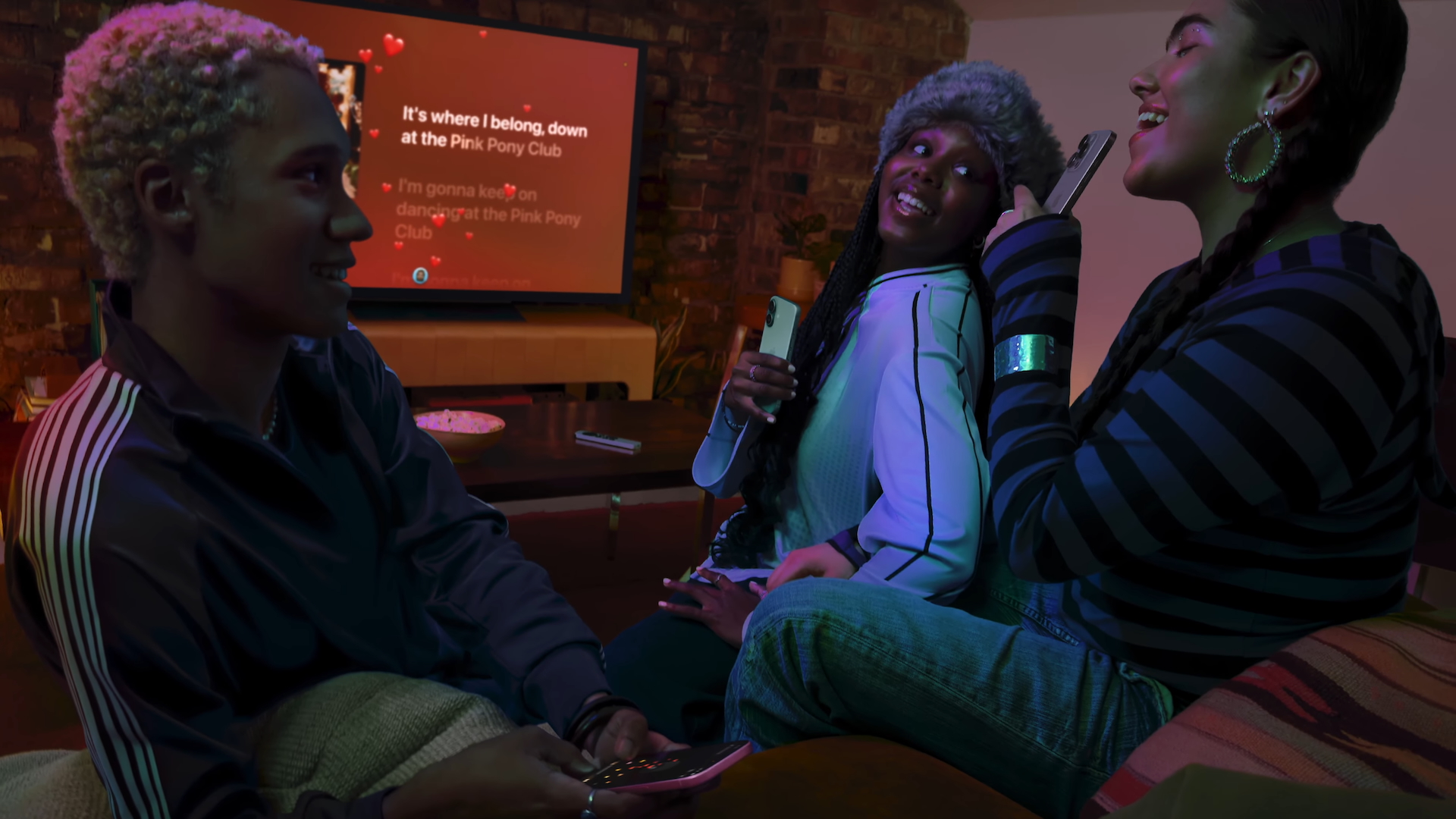
When using Apple TV for karaoke, the primary limitation stems from the latency inherent in wireless audio transmission and the signal processing constraints of the iPhone when used as a microphone. Because the iPhone is not designed as a dedicated stage microphone, its built-in hardware and wireless transmission protocols introduce significant delays, echo issues, and audio compression that can severely diminish the quality of a karaoke session.
The Role of Apple TV in Modern Home Karaoke
The integration of Apple Music Sing—a feature introduced in tvOS 16.2—transformed the Apple TV into a powerful karaoke console. By utilizing machine learning, the Apple TV can isolate vocals in real-time, allowing users to adjust lead vocal levels and perform alongside original tracks. However, the hardware ecosystem surrounding this software is where the user experience often hits a wall.
While the Apple TV handles the video output and audio mixing of the track, it relies on external input for the user's voice. Many users opt to use an iPhone as a temporary microphone solution through various apps or Handoff-style features. While convenient, this setup introduces a complex chain of data transmission that is not optimized for real-time vocal monitoring. Understanding this chain is essential for anyone trying to troubleshoot why their voice sounds disconnected from the beat.
Decoding the Audio Chain: Why Latency Is the Enemy
In live music performance, "latency" is the delay between the moment a sound is created—in this case, your voice entering the iPhone—and the moment it is reproduced through your speakers. For a singer, even a delay of 20 to 30 milliseconds is enough to cause "comb filtering" or, more simply, a disorienting sensation that makes it impossible to stay on beat.
When you use an iPhone as a microphone, the audio must undergo several stages:
- Analog-to-Digital Conversion: The iPhone’s internal hardware converts your acoustic voice into a digital signal.
- Buffer Processing: The operating system caches the audio data to ensure it remains smooth.
- Wireless Transmission: The signal is beamed from the iPhone to the Apple TV (or an associated AirPlay device) via Wi-Fi or Bluetooth.
- Digital-to-Analog Conversion: The Apple TV receives the signal and sends it to your soundbar, TV speakers, or receiver.
Because none of these components were designed for low-latency, real-time vocal monitoring, the cumulative delay often exceeds 100 milliseconds. This creates a "slapback" effect where you hear your voice a split second after you sing, effectively ruining your rhythm and pitch accuracy.
Hardware Constraints of the iPhone Microphone
Beyond latency, the iPhone's microphone itself is built for voice memos, video calls, and FaceTime, not the dynamic range of singing.
- Gain Staging: The iPhone microphone features aggressive Automatic Gain Control (AGC). It is designed to normalize the volume of a person speaking from a few inches away. When you sing, your voice has significantly higher dynamic range and volume. The AGC will often "hunt" for the right level, causing your voice to swell and dip unnaturally, or causing harsh clipping if the gain is pushed too high.
- Frequency Response: To make voices clearer for calls, iPhones often apply a high-pass filter that cuts out lower frequencies. While this helps with speech intelligibility, it strips the warmth and "body" from a vocal performance, making it sound thin and tinny.
- Omnidirectional Sensitivity: Most phone microphones are designed to pick up sound from the general environment. Unlike a dynamic cardioid microphone (the industry standard for karaoke), the iPhone mic will pick up ambient noise, clicking buttons, and room reflections, leading to a cluttered audio output.
Comparative Overview of Audio Input Methods
| Method | Latency | Sound Quality | Reliability | Cost |
|---|---|---|---|---|
| iPhone Mic (Wireless) | Very High | Low | Unstable | Free |
| USB Dynamic Mic | Low | High | High | Moderate |
| Wireless UHF System | Low | Medium/High | Very High | High |
| Bluetooth Mic | Moderate | Low | Moderate | Low |
The Impact of Wireless Protocols
The reliance on wireless protocols like AirPlay or Bluetooth for transmitting vocal input adds another layer of instability. These protocols are optimized for high-bandwidth, one-way media streaming—like watching a movie or listening to a song—rather than bi-directional, real-time communication.
When you stream music from your Apple TV to a soundbar via Bluetooth, the soundbar often buffers the audio to prevent stuttering. This is excellent for movies but catastrophic for karaoke. When you add an iPhone microphone into this already buffered stream, the two processes fight for resources. The resulting "audio mismatch" causes the vocal signal to arrive at the speaker at a different time than the music, leading to the frustrating feeling that you are constantly fighting the rhythm.
Improving Your Setup: Moving Beyond the iPhone
If you are serious about karaoke on your Apple TV, the solution is to remove the iPhone from the signal chain entirely.
- Dedicated USB Microphones: Modern Apple TVs support a wide array of USB peripherals. Connecting a dynamic USB microphone directly to a powered USB hub or directly to compatible audio interfaces can bypass the wireless delay entirely. By routing your voice through an external interface or speaker system, you gain control over monitoring.
- External Audio Mixers: The most robust karaoke setups involve an external mixer. In this configuration, the Apple TV sends the music (the backing track) to a mixer, and your microphone connects to that same mixer. The mixer combines the two signals before sending them to your speakers. This ensures that your voice and the music are joined at the hardware level, eliminating the digital transmission delay.
- Wired Connections: Whenever possible, use an analog-to-digital converter or an optical audio cable from your Apple TV to your sound system to minimize the overhead caused by wireless transmission.
Troubleshooting Common Karaoke Issues
If you are still experiencing issues despite trying to optimize your setup, consider the following technical roadblocks:
- Speaker Processing: Many modern soundbars and smart TVs have "Audio Enhancement" or "Night Mode" settings that process audio heavily. These modes add significant latency. Always check your TV settings to see if there is a "Game Mode" or "Direct Audio" mode, which disables image and sound processing to reduce lag.
- Wi-Fi Congestion: If you are using a wireless connection, interference from other household devices can cause intermittent lag spikes. Ensure your Apple TV and all wireless components are on a 5GHz network, or better yet, a wired Ethernet connection for the Apple TV.
- App Limitations: Not all karaoke apps on the Apple TV store are created equal. Some apps perform local processing to help sync the mic, while others rely purely on system-level inputs. Check the developer notes to see if an app supports "Low Latency Input."
Frequently Asked Questions
Why does my voice echo when I sing along on Apple TV? The echo is caused by the gap between the music playing from your speakers and the audio signal being processed through your microphone. Because the data has to travel through multiple wireless stages, it creates a delay known as latency.
Can I use a Bluetooth microphone to fix this? Unfortunately, no. Bluetooth microphones suffer from the same latency issues as using an iPhone. While they remove the wire, the Bluetooth protocol itself is not fast enough for real-time vocal monitoring, and you will likely experience a similar, if not worse, delay.
Does upgrading my Apple TV model help with karaoke? While newer Apple TV models have faster processors, the limitation is primarily in the software and wireless protocols. Even the latest hardware cannot fully overcome the latency introduced by wireless transmission and standard OS audio buffering.
What is the best type of microphone for Apple TV karaoke? A dynamic, cardioid-pattern microphone is best. These are designed to reject background noise and handle the high volume of singing. A USB-based dynamic microphone provides the best balance of ease-of-use and audio quality.
Is there a way to eliminate latency entirely? True zero-latency is only possible through analog hardware. By using a physical mixer to combine your microphone signal with the music signal before they reach your speakers, you avoid the digital bottlenecks that cause lag.
Next Steps for Your Karaoke Experience
If you find the iPhone-based experience lacking, your next step should be to transition to a hardwired audio setup. Start by researching USB-compatible microphones that are compatible with your current audio hardware. Even a budget-friendly dynamic microphone connected to a simple, powered mixer will provide an immediate and noticeable improvement in performance, turning your Apple TV from a trial-and-error experiment into a reliable, high-fidelity karaoke station.