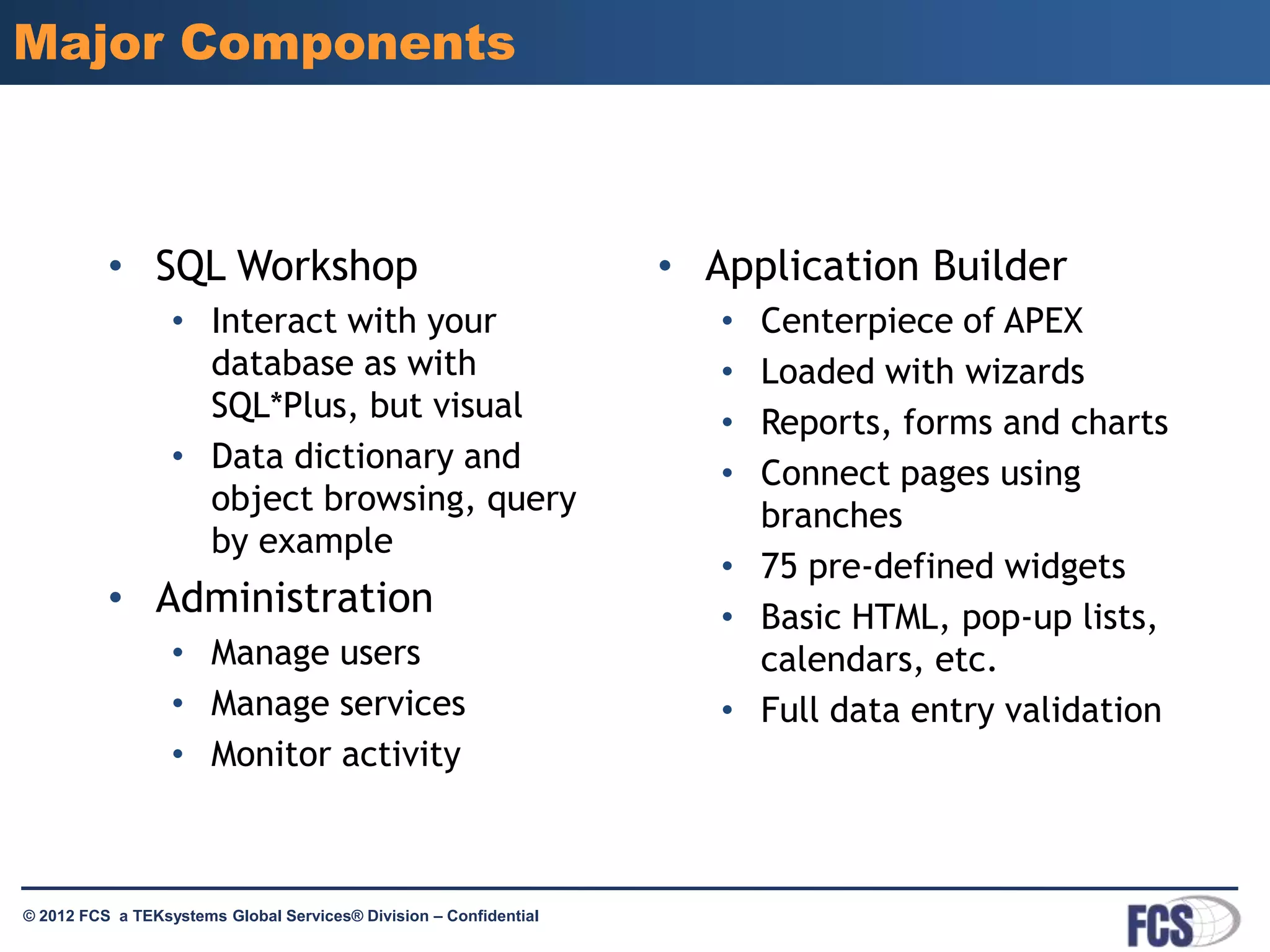
In modern banking, "Apex" primarily refers to Salesforce Apex—the strongly typed, server-side programming language used to build custom business logic, compliance automations, and core banking integrations on Salesforce Financial Services Cloud. It also encompasses Apex Fintech Solutions' clearing APIs and Oracle APEX low-code tools. Mastering Apex basics enables financial institutions to automate transactions securely, enforce strict governance, and maintain regulatory compliance across digital channels.
Disambiguating Apex in Banking Technology
Within financial technology and modern banking infrastructure, the term "Apex" appears across three distinct technological domains. Disambiguating these systems is essential for software architects, developers, and banking executives evaluating enterprise technology stacks.
- Salesforce Apex
- Object-oriented programming language on Salesforce Financial Services Cloud
- Handles transaction triggers, loan workflows, and compliance checks
- Apex Fintech Solutions (Apex Clearing)
- API-driven custodial, clearing, and digital brokerage infrastructure
- Powers embedded banking, ACH processing, and automated trade settlement
- Oracle APEX (Application Express)
- Low-code database application development framework
- Used for internal risk reporting, compliance dashboards, and SQL toolkits
1. Salesforce Apex
Salesforce Apex is an object-oriented, strongly typed programming language that executes on the Salesforce multitenant engine. In retail, commercial, and private banking, Salesforce Financial Services Cloud (FSC) acts as the primary system of engagement. Apex allows developers to execute custom transaction flow logic, enforce complex financial validation rules, trigger automated credit checks, and integrate CRM data directly with legacy core banking mainframes.
2. Apex Fintech Solutions (formerly Apex Clearing)
Apex Fintech Solutions is a third-party custody, clearing, and financial technology infrastructure provider. Known for powering modern digital brokerages, neo-banks, and wealth management platforms, Apex Fintech Solutions offers direct application programming interfaces (APIs) for money movement, Automated Clearing House (ACH) transfers, margin processing, and digital asset custody. When banking architects discuss integrating with an "Apex engine" for clearing or brokerage capabilities, they are typically referring to this platform.
3. Oracle APEX (Application Express)
Oracle APEX is a low-code development environment native to the Oracle Database. In legacy banking operations, internal IT departments use Oracle APEX to rapidly construct administrative tools, audit log viewsheets, operational dashboards, and regulatory compliance reports directly on top of relational database tables without building complex custom web front-ends.
While all three play meaningful roles in financial services, the most common developer and architectural requirement—termed "Apex basics in banking"—relates to Salesforce Apex programming for financial logic, alongside API integration patterns with clearing engines like Apex Fintech Solutions. This guide explores these foundational technologies, their architectural rules, security boundaries, and real-world execution.
Core Fundamentals of Salesforce Apex in Banking Systems
Salesforce Apex forms the procedural backbone of custom financial applications built on the Salesforce platform. Unlike standard frontend programming languages, Apex runs entirely on the server side, operating under strict multitenant constraints to ensure platform stability across thousands of financial institutions.
Data Types and Financial Precision
Handling monetary values requires absolute mathematical precision. A fundamental mistake in financial software development is using standard binary floating-point data types (such as Double or Float) for currency calculations, which introduce rounding errors due to IEEE 754 representations.
In Apex, financial values must always be defined using the Decimal data type. The Decimal class preserves exact base-10 fractional representation, avoiding fractional penny discrepancies during interest accrual, loan amortization, or wire fee calculations.
Key primitive and complex data types in banking Apex development include:
Decimal: Used for all currency amounts, interest rates, debt-to-income (DTI) percentages, and asset valuations.Id: Represents any valid 15-character or 18-character Salesforce record identifier (e.g., Financial Account ID, Contact ID).SObject: Generic or specific Salesforce objects representing financial entities, such asFinancial_Account__c,Opportunity, orAccount.List,Set, andMap: Collections used to group financial records in memory for batch processing and relational lookups.
Understanding Governor Limits in Financial Systems
Because Salesforce operates a multitenant cloud architecture, every piece of Apex code is bound by Governor Limits. These hard limits prevent single processes from monopolizing platform CPU power, memory, or database bandwidth.
When processing thousands of daily bank account transactions, loan applications, or balance updates, Apex code must be fully bulkified. Bulkification ensures that code processes records in collections rather than individually inside loops.
Primary Governor Limits to govern in banking Apex applications include:
- SOQL Queries: Maximum 100 Salesforce Object Query Language (SOQL) queries per synchronous transaction.
- DML Statements: Maximum 150 Data Manipulation Language (DML) operations (such as
insert,update,delete) per transaction. - Total Heap Size: 6 Megabytes for synchronous execution; 12 Megabytes for asynchronous processing.
- CPU Time Limit: 10,000 milliseconds for synchronous executions.
Failing to write bulkified Apex logic causes transactions to throw uncatchable runtime exceptions (System.LimitException), which immediately rolls back the database transaction and leaves financial operations incomplete.
Synchronous vs. Asynchronous Apex Execution
Banking operations fall into two main execution patterns: real-time customer interactions and background processing. Apex manages these through synchronous and asynchronous modes:
- Synchronous Execution: Executes immediately when triggered by a user action, such as clicking a button to calculate a real-time loan estimate or validating customer identity input on a form.
- Asynchronous Execution: Runs in the background when immediate feedback is not required or when processing large batches of data. Asynchronous Apex includes:
- Batch Apex: Used for large-scale nightly processing, such as scanning millions of financial accounts to calculate monthly interest or generate statements.
- Queueable Apex: Used for complex sequential asynchronous processes, such as calling an external credit bureau API and sequentially updating multiple database tables upon receipt of the payload.
- Future Methods (
@future): Used for quick background outbound REST/SOAP callouts to core banking software without blocking the main user interface. - Scheduled Apex: Used to run specific financial maintenance tasks at set time intervals (e.g., every midnight).
Enterprise Banking Use Cases for Apex
Modern banks utilize Apex to bridge high-level customer relationship management with complex, legacy back-office core engines.
- Salesforce FSC Front Office
- Apex Execution Engine
- Triggers: Automated Loan Underwriting & Validation
- Asynchronous Classes: Nightly Batch Account Reconciliation
- Integration Services: Outbound HTTP Callouts
- External Core Banking Engine (FIS / Fiserv / Jack Henry)
- Compliance & AML Screening Services (OFAC / PEP)
- Apex Fintech Solutions / Brokerage APIs
Automated Loan Origination and Credit Underwriting
During loan origination, Apex triggers automatically execute business rules when an application reaches specific status milestones. For instance, when an applicant submits a mortgage application, an Apex trigger calculates the Debt-to-Income (DTI) and Loan-to-Value (LTV) ratios:
- If the DTI exceeds 43%, the code automatically updates the application status to "Manual Review Required" and generates an urgent task for an underwriting officer.
- If the application meets preliminary parameters, the Apex code initiates an asynchronous HTTP callout to fetch a credit score from major credit reporting bureaus.
KYC and Anti-Money Laundering (AML) Compliance Workflows
Financial institutions are legally required under statutes enforced by authorities like the Financial Crimes Enforcement Network (FinCEN) to screen customers against sanction lists (such as the Office of Foreign Assets Control, or OFAC lists).
Apex code is used to construct automated AML checks. When a new bank account owner is created, Apex triggers evaluate customer biographical data against external screening APIs. If a potential match is returned, the Apex logic updates the account record, restricts outbound transfer capabilities, and generates an internal Suspicious Activity Report (SAR) task within Salesforce Financial Services Cloud.
Core Banking System Integration via HTTP Callouts
Salesforce rarely serves as the ledger of record for monetary deposits; legacy core engines like FIS, Fiserv, Jack Henry, or modern cloud platforms like Mambu and Thought Machine hold the actual cash ledgers.
Apex utilizes HTTP RESTful web services and SOAP interfaces to execute real-time callouts to these core systems. For instance, when a retail banker initiates a fund transfer within Salesforce FSC, an Apex class:
- Constructs a secure JSON payload containing sender, receiver, and exact transaction amounts.
- Applies OAuth 2.0 or Mutual TLS (mTLS) authentication headers.
- Sends an outbound HTTP POST request to the core banking endpoint.
- Parses the returning JSON response code.
- Updates local record statuses within Salesforce depending on transaction success or failure.
Security, Governance, and Transaction Management
Financial software operates under strict regulatory scrutiny. Developers writing Apex for banking must implement robust security controls to prevent data leaks, unauthorized access, and incomplete financial entries.
Object-Level and Field-Level Security Enforcement
Apex generally runs in system context, meaning it executes with full permissions and bypasses field-level security (FLS) and sharing rules unless explicitly configured otherwise. Allowing system-context code to expose bank account numbers or Social Security Numbers (SSNs) introduces severe security compliance risks.
To preserve strict security governance, banking developers enforce security settings using modern Apex directives:
WITH USER_MODE: Enforces the current user's object-level permissions, field-level security, and sharing rules during SOQL queries or DML operations. If a teller lacks permission to view a customer's net worth field, a query runningWITH USER_MODEautomatically strips that data.Security.stripInaccessible(): Sanitizes incoming or outgoing record collections by stripping fields that the active user does not have permission to read or modify.with sharingKeywords: Explicitly declared on Apex class headers to ensure that data access respects organizational sharing rules and role hierarchies.
Financial Transaction Rollbacks and Atomic Consistency
In banking applications, data integrity demands atomicity: an entire transaction must either complete successfully or fail completely. Partial commits are unacceptable in financial accounting.
Apex provides database transaction control through Savepoints and the Database.rollback() method. Consider a banking workflow where an internal transfer debits Account A and credits Account B:
A developer creates a savepoint using
Savepoint sp = Database.setSavepoint();.The code attempts to execute the debit DML operation on Account A.
The code attempts to execute the credit DML operation on Account B.
If the credit to Account B fails due to a system lock or rule exception, the catch block catches the error and immediately calls
Database.rollback(sp);.This action restores the database state to the exact moment before Account A was debited, preserving account balance integrity.
Begin Transaction
Create Database Savepoint (sp)
Step 1: Debit Account A
- Success: Step 2: Credit Account B
- Success: Commit Transaction
- Exception: Database.rollback(sp) (Restores Original Balances)
- Success: Step 2: Credit Account B
Regulatory Compliance and Immutable Audit Logs
Regulatory frameworks such as Sarbanes-Oxley (SOX), GDPR, and guidelines from the Consumer Financial Protection Bureau (CFPB) require banking systems to maintain clear audit trails of every administrative and financial action. Apex developers build immutable logging utilities that automatically write record change events to dedicated audit objects or stream change events to external SIEM tools (such as Splunk) via Salesforce Real-Time Event Monitoring.
Apex Fintech Solutions and Oracle APEX in Financial Infrastructure
Understanding how Salesforce Apex interacts with external platforms like Apex Fintech Solutions and internal environments like Oracle APEX completes the broader picture of modern banking technology stacks.
Apex Fintech Solutions: Digital Clearing & Custody Integration
Apex Fintech Solutions serves as an execution engine for modern digital investment accounts and embedded banking applications. When a fintech bank offers integrated investment services or digital wallets, developers connect their core middleware (or Salesforce Apex layer) to Apex Fintech Solutions APIs.
Common integration capabilities offered by Apex Fintech Solutions include:
- Account Opening APIs: Automated creation of individual, joint, and retirement investment accounts with real-time identity verification.
- Money Movement Services: Programmatic processing of ACH transfers, wire transfers, and internal book-transfers between bank accounts and investment portfolios.
- Trade Execution Services: Instant execution and settlement of fractional share equity purchases and fixed-income assets.
Salesforce Apex acts as the caller in this architecture, invoking Apex Fintech Solutions REST APIs to fetch balances, retrieve monthly brokerage statements, and show consolidated wealth management summaries to relationship managers within a single dashboard.
Oracle APEX: Internal Risk and Operational Dashboards
While customer-facing teams utilize Salesforce, internal risk assessment teams, quantitative analysts, and database administrators often rely on Oracle APEX running directly on top of Oracle Autonomous Databases.
Key applications of Oracle APEX in enterprise banks include:
- Capital Adequacy & Basel III Reporting: Creating internal reporting interfaces where risk officers query millions of historical loan records to calculate capital reserves.
- Audit Management Tools: Rapidly deploying low-code administrative utilities that allow internal audit teams to review flagged transactions without granting direct database SQL terminal access.
- Legacy Data Archiving: Building read-only historical viewing portals for accounts migrated off legacy core systems during bank mergers and acquisitions.
Comparison Table: Apex Technologies in Banking
The following table compares the primary implementations of "Apex" found within banking IT environments:
| Feature / Criteria | Salesforce Apex | Apex Fintech Solutions (Apex Clearing) | Oracle APEX |
|---|---|---|---|
| Primary Category | Server-Side Programming Language | API-Driven Clearing & Custody Engine | Low-Code Database Web Framework |
| Core Operational Role | Custom CRM logic, loan triggers, financial workflows | Brokerage infrastructure, ACH, digital trade settlement | Internal reporting, risk dashboards, data views |
| Execution Environment | Salesforce Multitenant Cloud (Force.com Engine) | Distributed Cloud APIs / Backend Engine | Oracle Database Engine (On-Prem / Cloud) |
| Primary Data Interface | SOQL, SOSL, DML, Apex HTTP Callouts | REST APIs, Webhooks, FIX Protocol | SQL, PL/SQL, Database Views |
| Target Audience | Salesforce Developers, Financial Systems Architects | Fintech Engineers, Wealth Tech Developers | Database Administrators, Internal Risk Analysts |
| Security Mechanism | Role Hierarchy, WITH USER_MODE, Sharing Rules |
OAuth 2.0, API Keys, mTLS Encryption | Oracle DB Grants, Virtual Private Database (VPD) |
Best Practices for Banking Developers and Systems Architects
To build resilient, highly scalable banking applications using Apex, architectural patterns must prioritize testing, code isolation, continuous integration, and secure credential storage.
1. Robust Unit Testing with Financial Mock Factories
Salesforce mandates a minimum of 75% code coverage to deploy Apex into production environments. However, enterprise banking standards typically mandate 85% to 90% coverage, along with rigorous negative testing scenarios.
Because Apex unit tests run in isolation and cannot access real production database records (due to @isTest isolation), developers must build comprehensive Test Data Factories. These factories generate realistic mock accounts, financial holdings, and customer contact records programmatically.
Furthermore, when testing HTTP callouts to core engines or external credit bureaus, developers must write implementation classes using the HttpCalloutMock interface. This simulates JSON responses for balance verifications, transaction submissions, and compliance checks without executing real network requests during build deployments.
2. Eliminating Hardcoded Credentials with Named Credentials
Hardcoding access tokens, API keys, basic authentication credentials, or endpoint URLs inside Apex classes introduces serious security risks and violates financial industry compliance standards (e.g., PCI-DSS).
Apex integrations must utilize Named Credentials. Named Credentials specify the callout endpoint URL and manage authentication settings (such as OAuth tokens, Client Credentials grants, or Certificate-based authentication) completely outside the application code. This architecture prevents API keys from appearing in plain text in code repositories, while allowing system administrators to rotate certificates without modifying written code.
3. Implementing DevSecOps and Version-Controlled CI/CD Pipelines
Modern banking software development requires continuous integration and delivery (CI/CD) pipelines managed through tools like Git, Salesforce DX (SFDX), and automated static code analysis engines (such as PMD or SonarQube).
Key rules for banking CI/CD pipelines include:
- Static Code Analysis: Automated tools scan every Apex pull request for security vulnerabilities, such as missing
WITH USER_MODEclauses, unescaped dynamic SOQL queries (preventing SOQL injection), and hardcoded IDs. - Scratch Org Testing: Developers execute feature development inside short-lived, isolated Salesforce scratch orgs to verify code behavior before merging into integration branches.
- Immutable Releases: Production code deployments are executed strictly via automated deployment pipelines with mandatory audit logs mapping back to approved change-management tickets.
Frequently Asked Questions (FAQs)
What is the primary difference between Salesforce Apex and standard programming languages like Java or C#?
Salesforce Apex shares syntax similarities with Java and C#, but it runs exclusively inside the cloud-hosted Salesforce multitenant execution engine. Apex is tightly integrated with the underlying database via built-in SOQL queries and DML commands. Crucially, Apex is subject to strict multitenant Governor Limits that bound CPU time, memory usage, and database calls per transaction.
How does Apex handle floating-point precision for financial transactions?
Apex provides a dedicated Decimal primitive data type specifically designed for financial and mathematical calculations. Unlike standard binary floating-point types (Double or Float), Decimal preserves exact base-10 representations and supports explicit scale setting via methods like setScale(). This prevents fractional rounding errors during currency calculations.
Why is asynchronous Apex necessary in core banking applications?
Asynchronous Apex (Batch Apex, Queueable Apex, @future methods) allows long-running processes—such as batch statement generation, nightly balance reconciliations, or external API checks—to run in the background without blocking the user interface. Asynchronous processing also raises Governor Limits (e.g., doubling total heap size from 6MB to 12MB), allowing applications to handle larger datasets smoothly.
What is the difference between Salesforce Apex and Apex Fintech Solutions?
Salesforce Apex is a programming language used to build custom business logic, workflows, and integrations on the Salesforce platform. Apex Fintech Solutions (formerly Apex Clearing) is an independent financial technology company providing clearing, custody, and brokerage APIs for digital banking and investment apps. Developers often write Salesforce Apex code to communicate with Apex Fintech Solutions' APIs.
How do developers prevent SOQL injection in Apex banking code?
SOQL injection occurs when untrusted user input is concatenated directly into a dynamic SOQL string, allowing malicious input to alter query logic. To prevent this, developers should use static SOQL with bind variables (e.g., SELECT Id FROM Account WHERE Name = :userInput), or sanitize dynamic strings using String.escapeSingleQuotes() before query execution.
Implementation Roadmap and Recommendations
To succeed when developing or upgrading Apex-based architecture within a financial institution, technical leaders should adopt a structured implementation methodology:
Phase 1: Security & Governance Baseline
- Establish Named Credentials for external banking endpoints
- Mandate WITH USER_MODE and strict class sharing rules
Phase 2: Core Architecture & Data Modeling
- Define custom objects (or Financial Services Cloud standard models)
- Implement strict Decimal usage across all financial logic
Phase 3: Integration & Bulkification
- Build bulkified trigger frameworks handling 200+ record batches
- Implement HttpCalloutMock suites for legacy core APIs
Phase 4: DevSecOps & Audit Readiness
- Enforce automated static code analysis (PMD/SonarQube) in CI/CD pipelines
- Deploy immutable transaction logging for regulatory compliance
Standardize on Built-in Security Directives: Enforce strict code policies requiring
with sharingclass definitions andWITH USER_MODEquery execution across all Apex classes to guarantee compliance with organizational permissions and customer data privacy laws.Architect for Scalability: Ensure all Apex triggers rely on modular design patterns (such as a single-trigger-per-object framework) and process data in bulk collections to prevent runtime Governor Limit exceptions during peak transaction volumes.
Implement Robust Error Management: Build standardized exception logging frameworks that utilize
Savepointcontrols to roll back failed transactions automatically, keeping customer financial records and core banking ledgers fully synchronized.
Disclaimer: This article is provided for informational and educational purposes regarding software architecture and financial technology. It does not constitute formal legal, financial, or regulatory compliance advice. Financial institutions must consult qualified software architects, legal counsel, and compliance officers to ensure adherence to relevant jurisdictional laws, including guidelines from FINRA, CFPB, OCC, and GDPR.