Choosing the best Wi-Fi company for your home requires balancing connection speeds, infrastructure types, data caps, and local availability to find an internet service provider that reliably meets your household’s daily digital demands.
Selecting the right internet service provider (ISP) for a home network can feel overwhelming due to the vast array of technical jargon, promotional pricing tiers, and regional monopolies. When evaluating what constitutes a "five-star choice," you must look past marketing slogans and examine the underlying technology delivering the signal to your house. Whether you work remotely from home, stream 4K video across multiple devices, or compete in online multiplayer gaming, your home Wi-Fi experience depends entirely on the stability, bandwidth, and latency of your underlying internet connection paired with capable networking hardware.
Navigating this landscape successfully involves understanding the differences between fiber-optic, cable, 5G home wireless, and digital subscriber line (DSL) infrastructures. By assessing your specific household bandwidth needs, scrutinizing contract terms, and examining performance metrics, you can secure an internet service provider that delivers a top-tier connection without overpaying for unnecessary speeds.
Understanding Home Internet Infrastructure Types
The foundation of any exceptional home Wi-Fi network is the physical medium used to transport data from the provider's network to your residence. Not all internet connections are created equal, and the technology type dictates your maximum potential speed, reliability during peak usage hours, and symmetry between download and upload rates.
Fiber-Optic Internet
Fiber-optic technology utilizes glass or plastic threads to transmit data as pulses of light. This infrastructure represents the gold standard for home connectivity. Unlike older copper cables that suffer from signal degradation over long distances or interference from electrical grids, fiber lines maintain signal integrity over miles.
- Symmetrical Speeds: Fiber typically offers equal download and upload speeds. This is crucial for video conferencing, large cloud backups, and live streaming.
- Low Latency: The speed of light transmission results in minimal ping times, which eliminates lag in competitive gaming and real-time applications.
- Bandwidth Capacity: Fiber networks handle multiple heavy users simultaneously without slowing down during peak evening hours.
Cable Internet
Cable internet relies on coaxial cables—the same infrastructure traditionally used to deliver cable television. While widely available across suburban and urban landscapes, cable operates on a shared neighborhood network. This means your download speeds remain robust, but upload speeds are frequently restricted. During peak hours when neighbors log on, you may experience temporary bandwidth congestion and latency spikes.
5G Home Internet and Fixed Wireless
Fixed wireless and cellular-based 5G home internet beam broadband signals from cell towers directly to a gateway receiver placed inside your home. This technology has expanded rapidly, offering an alternative in rural or underserved areas where wired infrastructure is absent. While setup involves minimal hassle—often requiring no technician visit—performance fluctuates based on your proximity to cell towers, physical obstructions like dense foliage or concrete walls, and network traffic on the cellular carrier's towers.
DSL and Satellite Internet
Digital Subscriber Line (DSL) uses legacy copper telephone lines. It is widely accessible but severely limited in speed, particularly if your home is located far from the provider's central switching office. Satellite internet, meanwhile, orbits high above the Earth or utilizes low-earth-orbit (LEO) constellations. While modern LEO satellite systems have drastically improved latency and throughput compared to legacy geostationary options, they remain susceptible to severe weather disruptions and higher equipment costs.
Evaluating Household Bandwidth Requirements
Before committing to a five-star provider, you must calculate your household's actual bandwidth consumption. Internet providers often market gigabit speeds (1,000 Mbps or higher), but the average family rarely utilizes that much capacity for standard web browsing and streaming.
| Connection Tier | Recommended Speed | Ideal Household Profile |
|---|---|---|
| Basic / Light | 50 to 100 Mbps | 1-2 users, email, web browsing, HD streaming on a single screen. |
| Moderate / Standard | 100 to 300 Mbps | 3-4 users, multiple HD/4K streams, remote work, online gaming. |
| High-Performance | 300 to 900 Mbps | Large families, heavy smart-home ecosystems, frequent large downloads. |
| Gigabit+ | 1,000+ Mbps (1 Gbps) | Content creators, multi-user remote offices, data-intensive tasks. |
When assessing your needs, consider the number of connected devices running concurrently. Smart thermostats, security cameras, smart speakers, and automated lighting systems constantly draw small amounts of background bandwidth. When combined with high-definition video streaming platforms and remote work software, these continuous background tasks add up quickly.
Furthermore, distinguish between download speeds—how fast data travels from the internet to your device—and upload speeds—how fast your device transmits data outward. Remote workers uploading large files to corporate servers or content creators publishing video files require robust upload speeds that only fiber-optic infrastructure consistently provides.
Critical Factors in Selecting Your ISP
Identifying the best Wi-Fi company requires looking beyond advertised headline rates and analyzing the structural costs, customer service records, and hardware policies of competing providers.
Pricing Structure and Promotional Rates
Many internet service providers entice customers with deeply discounted introductory rates that expire after 12 or 24 months. When reviewing a provider, always ask for the standard rate that applies after the promotional window closes. Additionally, check for hidden fees, such as mandatory router rental charges, local broadcast fees, or early termination penalties if you need to switch providers before your contract period ends.
Data Caps and Overage Fees
Certain cable and fixed wireless providers enforce strict monthly data caps, typically ranging from 1 to 1.2 terabytes. Exceeding this limit results in automatic overage charges or throttled connection speeds for the remainder of the billing cycle. If your household streams hours of 4K content daily or downloads massive video game files regularly, prioritize providers offering unlimited data plans natively.
Hardware Quality and Wi-Fi Standards
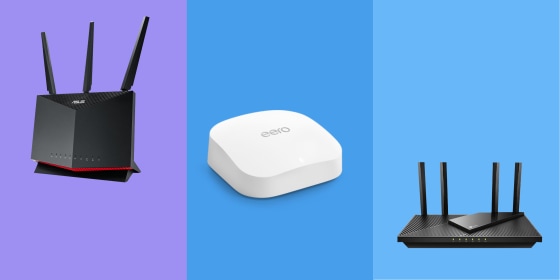
Your internet service provider supplies a gateway device—a combination modem and router—that broadcasts your home Wi-Fi network. Five-star providers issue modern hardware compatible with advanced wireless standards such as Wi-Fi 6 or Wi-Fi 6E, ensuring efficient signal distribution across multiple connected devices. Alternatively, verify whether the provider allows you to use your own third-party mesh router system to eliminate dead zones in larger residences.
Customer Support and Reliability Ratings
Independent organizations and consumer advocacy groups regularly publish customer satisfaction surveys assessing ISP reliability, call-center wait times, and technician responsiveness. A provider with exceptional infrastructure offers little value if their customer support network is unreachable during an outage. Prioritize companies with a proven track record of uptime stability and transparent outage communication tools.
Common Mistakes When Choosing a Home Wi-Fi Provider
Navigating the broadband market introduces several pitfalls that can lead to subpar performance or unnecessary expenses. Avoiding these common errors protects your investment.
- Choosing Speed Based Solely on Marketing: Purchasing a gigabit plan when your devices and usage habits only require 200 Mbps results in wasted monthly expenditure. Match your tier to your verified requirements.
- Ignoring Wi-Fi Router Placement: Even the best internet service provider cannot compensate for poor physical router placement. Hiding a gateway inside a metal utility box or behind a television severely degrades wireless range.
- Overlooking Contract Fine Print: Failing to read the terms regarding equipment rental fees or automatic price hikes can lead to unpleasant billing surprises after the first year of service.
- Confusing Internet Speed with Wi-Fi Coverage: A slow or dropping connection is frequently caused by outdated wireless hardware or physical interference rather than a fault in the provider's incoming network line.
Troubleshooting and Optimizing Your Home Network
Once you have selected and installed your new home internet service, optimizing your local network ensures you experience the full value of your investment.
Begin by placing your router in a central, elevated location within your home, away from thick concrete walls, large metal appliances, and electronic devices that emit electromagnetic interference like microwaves or baby monitors. If you live in a multi-story home or a sprawling ranch-style house, consider investing in a whole-home mesh Wi-Fi system. Mesh systems use primary routers coupled with satellite nodes to blanket your entire property in a seamless, strong wireless signal without the speed drop-offs associated with traditional wireless range extenders.
If you experience sudden drops in connection speed, perform a wired speed test by plugging a computer directly into your provider's gateway using an Ethernet cable. If the wired speed matches your subscribed plan, the issue lies within your home's wireless environment or router configuration rather than the provider's external network. Restarting your gateway equipment clears temporary memory caches and forces the device to select the least congested wireless channels available in your neighborhood.
Frequently Asked Questions
Is fiber-optic internet always better than cable?
In terms of raw technical metrics, yes. Fiber-optic internet provides symmetrical upload and download speeds, significantly lower latency, and immunity to electrical interference. However, cable internet remains a highly reliable and capable alternative if fiber is not yet deployed in your specific neighborhood.
How much internet speed do I actually need for working from home?
For standard remote work involving video calls, document editing, and web research, a download speed of 100 to 200 Mbps with an upload speed of at least 20 Mbps is more than sufficient. If multiple household members work remotely or handle large multimedia files simultaneously, upgrading to a 300 to 500 Mbps plan prevents bandwidth bottlenecks.
Can I use my own router instead of renting one from my ISP?
Most internet service providers allow you to use your own router, and many permit you to use your own compatible modem, depending on the connection technology. Buying your own equipment eliminates monthly rental fees and often provides superior range, security features, and control over your home network compared to standard ISP-issued hardware.
What causes my Wi-Fi signal to drop in certain rooms?
Wi-Fi signals degrade as they travel through physical barriers like brick, concrete, stone, and thick drywall. Distance from the router and interference from neighboring wireless networks on the same channel also weaken coverage. Using a mesh Wi-Fi system or repositioning your router centrally resolves most dead zones.
Do data caps affect everyday web browsing?
Standard web browsing, checking email, and listening to music consume minimal data and rarely push households near monthly caps. However, continuous 4K video streaming, cloud backups, and downloading multi-gigabyte video games can consume hundreds of gigabytes rapidly, making unlimited data plans essential for heavy media consumers.
Securing Your Digital Connection
Finding the ideal internet service provider for your household comes down to matching your geographic availability, budget, and daily usage demands with the right technological infrastructure. Prioritize fiber-optic connections where available, verify the long-term pricing structure past any promotional periods, and evaluate your true bandwidth needs before signing an agreement. By selecting a reputable provider and optimizing your local hardware setup, you ensure a fast, stable, and frustration-free digital experience for everyone in your home.