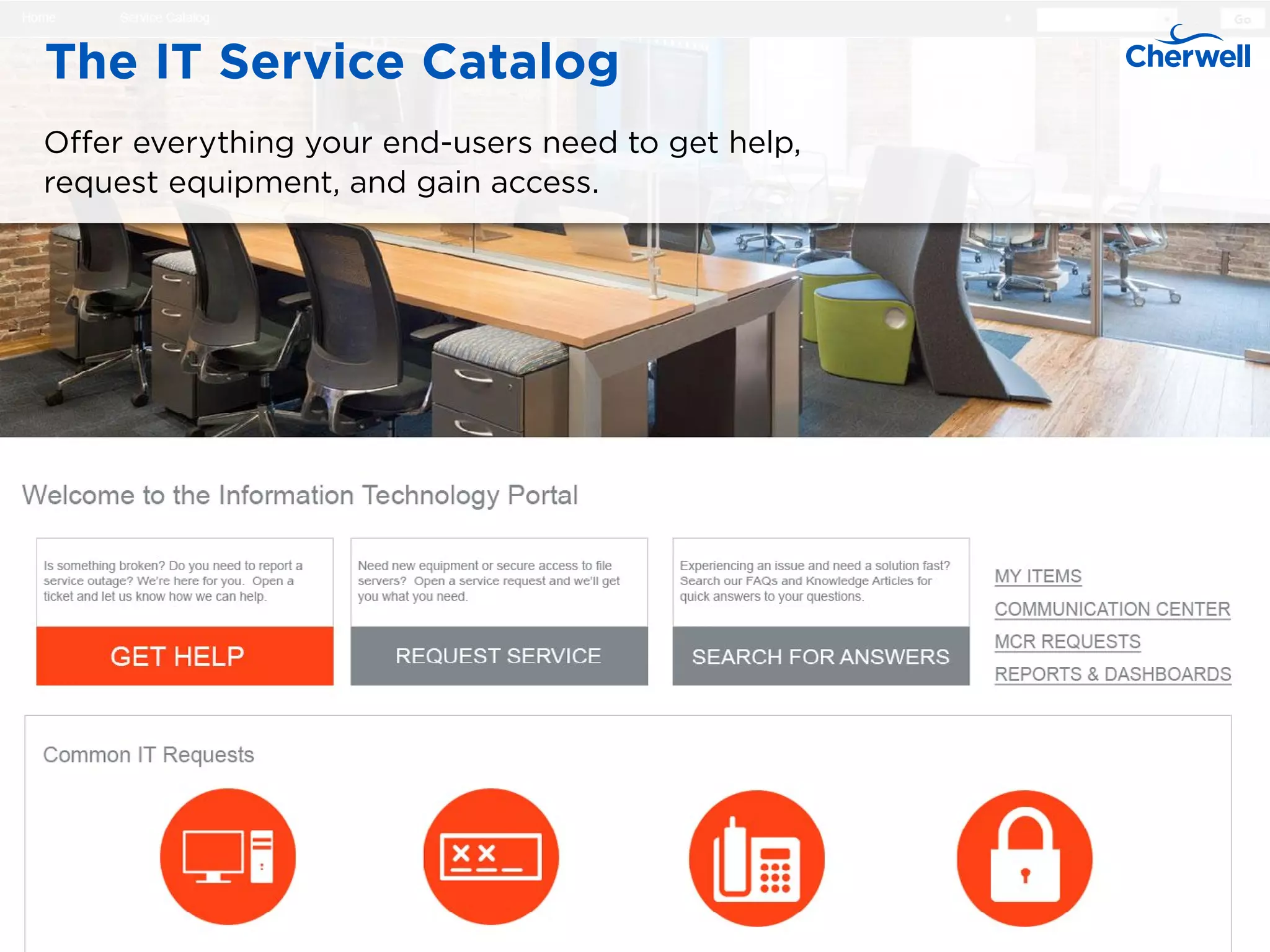
An IT service catalog is a centralized, structured repository that provides detailed information about active IT services available to an organization's users. It acts as both a communication tool and a request portal, bridging the gap between IT delivery capabilities and the specific business needs of employees, customers, and partners.
Understanding the Structure of an IT Service Catalog
To understand what a functional IT service catalog looks like in 2026, one must view it as more than a simple list of software. A mature catalog is a sophisticated component of the Service Provider’s Service Portfolio, specifically the "active" portion that users can interact with. It serves as the shop window for the IT department, providing a user-friendly interface where services are categorized, described, and priced.
The structure of a modern catalog is generally hierarchical. It begins with broad service categories (e.g., Communication, Workplace, Security) and drills down into specific service offerings. Each offering then contains one or more service requests. For example, the "Workplace" category might contain a "Mobile Device" service, which in turn offers requests for "New iPhone Setup," "Data Plan Upgrade," or "Lost Device Reporting."
By providing this structure, organizations ensure that users do not have to guess who to contact or how to phrase their needs. Instead, they follow a predefined workflow that collects all necessary information upfront, reducing the "ping-pong" communication that often plagues manual ticketing systems. This structured approach is fundamental to Information Technology Infrastructure Library (ITIL 4) practices, particularly within the Service Request Management and Service Catalogue Management practices.
The Distinction Between Business and Technical Catalogs
A critical concept in any IT service catalog example is the "Two-View" model. Organizations rarely use a single, flat list for everyone. Instead, they bifurcate the catalog to serve different stakeholders.
The Business Service Catalog (User-Facing)
The Business Service Catalog is designed for the end-user. It uses non-technical language and focuses on the outcomes the user desires. For instance, instead of listing "Active Directory Object Creation," the business catalog lists "New Employee Account Setup." This view includes information relevant to the consumer, such as:
- Service Description: What the service does in plain English.
- Eligibility: Who is allowed to request the service.
- Service Level Agreements (SLAs): How long the request will take to fulfill.
- Cost: Any internal chargebacks or monthly subscription fees associated with the user’s department.
The Technical Service Catalog (Provider-Facing)
The Technical Service Catalog is the "under the hood" view used by IT staff and service owners. It maps the business services to the underlying infrastructure, software, and third-party support contracts required to deliver that service. If a user requests a "Virtual Desktop," the technical catalog identifies the specific hypervisors, storage arrays, network segments, and software licenses involved. This view is essential for impact analysis during changes and for troubleshooting incidents, as it links the user's experience directly to the technical components documented in the Configuration Management Database (CMDB).
Detailed Example: The "Digital Workplace" Service Category
To provide a concrete example, let’s examine a typical "Digital Workplace" category within a mid-to-large enterprise. This is often the most frequently accessed section of an IT service catalog.
Service Offering: Standard Hardware Provisioning
This service allows employees to request the physical tools they need to perform their jobs.
- Service Name: Employee Hardware Kit
- Description: Selection and delivery of company-approved laptops, monitors, and peripherals.
- Available Items:
- Standard Laptop (Windows/macOS)
- Performance Workstation (For Developers/Designers)
- Dual Monitor Setup
- Ergonomic Keyboard and Mouse
- Workflow: Upon submission, the request routes to the user’s department head for financial approval. Once approved, it triggers a task for the procurement team (if out of stock) or the desktop support team (for imaging and delivery).
- SLA: Fulfillment within 3-5 business days from the date of final approval.
- Price: $1,200 (One-time chargeback to the cost center).
Service Offering: Remote Access and Connectivity
In a hybrid work environment, this service is vital for maintaining security and productivity.
- Service Name: Virtual Private Network (VPN) Access
- Description: Secure remote access to internal corporate resources and file shares.
- Requirement: Users must have completed the "Security Awareness Training" module within the last 12 months.
- Fulfillment Type: Automated. Once the request is submitted, the system checks training records and adds the user to the appropriate Active Directory group. Access is usually active within 15 minutes.
- Support: 24/7 availability for the service, with a 4-hour resolution time for access issues.
Example: Cloud and Infrastructure Services
For more technical organizations, the service catalog also covers DevOps and infrastructure needs. These are often targeted at developers and systems administrators rather than general staff.
| Service Category | Service Offering | Targeted User | Primary Objective | Example Request |
|---|---|---|---|---|
| Cloud Hosting | Sandbox Environment | Developers | Rapid Prototyping | Provision AWS t3.medium instance |
| Identity Mgmt | Single Sign-On (SSO) | App Owners | Security & Access | Integrate new SaaS app with Okta |
| Data Services | Managed Database | Data Scientists | Analytical Processing | Deploy PostgreSQL 15 instance |
| Cybersecurity | Vulnerability Scan | Product Managers | Compliance | Schedule weekly OWAST scan |
Deep Dive: Managed Database Request
A "Managed Database" entry in the technical catalog would look very different from a hardware request. It would include technical specifications such as storage IOPS, redundancy levels (Multi-AZ), and backup retention policies. The workflow would likely integrate with "Infrastructure as Code" (IaC) tools like Terraform or Pulumi to automatically spin up the resource in the cloud provider of choice.
Essential Data Attributes for Every Service Entry
When building or auditing an IT service catalog, each entry must maintain a consistent set of attributes to be effective. Missing data leads to user confusion and increased support volume.
- Unique Identifier: A code (e.g., SRV-102) for tracking and reporting purposes.
- Service Owner: The individual or role responsible for the lifecycle and performance of the service.
- Service Hours: The specific times the service is available and supported (e.g., 8 AM – 6 PM local time or 24/7/365).
- Order Lead Time: The realistic duration from request to completion. This must be data-driven, based on historical performance.
- Prerequisites: Any conditions that must be met before the service can be ordered (e.g., specific job grade, completion of training, or manager approval).
- Support Escalation Path: Information on how to report a failure of the service, typically linking to an Incident Management form.
Designing for 2026: The User-Centric Service Portal
As we operate in 2026, the "catalog" has evolved from a static list into an AI-powered experience. The most effective examples of IT service catalogs today prioritize three key design elements:
1. Natural Language Processing (NLP) and Search
Users should not need to know that "printing" is located under "Shared Office Resources." A powerful search bar, powered by large language models, allows users to type "I can't print" and immediately suggests the "Troubleshoot Printer" incident form or the "Request New Toner" service request. This reduces the cognitive load on the employee and ensures they find the correct path on the first try.
2. Personalization and Role-Based Access Control (RBAC)
A sales representative should not see requests for "Server Rack Installation" or "Production Database Schema Changes." By utilizing RBAC, the catalog filters itself based on the user's profile, department, and location. This creates a decluttered experience and prevents unauthorized users from attempting to order high-cost or high-risk services.
3. Mobile-First Responsiveness
A modern service catalog must be fully functional on mobile devices. Whether a field technician needs to request a replacement part or a manager needs to approve a hardware purchase while traveling, the interface must adapt seamlessly. This includes support for biometric authentication and push notifications for status updates.
Common Implementation Mistakes to Avoid
Even with a clear example, many organizations struggle with the execution of their service catalog. Avoiding these pitfalls is essential for long-term adoption.
- Over-Complication: Trying to include every possible IT activity as a "service." If an activity doesn't have a defined output, a repeatable workflow, and an owner, it shouldn't be in the catalog yet. Start with the "Top 10" most requested items and expand from there.
- Technobabble: Using internal IT jargon in the business catalog. If a user has to call the help desk to ask what a service means, the catalog has failed. Use the language of the business (e.g., "Guest Wi-Fi Access" instead of "SSID Provisioning for Non-Domain Assets").
- Stale Information: A service catalog is a living document. If a service is retired but the entry remains, users will continue to order it, leading to frustration and manual work for IT. Regular "Catalog Reviews" should be part of the standard operating procedure.
- Lack of Automation: If every request in the catalog results in a manual email being sent to a technician's inbox, the catalog is just a fancy web form. The true value lies in backend integration—automatically creating AD accounts, triggering procurement orders, or deploying cloud resources.
The Role of the Service Catalog in Financial Management
One of the most overlooked aspects of an IT service catalog is its role in financial transparency. In 2026, IT is increasingly viewed as a value-driver rather than a cost center. A well-defined catalog allows the organization to implement:
- Showback: Informing departments of the costs they are incurring without actually transferring funds. This raises awareness of resource consumption.
- Chargeback: Directly billing departments for the services they consume. This is common for cloud resources, premium software licenses (like specialized CRM or CAD tools), and hardware.
- Benchmarking: Comparing the internal cost of a service (e.g., "Internal Mailbox Hosting") against market rates from external providers.
By attaching a price tag to catalog items, IT encourages responsible consumption. When a user sees that a "High-Performance Laptop" costs $500 more than the "Standard" model, they are more likely to evaluate whether they truly need the extra power.
Practical Steps to Build Your Catalog
If you are tasked with creating an IT service catalog based on these examples, follow this sequence:
- Identify High-Volume Requests: Look at your last six months of ticketing data. What are the top 20 things people ask for? These are your first catalog items.
- Define the Workflows: For each item, map out the path from "Submit" to "Close." Who approves it? Who builds it? Who delivers it?
- Select a Tool: Use a modern ITSM platform (e.g., ServiceNow, Jira Service Management, or Ivanti) that supports service catalog functionality and automated workflows.
- Draft User-Facing Content: Write descriptions that focus on benefits and outcomes. Have a non-IT person read them to check for clarity.
- Pilot and Iterate: Launch the catalog to a small department first. Gather feedback on the ease of use and the clarity of the instructions before a global rollout.
Summary Table: Business vs. Technical Service Attributes
| Attribute | Business View (End-User) | Technical View (IT Provider) |
|---|---|---|
| Language | Functional/Plain English | Technical/Jargon-Specific |
| Primary Goal | Requesting a needed outcome | Managing delivery and maintenance |
| Visibility | Public (within the org) | Private (internal IT only) |
| Cost Info | Price per unit/subscription | Operational cost/TCO |
| Dependencies | None shown | Linked to CI, Servers, Contracts |
| Metrics | Time to fulfill | Mean Time to Resolve (MTTR) |
Frequently Asked Questions
What is the difference between a service catalog and a service portfolio?
The service portfolio is the complete set of services managed by a service provider. It includes services in development (pipeline), active services (catalog), and retired services. The service catalog is only the visible, active portion that users can currently order or access.
Does a small business need an IT service catalog?
Yes, though it may be simpler. Even a small business benefits from a centralized list of how to get help, how to request new software, and what the expected turnaround times are. It prevents the owner or the "IT person" from being overwhelmed by disorganized requests through email or chat.
How often should the service catalog be updated?
Ideally, the catalog is reviewed quarterly. However, updates should happen whenever a new service is launched or an existing one is modified. In high-velocity environments, this is often handled through automated CI/CD pipelines that update the catalog as new infrastructure is deployed.
Can non-IT services be included in the catalog?
Absolutely. This is known as Enterprise Service Management (ESM). Many organizations now include HR services (e.g., "Request Leave of Absence"), Facilities (e.g., "Report a Broken Light"), and Legal (e.g., "Contract Review") in the same portal to provide a unified "Employee Experience."
Who is responsible for the IT service catalog?
The Service Catalog Manager is the primary owner of the process. However, individual "Service Owners" are responsible for the accuracy of the data within their specific service entries (e.g., the Network Manager owns the "VPN Access" entry).
Next Steps for Organizations
To move forward, organizations should conduct a "Service Discovery" workshop. Bring together IT leadership and business stakeholders to identify the services that provide the most value. Use the examples provided above as templates, but customize the SLAs and workflows to match your specific operational constraints. Remember that a service catalog is not a project with a finish line; it is a permanent capability that must evolve alongside the business.