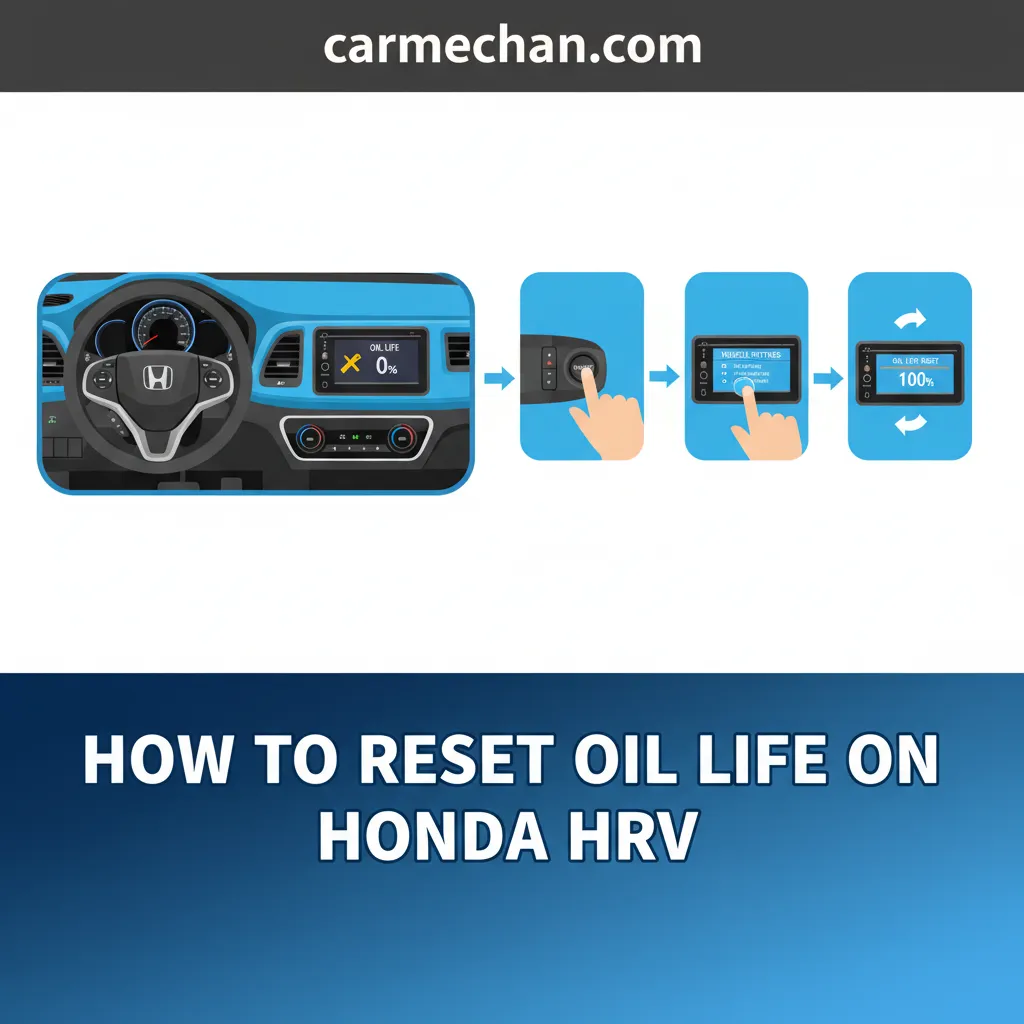
To reset the oil life light on a 2009 Honda CR-V, turn the ignition key to the ON position without starting the engine, repeatedly press the select/reset knob until the engine oil life percentage appears on the instrument cluster display, press and hold the knob for about 10 seconds until the display begins to flash, and then release the knob briefly and press and hold it again for another 5 seconds until the percentage resets to 100% and the service code disappears.
Understanding the Honda Maintenance Minder System
The 2009 Honda CR-V is equipped with an intelligent onboard diagnostic framework known as the Maintenance Minder system. Unlike older vehicles that relied strictly on fixed mileage intervals—such as changing oil every 3,000 miles—the 2009 CR-V monitors operating conditions like engine temperatures, cold starts, idling time, trip lengths, and overall engine revolutions. This data is synthesized into a dynamic oil life percentage calculation shown on the dashboard odometer display.
When your vehicle reaches 15% oil life remaining, the Maintenance Minder system triggers a visual alert. This alert typically appears as a wrench icon alongside a percentage countdown (e.g., 15%, 10%, 5%, or 0%) and specific maintenance sub-codes like "A" or "B" paired with numbers like "1", "2", or "3". These codes indicate specific services required alongside your routine oil change, such as tire rotations, air filter replacements, or brake inspections.
Many vehicle owners perform their own oil changes or visit independent service shops that forget to clear the dashboard computer. When this happens, the dashboard continues to display a persistent reminder, even though fresh oil and a new filter have been installed. Resetting the oil light manually restores the calculation cycle back to 100%, ensuring that your next oil change interval is accurately tracked.
Preparation and Safety Precautions Before Resetting
Before you attempt to reset the maintenance indicator on your 2009 Honda CR-V, it is important to confirm that the underlying service has actually been performed. Resetting the light without changing the oil and filter does not protect your engine from premature wear, sludge buildup, or thermal breakdown.
Ensure your vehicle is parked on a flat, level surface with the parking brake securely engaged. For safety reasons, you should complete the reset procedure either with the engine completely turned off (using only the accessory or ignition "ON" power mode) or while the vehicle is idling safely in park. Avoid attempting this procedure while driving, as navigating the multi-information display draws your attention away from the road.
Familiarize yourself with the primary dashboard interface component required for this task: the Select/Reset knob. Located directly on the instrument cluster glass or protruding through the gauge face, this plastic stem controls various odometer functions, trip meters, and maintenance reminders.
Step-by-Step Guide: How to Reset the 2009 Honda CR-V Oil Life Light
Executing the reset procedure requires a specific sequence of key turns and button presses. If you move too slowly or miss a step, the dashboard computer may fail to register the command, requiring you to start over from the beginning.
Step 1: Turn the Ignition to the ON Position
Insert your key into the ignition switch and turn it to position II (ON). Do not start the engine. All dashboard warning lights should illuminate, and your instrument cluster electronics will power up. If your vehicle features push-button start variants (though standard for the 2009 model is a traditional key cylinder), press the start button twice without putting your foot on the brake pedal.
Step 2: Navigate to the Oil Life Percentage Display
Repeatedly press and release the Select/Reset knob on the instrument cluster. Each press cycles through different readout options on the multi-information display, such as Odometer, Trip A, Trip B, and finally, Engine Oil Life percentage. Stop pressing when the current oil life percentage is clearly visible on the screen.
Step 3: Initiate the Reset Mode
Once the oil life percentage is displayed, press and hold the Select/Reset knob firmly. Keep holding the knob down continuously for approximately 10 seconds. During this window, you will notice the oil life display and the maintenance code start to blink or flash. This flashing state indicates that the system is ready to accept the reset command.
Step 4: Confirm and Complete the Reset
Release the Select/Reset knob briefly after it begins flashing, and then immediately press and hold it down again for another 5 seconds. The display will stop flashing, the oil life indicator will automatically return to 100%, and any associated maintenance sub-codes will disappear from the screen. Turn the ignition back off to complete the process.
| Phase | Action Required | Expected Dashboard Response |
|---|---|---|
| Power Mode | Turn key to Ignition ON (Position II) | Instrument cluster lights up; engine remains off |
| Navigation | Press Select/Reset knob repeatedly | Cycles through Odometer, Trip A/B, to Oil Life % |
| Activation | Press and hold knob for ~10 seconds | Oil life percentage and wrench icon begin flashing |
| Confirmation | Release knob briefly, hold for ~5 seconds | Display resets to 100% and codes clear |
Troubleshooting Common Reset Failures
If you complete the steps above and the oil life light refuses to reset, several common errors may be responsible. Understanding these pitfalls will save you time and frustration.
The most frequent issue is releasing the Select/Reset knob too early or holding it for too long during the initial phase. The computer requires a precise double-action: holding to enter the flashing mode, releasing briefly, and holding again to lock in the reset. If you do not let go when the display starts flashing, the system aborts the reset sequence as a safety precaution against accidental clearing.
Another potential hurdle involves confusing the dashboard display modes. Ensure you are viewing the actual engine oil life percentage screen rather than Trip A or Trip B mileage. While trip meters can be reset by holding the same knob, they utilize a simpler single-hold action that does not trigger the maintenance minder reset protocol.
If your battery is severely discharged or if there is an electrical fault within the instrument cluster circuitry, the computer may fail to retain programmed settings. In rare cases where persistent resetting fails despite correct execution, a diagnostic scan tool may be required to clear fault codes or update the body control module.
Frequently Asked Questions
Can I reset my 2009 Honda CR-V oil light without changing the oil?
Technically yes, the dashboard button sequence will clear the light regardless of your actual oil condition. However, doing so is strongly discouraged. The Maintenance Minder system is your primary reminder for vital engine maintenance. Resetting it without changing contaminated oil and a spent filter deprives your engine of proper lubrication protection.
Why does my oil light come back on immediately after resetting it?
If the oil light returns immediately or stays on after a reset, you likely did not complete the second hold phase of the button sequence. Return to the oil life screen, ensure the display is flashing before you release the knob, and complete the secondary 5-second hold until 100% appears. If the issue persists, verify that your battery connections are stable and that no active engine diagnostic trouble codes are overriding the display.
What do the maintenance codes like "A1" or "B2" mean on my 2009 CR-V?
The main letter ("A" or "B") indicates the primary service scope, where "A" generally means replace engine oil, and "B" means replace engine oil and filter, inspect front and rear brakes, check parking brake adjustments, and examine various suspension and steering components. The accompanying numbers (1 through 5) denote supplementary tasks such as tire rotations, air cleaner element replacements, spark plug changes, or coolant flushes.
Does the 2009 Honda CR-V require synthetic oil?
The factory specification for the 2009 Honda CR-V typically calls for 5W-20 conventional motor oil, though many modern owners choose high-quality synthetic blends or full synthetic oils of the same viscosity for enhanced thermal stability and extended engine protection. Always verify the oil viscosity rating stamped on your oil filler cap before performing a service.
Final Recommendations and Maintenance Tracking
Successfully clearing your oil life light ensures your vehicle stays on an organized maintenance schedule, but relying solely on the dashboard computer is not enough. Always keep physical or digital records of your service dates, mileage milestones, and receipts for oil and filters. Maintaining a comprehensive service history protects your engine's longevity and preserves vehicle resale value when you decide to sell or trade in your 2009 Honda CR-V.