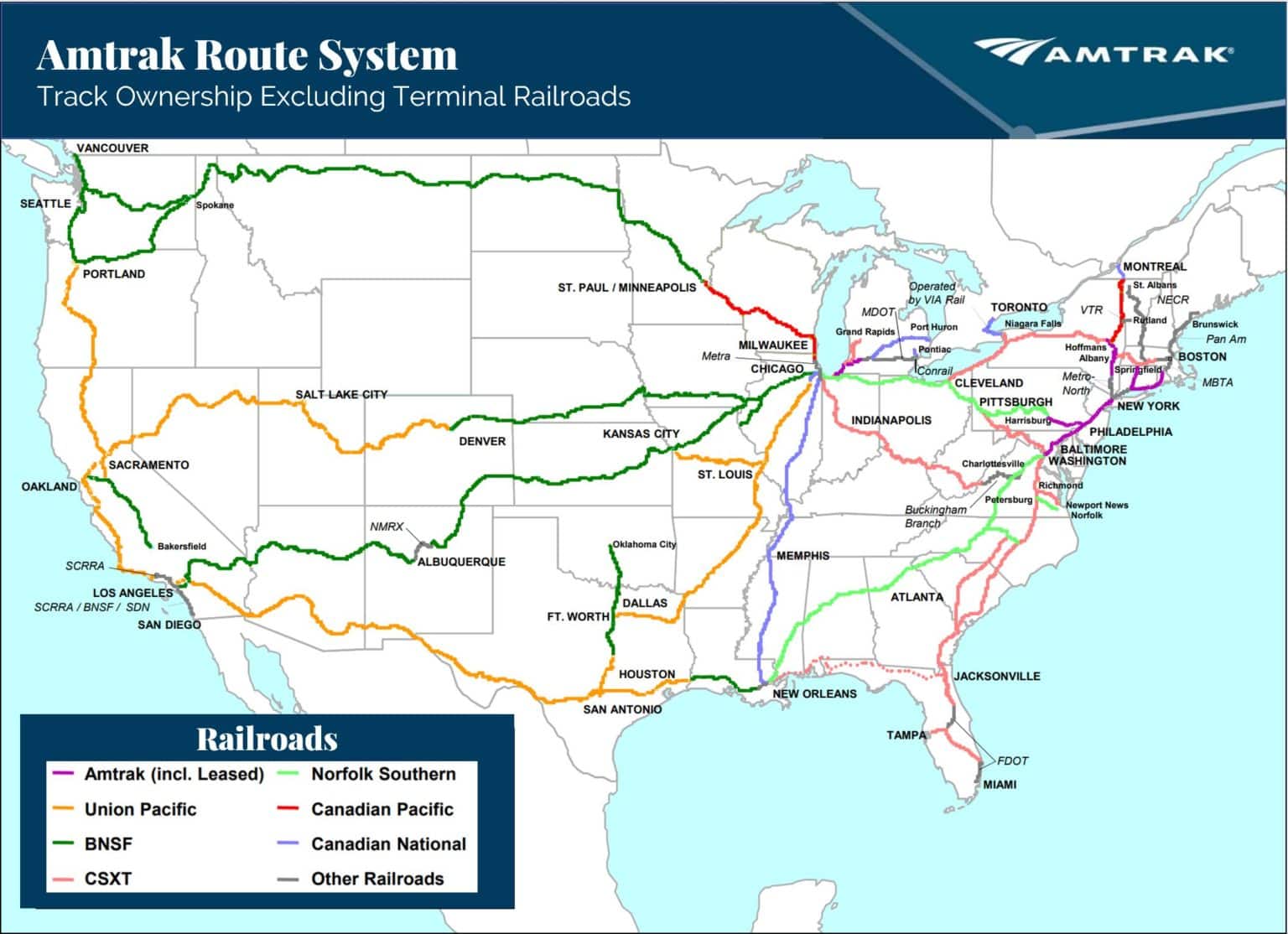
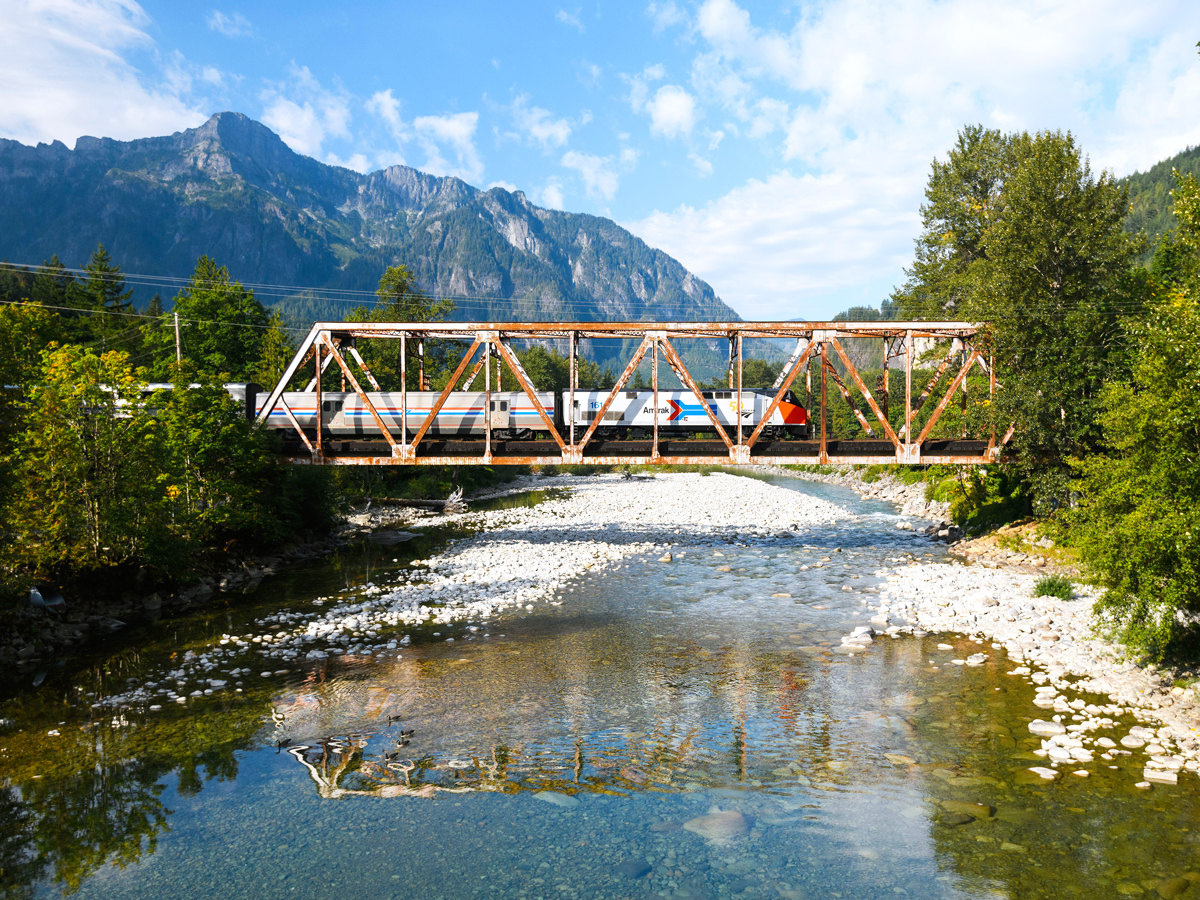
Amtrak provides complimentary Wi-Fi, known as Amtrak Connect, on the vast majority of its routes, including the Northeast Corridor and most state-supported lines. While coverage is extensive, bandwidth is limited to basic tasks like email and web browsing, and certain long-distance routes through remote areas may still experience intermittent service or lack connectivity entirely.
The State of Amtrak Wi-Fi Connectivity
As of 2026, the expectation for constant connectivity has transformed from a luxury into a fundamental requirement for travelers. Amtrak has responded by integrating Wi-Fi across the bulk of its fleet. However, understanding the "how" and "where" of this service is essential for any passenger planning to work or stay entertained during their journey. Unlike the high-speed satellite internet found on modern aircraft, Amtrak’s system relies primarily on a terrestrial cellular-based network. This distinction is critical because it dictates the speed, reliability, and limitations of the service.
The service, branded as Amtrak Connect, functions by aggregating signals from multiple cellular carriers along the tracks. This multi-carrier approach is designed to provide the most stable connection possible as the train moves through different coverage zones. Despite these efforts, the linear nature of rail travel means that trains often pass through "dead zones"—remote areas, deep valleys, or tunnels—where cellular towers are sparse or non-existent. Consequently, while the train "has Wi-Fi," the actual internet access is only as good as the cellular signal outside the window.
Routes with Confirmed Wi-Fi Access
Amtrak has prioritized Wi-Fi installation on its most heavily trafficked corridors. The Northeast Corridor (NEC), stretching from Boston to Washington, D.C., features the most robust infrastructure. Because this route passes through densely populated urban centers, the cellular density is high, resulting in the most reliable Amtrak Connect experience available.
Beyond the NEC, many state-supported routes—short-to-medium distance trips funded in part by state governments—also offer full Wi-Fi coverage. These routes are often utilized by commuters and business travelers who require internet access for productivity.
Northeast and Mid-Atlantic Routes
On these routes, Wi-Fi is standard in both Coach and Business class:
- Acela: High-speed service with dedicated bandwidth management.
- Northeast Regional: The workhorse of the East Coast.
- Keystone Service: Connecting Philadelphia and Harrisburg.
- Empire Service: Serving the New York City to Albany and Buffalo corridor.
- Downeaster: Linking Boston to the coast of Maine.
Midwest and Western State-Supported Routes
The expansion of Wi-Fi into the Midwest has been a significant focus over the last decade:
- Lincoln Service: Chicago to St. Louis.
- Pacific Surfliner: San Diego to San Luis Obispo.
- Cascades: Vancouver, BC to Eugene, Oregon.
- Capitol Corridor: San Jose to Auburn.
- Hiawatha: Chicago to Milwaukee.
Long-Distance Routes: The Remaining Challenge
The "most routes" claim by Amtrak excludes several iconic long-distance journeys. Routes like the Empire Builder (Chicago to Seattle/Portland) and the California Zephyr (Chicago to Emeryville) traverse vast stretches of the American West, including the Rocky Mountains and the High Plains. In these regions, cellular infrastructure is often insufficient to support a train-wide Wi-Fi network. While Amtrak continues to explore satellite-based backhaul solutions, travelers on these specific routes should anticipate significant gaps in connectivity or no Wi-Fi service at all for the majority of the trip.
Technical Specifications and Bandwidth Limitations
Amtrak Connect is a shared public network. This means the total bandwidth available to the train is divided among all passengers currently connected. To ensure that as many people as possible can perform basic tasks, Amtrak employs a strict Network Usage Policy.
Bandwidth Management and Throttling
The system is optimized for low-bandwidth activities. This includes:
- Email and Messaging: Text-based communication is generally seamless.
- Web Browsing: Loading standard web pages works well, though image-heavy sites may load slower.
- Social Media: Text and small images load, but auto-play videos are typically blocked or heavily throttled.
To preserve the experience for everyone, Amtrak’s system automatically restricts high-bandwidth activities. Streaming video services (such as Netflix, YouTube, or Hulu) and large file downloads (such as software updates or high-resolution cloud backups) are generally prohibited. If a user attempts to stream, they may find the site blocked or the connection speed reduced to a crawl. Furthermore, video conferencing via platforms like Zoom or Microsoft Teams is often unstable due to the latency inherent in cellular-based handoffs between towers.
Technical Comparison of Amtrak Wi-Fi Services
| Feature | Northeast Corridor (Acela/Regional) | State-Supported Routes | Long-Distance Routes |
|---|---|---|---|
| Availability | Available on 100% of trains | Available on 95%+ of trains | Limited or No Connectivity |
| Primary Technology | Multi-carrier 5G/LTE | Multi-carrier 4G/5G | Cellular/Spotty Satellite |
| Typical Latency | 40ms - 100ms | 60ms - 150ms | 200ms+ (when available) |
| Streaming Support | No (Usually Blocked) | No (Usually Blocked) | No |
| Cost | Complimentary | Complimentary | N/A |
| Best For | Email, Slack, Browsing | Basic Work, Texting | Offline Content |
How to Connect to Amtrak Connect
Connecting to the on-board Wi-Fi is a straightforward process, though it does require a "handshake" with Amtrak’s captive portal.
- Search for Networks: Open the Wi-Fi settings on your device (smartphone, tablet, or laptop).
- Select Amtrak_Connect: This is the standard SSID for almost all Amtrak trains.
- Wait for the Portal: A browser window should automatically open. If it does not, open your preferred browser and attempt to navigate to any website (e.g., amtrak.com).
- Accept Terms: You will be presented with a landing page detailing the terms of use. You must click "Accept" or "Connect" to gain internet access.
- Confirmation: Once connected, the landing page will often refresh to show a "Welcome Aboard" screen, sometimes including real-time trip tracking and ETA information.
Security and Privacy on Amtrak Wi-Fi
Because Amtrak Connect is an unencrypted public network, security is a primary concern for travelers, particularly those handling sensitive business data. Public Wi-Fi networks are vulnerable to "man-in-the-middle" attacks, where an attacker could theoretically intercept data transmitted between your device and the router.
Recommended Security Measures
- Use a VPN: A Virtual Private Network (VPN) is the most effective way to secure your data. It creates an encrypted tunnel for your internet traffic, preventing others on the network from seeing your activity.
- Enable HTTPS: Ensure that you are only visiting websites that use HTTPS (look for the padlock icon in the browser address bar). Most modern browsers enforce this by default.
- Disable File Sharing: Before connecting, ensure that "File and Printer Sharing" is turned off in your laptop's network settings to prevent unauthorized access to your local files.
- Two-Factor Authentication (2FA): Always use 2FA for sensitive accounts (banking, email, corporate logins) to provide an extra layer of security if your credentials were to be compromised.
Why Amtrak Wi-Fi Can Be Unreliable
Even on routes with "confirmed" Wi-Fi, passengers may experience dropped connections or extreme slowness. There are several technical reasons for this:
- Cellular Dead Zones: As mentioned, the system relies on local towers. In rural areas, there may be miles of track with no tower in range.
- Network Congestion: If a train is at full capacity and 400 passengers all attempt to refresh their feeds at the same time, the local bandwidth will be overwhelmed.
- Tunnel Interference: Concrete and steel tunnels effectively act as Faraday cages, blocking external cellular signals from reaching the train's antennas.
- Hardware Issues: Occasionally, the individual router or antenna on a specific railcar may malfunction. If you have no signal in one car, sometimes moving to a different car (like the Café Car) can solve the problem, as it may be served by a different access point.
Alternatives to Amtrak Wi-Fi
For travelers who require a more stable or higher-bandwidth connection than Amtrak Connect can provide, there are a few alternatives:
- Personal Hotspots: Using your smartphone as a hotspot allows you to use your personal data plan. Since you aren't sharing this bandwidth with other passengers, it is often faster. However, it still relies on the same trackside cellular towers and will fail in the same dead zones as the train's Wi-Fi.
- Offline Work: The most reliable strategy for rail travel is to prepare for "offline" periods. Download necessary documents, sync your email for offline viewing, and save entertainment (movies, music, podcasts) directly to your device before boarding.
- 5G External Routers: Frequent business travelers sometimes use dedicated portable 5G routers with external antennas to maximize signal gain in low-coverage areas.
Frequently Asked Questions
Is Amtrak Wi-Fi free for all passengers?
Yes, Amtrak Connect is free for all passengers, regardless of whether you are traveling in Coach, Business, or First Class. There are no tiered pricing plans or "premium" speed options currently offered by Amtrak; the service level is uniform across the train.
Can I use Zoom or Teams on Amtrak trains?
While you can technically connect to these services, the experience is often poor. The frequent "handoffs" between cellular towers as the train moves at high speeds cause jitter and latency spikes, which often lead to dropped calls or frozen video. It is recommended to use these services for audio-only or chat if necessary, rather than video conferencing.
Why is my favorite streaming site blocked?
Amtrak blocks high-bandwidth sites like Netflix and YouTube to prevent a small number of users from consuming all the available bandwidth. This policy is in place to ensure that every passenger has enough speed to perform basic tasks like checking work emails or reading the news. To watch movies, you should download them to your device using your home internet before you depart for the station.
Does the Wi-Fi work in the tunnels?
Generally, no. Most rail tunnels do not have cellular repeaters installed. You should expect a total loss of internet connectivity when passing through significant tunnels, such as those entering New York Penn Station or the tunnels beneath Baltimore.
Which long-distance trains do not have Wi-Fi?
Currently, routes like the Empire Builder, California Zephyr, Southwest Chief, and Sunset Limited have significant portions of their journey where Wi-Fi is either unavailable or extremely limited due to the remote nature of the geography. Amtrak is working on fleet-wide upgrades, but these "western" routes remain the most difficult to cover.
How do I know if my specific train has Wi-Fi?
You can verify Wi-Fi availability by checking your specific route on the Amtrak official website or looking for the Wi-Fi icon during the booking process. Most modern equipment displays a Wi-Fi symbol near the boarding doors or on the overhead luggage racks.
Practical Recommendations for Travelers
To make the most of your journey on Amtrak in 2026, follow these practical steps:
- Download Before You Go: Never rely on train Wi-Fi for entertainment. Download your movies, Spotify playlists, and large work files before leaving your home or office.
- Bring a Power Bank: While most Amtrak seats have power outlets, they can occasionally be loose or non-functional on older equipment. A backup battery ensures your devices stay charged for the duration of the trip.
- Use a VPN for Work: If you plan to log into corporate systems, ensure your VPN is configured and tested before boarding.
- Manage Expectations: View Amtrak Wi-Fi as a tool for staying connected with the world through text and email, rather than a replacement for a high-speed home or office connection.
By understanding the cellular-dependent nature of Amtrak Connect, you can plan your productivity and entertainment accordingly, ensuring a stress-free and productive journey across the American rail network.