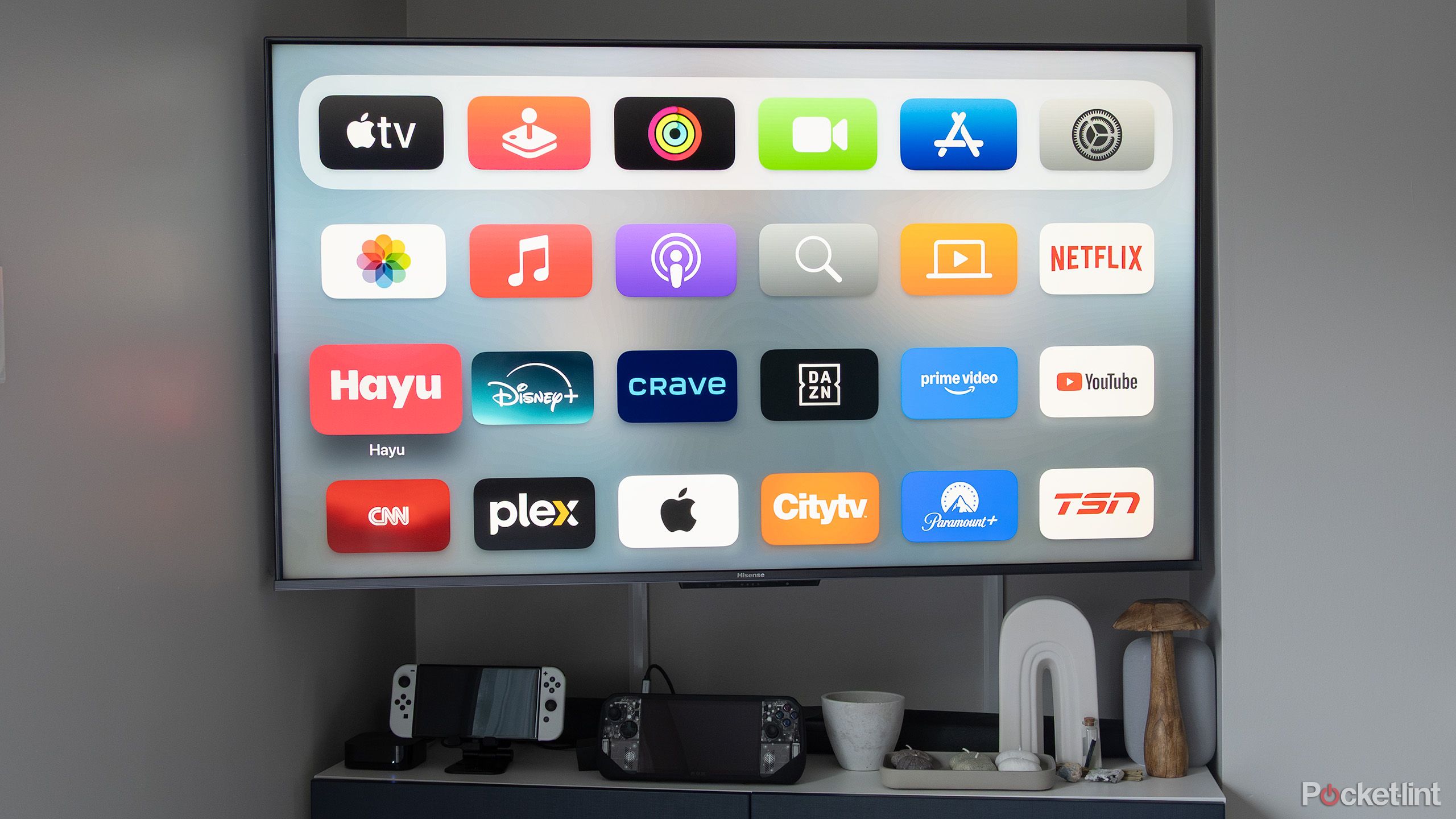
The Apple TV hardware functions perfectly without a Netflix subscription, acting as a versatile hub for dozens of other streaming services, live television apps, and local media servers. While Netflix is a popular addition, the device’s core value lies in its high-performance processor, tvOS ecosystem, and deep integration with the broader Apple service suite.
The "Apple TV" brand often causes confusion because it refers to three distinct things: the physical set-top box (Apple TV 4K), the software application (Apple TV app), and the premium subscription service (Apple TV+). If you are looking at the market in 2026 and wondering if the hardware is worth purchasing without a Netflix account, the answer is a resounding yes. The landscape of digital entertainment has shifted significantly, and the reliance on a single "anchor" subscription like Netflix has diminished in favor of a more fragmented, yet integrated, viewing experience.
Understanding the Distinction: Hardware vs. Content
To navigate the market effectively, one must first distinguish between the hardware you buy and the services you pay for monthly. The Apple TV 4K is a powerful computing device designed for your living room. It does not require any specific third-party subscription to boot up or function.
When you purchase an Apple TV in 2026, you are paying for the A-series silicon (which ensures a lag-free interface), the Siri Remote, and the tvOS operating system. Netflix is simply one of thousands of applications available in the App Store. Just as a Mac does not require Microsoft Word to be a functional computer, an Apple TV does not require Netflix to be a functional media player.
The primary search intent for many users stems from a fear that the device is a "Netflix box" or that its features are gated behind a Netflix paywall. This is not the case. In fact, Apple’s own ecosystem—including Fitness+, Apple Music, and Apple Arcade—provides a massive amount of utility that has nothing to do with traditional movie streaming services.
The State of the Apple TV Ecosystem in 2026
By 2026, the Apple TV 4K has matured into more than just a video player; it is the center of the HomeKit and Matter smart home ecosystems. Users who opt out of Netflix often find that the device serves as a superior hub for security cameras, lighting controls, and domestic automation.
The current generation of hardware supports advanced video standards like Dolby Vision, HDR10+, and high-frame-rate HDR, which are utilized by many services other than Netflix. Furthermore, the integration of Thread networking and Wi-Fi 6E/7 standards in the 2026-era models makes the Apple TV a critical piece of networking infrastructure in the home.
The Role of tvOS
The operating system, tvOS, has evolved to prioritize "Universal Search" and the "Up Next" queue. These features aggregate content from Disney+, Max, Hulu, Amazon Prime Video, and Apple’s own Apple TV+ service into a single unified interface. Netflix has historically been one of the few holdouts that does not fully integrate its data with Apple’s "Up Next" system, meaning that users who don't use Netflix actually experience a more seamless and integrated interface than those who do.
Top Alternatives to Netflix on Apple TV
If you are choosing to move away from Netflix due to price increases or password-sharing restrictions, the Apple TV platform offers several robust alternatives. Each of these services leverages the Apple TV’s hardware to provide high-bitrate streaming that often exceeds the visual quality found on built-in smart TV apps.
- Apple TV+: Apple’s own subscription service focuses on high-budget original content. In 2026, the library has grown to include massive franchises and live sports (such as MLS and potentially other major leagues). It is designed to showcase the hardware's capabilities, often streaming at some of the highest bitrates in the industry.
- Disney+ and Hulu: These services offer a vast library ranging from family-friendly content to prestige adult dramas. Their apps on tvOS are frequently updated and support the latest Apple hardware features, including SharePlay.
- Max (formerly HBO Max): Known for premium cinema and high-end television, Max remains a staple for users seeking high-quality 4K content that justifies the cost of the Apple TV hardware.
- YouTube and YouTube TV: For many, YouTube TV is the primary reason to own an Apple TV, providing a high-end interface for live cable replacement that is far more responsive on Apple’s hardware than on cheaper sticks or smart TV software.
Technical Advantages of Apple TV Hardware Beyond Subscriptions
The decision to buy an Apple TV without Netflix is often supported by the technical specifications that make the device superior for other tasks.
High-Fidelity Audio and Video
The Apple TV 4K remains one of the few devices that consistently supports Spatial Audio with Dolby Atmos for users with AirPods or HomePods. This feature works across a variety of apps, including Apple Music and various movie rental platforms. Even without a Netflix subscription, users can rent or buy the latest blockbuster films via the Apple TV app (formerly iTunes), which provides the highest quality 4K HDR transfers available outside of physical media.
Gaming with Apple Arcade
In 2026, the Apple TV is a legitimate entry-level gaming console. With the A-series chips, it can run complex titles found on Apple Arcade. By connecting a PlayStation DualSense or Xbox Wireless Controller via Bluetooth, the Apple TV provides a gaming experience that is significantly better than any "smart TV" game, all without needing a video streaming subscription.
Local Media and Home Servers: Life Without the Cloud
For technical enthusiasts, the Apple TV is often purchased specifically to be used without any mainstream streaming services. Instead, it is used as a "front-end" for local media libraries.
Apps like Plex, Infuse, and VLC allow users to stream their own high-definition movie backups directly from a Network Attached Storage (NAS) or a computer. Infuse, in particular, is highly regarded in the Apple community for its ability to play almost any file format (including high-bitrate 4K Blu-ray rips) with a beautiful interface that rivals Netflix's own UI. This use case allows for a "private Netflix" experience where the user owns the content and pays no monthly fees.
Comparison: Streaming Services on Apple TV (2026 Status)
| Service | Apple TV App Integration | Max Resolution | Best For |
|---|---|---|---|
| Apple TV+ | Full (Native) | 4K Dolby Vision | High-quality originals & Sports |
| Disney+ | Full | 4K Dolby Vision | Franchises (Marvel, Star Wars) |
| Max | Full | 4K HDR10 | Prestige TV & Warner Bros films |
| Amazon Prime | Partial | 4K HDR10+ | Diverse catalog & shopping perks |
| YouTube | None | 4K (Standard) | User-generated content & News |
| Plex/Infuse | Partial | 4K (Up to 100Mbps) | Local media & Personal libraries |
Troubleshooting: Why is Netflix Missing from Your Apple TV?
If you are looking for Netflix on your Apple TV and cannot find it, it is rarely a hardware limitation. Instead, it is usually a software or regional configuration issue.
- App Store Availability: In some regions, Netflix may not be available in the local App Store. Ensure your Apple ID is set to a supported country.
- tvOS Restrictions: Check the "Screen Time" settings on your Apple TV. It is possible that content restrictions are preventing the installation or visibility of certain apps.
- App Search: Use the Siri button on your remote and say "Search for Netflix." If the app is installed, it will open; if not, it will take you directly to the download page in the App Store.
- System Updates: Ensure your device is running the latest version of tvOS. Older models (like the 2nd and 3rd generation Apple TV from the early 2010s) may no longer support the latest Netflix app updates.
Free Content Options on Apple TV
You do not need to pay a monthly fee to enjoy the Apple TV. The shift toward FAST (Free Ad-supported Streaming TV) channels has exploded by 2026. Apps such as Pluto TV, Tubi, and The Roku Channel are available for free on the tvOS App Store. These services offer thousands of hours of movies and live-linear TV channels supported by commercials, making the Apple TV a "free" entertainment hub once the initial hardware cost is covered.
Additionally, news organizations like ABC News, CBS News, and Bloomberg provide 24/7 live streams on Apple TV at no cost. For sports fans, some apps provide free highlights and select live games without requiring a full cable or Netflix-style subscription.
Cost-Benefit Analysis: The Hardware Investment
As of 2026, the Apple TV 4K is priced as a premium device, usually retailing between $129 and $149 depending on storage capacity (64GB vs 128GB). While this is more expensive than a $30 streaming stick, the lack of advertising on the home screen (unlike Fire TV or Roku) and the longevity of the device (often lasting 5-7 years) provide significant value.
Buying an Apple TV without planning to subscribe to Netflix is a financially sound decision if you value:
- Privacy: Apple’s data collection policies are generally stricter than those of smart TV manufacturers.
- Performance: No "stuttering" or lag when navigating menus.
- Ecosystem Synergy: Using your iPhone as a remote, typing passwords on your Apple Watch, and listening via AirPods.
Frequently Asked Questions
Can I use Apple TV if I don't have an iPhone?
Yes. While having an iPhone makes the initial setup easier (by transferring Wi-Fi and Apple ID settings automatically), you can set up an Apple TV using the included Siri Remote and a standard Apple ID. You will, however, miss out on features like color calibration via the iPhone camera.
Does the Apple TV come with any free subscriptions?
Typically, new Apple TV hardware purchases in 2026 include a limited-time trial of Apple TV+ (usually 3 months) and occasionally trials for Apple Arcade or Apple Music. These offers are subject to change but provide an immediate way to use the device without an existing subscription.
Is Netflix pre-installed on Apple TV?
No. Apple does not pre-install third-party apps like Netflix or Disney+. You must go to the App Store and download them manually using your Apple ID. This keeps the device "clean" and free of bloatware from the factory.
Can I watch Netflix on Apple TV via AirPlay without the app?
Yes. If you have a Netflix subscription but do not want to install the app on your Apple TV, you can use AirPlay from an iPhone, iPad, or Mac to beam the video to your television. However, this is generally less stable and offers lower resolution than using the native tvOS app.
Which Apple TV model should I buy in 2026?
If you have an Ethernet connection available near your TV, always opt for the Wi-Fi + Ethernet model. Not only does it provide a more stable connection for high-bitrate streaming, but it also usually includes more storage and the Thread networking support required for the latest smart home devices.
Final Recommendation
If you are considering an Apple TV but do not want or have Netflix, there is no reason to hesitate. The device is a neutral platform that excels at delivering content from any source you choose. For the best experience in 2026, focus on using the "Apple TV App" as your central hub to integrate services like Max, Disney+, and your local library via Infuse. This creates a curated, high-performance viewing environment that far surpasses the "all-in-one" experience of Netflix.