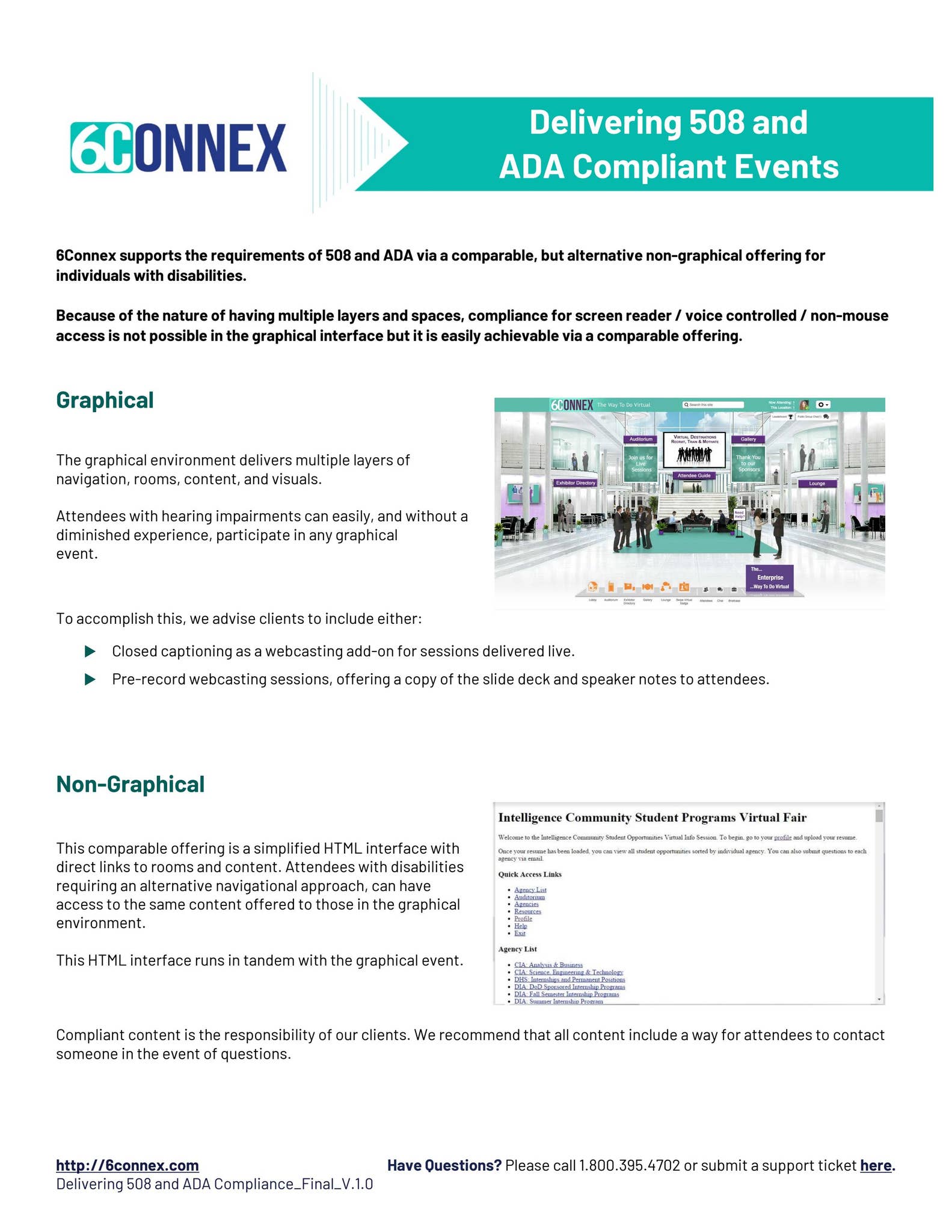
ADA compliance and Section 508 refer to distinct legal frameworks requiring digital accessibility. Section 508 mandates that federal agencies and their contractors provide accessible electronic and information technology. In contrast, the Americans with Disabilities Act (ADA) requires private businesses and state/local governments to ensure their digital services are accessible to individuals with disabilities, typically following WCAG standards.
While often used interchangeably in casual conversation, ADA compliance and Section 508 represent different legal jurisdictions, enforcement mechanisms, and technical requirements. As we navigate the digital landscape of 2026, the convergence of these standards around the Web Content Accessibility Guidelines (WCAG) has simplified technical implementation but increased the legal stakes for organizations that fail to maintain inclusive digital environments.
The Legal Foundation: Distinguishing ADA and Section 508
To understand digital accessibility, one must first distinguish between the two primary pillars of United States accessibility law. Although their goals are aligned—ensuring equal access for people with disabilities—their applications differ significantly based on the nature of the entity in question.
Section 508 of the Rehabilitation Act
Section 508 is a federal law that applies specifically to federal departments and agencies. It was enacted to eliminate barriers in information technology, to make new opportunities available for people with disabilities, and to encourage the development of technologies that will help achieve these goals.
Under Section 508, federal agencies must ensure that the Electronic and Information Technology (EIT) they develop, procure, maintain, or use is accessible. This includes not just websites, but also internal software, hardware (such as printers and kiosks), and digital documents (PDFs, Word files). If an organization is a federal contractor or receives certain federal grants, they are often contractually obligated to meet Section 508 standards.
The Americans with Disabilities Act (ADA)
The ADA is a broader civil rights law that prohibits discrimination against individuals with disabilities in all areas of public life. In the context of digital accessibility, two "titles" of the ADA are most relevant:
- Title II: Applies to state and local government entities.
- Title III: Applies to "public accommodations," which includes private businesses that are open to the public, such as retail stores, banks, hotels, and increasingly, all commercial websites.
As of 2026, the Department of Justice (DOJ) has solidified rules under Title II that explicitly require state and local governments to follow specific technical standards (WCAG 2.1 Level AA) for their web content and mobile apps. While Title III does not have a codified technical standard in the same way, federal courts and the DOJ consistently point to WCAG as the benchmark for "effective communication" and "full and equal enjoyment" of digital services.
Technical Standards in 2026: The Role of WCAG
In 2026, the Web Content Accessibility Guidelines (WCAG) remain the international gold standard for digital accessibility. The legal requirements for both Section 508 and the ADA heavily reference these guidelines.
The Evolution to WCAG 2.2
While the Revised Section 508 standards originally incorporated WCAG 2.0 Level AA, most modern compliance audits now target WCAG 2.2 Level AA. This version includes additional success criteria designed to improve accessibility for users with cognitive or learning disabilities, users with low vision, and users with disabilities on mobile devices.
The guidelines are organized under four main principles, often referred to by the acronym POUR:
- Perceivable: Information and user interface components must be presentable to users in ways they can perceive. This involves providing text alternatives for non-text content (like images) and ensuring high color contrast.
- Operable: User interface components and navigation must be operable. This means the site must be navigable via keyboard (without a mouse), provide enough time for users to read and use content, and avoid design elements that could cause seizures.
- Understandable: Information and the operation of the user interface must be understandable. Text must be readable, and web pages must appear and operate in predictable ways.
- Robust: Content must be robust enough that it can be interpreted reliably by a wide variety of user agents, including assistive technologies like screen readers.
Comparative Overview: ADA vs. Section 508
The following table summarizes the key differences between these two compliance frameworks to help organizations determine which rules apply to them.
| Feature | Section 508 | ADA (Title II & III) |
|---|---|---|
| Applicable Entities | Federal agencies, federal contractors, and federally funded programs. | State/local gov (Title II) and private businesses (Title III). |
| Primary Goal | Accessibility in federal procurement and internal operations. | Equal access to public services and commercial spaces. |
| Technical Standard | WCAG 2.0 Level AA (formally), often 2.1/2.2 in practice. | WCAG 2.1/2.2 Level AA (DOJ preferred benchmark). |
| Scope of Technology | Software, hardware, websites, docs, kiosks, and telecom. | Websites, mobile apps, and digital communication. |
| Enforcement | Office of the Solicitor, GSA, and administrative complaints. | Department of Justice (DOJ) and private civil litigation. |
| Documentation | Requires VPAT / ACR (Accessibility Conformance Report). | No specific federal form; requires proof of "effective communication." |
Compliance Requirements for Section 508
For those operating within the federal sphere, Section 508 compliance is a matter of procurement law. If you are selling a software-as-a-service (SaaS) product to a federal agency in 2026, you must demonstrate compliance through a Voluntary Product Accessibility Template (VPAT).
The VPAT and ACR Process
A VPAT is a template used to document a product's conformance with relevant accessibility standards. Once completed by the vendor or a third-party auditor, it becomes an Accessibility Conformance Report (ACR).
- Accuracy is Critical: Providing an inaccurate ACR can lead to breach of contract or legal action under the False Claims Act.
- Level of Detail: A high-quality ACR doesn't just say "Supports"; it provides specific explanations of how the product supports each WCAG success criterion.
- Maintenance: ACRs must be updated whenever the product undergoes a significant version change.
Internal Federal Operations
Federal agencies themselves must also ensure their internal-facing tools (such as HR portals, payroll systems, and training videos) are accessible to employees with disabilities. This is a core component of the Rehabilitation Act’s intent to ensure the federal government is an inclusive employer.
Compliance Requirements for the ADA
For the majority of the private sector, ADA compliance is the primary concern. In 2026, the legal environment regarding "digital-only" businesses has matured. While some early court cases debated whether a website must have a "nexus" to a physical location, the prevailing legal consensus is that websites and mobile apps are places of public accommodation or services that must be accessible regardless of a physical storefront.
The 2024 DOJ Title II Rule
A major development leading into 2026 was the Department of Justice’s formal ruling on Title II. This rule mandates that all state and local government web content and mobile apps meet WCAG 2.1 Level AA. This includes:
- Public school district websites.
- County voting information.
- Municipal utility payment portals.
- Public library digital catalogs.
Title III and Private Business
While the DOJ has not yet issued a mirrored formal regulation for all private businesses under Title III, the Title II rule has set a powerful precedent. Courts now frequently cite the Title II requirements as evidence of what constitutes "reasonable" accessibility for Title III entities. For a private business, being "ADA compliant" effectively means ensuring that a person with a visual, auditory, motor, or cognitive disability can use the website as effectively as a person without a disability.
The Risk of Non-Compliance
The consequences of failing to meet ADA or Section 508 standards are more than just reputational. They are financial and operational.
Legal Litigation
The number of digital accessibility lawsuits has remained high through 2025 and into 2026. Plaintiff law firms utilize automated scanners to find common errors—such as missing alt text or poor color contrast—and issue demand letters or file lawsuits. Settlements can range from thousands to tens of thousands of dollars, often exceeding the cost of the original accessibility remediation.
Loss of Revenue and Reputation
Beyond legal fees, inaccessible sites exclude a massive market segment. People with disabilities and their families represent billions in spending power. If a customer cannot navigate your checkout process with a screen reader, they will take their business to a competitor who has prioritized inclusion.
Federal Contract Eligibility
For Section 508, the risk is the loss of business. Federal procurement officers are increasingly trained to reject bids that do not include a valid ACR or that show poor performance in accessibility testing. Non-compliance can result in being barred from future federal contracts.
Implementation Strategy: How to Achieve Compliance
Achieving and maintaining "ada compliance 508" status requires a multi-faceted approach. It is not a one-time "fix" but an ongoing commitment to inclusive design.
1. Conduct a Hybrid Audit
Automated tools are excellent for catching roughly 30% to 40% of accessibility issues (like missing tags). However, they cannot determine if a site is truly "operable." A hybrid audit includes:
- Automated Scanning: For continuous monitoring of high-volume pages.
- Manual Testing: Expert testers using keyboard-only navigation.
- Assistive Technology Testing: Testing the site with screen readers (NVDA, JAWS, VoiceOver) and screen magnifiers.
2. Remediation and Prioritization
Once issues are identified, prioritize them based on their "blocker" status. A minor color contrast issue on a footer link is less critical than a checkout button that cannot be clicked by a keyboard user. Focus on the core user journey first.
3. Establish an Accessibility Policy
Publish an accessibility statement on your website. This page should outline your commitment to accessibility, the standards you are aiming for (e.g., WCAG 2.2 AA), and provide a clear way for users to report accessibility barriers they encounter.
4. Continuous Monitoring and Training
Accessibility decays over time as new content is added and code is updated.
- Design Training: Teach UI/UX designers about color contrast and touch targets.
- Developer Training: Ensure front-end developers understand semantic HTML and ARIA (Accessible Rich Internet Applications) attributes.
- Content Creator Training: Train marketing teams to write descriptive alt text and use proper heading structures.
Common Pitfalls and Misconceptions
The "Overlay" Myth
In 2026, the consensus among the accessibility community and legal experts is clear: Accessibility overlays or "widgets" are not a shortcut to compliance. These tools often interfere with a user's existing assistive technology and do not fix the underlying code issues required by Section 508 or the ADA. Relying on an overlay can actually increase the likelihood of a lawsuit, as it signals that the site has known barriers that have not been natively addressed.
"One-and-Done" Compliance
Compliance is not a certification you earn once. It is a state of being. A site that was compliant in January may be non-compliant in June after a series of blog posts are uploaded without alt text or a new plugin is installed that breaks keyboard navigation.
Professional Disclaimer: The information provided in this article does not, and is not intended to, constitute legal advice; instead, all information, content, and materials are for general informational purposes only. Readers should contact their attorney to obtain advice with respect to any particular legal matter, including specific jurisdictional requirements for ADA or Section 508 compliance.
Frequently Asked Questions
Does Section 508 apply to private companies?
Section 508 applies to private companies only if they are federal contractors or receive federal funding that stipulates compliance with the Rehabilitation Act. However, even if Section 508 doesn't apply, private companies are almost always subject to the ADA, which carries similar technical expectations for digital accessibility.
Is WCAG 2.1 or 2.2 the current requirement for ADA?
As of 2026, the DOJ Title II rule specifically mandates WCAG 2.1 Level AA for state and local governments. For private businesses under Title III, while no specific version is codified in federal law, WCAG 2.1 or 2.2 Level AA is the standard used by courts and the DOJ to measure compliance.
What is the difference between a VPAT and an ACR?
The VPAT (Voluntary Product Accessibility Template) is the blank form or template provided by ITI (Information Technology Industry Council). The ACR (Accessibility Conformance Report) is the completed version of that document, filled out with specific data regarding a particular product's accessibility features.
Do small businesses need to be ADA compliant?
Yes. The ADA applies to businesses regardless of their size if they fall under the category of a "public accommodation." While "undue burden" can sometimes be a defense for very small entities, the threshold for this is high, and providing an accessible website is generally considered a reasonable and necessary expense in 2026.
Can I be sued if my site is partially accessible?
Yes. Legal vulnerability often stems from specific barriers that prevent a user from completing a task. Even if 90% of your site is accessible, if the "Contact Us" form or the "Buy Now" button is unusable for a screen reader user, the entity may be found in violation of the ADA or Section 508.
Practical Recommendation for 2026
To ensure your organization remains compliant and inclusive, your next step should be to appoint an Accessibility Lead or partner with a qualified third-party accessibility consultant. Begin by generating a baseline Accessibility Conformance Report (ACR) for your primary digital assets. Use this report not just as a legal shield, but as a roadmap for remediation. By integrating accessibility into your "Definition of Done" for all digital projects, you move from a reactive legal posture to a proactive culture of inclusion that benefits all users.