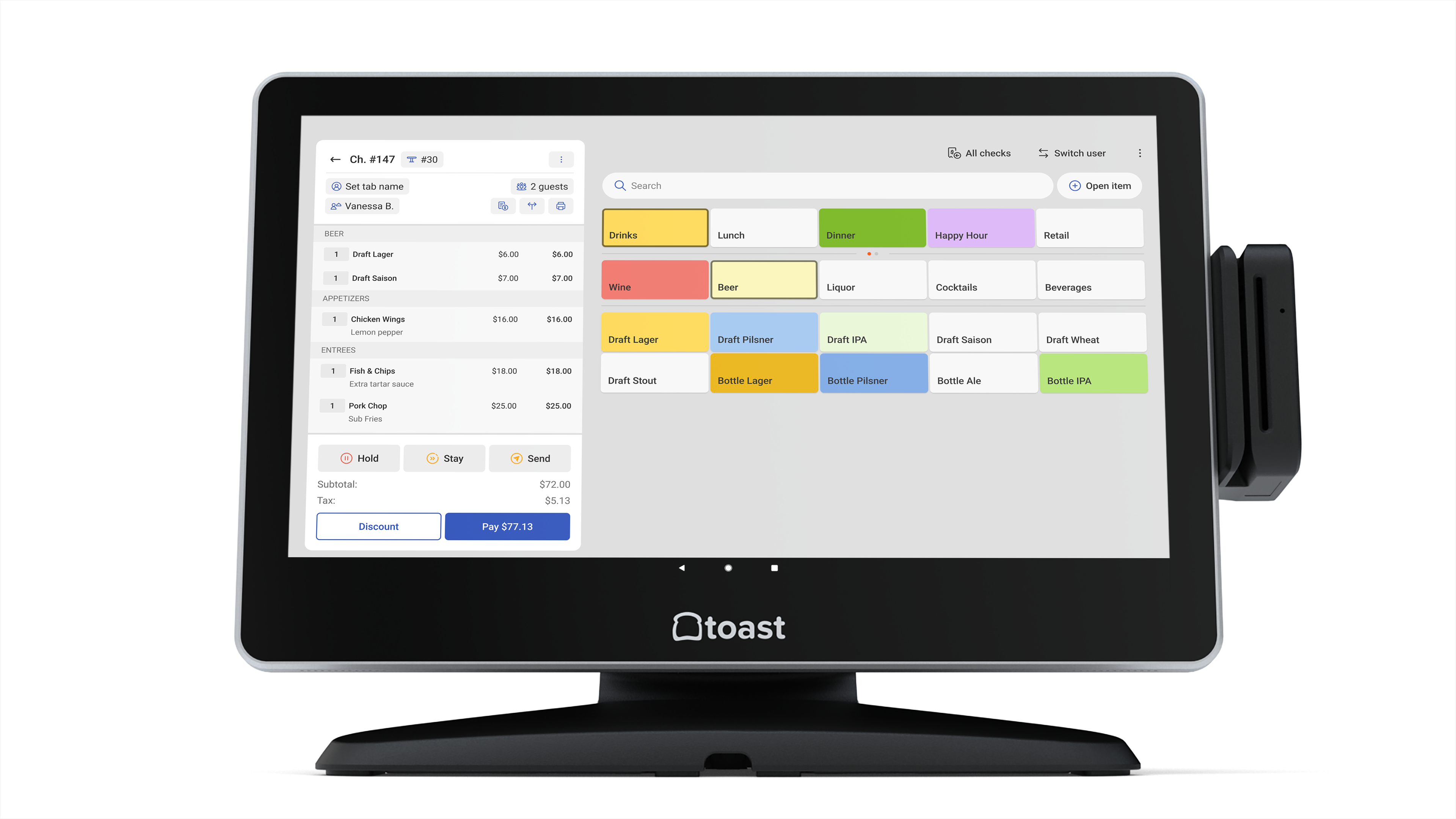
Implementing an Apple restaurant POS (Point of Sale) system involves integrating iOS-based hardware, primarily iPads, with specialized cloud-native software to streamline table management, order processing, and payment reconciliation. By leveraging the intuitive interface of Apple devices, restaurant operators can achieve high mobility, faster table turnover, and seamless integration with modern kitchen display systems and third-party delivery platforms.
The Evolution of Hardware in Modern Dining
The transition from bulky, stationary legacy terminals to sleek, mobile Apple hardware represents a fundamental shift in restaurant operations. In 2026, the reliance on iPad-based systems is driven by the need for hardware that is not only aesthetically compatible with contemporary dining environments but also possesses the processing power to handle complex, real-time data.
Apple’s ecosystem offers distinct advantages for the restaurant environment. The high-resolution Retina displays facilitate clear item selection for servers, reducing input errors. Furthermore, the standardized nature of iPad hardware simplifies troubleshooting; replacing a malfunctioning unit is as straightforward as swapping the device and syncing the software via the cloud. This agility is critical for establishments where a system outage during a peak shift can result in significant revenue loss.
Core Components of an iOS-Based Restaurant POS
A successful Apple-based POS ecosystem is comprised of three distinct layers: the hardware, the operating system, and the application layer. Understanding how these interact is essential for a stable installation.
Hardware Prerequisites
While the POS software often dictates specific requirements, most modern systems demand high-performance iPad models. It is critical to consider the following:
- Device Performance: Older iPad models may struggle with intensive inventory management or real-time menu updates. Opting for current or recent-generation devices ensures longevity.
- Network Stability: Because these systems are cloud-reliant, a robust, enterprise-grade Wi-Fi network with dedicated VLANs for POS traffic is non-negotiable to prevent latency during transactions.
- Peripherals: Apple devices communicate with printers, cash drawers, and card readers via Bluetooth, AirPlay, or network-based connectivity. Ensuring peripheral compatibility with your chosen software provider is the most common point of failure during initial setup.
Software Integration
Modern restaurant software is designed as a SaaS (Software as a Service) model. This ensures that menu changes, price adjustments, and tax updates are pushed to all devices simultaneously across multiple locations. When selecting a vendor, operators must evaluate the software’s capability for:
- Menu Engineering: The ability to handle modifiers, forced options, and split-item pricing.
- Labor Management: Integration with time-clock systems and automated payroll exports.
- Customer Data: CRM (Customer Relationship Management) capabilities that track guest preferences and purchase history.
Operational Benefits for High-Volume Environments
The primary appeal of utilizing an Apple-centric POS is the efficiency gained through mobility. In a traditional setup, a server must travel to a central terminal to punch in an order, often creating a bottleneck. With an iPad-based mobile POS, the order is captured at the table and transmitted directly to the kitchen display system (KDS) or printer.
This process reduces the "time-to-kitchen" metric, which is a leading indicator of table turnover speed. Furthermore, modern POS systems on iOS support contactless payments, including Apple Pay and EMV-compliant chip cards, which are standard expectations for diners in 2026. By bringing the payment terminal directly to the table, operators increase security and decrease the time required to settle the check at the end of the meal.
Comparative Analysis: Apple POS vs. Legacy Terminal Systems
| Feature | Apple iOS-Based POS | Legacy Stationary POS |
|---|---|---|
| Mobility | High (Handheld/Tablet) | None (Fixed Terminal) |
| Maintenance | Cloud-based / Remote | On-site server required |
| Hardware Lifecycle | Moderate (3–5 years) | Long (7–10 years) |
| User Training | Intuitive (Familiar UI) | Steep Learning Curve |
| Integration | Native Web-API support | Often requires custom middleware |
Strategic Implementation Steps
Transitioning to an Apple-based POS system requires a structured approach to avoid operational disruption.
- Requirement Assessment: Map out your current workflow. Identify every touchpoint where data currently enters the system. This includes online ordering, delivery apps, and inventory management.
- Pilot Testing: Before a full-scale deployment, implement the system in a controlled environment. Test the hardware under peak load scenarios to identify potential network bottlenecks.
- Staff Training: While the iOS interface is generally intuitive, the specific workflows for opening/closing shifts and managing voids must be mastered by front-of-house staff.
- Data Migration: If moving from a legacy system, prioritize the migration of your menu database and historical customer records. Many vendors offer migration tools, but manual verification is recommended.
- Go-Live Support: Maintain a dual-system contingency for the first 48 hours of operation to ensure that if a critical hardware or software error occurs, the restaurant can continue to serve guests.
Common Pitfalls and Troubleshooting
Even the most sophisticated system is susceptible to environment-specific issues. The most frequent challenges include:
- Connectivity Drops: These are rarely caused by the iPad itself. They are almost always symptomatic of weak Wi-Fi coverage in areas of the restaurant with high metal content or thick walls. Installing dedicated wireless access points (WAPs) is the standard resolution.
- Software Bloat: Installing non-essential applications on POS-designated iPads can consume processing power and trigger OS updates at inconvenient times. Configure your devices with MDM (Mobile Device Management) software to restrict usage and force scheduled updates only.
- Power Management: Managing the battery life of mobile units is a logistical challenge. Establish a "charging rotation" protocol to ensure devices remain at 100% capacity at the start of each shift.
Regulatory and Security Considerations
Security is a paramount concern in 2026. Because iOS-based POS systems frequently process sensitive credit card data, operators must remain compliant with PCI-DSS (Payment Card Industry Data Security Standard) regulations.
Encryption occurs at the card reader level; ensure that your chosen provider utilizes point-to-point encryption (P2PE) so that raw card data is never stored on the iPad itself. From a legal standpoint, ensure that your POS vendor provides clear documentation on data privacy and local tax compliance, especially if you operate in jurisdictions with complex liquor or tourism-based tax structures.
Frequently Asked Questions
Does Apple sell a dedicated restaurant POS hardware package? Apple does not manufacture a specialized restaurant POS unit. Instead, they provide the hardware ecosystem (iPad and accessories) that third-party software developers utilize to build their POS applications.
Can I use my existing kitchen printers with an iPad POS? Often, yes. Many legacy printers are compatible with modern iOS POS software via a network (Ethernet) connection. You will need to verify with your software vendor if your specific printer model is supported or if a protocol bridge is required.
Is internet connection required for the POS to function? Most modern cloud-based systems have an "offline mode" that allows the system to cache transactions locally if the internet connection is lost. However, features like online ordering and real-time inventory syncing will remain dormant until connectivity is restored.
How does an iOS POS handle menu updates for multiple locations? Cloud-native Apple POS platforms utilize a centralized admin dashboard. An administrator can update a price or add a daily special once, and the system will push those changes to all iPads at every location instantaneously.
What is the expected hardware lifespan for an iPad in a restaurant? Under normal daily usage in a hospitality environment, you should expect an iPad to remain performant for approximately three to five years. By 2026, most operators budget for a partial hardware refresh cycle every four years to maintain access to the latest security updates and software features.
Next Actions for Implementation
If you are planning to modernize your restaurant’s technology, begin by auditing your current network infrastructure. The reliability of your Apple POS will be directly proportional to the strength of your internal network. Request a demo from your top three prospective vendors, specifically asking for a "day-in-the-life" demonstration of their software during high-volume periods. Prioritize platforms that offer 24/7 technical support and transparent pricing models, ensuring your digital investment scales alongside your business.