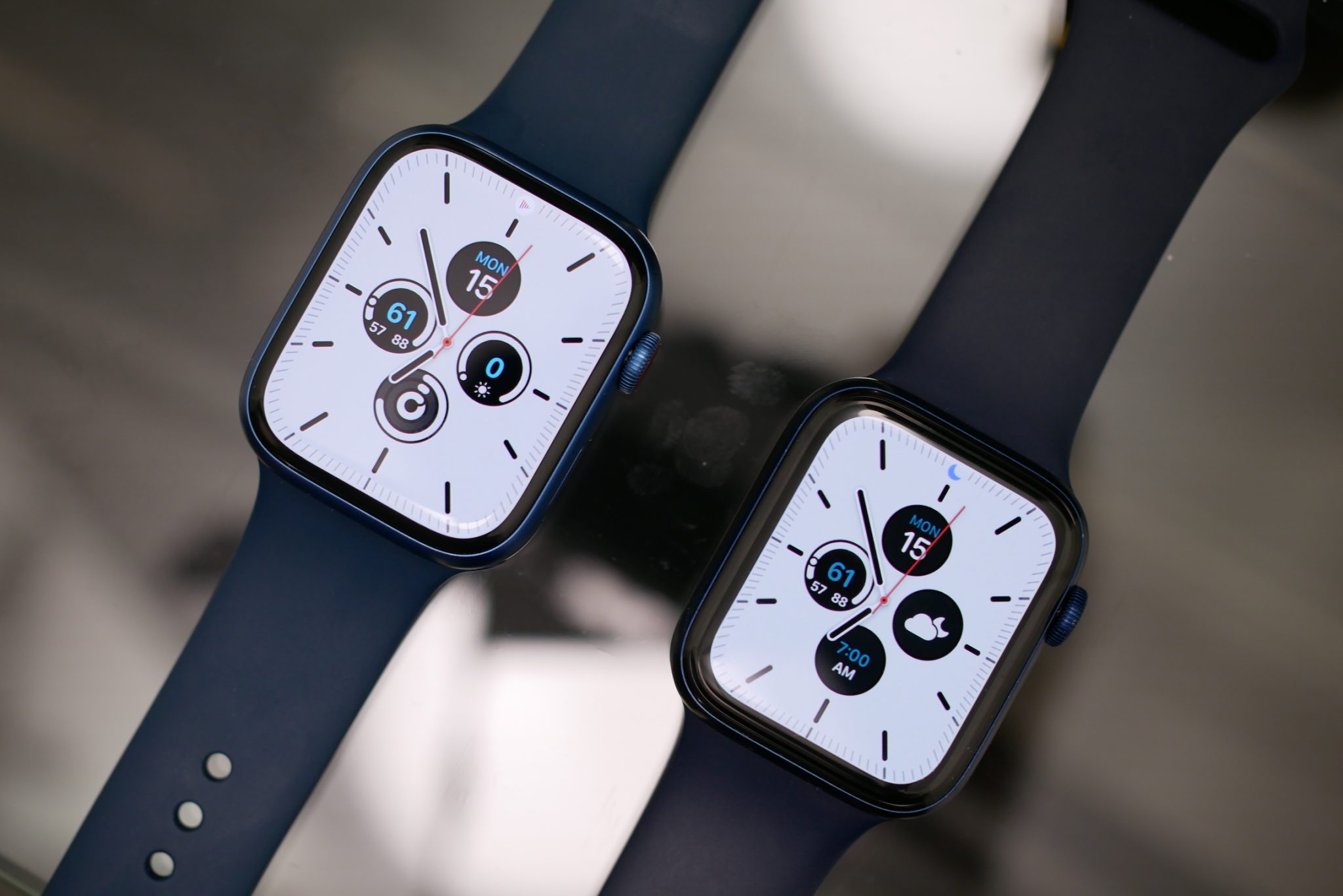
The Apple Watch Series 6 is available in two primary case sizes: 40mm and 44mm. The 40mm model features a display resolution of 324 by 394 pixels with a 759 sq mm display area, while the larger 44mm model offers a 368 by 448 pixel resolution and a 977 sq mm display area. Both utilize Always-On Retina LTPO OLED technology.
The Standardized Sizing of the Apple Watch Series 6
When Apple launched the Series 6 in late 2020, it continued the design language established with the Series 4. This era of Apple Watch design moved away from the original 38mm and 42mm sizes, settling into the 40mm and 44mm standard that would persist until the introduction of the Series 7. Understanding the "40mm" and "44mm" designations is crucial because these measurements refer to the vertical height of the watch case, not the diagonal measurement of the screen itself, which is a common point of confusion for consumers accustomed to smartphone or television specifications.
The choice between the two sizes is more than just an aesthetic preference; it dictates the user interface's "touchability" and the amount of information visible at a glance. Even in 2026, the Series 6 remains a significant model in the secondary market and for long-term users because it was the first to introduce the Blood Oxygen sensor while maintaining a form factor that is compatible with a vast ecosystem of third-party accessories. The consistency in case size means that the screen protectors, cases, and many internal components are standardized within this specific generation's size tier.
Dimensions and Physical Specifications
To fully grasp the footprint of the Apple Watch Series 6 on your wrist, one must look beyond the vertical height. The physical dimensions differ slightly across the two models, impacting both the visual weight and the actual weight of the device.
The 40mm Case Dimensions
The 40mm model is designed for smaller wrists or users who prefer a more discrete timepiece. Its physical dimensions are:
- Height: 40mm
- Width: 34mm
- Depth: 10.4mm
Despite the "small" label, the Series 6 40mm has a larger screen than the "large" 42mm models of the Series 3 and earlier. This was achieved by narrowing the bezels and rounding the corners of the display to match the curve of the case.
The 44mm Case Dimensions
The 44mm model is the "large" variant, catering to those who prioritize legibility and battery life, as the larger chassis allows for a slightly larger internal cell. Its physical dimensions are:
- Height: 44mm
- Width: 38mm
- Depth: 10.4mm
The 4mm difference in height might seem negligible on paper, but it results in a nearly 29% increase in total display area. This extra real estate is particularly beneficial for complex watch faces (such as Infograph) that feature multiple "complications" or for reading long text notifications without excessive scrolling.
Display Technology: Always-On Retina and LTPO OLED
The Series 6 screen is not just about size; the technology behind the glass is what defines the user experience. Both sizes utilize an LTPO (Low-Temperature Polycrystalline Oxide) OLED display. This technology is the cornerstone of the "Always-On" functionality.
Understanding LTPO and Refresh Rates
The primary challenge of an Always-On display is power consumption. Standard OLED screens refresh at a rate that would drain a small watch battery in hours if left on constantly. The LTPO backplane allows the Apple Watch Series 6 to dynamically adjust its refresh rate. When the wrist is lowered, the screen doesn't turn off; instead, it drops from a standard 60Hz (refreshing 60 times per second) to as low as 1Hz (refreshing once per second).
This 1Hz mode allows the time and essential complications to remain visible while consuming minimal power. When you raise your wrist or tap the screen, the display instantly ramps back up to full brightness and 60Hz for smooth animations and interaction.
Brightness and Outdoor Legibility
Both the 40mm and 44mm displays are rated for a peak brightness of 1000 nits. For context, this was the gold standard for wearable displays for several years. Even in 2026, 1000 nits is sufficient for clear visibility under direct sunlight, though it lacks the extreme 2000-3000 nit peaks found on more recent "Ultra" or high-end Series models. The screen also features an ambient light sensor that automatically adjusts the brightness to prevent the watch from being blindingly bright in dark environments like movie theaters.
Resolution and Pixel Density
Apple maintains "Retina" quality across its watch lineup, meaning the pixels are dense enough that the human eye cannot distinguish individual pixels at a normal viewing distance.
- 40mm Model: 324 x 394 pixels.
- 44mm Model: 368 x 448 pixels.
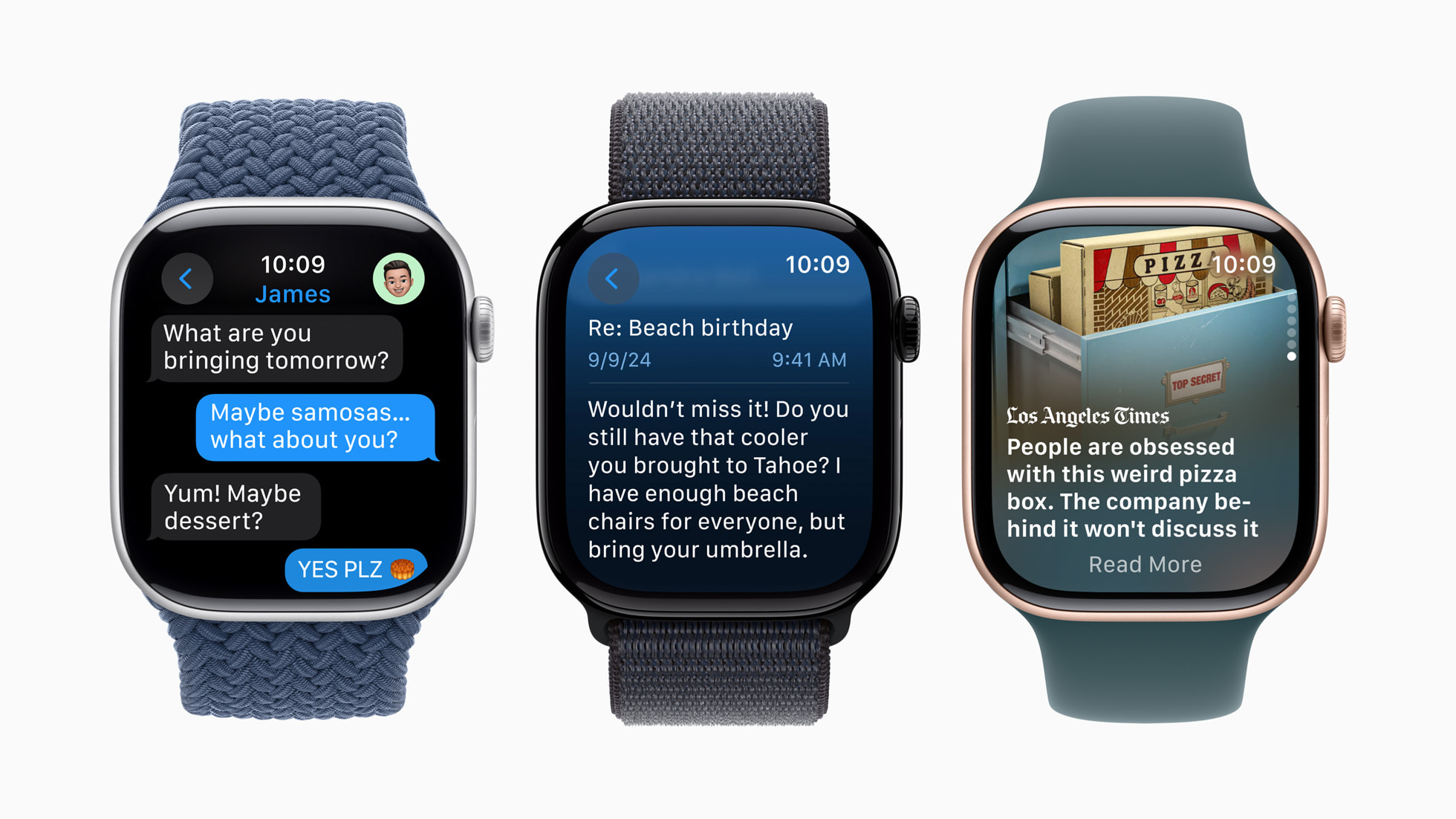
Interestingly, the pixel density remains virtually identical between the two sizes. This ensures that icons, text, and images appear with the same level of sharpness regardless of which model you choose. The difference lies purely in how many pixels are available to display content. For example, the 44mm model can often show an extra line of text in a message or a larger button in the Calculator app, making it objectively easier to use for those with larger fingers or visual impairments.
Comprehensive Comparison Table
The following table summarizes the key technical differences between the two screen sizes of the Apple Watch Series 6.
| Feature | 40mm Model | 44mm Model |
|---|---|---|
| Case Height | 40 mm | 44 mm |
| Case Width | 34 mm | 38 mm |
| Case Depth | 10.4 mm | 10.4 mm |
| Display Area | 759 sq mm | 977 sq mm |
| Resolution | 324 x 394 pixels | 368 x 448 pixels |
| Display Type | Always-On Retina LTPO OLED | Always-On Retina LTPO OLED |
| Max Brightness | 1000 nits | 1000 nits |
| Typical Wrist Fit | 130mm – 200mm | 140mm – 220mm |
| Weight (Aluminum) | 30.5 grams | 36.5 grams |
| Weight (Stainless) | 39.7 grams | 47.1 grams |
Impact of Materials on Screen Perception
While the screen sizes are fixed at 40mm and 44mm, the choice of case material—Aluminum, Stainless Steel, or Titanium—affects the "look" of the screen.
Ion-X Glass vs. Sapphire Crystal
The Aluminum models of the Series 6 use Ion-X strengthened glass. This material is lightweight and highly resistant to impact (shattering), making it ideal for athletes. However, it is more prone to micro-scratches over time.
In contrast, the Stainless Steel and Titanium models feature Sapphire Crystal displays. Sapphire is significantly harder than Ion-X glass, making it nearly impossible to scratch with everyday objects like keys or sand. However, Sapphire is more brittle, meaning it is slightly more likely to crack if dropped on a hard surface like concrete.
From a visual standpoint, the Sapphire Crystal has a slightly different refractive index, which some users claim makes the screen appear "deeper" or more premium, although the underlying OLED panel is identical across all materials.
Choosing the Right Size for Your Wrist
Selecting between the 40mm and 44mm Apple Watch Series 6 depends on two factors: physical ergonomics and functional needs.
Ergonomics and Comfort
Apple provides general guidelines based on wrist circumference. Generally, the 40mm model is recommended for wrists measuring 130mm to 200mm. The 44mm model is suggested for wrists measuring 140mm to 220mm.
If your wrist falls in the 140mm to 160mm range, you have a choice to make. A 44mm watch on a smaller wrist can look "oversized," which is a popular fashion trend for some, but it can also cause the sensors on the back of the watch to lose contact with the skin if the watch "hangs" off the sides of the wrist. For accurate heart rate and blood oxygen readings, a snug fit is essential.
Battery Life Considerations
While the screens are the primary focus, it is important to note that the 44mm model historically offers slightly better battery life than the 40mm model. This is simply because the larger case has more internal volume to house a larger lithium-ion battery. If you are a heavy user who tracks long workouts with GPS, the 44mm model provides a larger margin of safety to get through a full 18-hour day.
Compatibility with Bands and Accessories
A major advantage of the Series 6 screen size is its compatibility with the broader Apple Watch ecosystem.
- Small Size (40mm): This model is compatible with bands designed for the 38mm and 41mm Apple Watch cases.
- Large Size (44mm): This model is compatible with bands designed for the 42mm, 45mm, and 49mm (Ultra) Apple Watch cases.
This backward and forward compatibility ensures that if you upgrade from an older 42mm Series 3 to a 44mm Series 6, your favorite bands will still fit perfectly. Similarly, in 2026, most bands sold for modern 41mm/45mm watches will still function perfectly with the Series 6, though there may be a fraction of a millimeter of overhang at the lugs due to the slight chassis changes in newer models.
Screen Longevity and Maintenance in 2026
As the Series 6 ages, screen maintenance becomes a relevant topic for owners. The OLED panel is subject to two main long-term issues: burn-in and adhesive degradation.
Preventing Burn-In
While LTPO technology and software mitigations (like shifting pixels slightly) help prevent image persistence, keeping the same high-contrast watch face for several years at maximum brightness can lead to "ghosting." To preserve the Series 6 screen in 2026, it is recommended to use watch faces with diverse colors and to avoid leaving the screen at 100% brightness if not necessary.
Water Resistance and Seals
The screen of the Apple Watch Series 6 is held in place by a strong adhesive that also acts as a water-resistant seal (rated for 50 meters). Over time, environmental factors like heat, soap, and chlorine can weaken this adhesive. If you notice the screen lifting slightly at the edges, it is vital to stop exposing the watch to water and seek a professional repair, as the screen and the logic board are highly susceptible to moisture damage once the seal is breached.
Frequently Asked Questions
Is the Series 6 44mm screen the same as the Series 7 44mm?
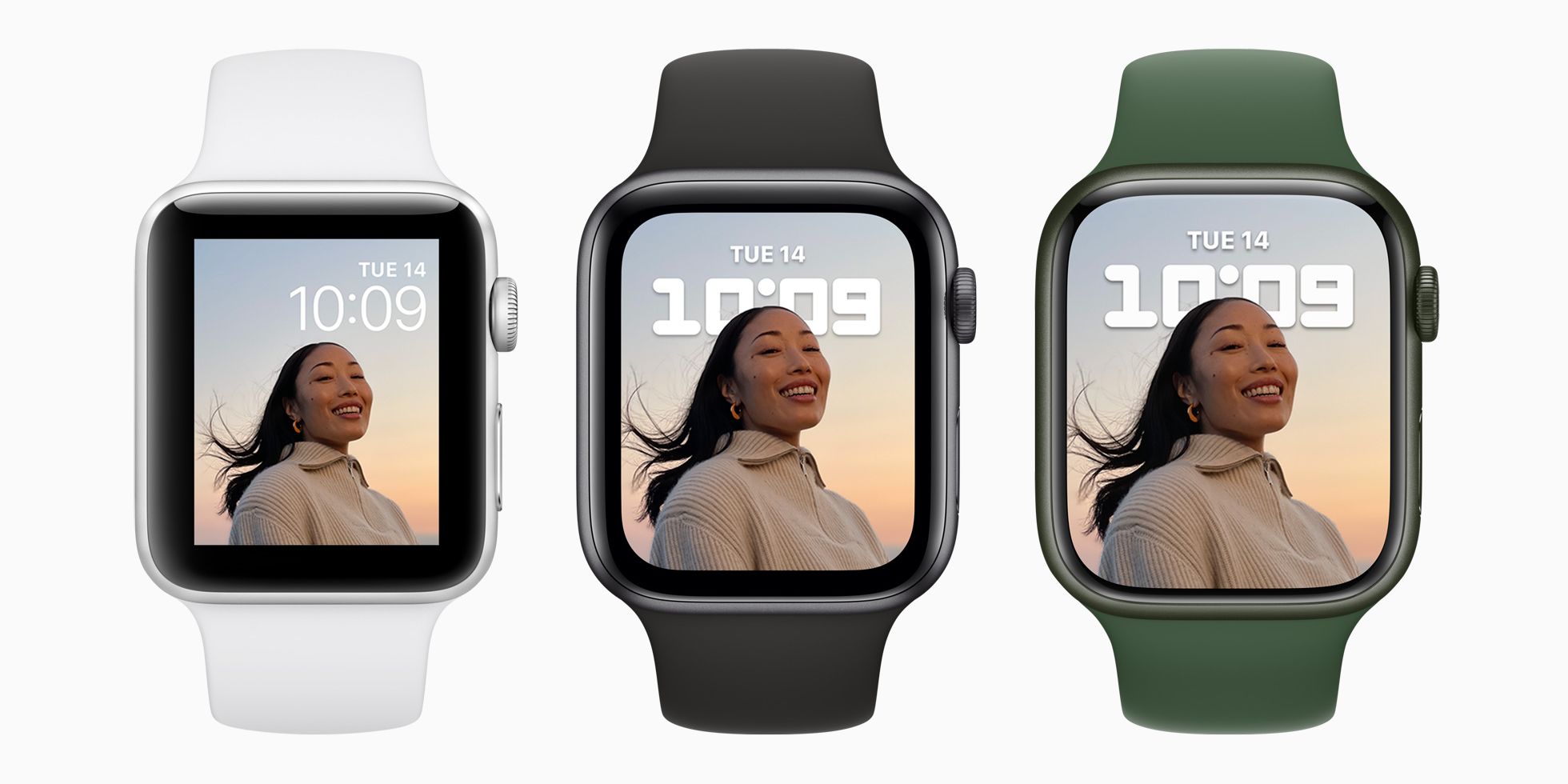
No. While the Apple Watch Series 6 comes in a 44mm case, the Series 7 moved to a 45mm case with significantly smaller bezels. This means the Series 7 (and subsequent Series 8 and 9) has roughly 20% more screen area than the Series 6, despite the case size only increasing by 1mm. The Series 6 is the last "standard" model before the major bezel reduction.
Can I change the font size on the Series 6 screen?
Yes. Both the 40mm and 44mm models allow you to adjust the text size via the "Display & Brightness" settings in the Watch app on your iPhone. You can also enable "Bold Text" to make the interface more legible. On the smaller 40mm screen, increasing the font size will result in less text being visible at once, requiring more scrolling.
Does the Series 6 screen support the "Double Tap" gesture?
The Series 6 screen itself is capable of detecting touches, but the "Double Tap" gesture introduced with later models is a processing feature of the S9 chip and newer. However, the Series 6 does support AssistiveTouch, which allows you to control the watch using hand gestures like clenching or pinching, which is processed through the motion sensors rather than the screen's touch digitizer.
How durable is the Series 6 screen against cracks?
The durability depends on the model. Aluminum models with Ion-X glass are quite resilient against shattering from drops but scratch relatively easily. Stainless Steel and Titanium models with Sapphire Crystal are extremely scratch-resistant but more prone to shattering if they hit a hard surface at a specific angle.
What is the display area difference between the 40mm and 44mm?
The 44mm model has a display area of 977 sq mm, while the 40mm model has 759 sq mm. This represents an approximately 28.7% increase in usable screen space on the larger model.
Does the Series 6 have a "Force Touch" screen?
No. Apple removed the physical Force Touch gasket starting with the Series 6 (and via software in watchOS 7 for older models). The Series 6 uses "Long Press" interactions instead of pressure-sensitive ones, which allowed Apple to make the device slightly thinner and use the extra space for a larger battery or new sensors like the blood oxygen monitor.
Summary and Next Actions
The Apple Watch Series 6 remains a benchmark for wearable display quality, offering a high-density, Always-On OLED experience in two well-defined sizes. The 40mm model is the ideal choice for those seeking a lightweight, unobtrusive health tracker that fits comfortably on smaller wrists. The 44mm model is better suited for power users, those who frequently interact with notifications, and anyone who prefers a larger, more legible interface.
If you are considering purchasing a Series 6 in 2026 or are looking to maintain your current device:
- Verify your wrist size: Use a soft measuring tape to determine if you fall into the 130-200mm (40mm) or 140-220mm (44mm) range.
- Check for screen health: If buying used, inspect the OLED for any signs of "pink tint" or burn-in, which can occur on older displays.
- Invest in a screen protector: Especially for Aluminum models, a thin TPU or tempered glass protector can prevent the micro-scratches that Ion-X glass is prone to.
- Confirm Band Compatibility: Ensure any new bands you purchase are labeled for the correct size "bucket" (38/40/41mm or 42/44/45/49mm).