To watch Amazon Prime Video in a web browser, navigate to the official Prime Video website or the Amazon Video section of your local Amazon retail site. Once there, sign in with your Amazon account credentials and select a title to begin streaming. This method requires a modern, DRM-compliant browser such as Google Chrome, Mozilla Firefox, Microsoft Edge, or Safari, and works across Windows, macOS, and Linux operating systems without the need for additional software installations.
Streaming through a web browser remains the most flexible way to access the vast Prime Video library. Whether you are using a laptop at a coffee shop, a desktop at work, or a shared computer, the browser-based player offers a consistent interface and immediate access to thousands of movies and TV shows. However, achieving the best performance and highest resolution requires an understanding of the underlying technology, system requirements, and specific browser limitations that exist in 2026.
Supported Browsers and Technical Requirements
As of 2026, web browsers have reached a high level of standardization regarding media playback, yet subtle differences in how they handle Digital Rights Management (DRM) and hardware acceleration can impact your viewing experience. Amazon Prime Video utilizes Encrypted Media Extensions (EME) to deliver protected content securely to your screen.
Desktop Browser Compatibility
The following browsers are officially supported for Prime Video playback on desktop operating systems:
- Google Chrome: Version 100 or newer. Chrome remains the most popular choice due to its robust implementation of the Widevine Content Decryption Module (CDM), which Amazon uses for DRM.
- Mozilla Firefox: Version 100 or newer. Firefox is an excellent alternative for users who prefer open-source software, though it sometimes requires manual activation of the Widevine plugin in the browser settings.
- Microsoft Edge: All Chromium-based versions. Edge is particularly well-integrated with Windows 10 and 11, often providing slightly better battery efficiency on laptops.
- Apple Safari: Version 15 or newer on macOS. Safari uses Apple's FairPlay DRM system, which is highly optimized for Mac hardware.
- Opera: Standard versions based on the Chromium engine are generally supported, though specialized versions like Opera GX may require specific media codecs to be enabled.
Operating System Prerequisites
While the browser does most of the heavy lifting, your operating system must be capable of supporting the browser's security requirements:
- Windows: Windows 10 or Windows 11. Older versions like Windows 7 or 8.1 are no longer supported by modern browsers, making them insecure for streaming.
- macOS: macOS 11.0 (Big Sur) or later is recommended to ensure compatibility with the latest Safari and Chrome security updates.
- Linux: Most modern distributions (Ubuntu, Fedora, Debian) support Prime Video through Chrome or Firefox. However, Linux users often face a limitation where content is capped at Standard Definition (SD) or 720p HD due to the way Google’s Widevine DRM interacts with the Linux kernel and graphics drivers.
- ChromeOS: All Chromebooks running a current version of ChromeOS are fully compatible.
Optimizing Streaming Quality in the Browser
One of the most frequent questions regarding browser-based streaming is why the quality may appear lower than on a Smart TV or a mobile app. In 2026, most web browsers are capped at 1080p (Full HD) resolution for Prime Video.
Why Browser Resolution is Often Capped
The primary reason for resolution caps is piracy prevention. 4K Ultra HD (UHD) and HDR (High Dynamic Range) content require a secure hardware path from the video file to the display, known as HDCP 2.2 (High-bandwidth Digital Content Protection). While many browsers can technically support 4K, the fragmentation of PC hardware makes it difficult for Amazon to guarantee a secure path across all devices. Consequently, 4K streaming is typically reserved for the dedicated Amazon Prime Video app for Windows 10/11 or dedicated streaming hardware like the Fire TV Stick.
Network and Bandwidth Needs
To maintain a stable stream in your browser, your internet connection must meet these minimum sustained speeds:
- Standard Definition (SD): 1.0 Mbps
- High Definition (HD - 720p/1080p): 5.0 Mbps
- Ultra HD (4K): 15.0 Mbps to 25.0 Mbps (Note: Only available in specific environments, usually not standard browsers).
To ensure the best quality, close background tabs that may be consuming bandwidth or CPU cycles. Video decoding is a resource-intensive process, and "tab bloat" can lead to dropped frames or stuttering audio.
Key Features of the Browser Interface
The Prime Video browser interface is designed for efficiency and deep integration with the Amazon ecosystem. In 2026, the UI (User Interface) has been refined to put "X-Ray" features and personalization at the forefront.
X-Ray by IMDb
A standout feature of Prime Video in the browser is X-Ray. When you pause a video or move your mouse, the X-Ray overlay appears, providing:
- Cast and Characters: Real-time information on which actors are currently on screen.
- Music: The name of the song playing in the current scene with a link to Amazon Music.
- Trivia and Bonus Content: Behind-the-scenes facts, deleted scenes, and photo galleries.
- Scene Navigation: A visual timeline that allows you to jump to specific chapters or skip intros/recaps easily.
Audio and Subtitle Customization
The browser version offers extensive accessibility options. Users can click the "Speech Bubble" icon in the top right of the player to:
- Select Audio Tracks: Choose between different languages or "Audio Description" tracks for the visually impaired.
- Subtitles: Enable closed captioning in multiple languages.
- Subtitle Settings: Change the text size, color, opacity, and background of the subtitles to ensure maximum readability on different monitor types.
User Profiles and Parental Controls
The browser allows for seamless switching between up to six user profiles. This ensures that your "Watch Next" list and recommendations remain separate from other family members. Furthermore, parental controls managed in the browser apply across all devices. You can set a Viewing Restriction PIN that prevents younger viewers from accessing content above a certain maturity rating (e.g., TV-MA or R).
Browser vs. Dedicated Desktop App: A Detailed Comparison
While the browser is convenient, Amazon also offers a dedicated Prime Video app for Windows and macOS. Deciding which to use depends on your specific needs, particularly regarding offline viewing and audio quality.
| Feature | Web Browser (Chrome/Firefox/Safari) | Dedicated Windows/macOS App |
|---|---|---|
| Max Resolution | Up to 1080p (HD) | Up to 4K (UHD) on supported hardware |
| Offline Viewing | Not Supported | Supported (Download for offline use) |
| Audio Output | Stereo (2.0) | Multi-channel Surround (5.1/7.1) |
| X-Ray Support | Full Integration | Full Integration |
| Installation | No installation required | Requires Microsoft Store or App Store |
| Resource Usage | Depends on browser tabs | Optimized for the OS |
| Keyboard Shortcuts | Standard (Space for play/pause) | Full media key support |
The most significant disadvantage of the browser is the lack of offline downloads. If you are preparing for a flight or a trip with poor internet, you must use the dedicated app to download content to your local storage.
Troubleshooting Common Browser Errors
Streaming in a browser can occasionally lead to technical glitches. Most issues are related to DRM certificates or browser extensions.
Error Code 7031 or 7135
These are common "Video Unavailable" errors. They usually occur when there is a glitch in the browser's identification process or when the DRM module fails to initialize.
- The Fix: Update your browser to the latest version. If the error persists, clear your browser's cache and cookies specifically for
amazon.comorprimevideo.com.
The "Black Screen" with Audio Only
If you can hear the movie but the screen is black, this is almost always a result of a conflict with Hardware Acceleration or an incompatible display connection (like a non-HDCP compliant VGA cable).
- The Fix: Go to your browser settings (e.g., Chrome Settings > System) and toggle "Use hardware acceleration when available" to the opposite of its current setting. Relaunch the browser and try again.
Adblockers and Privacy Extensions
Aggressive adblockers or "Do Not Track" extensions can sometimes block the license request sent by the Prime Video player to Amazon’s servers.
- The Fix: Whitelist
primevideo.comin your adblocker. If you use a VPN, ensure it is set to a server in your home country, as Amazon may block known VPN IP addresses to enforce regional licensing agreements.
Security and Privacy Best Practices
When streaming in a browser, especially on a public or shared computer, security is paramount. Prime Video is tied directly to your Amazon account, which likely contains your credit card information and home address.
- Avoid "Remember Me" on Shared PCs: Never check the "Keep me signed in" box on a computer that is not your own.
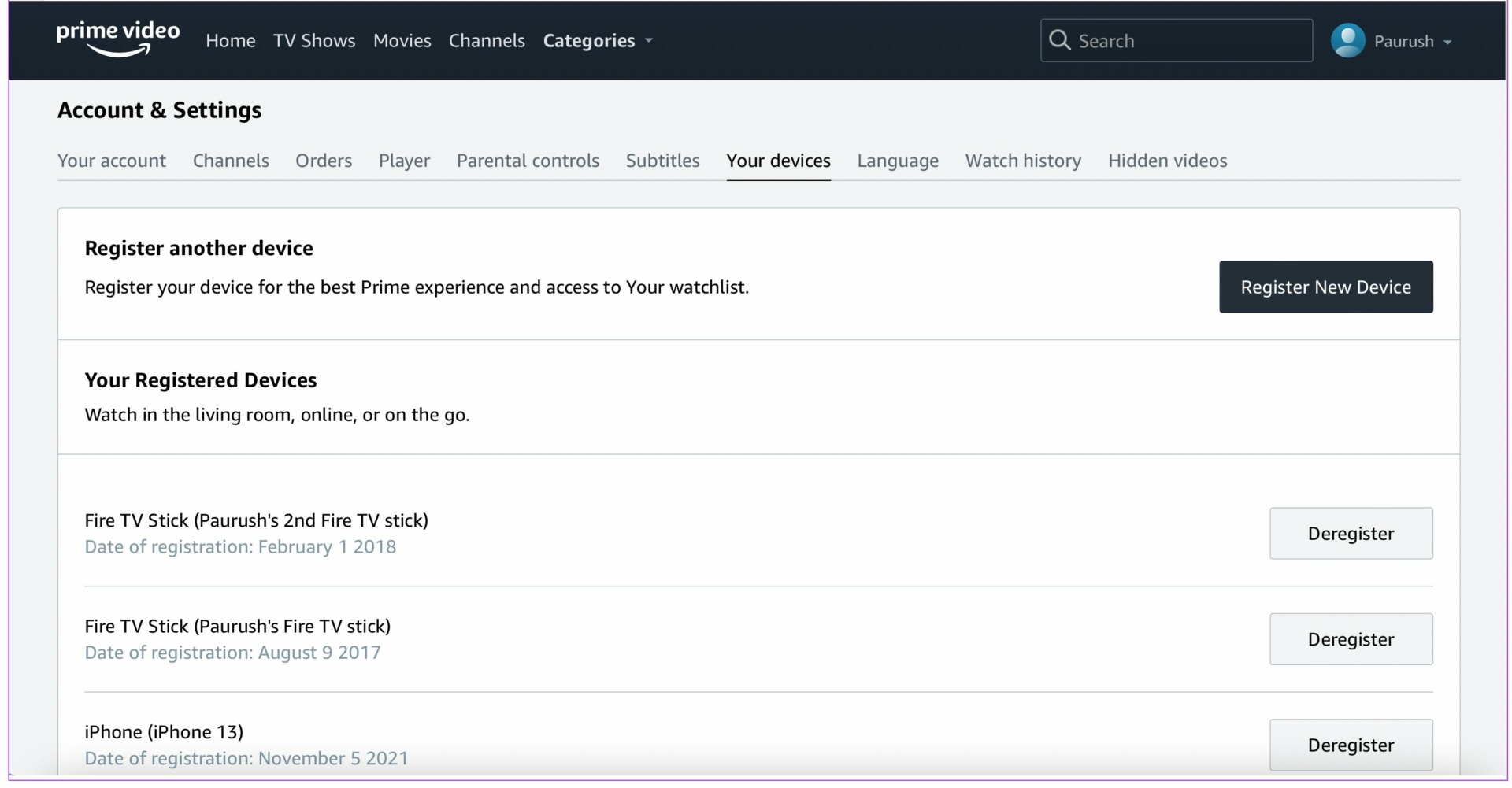
- Check Active Devices: Regularly visit the "Accounts & Settings" page on the Prime Video website to see a list of "Registered Devices." If you see a browser session from a location you don't recognize, de-register it immediately.
- Two-Factor Authentication (2FA): Enable 2FA on your Amazon account. This ensures that even if someone discovers your password through a browser exploit, they cannot access your account without the secondary code.
Frequently Asked Questions
Can I watch Prime Video in a browser on my smartphone?
While you can technically load the Prime Video website in a mobile browser like Chrome or Safari on your phone, Amazon typically redirects you to the Prime Video app. The mobile web player is intentionally limited; for the best experience, including higher resolution and better controls, using the native Android or iOS app is highly recommended.
Does Prime Video support Picture-in-Picture (PiP) in the browser?
Yes. Most modern browsers like Chrome and Edge allow for Picture-in-Picture. You can right-click twice on the video player or look for the "media control" icon in the browser toolbar to pop the video out into a small, floating window. This allows you to continue watching while working in other tabs or applications.
Why does my stream keep buffering even though my internet is fast?
Buffering is not always caused by slow internet. It can be caused by "ISP Throttling," where your internet provider slows down video traffic during peak hours. Additionally, if your computer's CPU is at 100% usage due to other background tasks, it may struggle to decode the video stream in real-time. Try closing other applications or restarting your browser.
Is Linux streaming still restricted to SD?
In 2026, many Linux distributions can now achieve 1080p HD if they use the latest Google Chrome and have the appropriate Widevine libraries updated. However, Firefox on Linux may still default to SD or 720p depending on the specific DRM configuration of the distribution.
How do I change the language of the interface?
The language of the Prime Video website is usually tied to your Amazon account's "Language and Settings." You can change this by clicking on the globe icon in the top navigation bar of the Amazon homepage or within the "Accounts & Settings" menu on PrimeVideo.com.
Final Recommendation
For the vast majority of users, Google Chrome or Microsoft Edge provides the most stable and feature-complete experience for watching Amazon Prime Video in a browser. While the browser is perfect for quick viewing and accessing X-Ray trivia, power users who want 4K resolution or offline viewing should supplement their browser use with the dedicated Prime Video app for Windows or macOS. Always ensure your browser is updated to the latest version to maintain access to the most recent security patches and playback optimizations.