Choosing the best home monitoring system requires evaluating your property layout, monitoring type, equipment integration, subscription costs, and installation preferences. By matching these five core criteria to your daily routine and security needs, you can select a reliable security setup that protects your household without unnecessary expenses or operational friction.
Understanding the Modern Home Monitoring Landscape
Selecting a security system for a residential property is no longer a simple matter of choosing between a local alarm and a wired telephone connection. Modern home security spans an array of interconnected devices, cloud-hosted video storage feeds, smart home ecosystems, and professional response protocols. Navigating this marketplace can quickly become overwhelming due to varying technical specifications, proprietary hardware locks, and complex pricing models.
To make an informed decision, you must strip away marketing terminology and evaluate your choices through a structured lens. The following five methods provide a reliable roadmap for assessing your requirements, comparing different product tiers, and deploying a home monitoring solution tailored to your living environment.
1. Evaluate Professional Monitoring Versus Self-Monitoring
The single most fundamental decision you will make when choosing a home monitoring system is whether to pay for a professional monitoring service or manage the alerts yourself.
Professional Monitoring
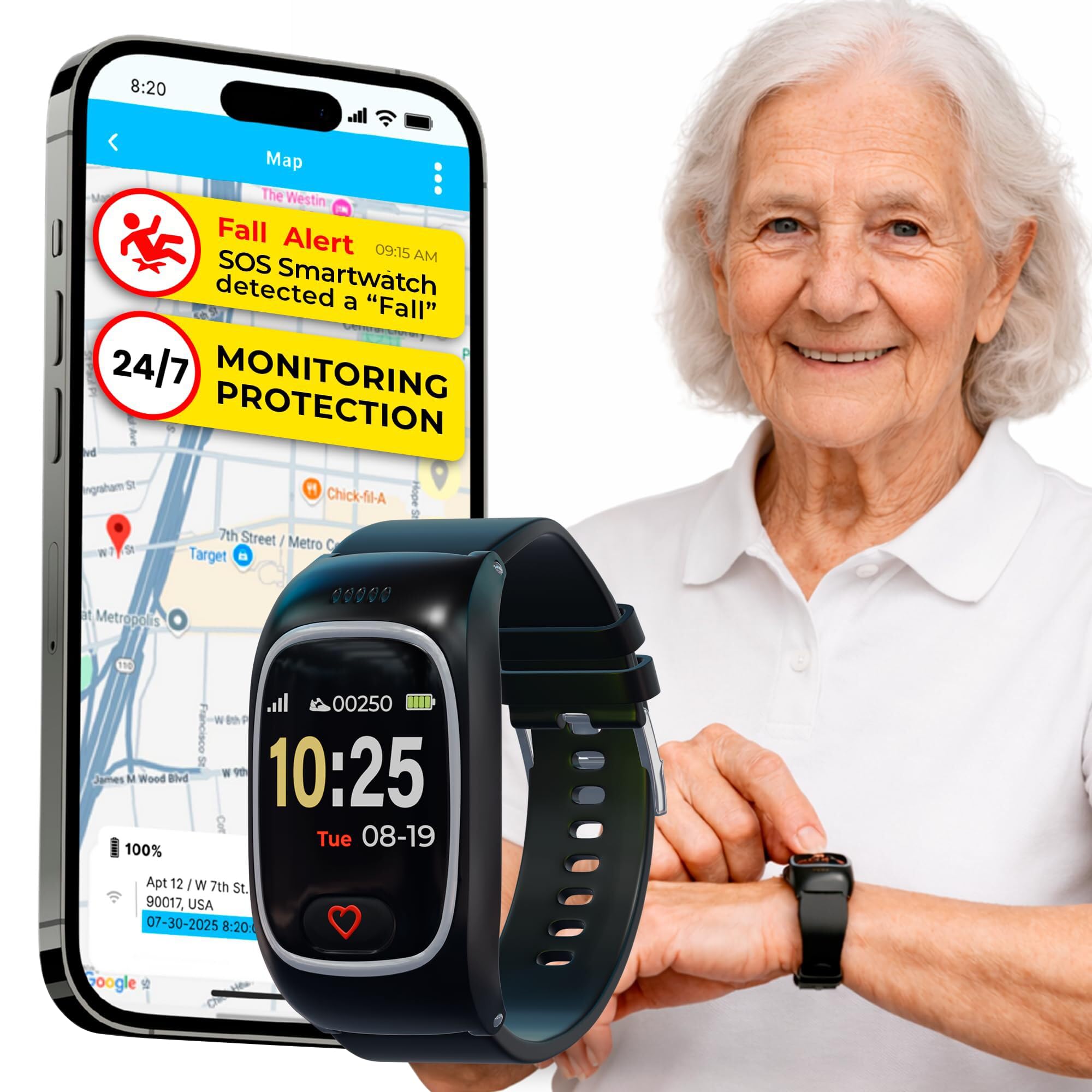
With professional monitoring, a licensed third-party monitoring center watches over your property 24/7. When a sensor trips—whether it is a glass-break detector, a door contact, or a smoke alarm—an automated signal goes to the monitoring facility. Operators will typically attempt to verify the alarm via phone call or SMS. If there is no response or if an emergency is confirmed, they dispatch local law enforcement, fire departments, or medical services.
- Pros: Rapid response during verified emergencies, peace of mind when traveling, potential discounts on homeowner insurance premiums.
- Cons: Ongoing monthly subscription fees (often ranging from $10 to $50 per month), potential for false alarm dispatches that may incur municipal fines.
Self-Monitoring
Self-monitoring relies on smartphone push notifications, emails, and local siren triggers. When an event occurs, the system alerts you directly, allowing you to review live video feeds, check sensor statuses, and decide whether to call emergency services yourself.
- Pros: Zero monthly fees (or very low cloud storage costs), complete control over your data and response actions, no risk of automated police dispatch from false triggers.
- Cons: Requires you to be reachable and responsive at all times; if your phone is silenced or has no signal, an incident could go unnoticed until you return home.
2. Assess Property Layout, Coverage Needs, and Sensor Types
Every home has a unique physical footprint, architectural layout, and vulnerability profile. A sprawling single-story ranch house requires a very different security strategy than a multi-level suburban home or a high-rise urban apartment.
Identifying Vulnerability Points
Begin by mapping out the physical access points of your property. Ground-floor windows, sliding glass doors, detached garages, and secondary entryways represent the primary vectors for unauthorized entry. Environmental sensors—such as smoke detectors, carbon monoxide monitors, water leak detectors, and freeze sensors—should be placed near utility rooms, basements, kitchens, and sleeping quarters.
Matching Sensor Technologies to Your Space
Different sensors perform specific detection functions. Understanding their technical parameters prevents coverage gaps:
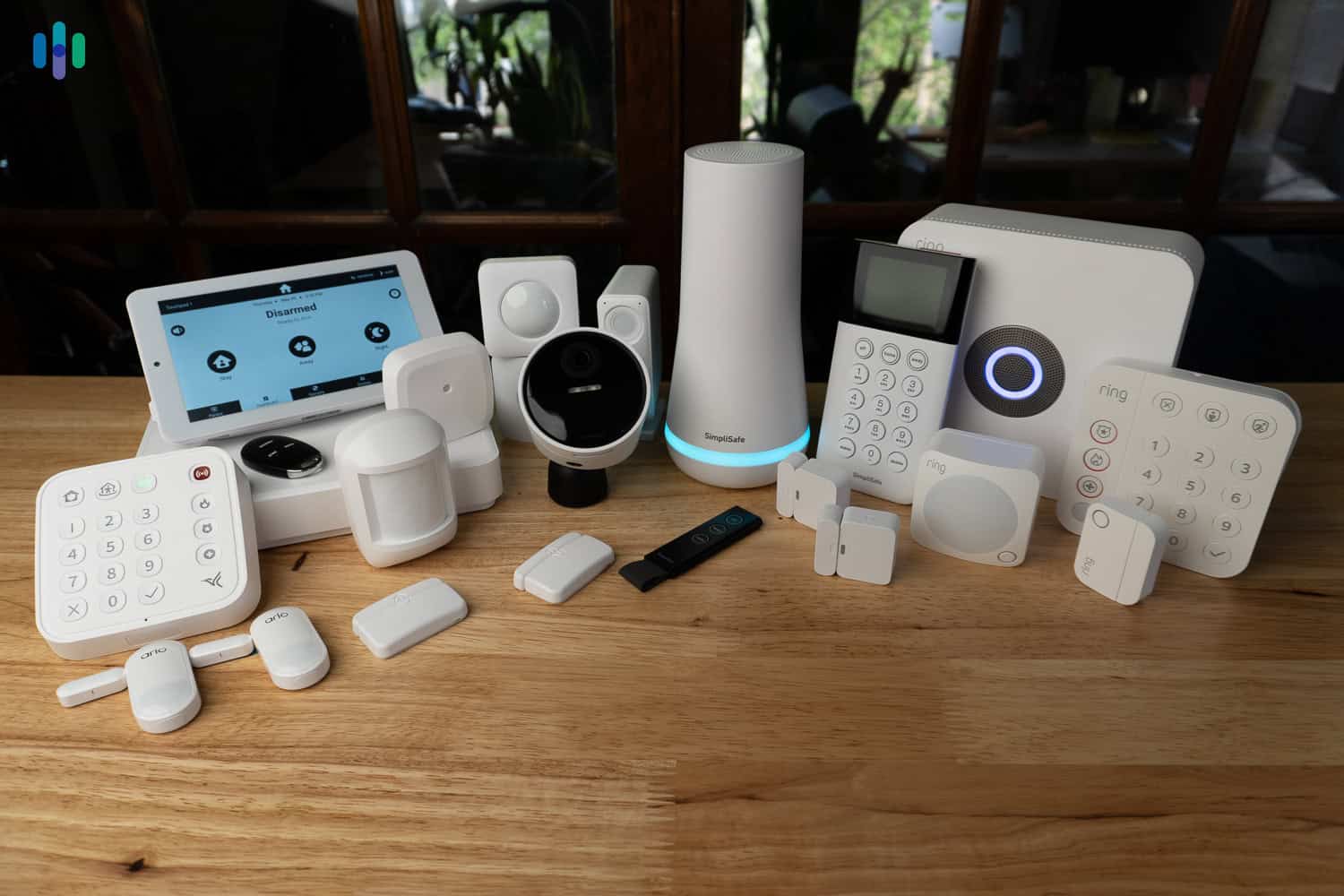
- Entry Sensors: Magnetic reed switches placed on doors and windows. They trigger an alarm when the magnetic field is broken.
- Motion Detectors: Passive Infrared (PIR) sensors detect body heat and movement. Ensure you choose pet-friendly models if you have dogs or cats to prevent false alarms.
- Glass-Break Detectors: Acoustic sensors tuned to the specific frequency of shattering glass, ideal for rooms with large picture windows.
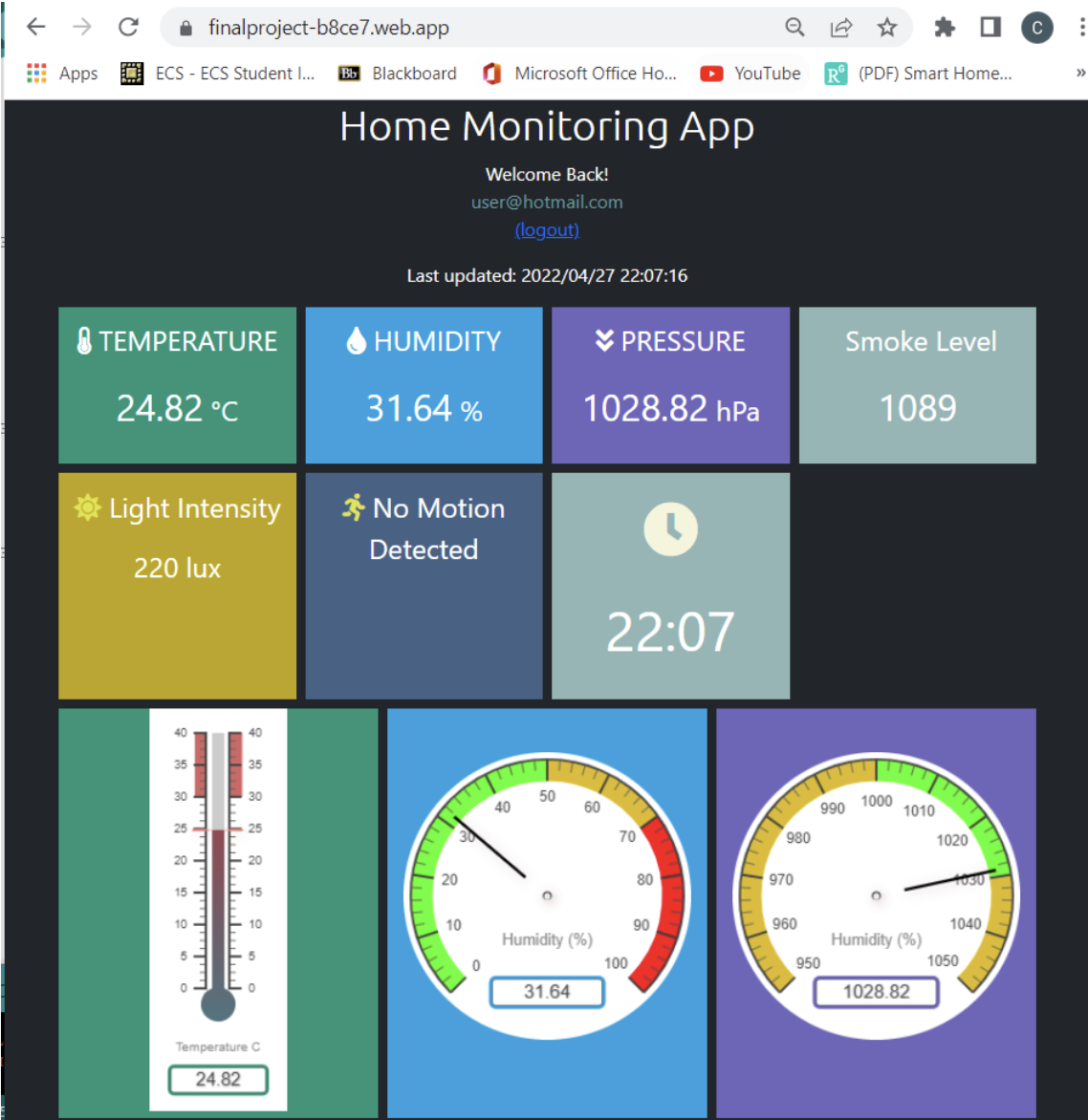
- Environmental Monitors: Crucial for preventing property damage from burst pipes, appliance leaks, or electrical fires.
3. Compare Hardware Ecosystems and Smart Home Integration
A home monitoring system rarely exists in isolation. Most homeowners want their security cameras, smart locks, smart thermostats, and lighting systems to operate on a unified platform.
Proprietary Versus Open Ecosystems
Some security providers use closed, proprietary ecosystems. While these systems offer seamless out-of-the-box compatibility among their own devices, they may limit your ability to add third-party bulbs, smart plugs, or doorbells. Conversely, open platforms support communication protocols like Z-Wave, Zigbee, Thread, or Matter, allowing you to mix and match hardware from different manufacturers.
Video Resolution and Storage Policies
Cameras form the visual backbone of modern monitoring setups. When evaluating video hardware, examine three critical factors:
- Resolution: Look for a minimum of 1080p Full HD for clear identification of faces and license plates, though 2K and 4K options provide superior digital zoom capabilities.
- Field of View: A wider field of view (130 to 180 degrees) covers larger rooms or entryways with fewer blind spots.
- Storage Options: Determine whether the system requires a continuous cloud subscription to save video clips or if it supports local edge storage via a microSD card or a local Network Video Recorder (NVR). Local storage eliminates ongoing fees but may lack remote off-site backup if the hardware is stolen or destroyed during a break-in.
4. Calculate Total Cost of Ownership (TCO)
The upfront cost of a starter kit is only a fraction of the financial commitment required for a home monitoring system. To avoid unexpected expenses, calculate the Total Cost of Ownership (TCO) over a three-to-five-year period.
Upfront Hardware Versus Contract Models
Traditional security providers often bundle professional installation and high-end hardware into multi-year service contracts, subsidizing the initial equipment cost. Modern DIY (Do-It-Yourself) providers typically require you to purchase the hardware outright, offering month-to-month subscription plans with no long-term commitments.
Hidden Fees and Feature Paywalls
Read the fine print regarding software features. Some manufacturers lock basic functionality—such as person detection, activity zones, historical video playback, or continuous video recording (CVR)—behind a paid software tier.
| Cost Factor | DIY / Modular Systems | Traditional Contract Systems |
|---|---|---|
| Upfront Equipment | High (purchased separately) | Low to Moderate (often subsidized) |
| Professional Monitoring | Optional ($10–$20 / month) | Required ($30–$50 / month) |
| Cloud Video Storage | Optional or tiered per camera | Usually included in monitoring tier |
| Contract Commitment | Month-to-month (cancel anytime) | 1 to 3 years (early termination fees) |
| Installation | Self-installed (free) | Professional installation fee |
5. Evaluate Installation Method and Power Reliability
The physical installation process and power redundancy of your system dictate how reliably it will operate during a crisis, such as a severe storm or a deliberate power outage.
DIY Versus Professional Installation
- DIY Installation: Wireless sensors using adhesive backing and screw mounts make DIY systems straightforward for most homeowners. Setup is managed via mobile smartphone applications that walk you through sensor pairing and zone naming.
- Professional Installation: Best suited for complex hardwired systems, large commercial properties, or homeowners who prefer not to drill into walls or configure network settings. Technicians ensure optimal sensor placement and test every trigger point.
Power and Network Redundancy
A robust security system must function even when local infrastructure fails:
- Battery Backup: Control panels and base stations should feature internal rechargeable batteries that sustain operation for 12 to 24 hours during a grid power outage.
- Cellular Backup: Wi-Fi networks can fail due to router reboots, ISP outages, or intentional wire-cutting. Look for systems that include cellular LTE/5G backup to ensure communication with monitoring centers or your phone remains uninterrupted.
Comparison of Key System Attributes
| Evaluation Area | What to Look For | Potential Pitfall |
|---|---|---|
| Monitoring Level | 24/7 professional vs. self-monitored alerts | Paying for professional oversight when you prefer complete privacy. |
| Sensor Coverage | Door, window, motion, and environmental units | Leaving blind spots at secondary entries or ground-floor windows. |
| Smart Integration | Support for major platforms, Matter, or Z-Wave | Buying closed ecosystems that reject third-party smart bulbs or locks. |
| Cost Structure | Transparent month-to-month or bundled contracts | Hidden software feature paywalls and multi-year termination penalties. |
| Reliability | Cellular backup and internal battery redundancy | System failure during a localized power outage or internet drop. |
Frequently Asked Questions
Can I install a home monitoring system in a rented apartment?
Yes. Wireless DIY systems utilizing adhesive mounts and portable hubs are ideal for renters. They require no permanent structural modifications, can be easily uninstalled when moving, and do not violate standard lease agreements regarding property alterations.
Do security cameras work if my internet connection goes down?
It depends on how the cameras are configured. Cameras that rely entirely on cloud storage will stop recording event clips if the internet drops. However, models equipped with local microSD cards or connected to a local base station will continue recording footage locally until network connectivity is restored.
What is cellular backup, and why is it important?
Cellular backup is a secondary communication pathway built into the system's main hub using a cellular chip (similar to a smartphone). If an intruder cuts your internet cable or if your power and Wi-Fi fail, the system uses cellular towers to transmit emergency signals to monitoring stations or your mobile phone.
Will a home monitoring system lower my homeowner's insurance?
Many insurance providers offer discounts—typically between 5% and 20%—for homes equipped with monitored security systems. To qualify, you will usually need to provide your insurance company with a certificate of monitoring from your provider verifying 24/7 professional coverage.
Are DIY security systems as secure as professionally installed ones?
Modern DIY systems utilize the same encrypted wireless communication protocols as traditional professional systems. When installed correctly and placed strategically, DIY systems offer comparable physical security, with the primary difference lying in who performs the physical setup and manages the ongoing monitoring response.