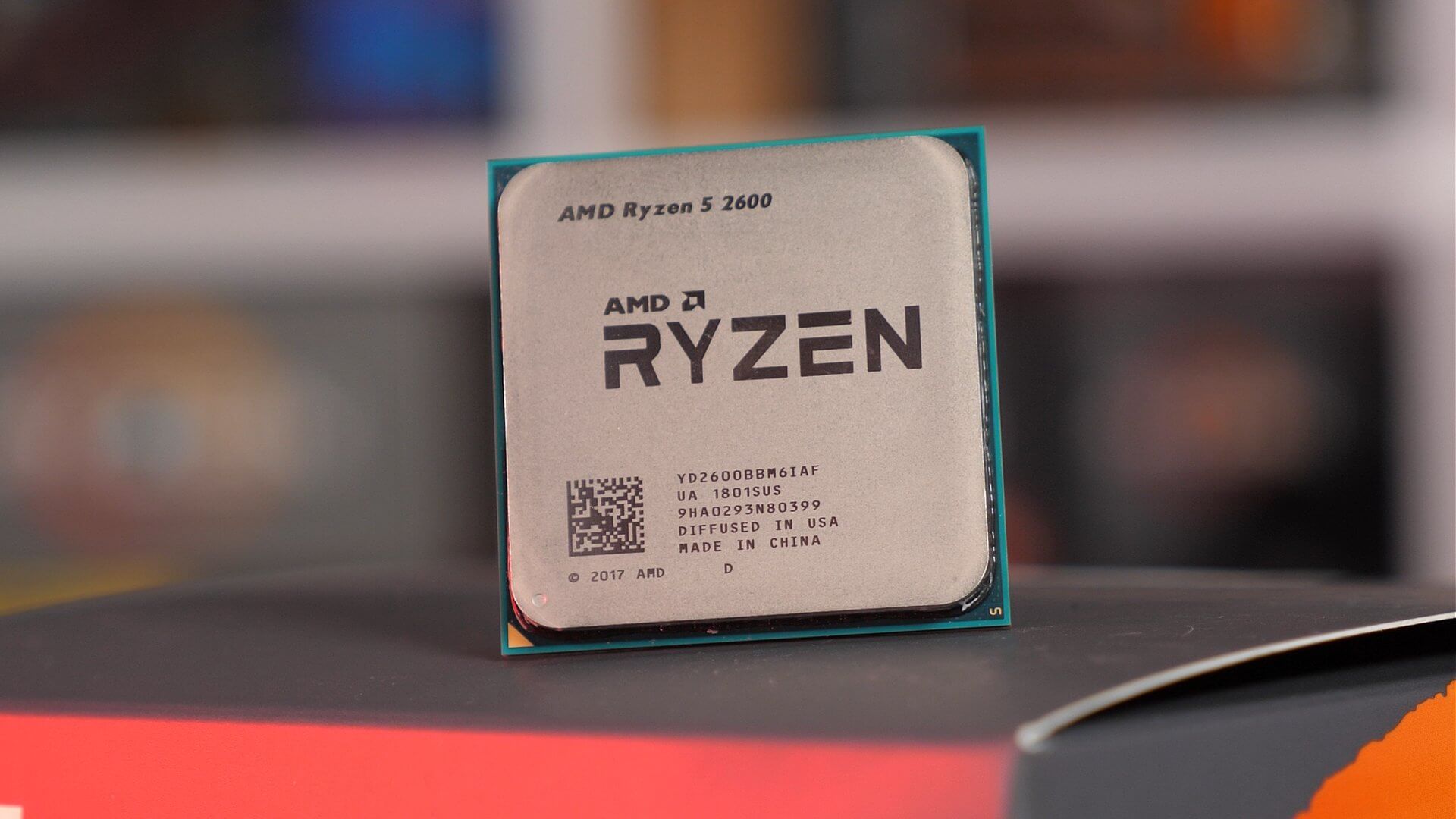
The AMD Ryzen 5 2600 is a six-core, twelve-thread processor based on the "Zen+" microarchitecture, utilizing a 12nm manufacturing process. It serves as a mainstream performance bridge between the original 2017 Zen processors and the subsequent Zen 2 lineup, offering improved cache latency, memory controller efficiency, and precision boost algorithms compared to its predecessor.
The Evolution of Zen+: A Technical Context
Released in 2018, the Ryzen 5 2600 represented a refined iteration of AMD’s competitive return to the high-performance desktop processor market. While the original Zen architecture (found in the Ryzen 1000 series) established the framework, the Ryzen 2000 series, including the 2600, was built on the "Zen+" architecture. This iteration transitioned from the 14nm FinFET process to a refined 12nm LP (Leading Performance) process developed by GlobalFoundries.
The transition to 12nm was not merely a reduction in size but a tactical optimization of the underlying silicon. It allowed for higher frequency headroom at lower power states and enabled the introduction of Precision Boost 2 and XFR 2 (Extended Frequency Range). For the average user or builder in 2026, understanding this transition explains why the 2600 behaves differently than its 1600 or 3600 counterparts. It was the first time AMD successfully lowered cache and memory latency, which were identified as the primary bottlenecks for gaming performance in the original Zen chips.
Core Microarchitecture and Efficiency
The Ryzen 5 2600 operates on a "Pinnacle Ridge" die, featuring 6 physical cores and 12 threads. Each physical core has access to a dedicated 512KB of L2 cache, while the entire complex shares 16MB of L3 cache. This L3 cache is organized into two CCXs (Core Complexes), with 8MB per CCX.
Precision Boost 2 and XFR 2
One of the most significant technical advancements in the 2600 is the implementation of Precision Boost 2. Unlike the original Precision Boost, which was limited to defined "active" states (where a boost was applied only if a specific number of cores were active), Precision Boost 2 employs a more aggressive, granular approach. It continuously monitors power, thermal headroom, and current to scale clock speeds on a per-thread basis, regardless of how many threads are currently under load.
XFR 2 complements this by allowing the processor to exceed its nominal "boost" frequency if the cooling solution allows. Because the 2600 is not an "X" series chip, its thermal and power targets are slightly more conservative, making it a favorite for users who prefer to overclock manually to bridge the performance gap to higher-tier models.
Memory Controller and Latency Improvements
The "Zen+" architecture brought substantial improvements to the Infinity Fabric and the integrated memory controller. In the original Zen chips, high-speed memory often faced stability issues and significant latency penalties. With the 2600, AMD optimized the memory controller to handle officially rated speeds of DDR4-2933 MHz, a jump from the 2666 MHz support seen in previous iterations.
More importantly, the internal inter-core latency was reduced by approximately 10–15%. This improvement is critical because it dictates how quickly data can move between the two CCXs. Applications that are highly sensitive to RAM latency—such as specific simulation games or database-heavy workloads—saw a tangible benefit from this refined memory subsystem.
Comparative Specifications Table
| Feature | AMD Ryzen 5 2600 | AMD Ryzen 5 1600 (AE) | AMD Ryzen 5 3600 |
|---|---|---|---|
| Architecture | Zen+ | Zen | Zen 2 |
| Lithography | 12nm | 14nm | 7nm |
| Base Clock | 3.4 GHz | 3.2 GHz | 3.6 GHz |
| Boost Clock | 3.9 GHz | 3.6 GHz | 4.2 GHz |
| L3 Cache | 16 MB | 16 MB | 32 MB |
| TDP | 65W | 65W | 65W |
Operational Considerations and Compatibility
For users evaluating the Ryzen 5 2600 in 2026, compatibility is a major advantage. Because it utilizes the AM4 socket, it remains compatible with a massive ecosystem of motherboards.
Motherboard Ecosystem
- B350/X370: Requires a BIOS update to support "Pinnacle Ridge." Many boards will already have this installed, but it is a necessary check for legacy hardware.
- B450/X470: These were the native chipsets for the 2600. They offer the best balance of feature support and stability for this specific generation.
- B550/X570: While technically supported in many cases, it is crucial to verify the specific motherboard manufacturer's support list, as these newer chipsets eventually dropped support for earlier Ryzen generations.
Thermal Management
The 2600 includes the Wraith Stealth cooler in its retail packaging. While sufficient for stock operations in a well-ventilated case, the Stealth cooler is limited in its ability to handle sustained overclocking. For users aiming to reach the 4.0 GHz to 4.1 GHz "all-core" stable overclock—a common target for this chip—an aftermarket air cooler or an AIO (All-in-One) liquid cooler is highly recommended.
Common Performance Bottlenecks and Troubleshooting
Despite its solid architecture, users may encounter specific limitations:
- RAM Speed Sensitivity: Even with a 12nm core, the Ryzen 5 2600 is highly dependent on fast memory. If the system is paired with 2133 MHz or 2400 MHz DDR4, the Infinity Fabric will be bottlenecked. For optimal performance, 3000 MHz or 3200 MHz CL16 memory is considered the "sweet spot."
- BIOS Microcode: If the processor is failing to reach expected boost frequencies, ensure the motherboard BIOS is using the latest AGESA version available for that board.
- Power Delivery (VRM): On lower-end motherboards (specifically A320 or entry-level B350), poor VRM (Voltage Regulator Module) cooling can cause the processor to throttle during long renders or high-load tasks.
Frequently Asked Questions
Is the Ryzen 5 2600 still viable for gaming in 2026?
The Ryzen 5 2600 remains capable of handling most modern titles at 1080p when paired with a balanced GPU. However, it will struggle in CPU-intensive, open-world titles that demand high single-core performance compared to modern architectures. It is best utilized in entry-to-mid-level gaming builds.
What is the maximum stable overclock for a 2600?
Most Ryzen 5 2600 chips reach an all-core stable frequency between 4.0 GHz and 4.1 GHz at approximately 1.35V to 1.375V. Silicon lottery plays a significant role; never exceed 1.4V for daily use to prevent long-term degradation.
Do I need to enable XMP/DOCP?
Yes. If you do not enable the XMP or DOCP (Direct Over Clock Profile) in the BIOS, your DDR4 RAM will default to the JEDEC standard speed (usually 2133 or 2400 MHz). This significantly hurts CPU performance, as the internal bus speed is tied to the memory clock.
What GPU pairs best with the Ryzen 5 2600?
The 2600 pairs well with mid-range GPUs from the mid-2020s era. Avoid ultra-high-end cards, as the processor will cause a significant bottleneck at lower resolutions. Target cards that balance the system's total power consumption and thermal footprint.
How does the 12nm process affect power efficiency?
The 12nm process allows the 2600 to maintain higher clock speeds at lower voltages compared to the 14nm Ryzen 1600. While the TDP remains 65W, the actual power delivery is more efficient under load, leading to slightly lower temperatures when running identical workloads.
Recommendations for Deployment
If you are currently maintaining a system with an AMD Ryzen 5 2600, your best path to performance optimization is to ensure your memory is running at its rated XMP profile and that your BIOS is updated to the latest stable release. If you find your performance lagging in modern applications, the most cost-effective upgrade path on the same AM4 motherboard—depending on your specific board's support—is often to jump to a Ryzen 5000-series processor, which provides a significantly larger IPC (Instructions Per Clock) uplift while maintaining the same infrastructure.