Choosing the right platform to host a blog requires balancing ease of use, technical control, cost, and scalability to match your publishing goals.
Selecting a platform to host a blog is one of the most critical decisions a writer, creator, or business owner will make. The ideal hosting environment dictates not only how easily you can publish content, but also how well your site performs in search engine rankings, how much technical maintenance you must perform, and how securely your data is preserved. With numerous hosting architectures and content management systems available, beginners and experienced developers alike often experience analysis paralysis. Understanding the core strengths and limitations of the industry-leading blogging platforms ensures that your investment of time and money yields optimal results.
Understanding Blog Hosting Architectures: Self-Hosted vs. All-in-One
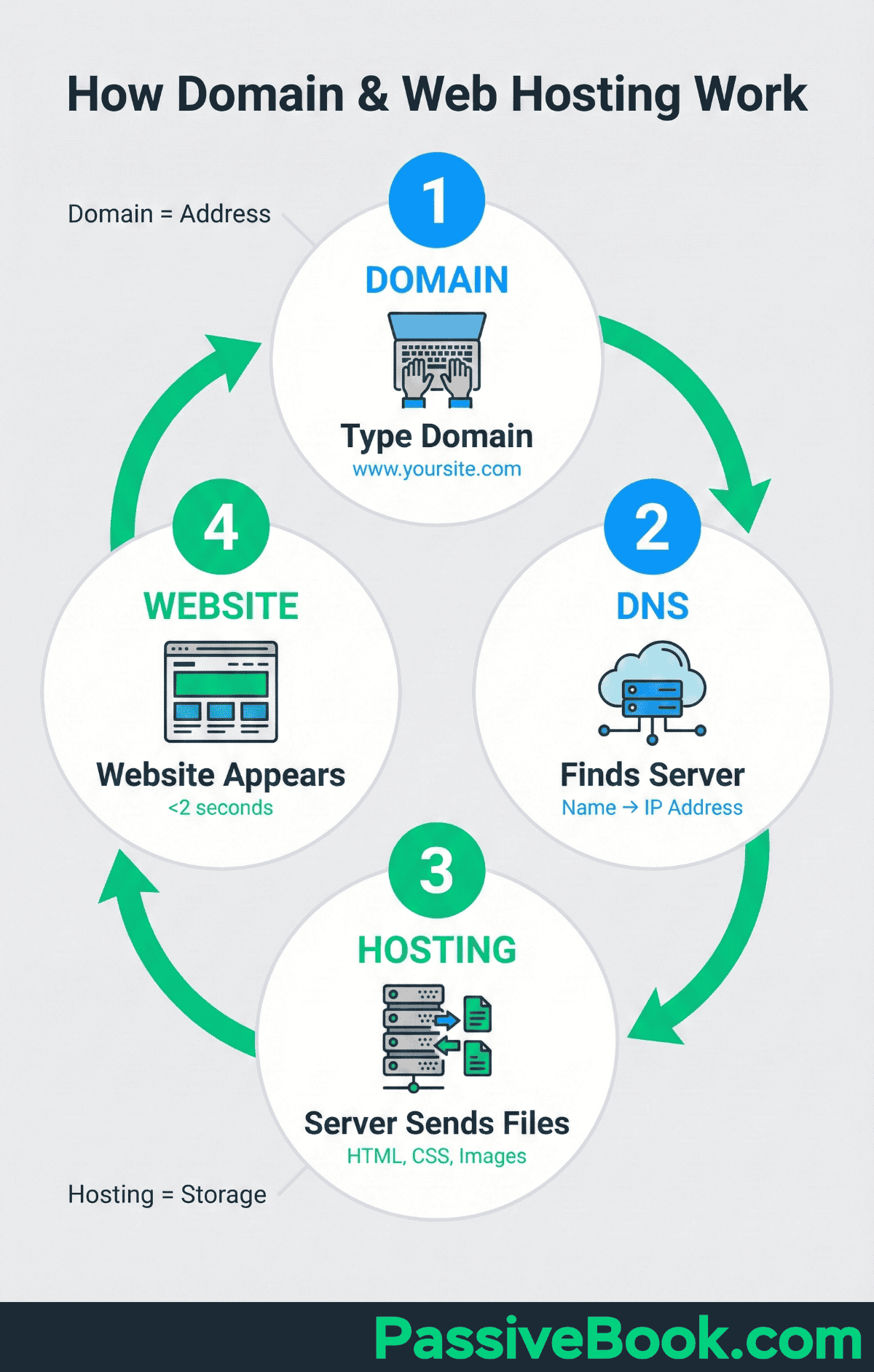
Before evaluating specific platforms, it is essential to understand the structural difference between self-hosted content management systems (CMS) and all-in-one hosted website builders. This foundational division dictates your level of control, your maintenance responsibilities, and your total cost of ownership.
A self-hosted approach means you acquire your own independent web hosting service—such as Bluehost, SiteGround, or DigitalOcean—and install a content management system like WordPress.org on it. This grants you absolute ownership of your database, complete freedom to install custom code or plugins, and maximum flexibility for monetization and search engine optimization (SEO). However, it also places the burden of security updates, backups, and troubleshooting squarely on your shoulders.
Conversely, all-in-one hosted website builders and blogging platforms—such as WordPress.com, Squarespace, and Ghost—handle the underlying infrastructure for you. These platforms bundle the server space, software updates, security certificates, and technical support into a single monthly subscription. While this significantly lowers the barrier to entry and minimizes technical maintenance, it often introduces platform-specific limitations regarding monetization, customization, and data portability.
| Hosting Model | Technical Control | Maintenance Burden | Typical Cost Structure | Best Suited For |
|---|---|---|---|---|
| Self-Hosted CMS | Maximum (Full root/file access) | High (Updates, backups, security) | Variable (Hosting + domain + optional premium plugins) | Advanced users, businesses, high-traffic professional blogs |
| All-in-One Hosted | Moderate (Restricted to platform framework) | Low (Handled by provider) | Fixed monthly or annual subscription | Beginners, portfolios, lifestyle bloggers, small businesses |
1. WordPress.org (Self-Hosted)
WordPress.org powers over forty percent of all websites on the internet, making it the undisputed heavyweight champion of content management systems. It is crucial to distinguish WordPress.org from WordPress.com; the former is the open-source software that you download and install on an independent web host, giving you unmatched freedom.
Why Choose WordPress.org
The primary reason to choose WordPress.org is absolute ownership and extensibility. Because you own the underlying code and database, you are never locked into a proprietary ecosystem. If you dislike your web hosting provider, you can migrate your entire blog to another host within hours. Furthermore, the repository boasts tens of thousands of free and premium plugins and themes. Whether you need advanced schema markup, complex membership portals, or aggressive caching for speed optimization, a plugin exists for almost every conceivable requirement.
Technical Considerations and Limitations
The immense power of WordPress.org comes with a steeper learning curve and operational responsibilities. Because you manage the software, you are directly responsible for installing security patches, updating plugins to prevent vulnerabilities, and configuring reliable automated backups. While the core software is free, you must budget for external web hosting, an SSL certificate (often provided for free by hosts), and premium themes or plugins if your project demands advanced commercial functionality.
2. WordPress.com
Operated by Automattic, WordPress.com utilizes the same core blogging engine as its self-hosted counterpart but wraps it inside a managed, cloud-hosted SaaS (Software as a Service) environment. This approach removes the traditional complexities of setting up separate web hosting.
Why Choose WordPress.com
WordPress.com bridges the gap between the power of the WordPress ecosystem and the simplicity of managed web hosting. Beginners can spin up a functional blog in minutes without needing to interact with file transfer protocols (FTP), database management tools, or server configuration panels. Higher-tier plans also allow users to install custom plugins and themes, granting a degree of flexibility that mirrors self-hosted environments while retaining managed infrastructure benefits like built-in security and automated global content delivery networks (CDNs).
Technical Considerations and Limitations
Free and lower-tier plans on WordPress.com impose strict restrictions. On the free tier, your blog will display platform-branded advertisements, and you will be forced to use a subdomain rather than a custom domain name (e.g., yourname.wordpress.com). Furthermore, monetization options are heavily restricted on lower plans, and true plugin installation is typically locked behind more expensive business and commerce tiers.
3. Squarespace
Squarespace has evolved from a niche portfolio tool into a polished, design-forward platform capable of supporting sophisticated personal blogs, professional publications, and e-commerce stores. It is recognized for its award-winning templates and WYSIWYG (What You See Is What You Get) visual editor.
Why Choose Squarespace
For writers, photographers, and creatives who prioritize visual aesthetics and typography, Squarespace is an exceptional choice. Every template is engineered to be responsive, meaning your blog layout will automatically adapt to mobile phones, tablets, and desktop displays without requiring custom CSS modifications. Additionally, Squarespace provides robust, all-inclusive pricing. Your hosting, security certificate (SSL), domain registration perks, and round-the-clock customer support are bundled into a single predictable subscription fee, eliminating the need to piece together third-party extensions.
Technical Considerations and Limitations
Squarespace operates within a closed ecosystem. While it offers robust blogging features—including built-in audio block support for podcasts, category tagging, and automated social sharing—you do not have access to the underlying source code. If you require hyper-specific database modifications or want to integrate niche developer APIs that are not natively supported, you may find Squarespace's rigid architecture restrictive. Furthermore, advanced SEO configuration is largely automated, which appeals to novices but can frustrate advanced search engine optimization professionals who demand granular control over rewrite rules and server headers.
4. Ghost
Ghost is an open-source, non-profit publishing platform built specifically for professional writers, journalists, and independent content creators who want to focus entirely on publishing and audience monetization.
Why Choose Ghost
Ghost is engineered for speed and modern publishing workflows. Unlike WordPress, which evolved into a general-purpose CMS, Ghost was designed from the ground up for blogging and newsletter publishing. Its minimalist, distraction-free writing interface utilizes a Markdown-based editor that streamlines content creation. More importantly, Ghost features powerful, native membership and subscription tools. Creators can easily gate content, offer tiered paid subscriptions, and send automated newsletters directly to subscribers' inboxes without relying on complex third-party email marketing integrations like Mailchimp.
Technical Considerations and Limitations
Ghost can be deployed in two ways: Ghost(Pro), which is the fully managed cloud hosting service, or self-hosted via platforms like DigitalOcean using Node.js. While Ghost(Pro) is exceptionally easy to maintain, its subscription pricing scales rapidly as your subscriber base grows. If you choose the self-hosted route, technical proficiency with command-line interfaces and Linux server environments is mandatory, making it less accessible for absolute beginners compared to visual builders like Squarespace.
5. Wix
Wix is a versatile cloud-based website builder that utilizes advanced artificial intelligence tools alongside drag-and-drop design editors to help users build fully customized blogs and websites quickly.
Why Choose Wix
Wix offers maximum visual freedom through its absolute positioning drag-and-drop editor. You can place any text box, image, or widget anywhere on the canvas without adhering to rigid grid systems. For bloggers who want to combine a media-rich portfolio, an online storefront, and a dynamic journal into a single cohesive property, Wix provides an extensive app market with integrated marketing tools, visitor analytics, and SEO planning assistants.
Technical Considerations and Limitations
Historically, Wix faced criticism regarding clean code generation and search engine performance, though the platform has made substantial technical upgrades to improve page load speeds and rendering architectures. However, like Squarespace, Wix is a proprietary platform. Once you select a template and build your site, migrating your exact layout and custom elements to another CMS if you outgrow the platform can be a complex, manual process.
Essential Criteria for Evaluating Blog Hosts
When deciding which platform deserves your time and financial commitment, evaluate your selection against four technical and operational pillars:
- Scalability and Growth Potential: Consider where your blog will be in three to five years. Can the platform handle a sudden influx of traffic without crashing, and does it allow you to expand into e-commerce or member portals without a total rebuild?
- Monetization Architecture: Verify whether the host permits third-party display advertising networks, affiliate links, or native digital product sales without taking an aggressive cut of your revenue or forcing you onto expensive enterprise tiers.
- SEO Infrastructure: Ensure the platform generates clean HTML markup, allows custom meta title and description tags, provides XML sitemaps automatically, and supports fast Core Web Vitals performance metrics.
- Data Ownership and Portability: Confirm that you retain full ownership of your content and user data, and that you can export your database easily if you ever decide to switch hosting providers.
Frequently Asked Questions
Which blog platform is best for complete beginners?
WordPress.com and Squarespace are generally considered the best options for beginners. They eliminate the complexities of server configuration, database management, and manual security updates, allowing users to focus entirely on writing and publishing content.
Can I make money from a free blogging site?
While some free platforms allow basic monetization, most impose severe restrictions. Free tiers often prohibit running commercial advertisements, block affiliate links, or force platform branding onto your pages. Serious monetization typically requires upgrading to a paid plan or utilizing a self-hosted CMS.
Is self-hosted WordPress difficult to set up?
Setting up self-hosted WordPress has become significantly easier thanks to modern web hosts that offer one-click installation scripts. However, ongoing maintenance—such as updating plugins, monitoring security vulnerabilities, and managing backups—requires basic technical competence or a willingness to learn.
How do I switch my blog to a different host later?
Switching hosts depends on your current platform. Moving between self-hosted WordPress providers is relatively straightforward using migration plugins or manual database exports. Migrating away from proprietary, closed ecosystems like Squarespace or Wix, however, often requires exporting text via XML and manually rebuilding layouts on the new platform.
Conclusion and Next Action
Selecting the ideal blog hosting site ultimately depends on your technical comfort level and long-term publishing strategy. If you desire absolute control, advanced customization, and limitless growth potential, invest the time to configure a self-hosted WordPress.org site. If you prioritize design elegance, zero server maintenance, and rapid deployment, a managed environment like Squarespace or WordPress.com will serve you better.
Your immediate next action should be to list your core requirements—budget, expected traffic volume, monetization plans, and technical skill—and map them against the strengths of these five industry-leading platforms to make an informed choice.