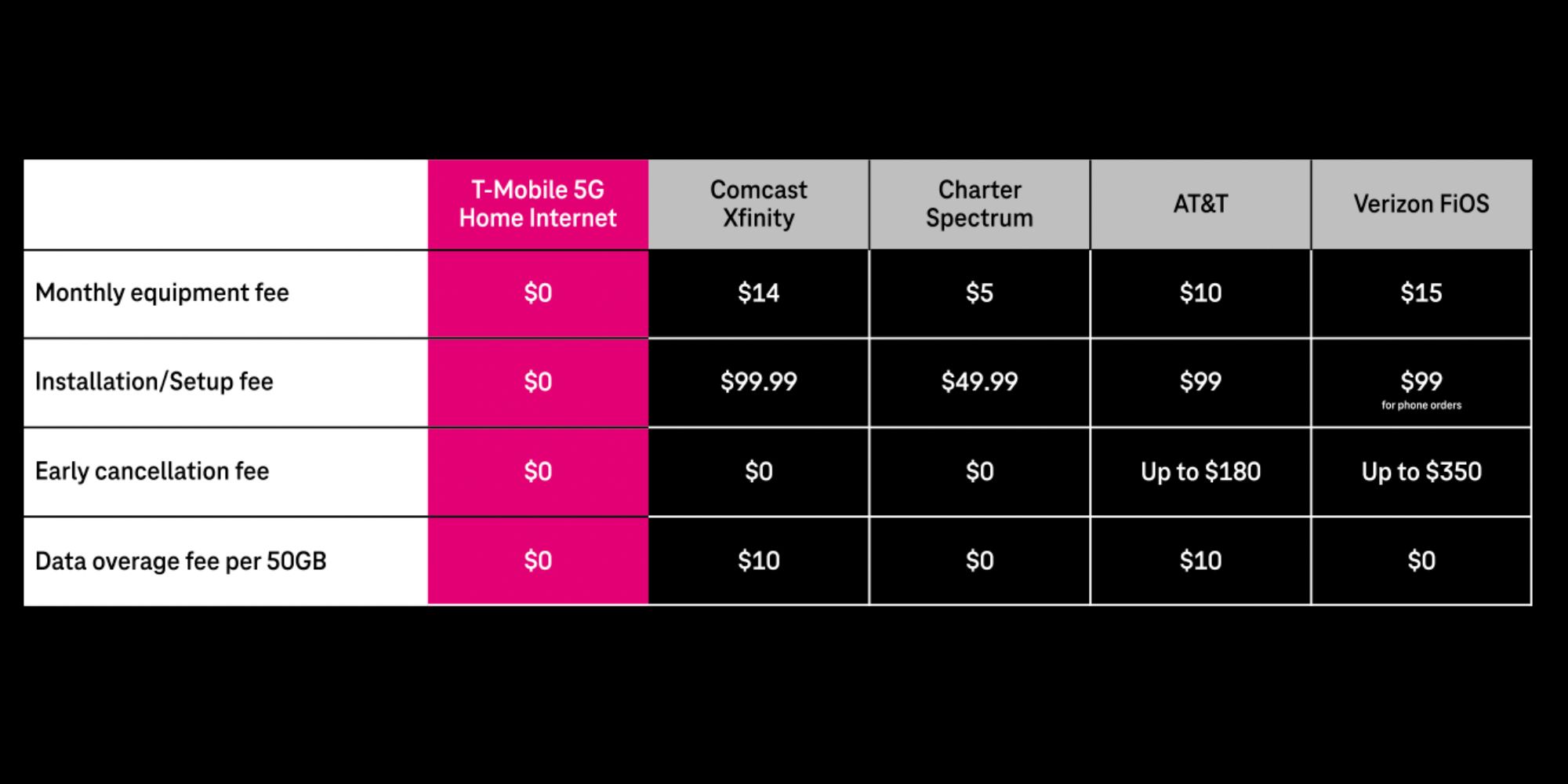
Choosing between AT&T Internet and Comcast Xfinity comes down to network architecture and speed symmetry: AT&T Fiber delivers superior overall performance with equal upload and download speeds, no data caps, and transparent pricing without contracts. Comcast Xfinity provides broader coverage across the United States and high download speeds, but standard plans feature asymmetric upload speeds and monthly data caps in most regions.
1. Core Network Architecture: Pure Fiber vs. Hybrid Fiber-Coaxial
Understanding the difference between AT&T and Comcast Xfinity requires examining the underlying physical infrastructure each provider uses to deliver internet service to residential property. Network architecture dictates maximum bandwidth, signal degradation over distance, latency, and susceptibility to peak-hour congestion.
Network Architecture Workflows
AT&T Fiber Architecture (FTTH)
- Central Office
- Optical Fiber Cable (100% Optical Signal - Low Latency & Symmetrical Speeds)
- Residential Optical Network Terminal (ONT)
Comcast Xfinity Architecture (HFC)
- Headend
- Fiber Backbone
- Local Node (Shared Neighborhood Bandwidth - Asymmetrical Speeds)
- Coaxial Cable (RG6/RG11)
- Cable Modem
AT&T Internet Infrastructure
AT&T primarily operates two distinct network footprints for fixed home internet: Fiber-to-the-Home (FTTH) and legacy IPBB (Internet Protocol Broadband).
- AT&T Fiber (FTTH): Uses 100% fiber-optic cables running directly from the central office switch into the subscriber’s home. Modern deployments utilize XGS-PON (10-Gigabit Symmetric Passive Optical Network) technology. Because data travels as light pulses over glass fibers rather than electrical signals over copper, fiber optics experience virtually zero attenuation (signal loss) over residential service distances and are immune to electromagnetic interference from electrical lines, weather events, or radio frequencies.
- AT&T Legacy IPBB / DSL: In areas without direct fiber infrastructure, AT&T delivers internet using hybrid fiber-to-the-node (FTTN) or pure twisted-pair copper telephone lines. These legacy connections offer substantially lower speeds (ranging from 10 Mbps to 100 Mbps) and suffer from signal degradation proportional to the subscriber's physical distance from the neighborhood node. In many non-fiber areas, AT&T has transitioned users toward AT&T Internet Air, a fixed wireless service powered by 5G mobile towers.
Comcast Xfinity Infrastructure
Comcast Xfinity operates a Hybrid Fiber-Coaxial (HFC) network infrastructure.
- HFC Cable Network: High-capacity fiber-optic trunk lines transport data from Comcast’s regional distribution facilities (headends) to optical nodes located throughout neighborhoods. From the local node, the signal converts from optical light to high-frequency electrical signals, traveling over traditional coaxial copper cables (such as RG6 or RG11 coaxial runs) into individual residences.
- DOCSIS Standards: Xfinity relies on DOCSIS (Data Over Cable Service Interface Specification) technology to transmit digital data alongside cable television frequencies. Most Xfinity locations run on DOCSIS 3.1, which allocates significant RF spectrum to downstream data channels while reserving narrow frequency bands for upstream data. Comcast is actively upgrading select metropolitan nodes to DOCSIS 4.0 and mid-split network architectures to expand upstream capacities, but the majority of coaxial connections remain fundamentally asymmetrical.
2. Speed and Bandwidth: Symmetrical vs. Asymmetrical Performance
When evaluating internet performance, consumers often focus strictly on download speed. However, modern internet usage—including high-definition video conferencing, cloud backup, file uploads, online gaming, and multi-device households—depends heavily on upload capacity and latency.
Symmetrical Bandwidth Advantage (AT&T Fiber)
AT&T Fiber provides symmetrical bandwidth, meaning upload speeds match download speeds across all speed tiers. A subscriber paying for 300 Mbps receives 300 Mbps down and 300 Mbps up.
| AT&T Fiber Tier | Download Speed | Upload Speed | Primary Use Case |
|---|---|---|---|
| Internet 300 | 300 Mbps | 300 Mbps | Standard households, streaming, remote working |
| Internet 500 | 500 Mbps | 500 Mbps | Multi-user homes, 4K streaming, simultaneous video calls |
| 1 Gig Internet | 1,000 Mbps | 1,000 Mbps | Heavy bandwidth users, media production, large file transfer |
| 2 Gig Internet | 2,000 Mbps | 2,000 Mbps | Power users, multi-gigabit local networks (LANs) |
| 5 Gig Internet | 5,000 Mbps | 5,000 Mbps | Enterprise-grade home offices, simultaneous 8K workstation workflows |
Symmetrical upload capability reduces buffering when sending large files to cloud platforms like Google Drive or Dropbox, improves screen-sharing clarity during Zoom or Teams meetings, and allows real-time video streaming (e.g., Twitch or YouTube Live) without impacting downstream network activity.
Asymmetrical Bandwidth Limitations (Comcast Xfinity)
Standard Xfinity cable internet plans feature asymmetrical bandwidth. While downstream bandwidth can match or exceed gigabit thresholds, upstream bandwidth is restricted by coaxial network spectrum limits.
| Xfinity Cable Tier | Typical Download Speed | Typical Upload Speed | Network Type |
|---|---|---|---|
| Connect / Fast | 75 – 200 Mbps | 10 – 20 Mbps | DOCSIS 3.1 Cable |
| Superfast / Gigabit | 400 – 1,000 Mbps | 20 – 35 Mbps | DOCSIS 3.1 Cable |
| Gigabit Extra / x2 | 1,200 – 2,000 Mbps | 35 – 200 Mbps | Mid-Split / Advanced DOCSIS 3.1 |
| Gigabit x10 (Pro) | 10,000 Mbps | 10,000 Mbps | Fiber (Limited Metro Areas) |
For users who rarely upload data, an asymmetrical connection is often adequate for standard streaming and web browsing. However, when multiple users perform upload-intensive actions simultaneously, an asymmetric network’s upstream channel can saturate quickly. Upstream congestion causes severe packet queue delays, leading to high latency spikes, choppy video calls, and dropped connections across all devices on the network.
3. Latency, Packet Loss, and Gaming Performance
Latency (measured in milliseconds as ping) represents the time required for a packet of data to travel from a device to a remote server and back. Jitter measures the variability in latency over time, while packet loss occurs when network data units fail to reach their destination.
Latency & Bandwidth Contention Comparison
- AT&T Pure Fiber Connection:
- Dedicated Glass Line
- Low Ping (<15ms)
- Zero Node Contention
- Stable Jitter
- Comcast HFC Cable Connection:
- Shared Neighborhood Node
- Medium Ping (20-40ms)
- Peak Hour Contention
- Variable Jitter
Gaming and Real-Time Application Performance
For competitive online gaming, voice-over-IP (VoIP), and financial trading, low latency and minimal jitter matter more than total raw megabits per second.
- AT&T Fiber Performance: Direct optical transmission paths provide consistent, single-digit or low double-digit latency values (typically 5 ms to 15 ms to local server hops). Fiber lines are unaffected by local neighborhood bandwidth usage because subscriber connections run over dedicated optical channels back to the central splitter. Packet loss on healthy fiber networks remains near 0%.
- Comcast Xfinity Performance: Coaxial cables convert electrical signals across multiple amplifiers along outdoor pole lines and underground conduits, adding incremental signal delay. Xfinity typical latency ranges between 20 ms and 45 ms to regional nodes. Furthermore, cable subscribers share neighborhood bandwidth pools at the local node level; during peak traffic hours (typically 7:00 PM to 11:00 PM), local node contention can cause transient ping spikes and packet loss.
4. Pricing, Contracts, and Hidden Fees
Evaluating total service costs requires looking beyond promotional headline prices to account for gateway rental fees, contract commitments, price hikes, and regional variations.
Cost Structure Comparison
- AT&T Fiber Cost Structure:
- Monthly Base Price (Flat Rate) + Included Gateway Fee ($0) = Predictable Monthly Bill
- (No Annual Contracts | No Automatic 12-Month Price Hikes)
- Comcast Xfinity Cost Structure:
- Promo Intro Rate (12-24 Mo.) + Gateway Rental ($15/mo) + Post-Promo Increase = Variable Monthly Bill
- (Often Requires Contracts | Promotional Rate Expiration Increases Cost)
AT&T Pricing Model
AT&T Fiber uses a simplified, flat-rate pricing strategy:
- No Annual Contracts: Standard residential fiber plans operate month-to-month without long-term commitment clauses or early termination fees (ETFs).
- Equipment Fee Included: AT&T includes its Wi-Fi gateway hardware within the advertised base monthly price for all current fiber tiers.
- Straightforward Pricing: AT&T generally refrains from steep mandatory price jumps at the end of the first year, though base service rates remain subject to broad inflationary adjustments over time.
Note: Legacy AT&T IPBB copper connections typically carry higher relative costs per megabit and may include equipment rental fees depending on account age.
Comcast Xfinity Pricing Model
Comcast Xfinity relies on promotional contract pricing designed to attract new subscribers with low initial rates:
- Promotional Terms: Advertised initial pricing usually requires a 12-month or 24-month contract agreement. Terminating service early results in prorated Early Termination Fees (typically $10 to $10 per remaining month).
- Post-Promotional Price Increases: Once the introductory term expires, monthly rates increase significantly to standard regular rates—often increasing by $25 to $50 per month unless the customer renegotiates or locks in a new promotional agreement.
- Equipment Rental Fees: Renting an Xfinity xFi Gateway router/modem combo generally incurs a separate fee of roughly $15 per month unless offset by specific promotional bundles or optional add-ons like xFi Complete.
- Regional Variance: Xfinity pricing, speed tiers, and contract policies vary by market division (Central, Northeast, and Western regions).
5. Data Caps and Fair Use Policies
Data caps limit the total volume of gigabytes or terabytes a household can download and upload within a single billing cycle. Exceeding these limits results in automatic overage charges or artificial speed throttling.
| Provider | Data Cap & Overage Charge Details |
|---|---|
| AT&T Fiber | Unlimited Data Included (0 Data Caps) |
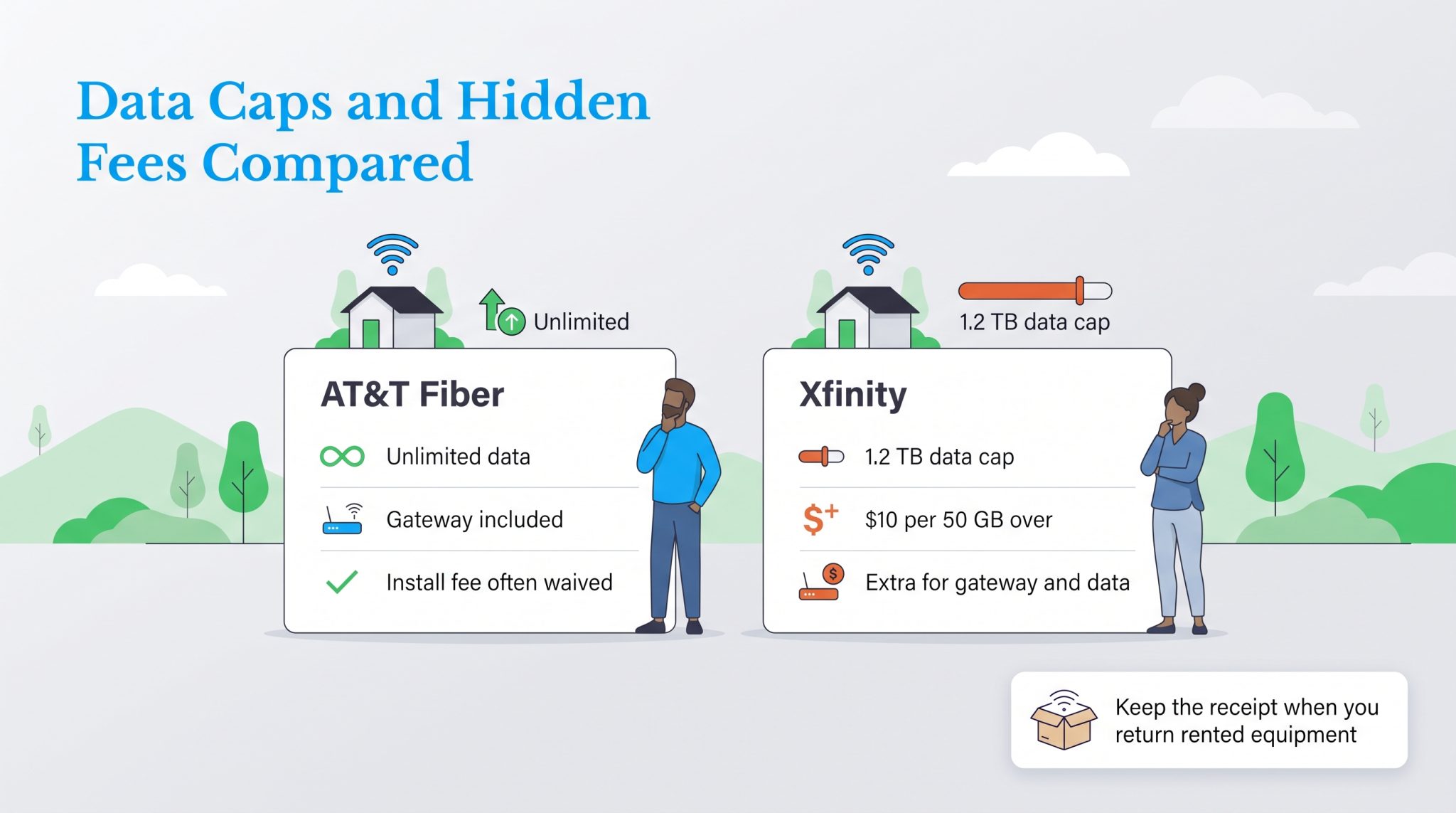
| Comcast Xfinity (Most Regions) | 1.2 Terabyte (TB) Monthly Cap$10 per 50 GB overage block (Max $100/mo)Unlimited optional add-on: $30/mo or xFi Complete |
AT&T Data Policies
- AT&T Fiber: All fiber plans feature unlimited data with zero data caps, zero overage charges, and no artificial network throttling based on cumulative consumption.
- AT&T Legacy IPBB / Air: Legacy copper plans historically included a 1 TB monthly limit, whereas AT&T Internet Air fixed wireless plans typically feature unlimited data subject to potential deprioritization during heavy network congestion.
Comcast Xfinity Data Policies
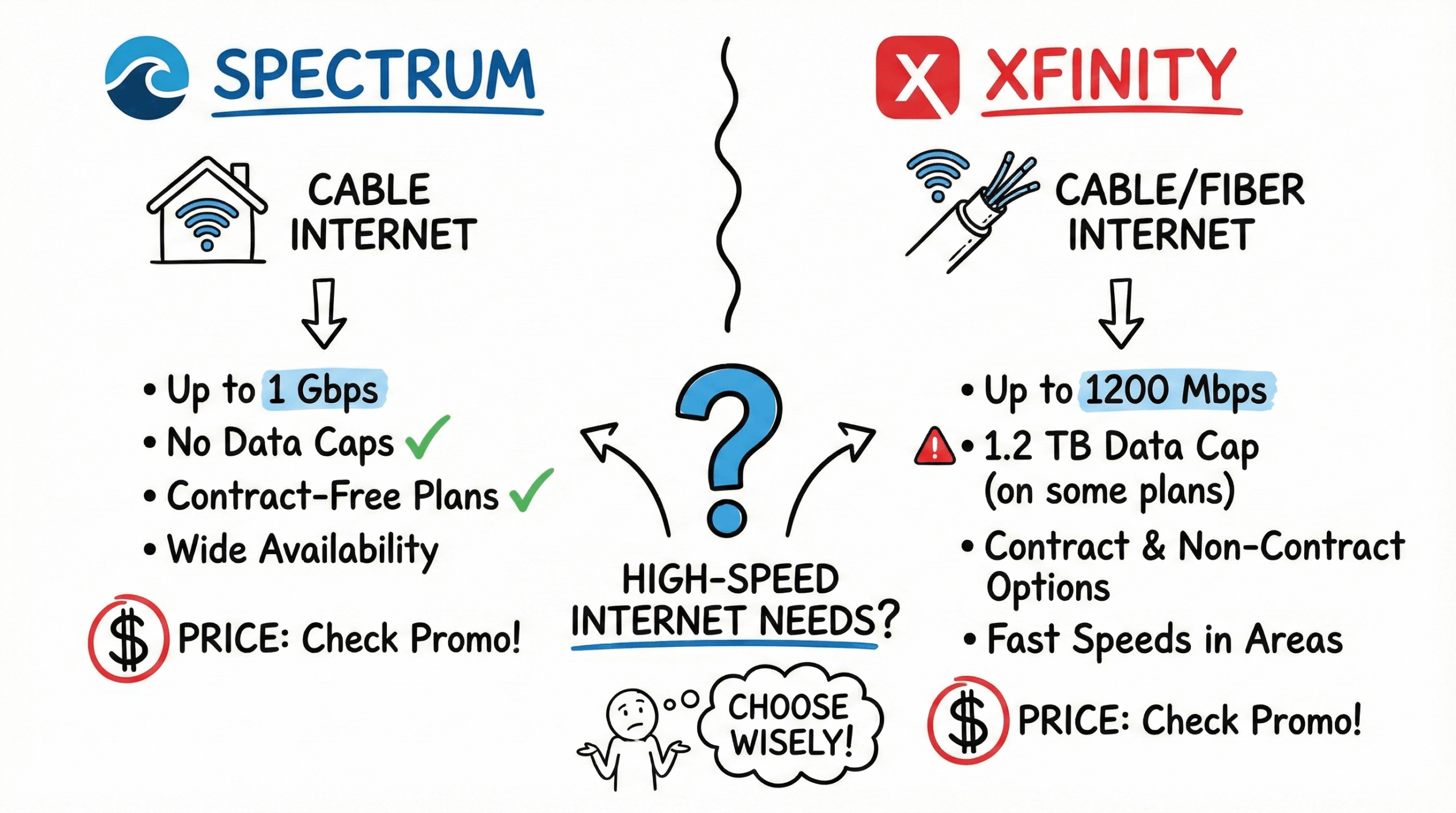
- 1.2 Terabyte Data Cap: In the majority of its service footprint (Central and Western divisions), Xfinity enforces a 1.2 Terabyte (1,228 GB) monthly data allowance across standard residential plans.
- Overage Charges: If a household exceeds the 1.2 TB threshold, Xfinity automatically adds $10 blocks of 50 GB to the monthly bill, capped at a maximum overage penalty of $100 per month.
- Unlimited Options: Subscribers who stream heavily, download large game installation files (which often exceed 100 GB each), or perform continuous cloud backups can purchase an unlimited data add-on for approximately $30 per month, or enroll in Xfinity's xFi Complete program, which includes gateway hardware and unlimited data for a combined monthly fee.
- Northeast Exemption: Due to local market competition and regulatory historical precedent, Xfinity does not enforce the 1.2 TB data cap in its Northeast region markets.
6. Hardware, Equipment, and Network Customization
Both providers require specific network terminating hardware to convert incoming physical signals into local home networking connections (Ethernet and Wi-Fi).
AT&T Hardware Options
AT&T Fiber installations utilize an Optical Network Terminal (ONT) paired with a specialized Wi-Fi gateway—most commonly the AT&T BGW320 Gateway.
- Incoming Fiber Line
- AT&T BGW320 Gateway (Integrated ONT/Router)
- Built-in Wi-Fi 6 / 6E (Serves Wireless Devices)
- IP Passthrough Mode
- Customer's Mesh/Router (e.g., eero, ASUS, Netgear)
- Hardware Integration: The BGW320 combines the optical termination unit and Wi-Fi 6 or Wi-Fi 6E gateway into a single device.
- Router Bypass Restrictions: AT&T’s authentication protocol requires the official AT&T Gateway to remain attached to the network line to manage network certificate handshakes (802.1X authentication). Subscribers who prefer to use their own third-party mesh system (such as Asus, Netgear Orbi, or Amazon eero) must configure the AT&T gateway to IP Passthrough Mode and disable its internal Wi-Fi radios. Direct modem replacement is not supported without advanced network workaround configurations.
Comcast Xfinity Hardware Options
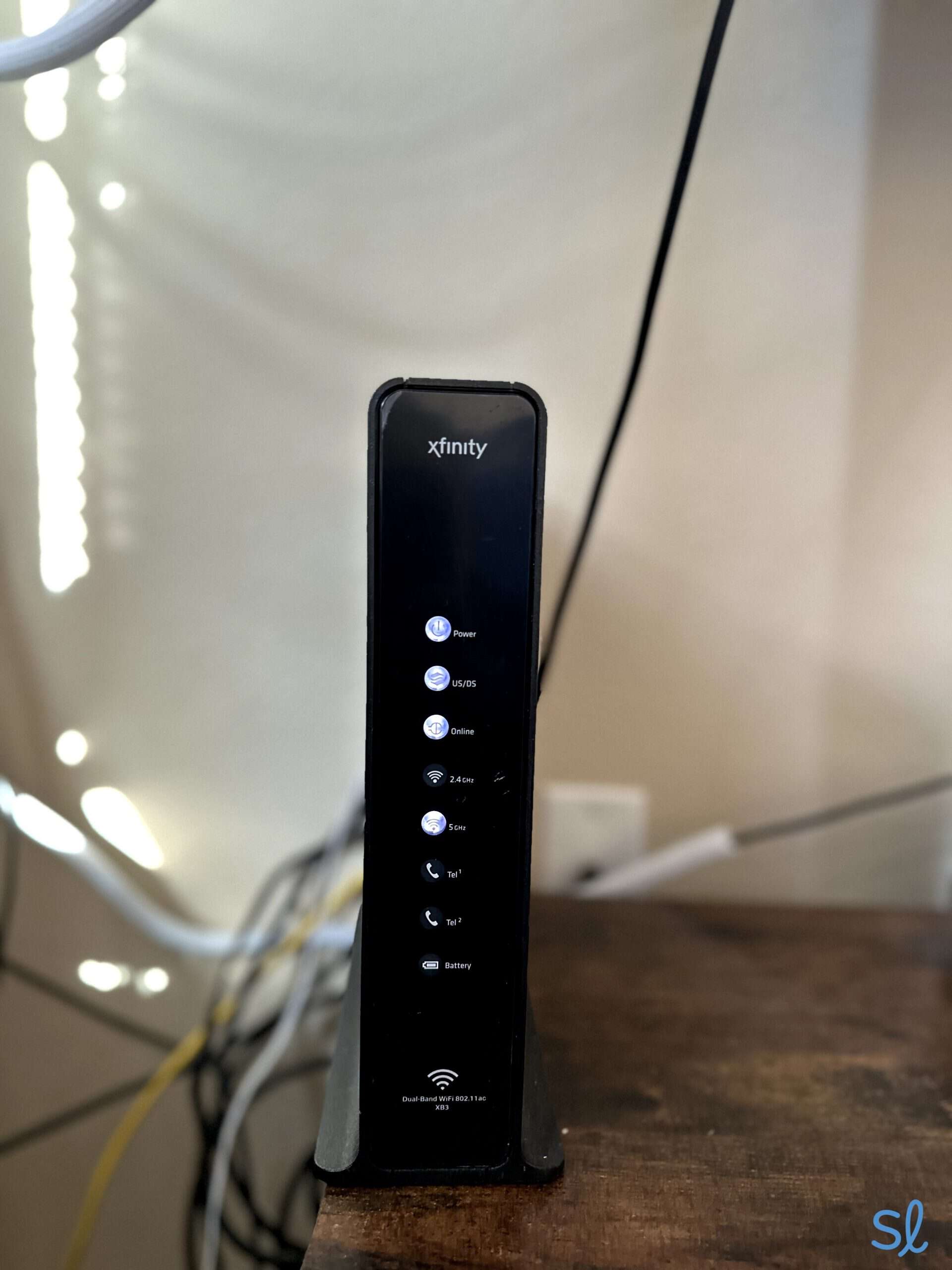
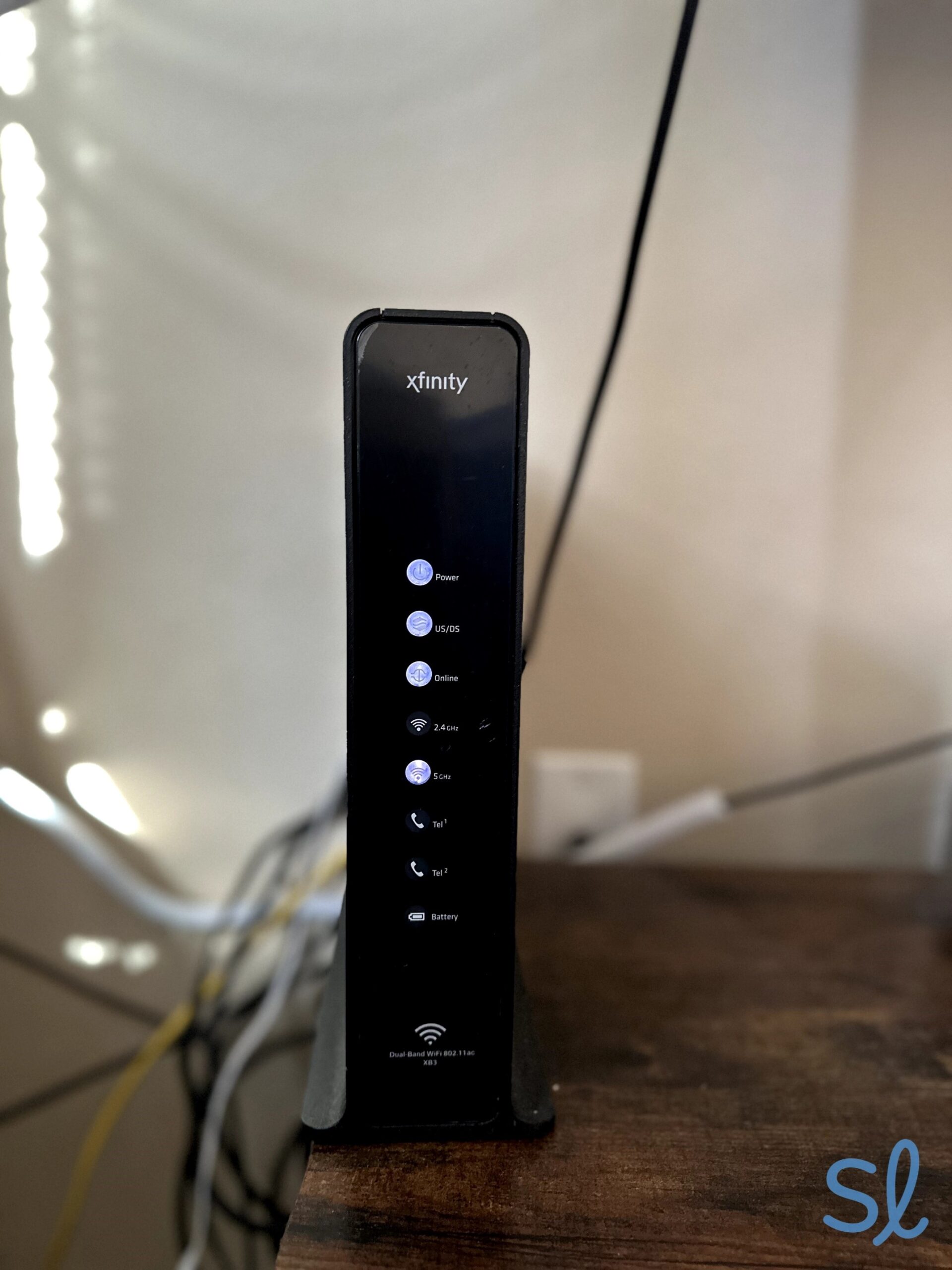
Comcast deploys its custom line of xFi Gateways (XB7, XB8, and newer models supporting Wi-Fi 6 and Wi-Fi 6E).
Option A: Rent Xfinity xFi Gateway: Supports xFi Pods Mesh / Optional Advanced Security
Option B: Own Customer DOCSIS 3.1 Modem: Connect Custom Third-Party Wi-Fi Router
Third-Party Equipment Freedom: Xfinity allows subscribers to supply their own third-party cable modem (which must be certified for DOCSIS 3.1 or DOCSIS 4.0) and personal Wi-Fi router. Buying third-party hardware eliminates monthly gateway rental fees completely.
xFi Gateway Features: Renting Xfinity's gateway unlocks parental control software through the xFi app, automatic mesh node pairing (xFi Pods), and inclusion in the xFi Complete package for unlimited data.
7. Direct Technical Comparison
The following table summarizes key operational parameters between AT&T Fiber and Comcast Xfinity standard cable services based on nationwide service criteria.
| Feature / Specification | AT&T Internet (Fiber) | Comcast Xfinity (Cable) |
|---|---|---|
| Primary Technology | FTTH (Fiber-to-the-Home / XGS-PON) | HFC (Hybrid Fiber-Coaxial / DOCSIS 3.1) |
| Max Download Speeds | Up to 5,000 Mbps (5 Gbps) | Up to 1,200 – 2,000 Mbps |
| Upload Speeds | Symmetrical (300 to 5,000 Mbps) | Asymmetrical (10 to 200 Mbps max) |
| Average Latency | Low (5 ms – 15 ms) | Moderate (20 ms – 45 ms) |
| Monthly Data Cap | Unlimited (No caps on fiber) | 1.2 TB (Add-on fee for unlimited) |
| Contract Requirements | Month-to-month (No annual contracts) | Often requires 12/24-month contract |
| Gateway Fee | Included in base price | ~$15/month (Unless bundled or bypass) |
| Bring Your Own Modem | No (Gateway authentication required) | Yes (Certified DOCSIS 3.1 modems permitted) |
| Peak Hour Congestion | Negligible (Dedicated optical line) | Moderate (Shared neighborhood coaxial node) |
| Nationwide Coverage | Regional (~21 U.S. states) | Widespread (~40 U.S. states) |
8. Installation, Availability, and Coverage Realities
While AT&T Fiber offers superior overall technical specifications, market availability often determines the realistic options for home broadband choices.
Address Verification Workflow
- AT&T Fiber Available?
- Choose AT&T Fiber (Top Recommended Option)
- AT&T Legacy Copper Only?
- Compare Xfinity Cable vs. AT&T Air / Copper Options
- Choose Xfinity Cable (For Higher Download Speeds)
Coverage Footprint
- AT&T's Footprint: AT&T operates as the primary local exchange carrier (ILEC) across 21 U.S. states, primarily concentrated in the Southeast, Midwest, and Southwest regions. However, AT&T Fiber is available only where micro-fiber infrastructure has been explicitly run down municipal streets. If an address falls outside AT&T's built-out fiber footprint, service degrades to slow legacy copper lines or fixed-wireless AT&T Internet Air.
- Xfinity's Footprint: Comcast is the largest cable broadband provider in North America, covering approximately 40 states. Its coaxial distribution network spans deep into suburban and urban neighborhoods, giving Xfinity a larger overall coverage footprint for high-speed download access than pure fiber networks currently offer.
Installation Protocols
- AT&T Installation: Fiber installation requires a technician to run an optical drop wire from the utility pole or underground vault directly into the residential structure, mounting a wall box or running fiber to an internal gateway location. Self-installation is available only if the home has previously had active AT&T Fiber installed.
- Xfinity Installation: Because most homes already feature pre-existing coaxial cable outlets, Xfinity offers convenient Self-Install Kits. Technicians are required primarily when cable lines from the street pole drop have degraded or require physical node activation.
Frequently Asked Questions
Is AT&T Fiber faster than Comcast Xfinity cable internet?
For download speed, top-tier plans for both providers offer gigabit-plus capacity (1,000 to 2,000 Mbps). However, AT&T Fiber is significantly faster for upload tasks because it provides symmetrical upload speeds matching its download speeds (up to 5,000 Mbps). Xfinity's standard cable upload speeds top out between 35 Mbps and 200 Mbps depending on network generation.
Does Comcast Xfinity charge extra for unlimited data?
Yes, in most regions (excluding the Northeast division), Xfinity enforces a 1.2 TB monthly data cap on standard plans. Exceeding this limit incurs overage fees of $10 per 50 GB consumed. Subscribers can add unlimited data for approximately $30 per month as a standalone fee or by upgrading to the xFi Complete equipment package.
Can I use my own Wi-Fi router with AT&T Fiber?
Yes, but you must keep the official AT&T Gateway hardware connected to the line, as it handles network certificate authentication. To use a personal Wi-Fi router or mesh system, place the AT&T Gateway into IP Passthrough mode and disable its internal Wi-Fi broadcast settings.
Can I use my own modem with Comcast Xfinity?
Yes, Comcast allows subscribers to purchase and use their own certified DOCSIS 3.1 or DOCSIS 4.0 cable modem and Wi-Fi router combination. Using personal hardware eliminates the standard monthly gateway rental fee from your monthly bill.
Which internet provider is better for online gaming?
AT&T Fiber is generally better suited for online gaming due to lower latency, lower jitter, and zero node contention during peak hours. Fiber connections regularly achieve latency below 15 ms, whereas cable connections often range from 20 ms to 45 ms and are more vulnerable to peak-hour evening ping spikes.
What happens when my Comcast Xfinity promotional contract expires?
When a promotional contract ends, your monthly bill increases to standard regular rates, which can raise your base cost by $25 to $50 per month. To maintain a lower price, subscribers must renegotiate a new contract commitment with Comcast customer support, switch plans, or switch to an alternate local internet service provider.
Summary and Next Actions
When evaluating AT&T Internet versus Comcast Xfinity, your final choice should depend on service availability at your physical address:
- If AT&T Fiber is available at your home: Choose AT&T Fiber. Its symmetrical speed structure, absence of data caps, lower operational latency, and straightforward pricing make it the superior long-term broadband solution for virtually every household.
- If only legacy AT&T copper/DSL is available: Choose Comcast Xfinity Cable. The high download capacity of Xfinity’s cable network significantly outperforms legacy DSL copper lines or basic fixed-wireless connections.
- If choosing Comcast Xfinity: Mitigate secondary costs by bringing your own DOCSIS 3.1 cable modem to avoid rental fees, monitor monthly data usage carefully to avoid 1.2 TB overage charges, and set calendar reminders to renegotiate pricing terms when introductory contracts expire.
Confirm physical infrastructure availability by entering your exact residential address into the official service coverage portals for both AT&T and Comcast Xfinity prior to making a purchasing decision.