Gaming on Apple laptops in 2026 is defined by a distinct shift from traditional desktop-style performance toward optimized, ecosystem-integrated experiences powered by Apple Silicon. While these machines provide exceptional thermal efficiency and industry-leading performance-per-watt, their gaming viability depends entirely on whether a user prioritizes native titles, advanced emulation, or professional-grade creative workflows that double as gaming platforms.
The Architecture of Apple Gaming: Understanding Silicon
The transition from Intel-based processors to Apple Silicon (the M-series chips) fundamentally changed how these machines handle graphical workloads. Unlike traditional gaming laptops that rely on discrete graphics cards from companies like NVIDIA or AMD, Apple laptops utilize a System on a Chip (SoC) architecture.
In this design, the CPU, GPU, and Unified Memory are all located on the same silicon die. This enables high-speed data transfer between the GPU and the system memory, which is essential for professional video editing and 3D rendering. For gamers, this means games that are specifically optimized for the Metal graphics API can achieve impressive frame rates and visual fidelity. However, because the architecture is so different from the x86 systems used by nearly every other gaming platform, compatibility remains a primary hurdle.
Native Gaming vs. Emulation and Compatibility
When evaluating an Apple laptop for gaming, you must distinguish between three distinct categories of software:
1. Native Apple Silicon Titles
These games are built specifically for the Metal API. When a developer invests in native support, the performance is often staggering. You can expect high resolutions and consistent frame rates on MacBook Pro models equipped with M4 Pro or M4 Max chips. These titles benefit from the unified memory architecture, allowing the game to access large texture assets without the latency issues found in traditional desktop setups.
2. The Game Porting Toolkit (GPTK)
Apple’s Game Porting Toolkit has served as a bridge, allowing developers to test how their existing Windows-based games might run on macOS. While this tool was designed for developers to evaluate the feasibility of porting their games, it has empowered a community of users to run titles that lack native Mac versions. Performance here is variable; it often relies on translation layers that can introduce overhead, potentially affecting frame stability during intensive sequences.
3. Emulation and Virtualization
Users attempting to run Windows games through virtualization (such as Parallels or CrossOver) will find varying degrees of success. While general productivity applications run flawlessly, modern high-end gaming—especially titles with aggressive anti-cheat software—often fails to launch. If your goal is to play a wide library of competitive multiplayer shooters, Apple laptops present significant compatibility roadblocks.
Hardware Selection: Choosing the Right MacBook for Your Needs
Not all Apple laptops are created equal when it comes to sustained graphical performance. If you are serious about gaming, the choice of internal hardware is non-negotiable.
The Role of Thermal Management
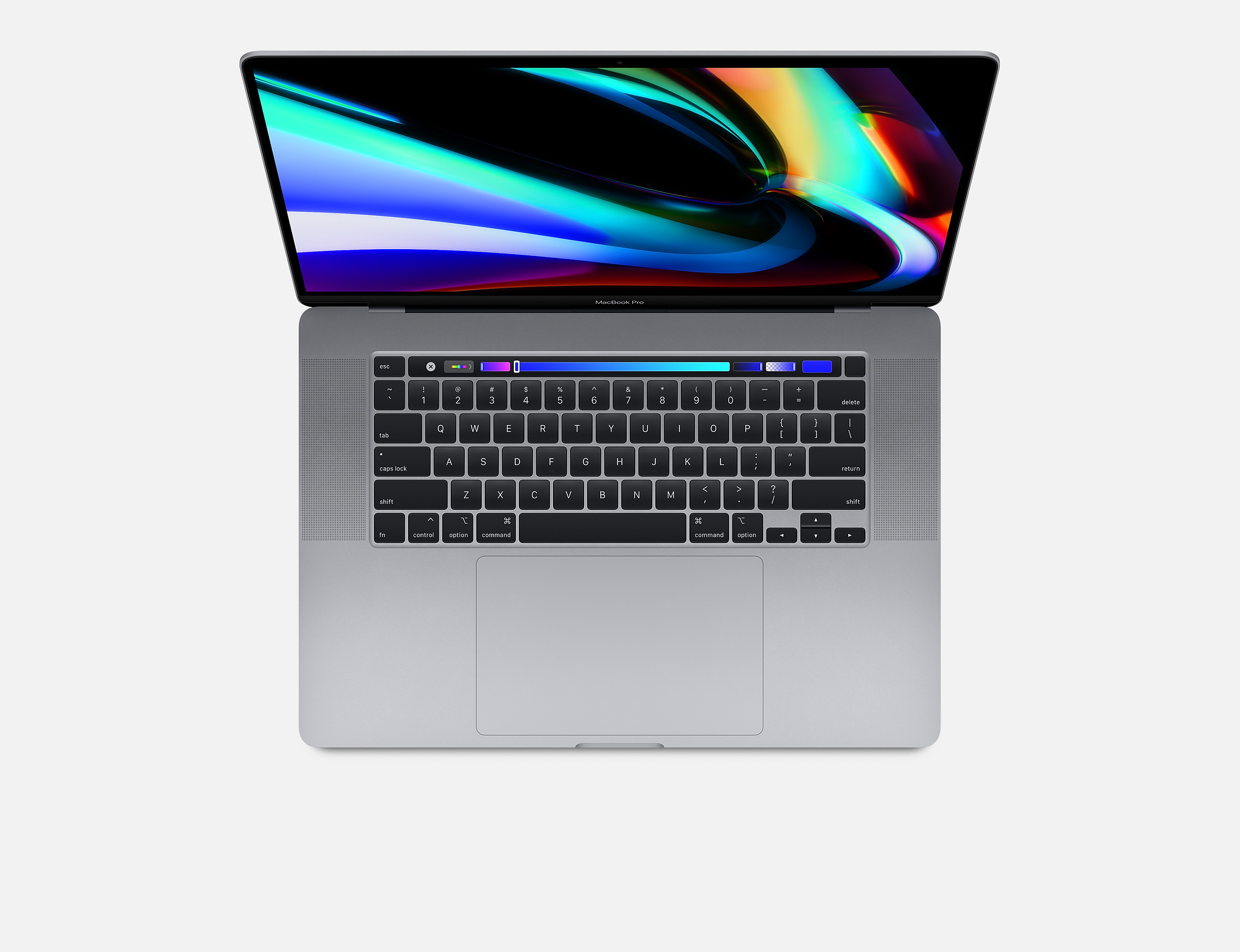
The MacBook Air series, while incredibly capable, is passively cooled. During long gaming sessions, the thin chassis can become a heat bottleneck, leading to thermal throttling. This is a safety feature that reduces clock speeds to prevent overheating, which results in frame rate drops. Conversely, the MacBook Pro series features active cooling systems that allow the M-series chips to maintain peak performance for extended periods.
Unified Memory Considerations
Because the GPU shares memory with the system, 8GB or 16GB of RAM is often insufficient for modern AAA titles, which may demand significant buffer sizes. For a gaming-focused machine in 2026, 24GB of Unified Memory should be considered the minimum entry point to ensure that the system does not need to swap data to the SSD, which would cause stuttering during gameplay.
| Model Category | Cooling Method | Recommended Memory | Gaming Suitability |
|---|---|---|---|
| MacBook Air (M-Series) | Passive | 16GB+ | Casual / Indie Titles |
| MacBook Pro (M-Series Base) | Active | 16GB+ | Mid-Tier Gaming |
| MacBook Pro (Pro/Max Chip) | Active (High-Performance) | 32GB+ | High-End / Native AAA |
Prerequisites for Optimal Gaming Performance
Before committing to an Apple laptop as your primary gaming device, ensure you have accounted for these essential requirements:
- Storage Overhead: Modern games frequently exceed 100GB. Apple’s high-speed SSDs are fast, but they are also expensive to upgrade. Budgeting for external storage is a common solution, though ensure it is a high-speed Thunderbolt 4 drive to avoid asset-loading stutters.
- Display Refresh Rates: ProMotion technology, found on the MacBook Pro, offers refresh rates up to 120Hz. If the game you are playing supports high refresh rates, the visual fluidity is excellent. Ensure your system settings are optimized to utilize this feature.
- Controller Support: macOS maintains excellent compatibility with modern console controllers. Connecting a PlayStation DualSense or Xbox Wireless Controller via Bluetooth or USB-C is typically a plug-and-play experience.
Common Challenges and Limitations
The most significant limitation for Apple laptop gamers is not the hardware—it is the software library. The vast majority of the global PC gaming market is tethered to the Windows ecosystem.
Anti-Cheat Systems
Many popular multiplayer games utilize kernel-level anti-cheat software. These systems are designed to operate specifically within the Windows kernel and cannot function on macOS. Consequently, even if the game itself were technically capable of running on Apple Silicon, it will be blocked from launching.
Lack of Ecosystem Integration
While Windows gaming platforms like Steam offer a massive library, the macOS storefronts are significantly more limited. Users often find themselves unable to play the latest "Day One" releases, as developers frequently prioritize the massive Windows install base.
Comparison: Apple Silicon vs. Dedicated Gaming Laptops
If gaming is your primary objective, it is essential to compare your MacBook against a dedicated gaming laptop.
- Performance Stability: A Windows-based laptop with a dedicated NVIDIA GeForce RTX 40-series GPU provides hardware-accelerated Ray Tracing and DLSS (Deep Learning Super Sampling). These features provide a substantial advantage in visual quality and frame rates compared to the software-based scaling solutions available on macOS.
- Portability vs. Power: Apple laptops excel at delivering high performance while on battery power. Most Windows gaming laptops require a connection to a wall outlet to unlock their full graphical potential, as the dedicated GPU consumes massive amounts of power.
- Workflow Versatility: If your life revolves around creative work—such as video editing, music production, or 3D modeling—the MacBook remains superior for those tasks. The gaming experience is a "bonus" capability rather than the primary design purpose.
Troubleshooting Performance Issues
If you encounter performance issues, follow these systematic steps to diagnose the bottleneck:
- Check Game Settings: Reduce graphical shadows and particle effects first. These settings disproportionately impact GPU load.
- Close Background Processes: Use Activity Monitor to identify resource-hungry applications. Browsers with many open tabs can consume significant memory that the game needs for textures.
- Monitor Thermal State: If frame rates drop after 30 minutes of play, the system is likely thermal throttling. Ensure the laptop is placed on a flat, hard surface to allow for maximum airflow into the intake vents.
- Update macOS and Drivers: While drivers are bundled with macOS updates, ensure you are running the latest version of the operating system to take advantage of the latest Metal API optimizations.
Frequently Asked Questions
Can I use an external GPU (eGPU) with my Apple Silicon MacBook? No. Apple Silicon Macs do not support external GPUs. The architecture relies on the tightly integrated internal Unified Memory, and the current drivers for macOS do not support the connection of external graphics enclosures.
Why do some games run well on my MacBook while others crash? This is typically due to the translation layer. Games built specifically for the Metal API will run natively and efficiently. Games running through translation layers like Game Porting Toolkit or Crossover may encounter compatibility issues with specific Windows-based dependencies that macOS cannot replicate.
Is 8GB of memory enough for gaming on a MacBook? No. While 8GB is sufficient for basic office tasks, modern gaming requires more. The GPU shares this memory for frame buffers and textures, meaning 8GB will lead to aggressive system swapping, resulting in low frame rates and significant lag.
Does Apple's Game Mode actually improve performance? Yes. Introduced in recent versions of macOS, Game Mode automatically prioritizes the game for both the CPU and GPU while reducing the usage of background tasks. It also lowers audio latency for connected Bluetooth devices like AirPods.
Next Steps for the Prospective Buyer
If you are currently shopping for an Apple laptop and gaming is a factor, identify your "must-play" titles first. Search the Apple Gaming compatibility databases to verify if your favorite games have native Mac support or proven compatibility via third-party tools. If your library consists mostly of titles that are exclusive to Windows or require kernel-level anti-cheat, a MacBook will not be a sufficient primary gaming device. However, if your needs are hybrid—balancing professional creative work with casual or single-player gaming—the current generation of M4-series MacBook Pros offers a high-performance experience that remains unmatched in build quality and efficiency.