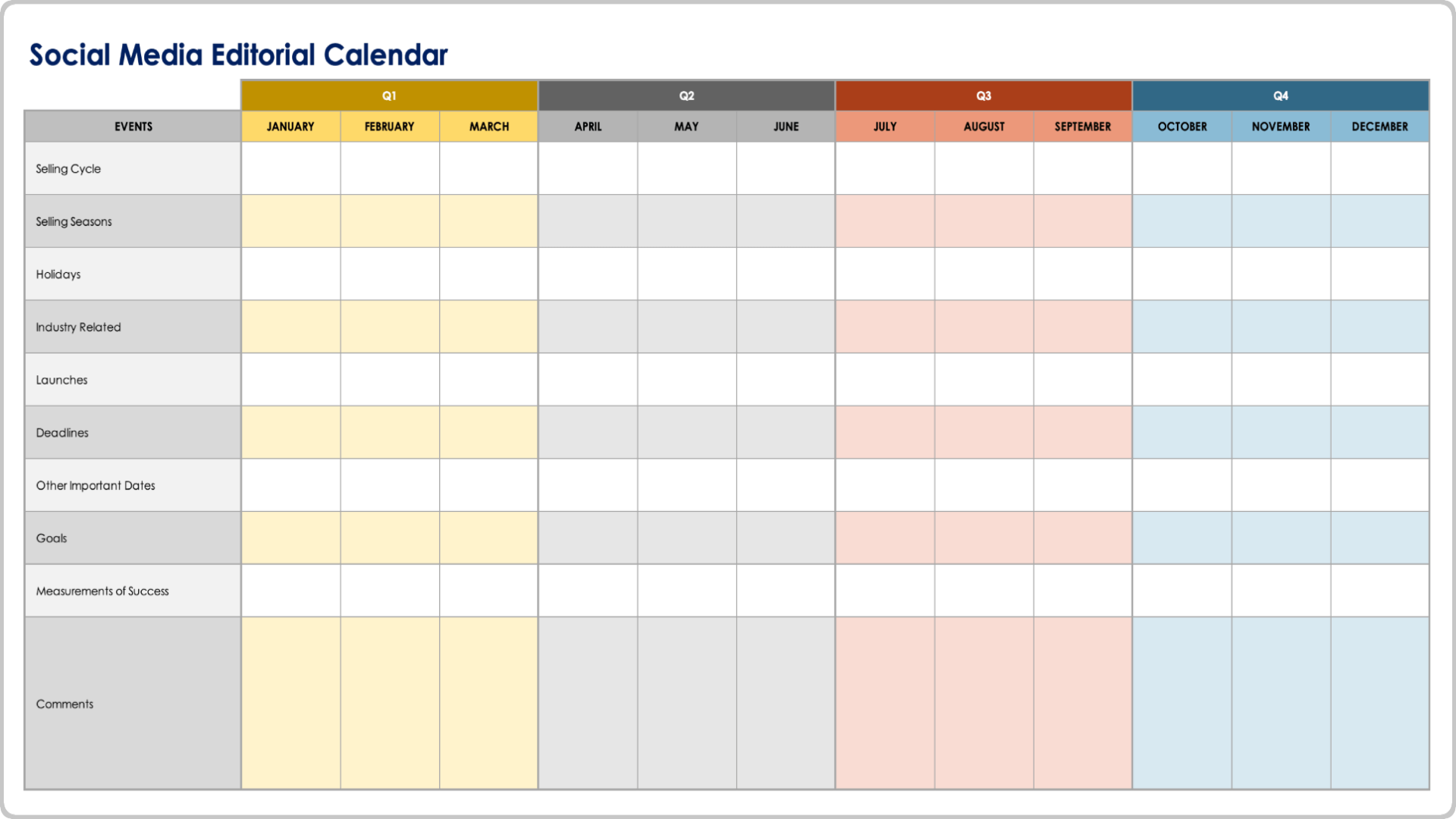
A social media editorial calendar is a strategic scheduling document—typically a spreadsheet, collaborative software board, or database—used to plan, organize, and track the publication of content across various digital platforms. It serves as the central source of truth for marketing teams to ensure content consistency, maintain brand alignment, and optimize audience engagement cycles throughout the year.
Understanding the Role of an Editorial Calendar
In 2026, the social media landscape is characterized by high fragmentation. Brands are no longer just posting to one or two platforms; they are managing short-form video, long-form educational posts, community interactions, and paid advertising components. Without an editorial calendar, teams often resort to reactive posting, which typically results in inconsistent brand voice, missed opportunities during cultural trends, and failure to meet long-term campaign goals.
An effective calendar does more than dictate "what" is posted "when." It provides the necessary context for content production, including the creative assets required, the target buyer persona, the specific campaign or objective, and the measurement metrics needed to assess performance. By centralizing these elements, you transform social media from a series of isolated posts into a cohesive content ecosystem.
Prerequisites for Developing Your Calendar
Before you select a tool or build a structure, you must establish the strategic foundation. Without these elements, a calendar is merely a list of dates rather than a driver of growth:
- Content Pillars: Define 3–5 primary themes that represent your brand’s expertise. For example, if you are a software company, your pillars might be "Product Tutorials," "Industry Thought Leadership," and "Customer Success Stories."
- Platform Distribution Strategy: Determine which platforms deserve your resources based on where your audience spends their time. Do not attempt to maintain a presence on every network if you cannot sustain the specific format requirements for each.
- Audience Personas: Define who you are speaking to. A calendar should be segmented by audience intent, ensuring that top-of-funnel (awareness) content is balanced with bottom-of-funnel (conversion) content.
- Key Performance Indicators (KPIs): Define what success looks like—whether it is click-through rates (CTR), community growth, or direct conversion metrics—so you can annotate your calendar with these expectations.
Selecting the Right Infrastructure
Choosing the infrastructure for your editorial calendar depends on the size of your team and the complexity of your review process.
- Spreadsheets (Google Sheets/Excel): Best for small teams or solopreneurs. They offer high flexibility and are cost-effective but lack automated publishing triggers and visual previews of posts.
- Collaborative Project Management Tools (Asana/Trello/ClickUp): These provide Kanban board views and automated workflows. They are ideal for teams that need to track content through various stages like "Drafting," "Review," "Design," and "Approved."
- Dedicated Social Media Management Platforms (Hootsuite/Sprout Social/Buffer): These platforms integrate the calendar directly with social APIs. They allow you to schedule, preview, and publish content directly from the interface while providing built-in analytics to measure the success of the scheduled posts.
Structuring Your Content Workflow
A robust calendar structure needs to account for the entire lifecycle of a piece of content. When building your database or sheet, incorporate the following columns or metadata fields for every entry:
- Publication Date and Time: Include timezone considerations if you have an international audience.
- Content Pillar/Theme: Ensures a balanced distribution of your core topics.
- Content Format: Explicitly state if the asset is a video, image, poll, or link to ensure creative teams know what to produce.
- Draft Status: Track from "Idea" to "Final Approval."
- Platform-Specific Copy: Keep distinct versions for LinkedIn, X (formerly Twitter), and Instagram, as the tone and character limits differ significantly.
- Visual/Creative Asset Link: A stable link to the final image or video file stored in your cloud storage.
- Post-Mortem Metrics: After a post has gone live, return to the entry to input actual engagement data.
Comparative Analysis of Management Approaches
| Feature | Spreadsheets | Project Management Tools | Social Media Management Suites |
|---|---|---|---|
| Cost | Low / Free | Moderate | High |
| Collaboration | Manual / Email | Real-time / Task-based | Integrated / Approval workflows |
| Automation | None | Limited | Full API Integration |
| Analytics | Manual input | Basic reporting | Deep, platform-native insights |
| Best For | Strategy and Planning | Workflow management | Execution and measurement |
Strategic Planning: From Ideation to Execution
The most common failure in social media management is the "filler post" cycle—where content is created solely to satisfy the calendar rather than to serve the audience. To prevent this, adopt a tiered approach to planning:
1. The Macro-Calendar (Quarterly): Focus on high-level goals. Align your social output with major company product launches, seasonal holidays, or industry events. This creates a skeleton upon which daily content can be hung.
2. The Meso-Calendar (Monthly): Flesh out the specific topics for each pillar. If you have a product launch in the quarter, your monthly view should outline the teaser phase, the announcement phase, and the follow-up educational phase.
3. The Micro-Calendar (Weekly): This is the execution phase. Assign specific dates and times, review the copy for brand voice, and confirm that all media assets are ready for distribution.
Overcoming Common Challenges
Inconsistency in Voice: If multiple people manage your calendar, create a "Style Guide" document that stays attached to the calendar file. This document should detail preferred spelling, emoji usage, and tone descriptors.
Bottlenecks in Approval: Approval processes often stall projects. Use your calendar tool to tag stakeholders and set "Date of Review" deadlines. If a stakeholder does not approve by a set deadline, have a policy in place where the project defaults to a secondary reviewer or is pulled from the schedule to ensure quality control.
Ignoring Analytics: A calendar is useless if you do not iterate based on data. Every month, dedicate time to review your "Best Performing" and "Worst Performing" posts. Use these insights to influence the next month's calendar. If video is outperforming images by 40%, adjust your upcoming calendar to reflect a higher ratio of video content.
Frequently Asked Questions (FAQ)
1. How far in advance should I plan my social media calendar? Ideally, plan at least four weeks in advance. This gives your team enough time to create high-quality assets while keeping enough "blank space" in your calendar to react to breaking industry news or current events.
2. Should I use one calendar for all platforms? Yes. Even if you tailor your content for different platforms, using a single calendar ensures you don't inadvertently post the same message to the same audience on the same day across multiple channels, which can make your brand appear automated and impersonal.
3. What should I do if a trending topic appears that isn't on my calendar? Leave 10–20% of your calendar "open" for reactive content. If a trend aligns with your brand values and audience interests, you should have the operational flexibility to pivot away from a planned post to address the trend in real-time.
4. How do I handle content repurposing in my calendar? Create a specific label in your calendar for "Repurposed Content." Document how a long-form article or video can be broken down into three short-form videos, a carousel post, and a single-image quote. Tracking this helps you maximize your output without increasing production time.
Next Steps for Implementation
To begin, audit your current content performance over the last 90 days. Identify which post types generated the most meaningful engagement. Create a master spreadsheet (or choose a tool) using the column headers suggested in this guide. Once your tool is set up, commit to a "Content Planning Day" once a month where your team fills in the skeleton for the following month. By moving from reactive posting to structured planning, you will significantly improve your efficiency and the quality of your digital community engagement.