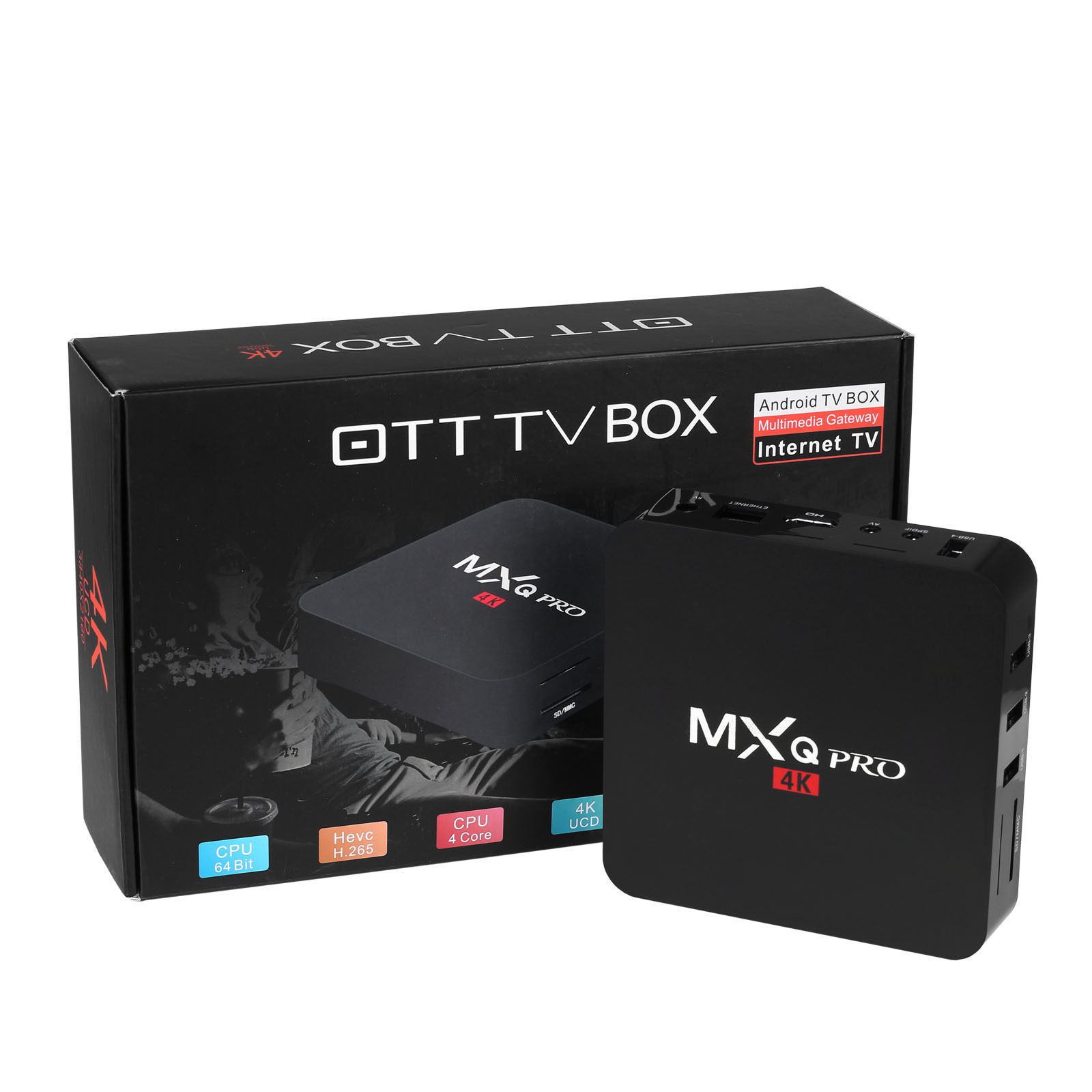
Selecting the right Android TV box for IPTV streaming requires balancing hardware performance, operating system stability, network connectivity, and video decoding capabilities. The ideal device delivers smooth channel switching, robust Electronic Program Guide (EPG) rendering, and support for modern video codecs like HEVC and AV1 without overheating or buffering.
Understanding Android TV Boxes for IPTV: Core Requirements & OS Differences
An IPTV (Internet Protocol Television) box processes live television broadcasts and video-on-demand (VOD) content delivered via IP networks rather than traditional satellite or cable formats. While almost any Android device can theoretically run basic streaming software, the architecture of the operating system dictates the long-term user experience, navigation efficiency, and app compatibility.
When evaluating hardware for IPTV, buyers encounter three distinct categories of operating systems on the market: official Google-certified Android TV / Google TV, uncertified "stock" Android (Android Open Source Project or AOSP), and specialized proprietary operating systems built specifically for IPTV middleware.
Android IPTV Hardware Ecosystem
- Certified Android TV / Google TV
- Google Certified
- Widevine L1
- Leanback UI
- Stock Android (AOSP)
- Mobile OS Code
- Widevine L3
- Sideload Heavy
- Dedicated IPTV Custom Platforms
- MYTVOnline
- BuzzTV App
- Native Stalker
Official Android TV OS vs. Stock Android (AOSP)
Official Android TV (and its updated interface, Google TV) is designed specifically for television screens and remote control navigation. It features the "Leanback" user interface, native Chromecast integration, official access to the Google Play Store for TV, and DRM hardware certifications such as Google Widevine L1. Widevine L1 certification is mandatory if you intend to run official high-definition streaming applications like Netflix, Prime Video, or Disney+ alongside your live IPTV player on the same box.
Conversely, generic or uncertified boxes frequently ship with Stock Android (AOSP)—the same software designed for touchscreen smartphones or tablets. While these generic boxes often advertise high raw hardware numbers (such as 4GB of RAM or 64GB of storage at low price points), their user interface requires a virtual mouse cursor to navigate many menus. Furthermore, stock Android boxes usually lack Widevine L1 certification (defaulting to Widevine L3), which restricts legitimate VOD services to standard definition (480p) resolution. However, for standalone IPTV applications using M3U playlists or Xtream Codes API, stock Android boxes remain functional if paired with a compatible air-mouse remote control.
Dedicated IPTV Hardware Platforms
A third specialized segment includes manufacturers like Formuler and BuzzTV. These manufacturers use custom Android builds topped with proprietary, deeply integrated IPTV middleware apps—such as Formuler's MYTVOnline (MYTVOnline2/MYTVOnline3) or the BuzzTV Utilities app.
Unlike generic software installed on standard boxes, these built-in portals connect directly to Stalker Middleware, XCIPTV portals, and M3U lines at the system level. They offer hardware-accelerated channel zapping, picture-in-picture (PiP) modes, multiple EPG source merging, and seamless local time-shift recording directly out of the box.
Essential Hardware Specifications for Smooth IPTV Streaming
Processing live IP streams demands continuous video decoding, quick memory buffers for caching, and stable network throughput. Underpowered hardware leads to audio-video desync, dropped frames, interface lag when scrolling through large channel lists, and mid-stream application crashes.
| Evaluation Metric | Details |
|---|---|
| System Chipset | Amlogic S905X4 / Realtek RTD1319 / Nvidia Tegra X1+ |
| Video Codecs | AV1, H.265 (HEVC), H.264 (AVC), VP9 Profile 2 |
| Memory & Storage | Minimum 2GB DDR4 RAM (4GB ideal); 16GB eMMC 5.1 |
| Networking | 1000Mbps Gigabit Ethernet or Wi-Fi 6 (802.11ax) |
Processor (SoC) and Video Codec Support
The System-on-Chip (SoC) contains the CPU and GPU, as well as the dedicated hardware video decoder. Live IPTV streams utilize specific video compression formats to minimize bandwidth. A box without hardware-level decoding for modern formats must use software decoding, which overworks the CPU, generates excessive heat, and causes playback stutter.
- H.264 (AVC): The baseline compression standard for legacy high-definition streams. Supported by virtually all hardware.
- H.265 (HEVC): The standard for modern 1080p and 4K live streams. HEVC provides equivalent picture quality to H.264 at roughly half the bitrate. Look for chipsets supporting 10-bit HEVC hardware decoding at 60 frames per second (fps).
- AV1 (AOMedia Video 1): An open-source, highly efficient video codec adopted across major media platforms. Modern chipsets such as the Amlogic S905X4, Amlogic S905Y4, and Realtek RTD1319 include native hardware AV1 decoding. Selecting a box with AV1 capability ensures future-proof compatibility as provider networks migrate to AV1 streams to reduce bandwidth consumption.
RAM, Internal Storage, and Memory Management
System memory (RAM) directly impacts how smoothly your box handles large Electronic Program Guides containing thousands of live channels, catch-up listings, and VOD titles.
- 2GB RAM: The absolute baseline for reliable 1080p and basic 4K IPTV streaming using lightweight IPTV apps.
- 3GB to 4GB RAM: Strongly recommended for power users running feature-rich players like TiviMate or custom MAG emulators. Additional RAM allows the box to store days of EPG data in active memory, enabling instant channel zapping and fast search functions without reloading playlists.
Internal storage (eMMC flash memory) hosts the operating system, installed applications, local EPG database caches, and recorded shows. While 8GB is sufficient for basic media consumption, 16GB or 32GB of internal eMMC storage is ideal if you intend to record live TV, pause live broadcasts, or store cover art for extensive VOD media libraries.
Network Connectivity: Gigabit Ethernet vs. Wi-Fi Standards
Live video streaming requires continuous, uninterrupted bandwidth rather than peak burst speeds. Unlike bufferable video-on-demand platforms, live IPTV streams operate with very short buffer windows to maintain real-time playback.
- Wired Ethernet (RJ45): A physical connection remains the gold standard for IPTV reliability. A standard 100Mbps Ethernet port easily handles 4K bitrates (which rarely exceed 45Mbps). However, Gigabit Ethernet (1000Mbps) is preferred to ensure headroom for local network media streaming and fast multi-connection recording.
- Wi-Fi Performance: If a wired connection is unfeasible, choose a device equipped with Wi-Fi 5 (802.11ac) or Wi-Fi 6 (802.11ax) operating on the 5GHz or 6GHz frequency band. The older 2.4GHz Wi-Fi band is prone to interference from household electronics and Bluetooth devices, frequently causing dropped packets and stream buffering.
Top Android TV Boxes for IPTV: Hardware Comparison
The following table compares leading Android TV boxes used for IPTV streaming based on verified technical specifications, platform architecture, and networking options.
| Device Model | OS Type | Chipset / SoC | RAM / Storage | Video Codec Support | Network Connectivity | Target User / Best Use Case |
|---|---|---|---|---|---|---|
| Nvidia Shield TV Pro | Android TV OS (64-bit) | Nvidia Tegra X1+ | 3GB / 16GB (Expandable) | H.264, H.265 (HEVC), VP9 (No AV1) | Gigabit Ethernet, Wi-Fi 5 (Dual Band) | Premium power users, AI 4K upscaling, heavy multitasking |
| Formuler Z11 Pro Max | Custom Android 11 (MYTVOnline3) | Realtek RTD1319C | 4GB DDR4 / 32GB eMMC | H.265, AV1, VP9, HDR10+ | Gigabit Ethernet, Wi-Fi 6 (AX) | Dedicated IPTV enthusiasts wanting a cable/satellite receiver experience |
| BuzzTV X5 Series | Custom Android 11 (BuzzTV App) | Amlogic S905X4 | 4GB or 8GB / 32GB or 128GB | H.265, AV1, VP9, HDR10 | Gigabit Ethernet, Wi-Fi 6 | High-end hardware recording, multi-line IPTV setup |
| Chromecast with Google TV (4K) | Google TV OS | Amlogic S905X3 | 2GB / 8GB | H.264, H.265 (HEVC), VP9 | Wi-Fi 5 (Ethernet requires optional USB adapter) | Budget-conscious users wanting official DRM + compact form factor |
| Mecool KM2 Plus Deluxe | Google TV OS (Certified) | Amlogic S905X4 | 4GB / 32GB | H.265, AV1, VP9, Dolby Vision | Gigabit Ethernet, Wi-Fi 6 | Balanced choice for official 4K apps + dedicated IPTV apps |
| Generic AOSP Box (e.g., X96 Max+) | Stock Android (AOSP) | Amlogic S905X3/X4 | 4GB / 32GB or 64GB | H.264, H.265, VP9 (AV1 depends on SoC) | 100M or Gigabit Ethernet, Wi-Fi 5 | DIY tinkerers on low budgets (Lacks Widevine L1 for official apps) |
Choosing the Right IPTV Player Application
The hardware box provides the processing power, but the IPTV player software defines your daily interaction with live channels, program guides, catch-up capabilities, and on-demand content.
IPTV Player Architecture
- M3U/M3U8 Playlists
- Static URL
- File Path
- EPG WebCal
- Xtream Codes API
- Dynamic Auth
- User/Pass
- Auto EPG/VOD
- Stalker Portal
- MAC Address
- Portal URL
- MAG Emulation
TiviMate IPTV Player
Widely considered the premier IPTV player application for Android TV and Google TV OS, TiviMate is engineered specifically for remote-controlled TV interfaces.
- Key Features: Modern grid-style EPG, support for multiple provider playlists (M3U, Xtream Codes, Stalker), custom channel group management, localized timeshift, multi-screen viewing (up to 9 streams simultaneously on powerful hardware), and automated EPG background updates.
- System Requirements: Requires an official Android TV environment for optimal remote functionality and premium license registration via the Google Play Store.
Xtream Codes and M3U Compatibility Options
For users who prefer alternative applications or run generic stock Android hardware, several robust IPTV players support industry-standard integration formats:
- IPTV Smarters Pro / XCIPTV: These applications rely heavily on the Xtream Codes API interface. Users enter a server URL, username, and password. The application automatically categorizes live streams, movie libraries, series, and corresponding EPG data without manual playlist downloading.
- Sparkle TV: A dedicated Android TV player that integrates closely with native Android TV system channels, offering DVR recording capabilities, pause/rewind functionality for live streams, and an interface styled similarly to modern digital cable boxes.
- Kodi (PVR IPTV Simple Client): An open-source media platform that runs on stock Android, official Android TV, and alternative operating systems. While Kodi requires deeper setup, its PVR IPTV Simple Client addon supports M3U playlists and XMLTV guides with extensive skin customization options.
Step-by-Step Setup Guide: Connecting Your IPTV Service
To configure a standard Android TV Box for live streaming via an IPTV application, follow this operational sequence.
Step 1: Network and Display Setup
- Connect your Android TV box to your display via a High-Speed HDMI cable (HDMI 2.0 or 2.1 required for high-frame-rate 4K HDR playback).
- Connect an Ethernet cable from your router to the box's RJ45 port. If using wireless, navigate to Settings > Network & Internet and select your 5GHz or 6GHz Wi-Fi network.
- Access Settings > Display & Sound to ensure output resolution is set to match your television's native resolution (e.g.,
4K Ultra HD 2160p @ 60Hz). Enable match content frame rate features if supported by your OS.
Step 2: App Installation
- Open the Google Play Store on your Android TV device.
- Search for your preferred IPTV player (e.g., TiviMate IPTV Player, Sparkle TV, or IPTV Smarters Pro).
- Download and install the application. For devices without Google Play access, enable installation from unknown sources in security settings and sideload the app APK file using a file browser application or direct download utility like Downloader.
Step 3: Playlist and Portal Configuration
Open your chosen IPTV player and select the option to add a new playlist or service portal. Choose the authentication format provided by your media subscription service:
- Option A: Xtream Codes API (Recommended)
- Select Xtream Codes / API Login.
- Enter the Server URL (e.g.,
http://provider-address.com:8080). - Input your assigned Username and Password.
- Save and allow the application to import Live, VOD, and EPG databases.
| Xtream Codes Entry Screen | Details |
|---|---|
| Server Address | http://example-iptv-server.com:8080 |
| Username | user_account_id |
| Password | •••••••••••••••• |
Option B: M3U Playlist URL
- Select M3U Playlist / Web URL.
- Type or paste the full
.m3uor.m3u_pluslink provided by your service. - (Optional) Enter a secondary XMLTV URL in the app's EPG settings if your M3U link does not automatically include program guide data.
Option C: Stalker Portal / MAG Emulation
- Navigate to the app's Stalker Portal setup menu.
- Locate your device's virtual MAC Address listed inside the app (formatted as
00:1A:79:XX:XX:XX). - Provide this MAC address to your service administrator to register the hardware.
- Enter the administrator's Portal URL into the app field and reboot the application.
Optimizing Performance and Troubleshooting Common Issues
Eliminating Buffering and Frame Drops
Live IP streams can drop frames or buffer due to network routing limits, software decoders, or hardware buffer shortages. Use these procedures to resolve playback disruptions:
- Switch Hardware vs. Software Video Decoders: Within your IPTV app settings (e.g., TiviMate > Settings > Playback), locate the video decoder settings. Toggle between Hardware (HW) and Software (SW) decoding. Modern chipsets perform best using Hardware decoding, but legacy or poorly encoded H.264 streams may stabilize under Software decoding.
- Adjust Buffer Size Settings: Locate the buffer size parameter in your player app's playback menu. Set the buffer to Medium or Large (e.g., 5 to 10 seconds). While this slightly increases initial channel tuning time by a couple of seconds, it prevents stream pauses caused by minor network jitter.
- Bypass ISP Throttling and NAT Restrictions: Certain Internet Service Providers limit high-bandwidth UDP or persistent HTTP connections during peak evening hours. Implementing a network-level or app-level Virtual Private Network (VPN) using fast protocols like WireGuard encrypts transit traffic, bypassing artificial ISP throttling and stabilizing stream connectivity.
Stream Buffering Diagnosis
- Identify connection type:
- Wireless:
- Switch to 5GHz or Wi-Fi 6
- Lower interference channel
- Wired:
- Check Ethernet link speed (Ensure 100M / 1000M full)
- Wireless:
- Adjust App Buffer Size (5s-10s)
- Toggle Video Decoder (HW / SW)
- Test Network Path via WireGuard VPN
EPG (Electronic Program Guide) Loading Issues
If program schedules fail to display, display incorrect times, or crash the application during synchronization:
- Time Zone Alignment: Navigate to your Android TV box system settings and confirm that Date & Time is set to "Use network-provided time" and that your correct time zone is selected. A mismatch between local device time and the UTC timestamps in the EPG XML file causes guide alignment errors.
- EPG Cache Clear: In your player application, navigate to EPG Settings, select Clear EPG Cache, and force a manual update. Large EPG databases can corrupt local SQLite databases over time if memory fills up.
Frequently Asked Questions
What is the difference between an Android TV box and a standard smart TV app for IPTV?
Dedicated Android TV boxes feature higher-performance processors, dedicated storage, superior network interfaces, and optimized cooling compared to the low-cost processors built into most smart TVs. Additionally, standalone Android boxes provide access to advanced player software like TiviMate, which offers far superior multi-playlist management, recording capabilities, and navigation speeds than basic smart TV apps.
Do I need Widevine L1 certification on an Android box if I only stream live IPTV?
If your box is strictly dedicated to playing M3U or Xtream Codes live IPTV streams through apps like TiviMate, Widevine L1 certification is not strictly required. However, if you plan to use the same box to stream 4K content from official services such as Netflix, Amazon Prime Video, or Disney+, Widevine L1 hardware certification is mandatory.
Why is my Android TV box buffering when my internet speed test shows over 100 Mbps?
Speed test utilities measure short-burst bandwidth to nearby server edge nodes. IPTV streams require a sustained connection to specific media servers that may be located in different regions or subject to ISP network congestion and routing limits. Buffering despite high speed-test numbers is typically caused by local Wi-Fi interference, ISP throttling of persistent video streams, incorrect app video decoder settings, or overloaded media server capacity.
Can I record live IPTV channels to external storage on an Android TV box?
Yes, most advanced Android TV IPTV applications allow you to record live streams to internal storage, attached USB flash drives, external hard drives, or Network Attached Storage (NAS) drives via SMB protocol. For reliable recording, ensure your external USB drive is formatted as exFAT or FAT32 and that your Android box hardware provides sufficient USB power delivery.
What is the minimum recommended RAM for an IPTV Android Box?
The absolute minimum system memory required to run standard definition and 1080p IPTV streams is 2GB of RAM. However, 3GB to 4GB of DDR4 RAM is strongly recommended for power users running extensive Electronic Program Guides (EPG), maintaining multiple playlist sources, or utilizing multi-screen picture-in-picture modes without experiencing app slowdowns or crashes.
Final Recommendation & Implementation Path
For the vast majority of consumers seeking a single, highly reliable streaming setup, select an officially certified Google TV / Android TV device equipped with an Amlogic S905X4 processor, at least 3GB of RAM, and Gigabit Ethernet or Wi-Fi 6. Pair this hardware with TiviMate IPTV Player configured via the Xtream Codes API for an optimal balance of fast channel switching, rich program guide features, and system stability.
If your primary goal is a traditional, channel-focused cable receiver experience with dedicated hardware remote control buttons, consider a specialized box such as the Formuler Z11 Pro Max running the native MYTVOnline3 platform. Ensure your network path relies on a 5GHz Wi-Fi band or physical Ethernet cable to maintain uninterrupted live video playback.