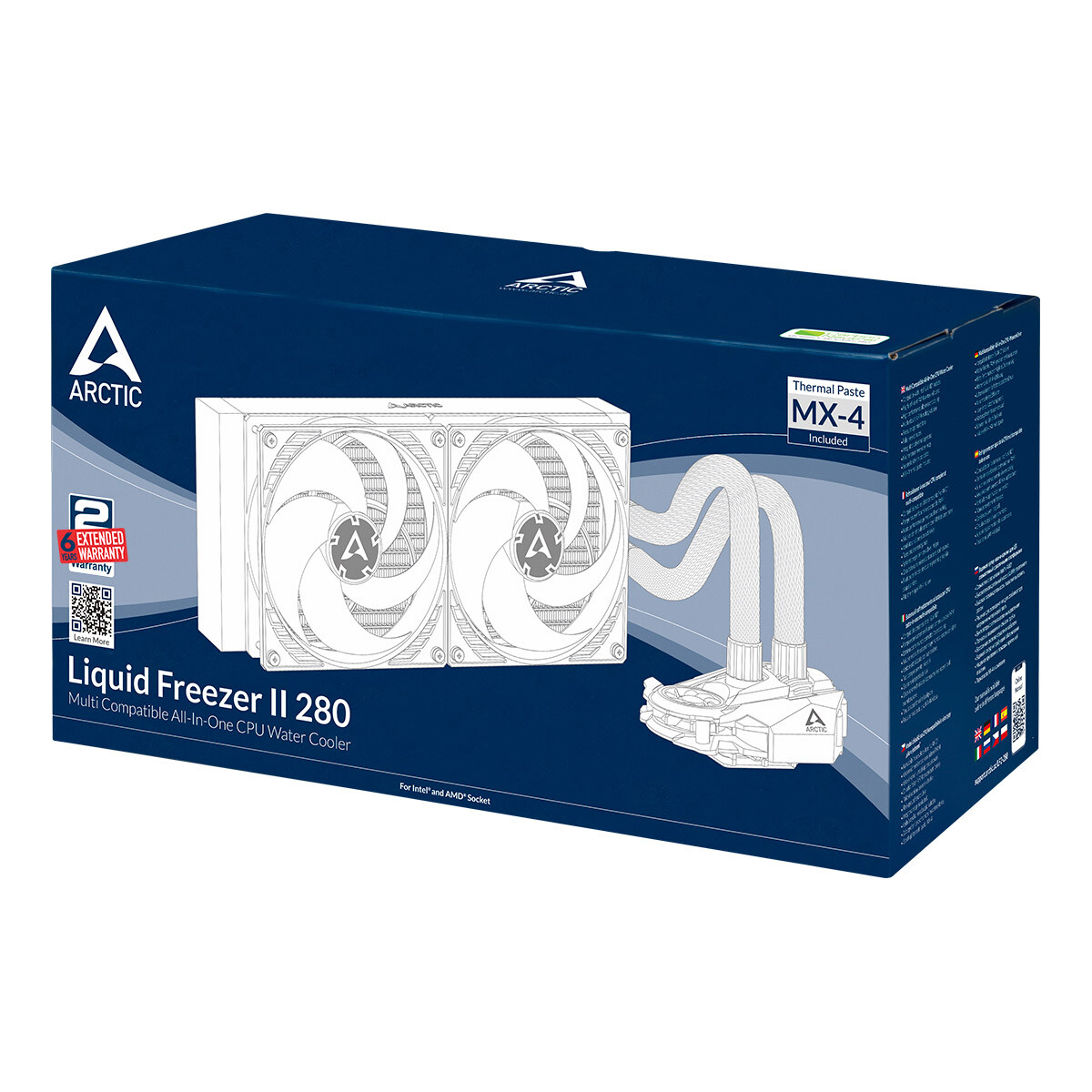
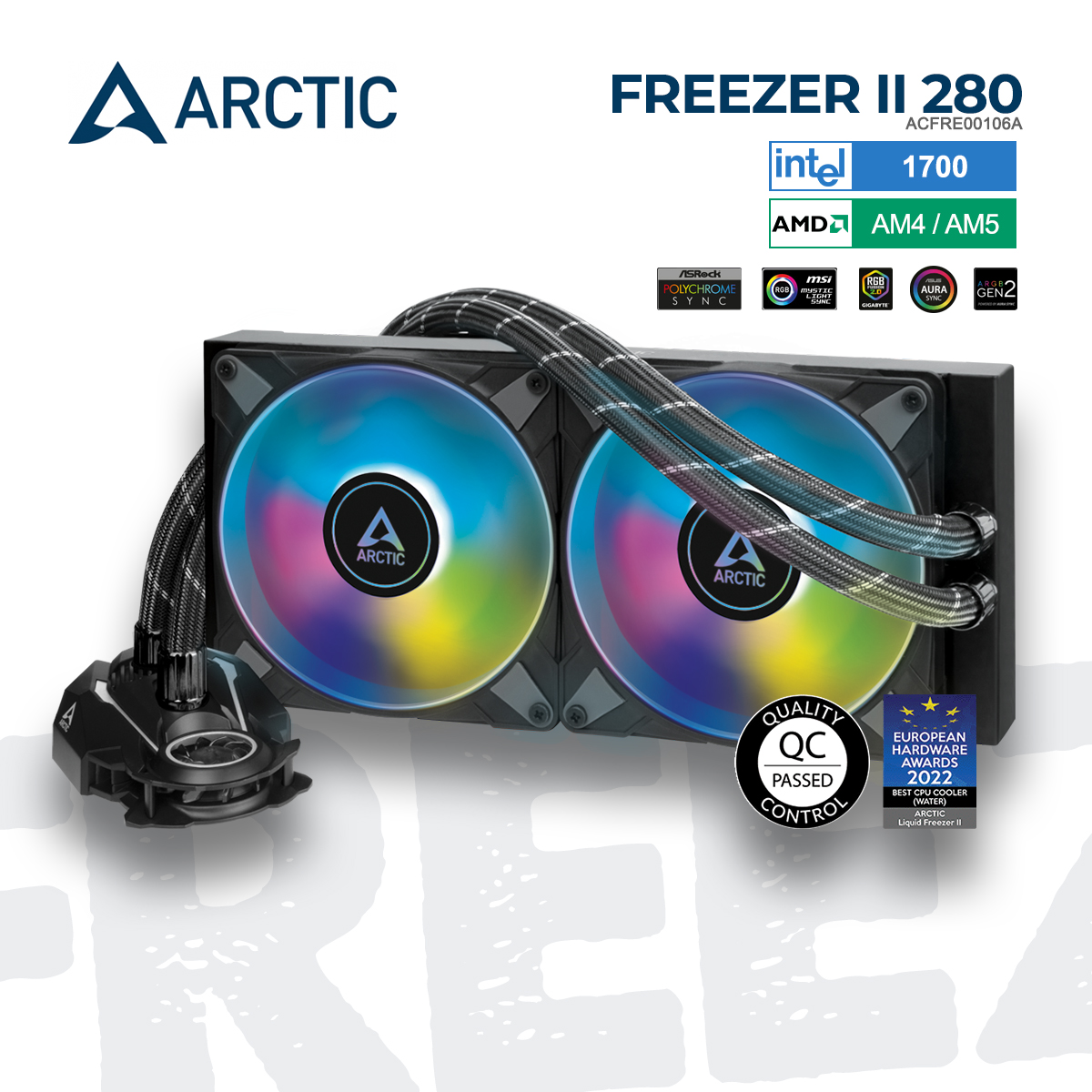
The Arctic Liquid Freezer II 280 A-RGB remains one of the most efficient and cost-effective cooling solutions for high-performance PC builds. It excels by combining a uniquely thick 38mm radiator with high-static-pressure fans and an integrated VRM cooler, delivering thermal performance that rivals many 360mm units while maintaining significantly lower noise levels.
Understanding the Arctic Liquid Freezer II 280 A-RGB
The Arctic Liquid Freezer II 280 A-RGB is an All-in-One (AIO) liquid cooler designed for enthusiasts who prioritize thermal headroom without the complexity of custom loops. While many competitors focus on flashy aesthetics and thin radiators to ensure broad compatibility, Arctic took a different path with the Liquid Freezer II series. The 280mm variant, specifically, occupies a "sweet spot" in the market, offering 34% more surface area than 240mm radiators while fitting into many mid-tower cases that cannot accommodate a full 360mm unit.
By 2026, the Liquid Freezer II 280 A-RGB has established itself as a legendary component. Even with the subsequent release of the Liquid Freezer III, the second-generation model remains a benchmark for reliability and engineering-first design. It was one of the first AIOs to successfully integrate a dedicated fan for the motherboard's Voltage Regulator Modules (VRM), addressing a common criticism of liquid cooling: the lack of incidental airflow around the CPU socket.
Technical Specifications and Engineering
To understand why this cooler performs the way it does, one must look at the physical dimensions and component choices. Most AIO radiators are roughly 27mm thick. Arctic utilizes a 38mm thick radiator. This increased depth allows for a higher fin density and greater coolant volume, which directly translates to a higher thermal mass.
| Specification | Details |
|---|---|
| Radiator Dimensions | 317 x 138 x 38 mm (without fans) |
| Total Thickness | 63 mm (with fans installed) |
| Pump Speed | 800–2000 RPM (PWM controlled) |
| VRM Fan Speed | 1000–3000 RPM (PWM controlled) |
| Fans | 2x Arctic P14 PWM PST A-RGB (140mm) |
| Fan Speed | 200–1900 RPM |
| Bearing Type | Fluid Dynamic Bearing |
| Socket Compatibility | Intel LGA 1700, 1200, 115X, 2011-3, 2066; AMD AM5, AM4 |
| Warranty | 6 Years |
The Advantage of the 38mm Radiator
The core of the Liquid Freezer II 280 A-RGB’s success is its radiator. In thermodynamics, surface area and mass are key factors in heat dissipation. By increasing the radiator thickness to 38mm, Arctic provides more "room" for the heat to transfer from the liquid to the aluminum fins.
However, this thickness is a double-edged sword. With the 25mm thick P14 fans installed, the total assembly depth is 63mm. This is significantly thicker than the standard 52mm found in most AIOs. Before purchasing, users must verify that their case has enough clearance between the top of the motherboard (specifically the RAM and VRM heatsinks) and the top mounting bracket. In many compact mid-towers, this cooler may only fit in the front intake position rather than the top exhaust.
The Integrated VRM Fan: More Than a Gimmick
One of the most distinctive features of the Liquid Freezer II 280 A-RGB is the 40mm diagonal fan embedded directly into the pump housing. When a user switches from an air cooler to a liquid cooler, they often inadvertently increase the temperature of their motherboard’s VRMs because the large air tower's fan is no longer blowing air across the socket area.
Arctic’s solution is a small, PWM-controlled fan that directs airflow specifically over the power delivery components surrounding the CPU. In testing, this can reduce VRM temperatures by 10°C to 15°C, which is crucial for users running high-TDP processors like the Intel Core i9 or AMD Ryzen 9 series, especially during sustained workloads like 3D rendering or video encoding. The VRM fan is linked to the same PWM signal as the pump and main fans, meaning it remains silent during idle and ramps up only when the system is under load.
P14 PWM PST A-RGB Fan Performance
The "A-RGB" in the product name refers to the inclusion of two Arctic P14 PWM PST A-RGB fans. These fans are specifically designed for high static pressure, which is necessary to push air through the dense 38mm radiator.
Static Pressure vs. Airflow
Standard case fans are designed for high airflow (moving air in open space), but radiator fans need high static pressure to overcome the resistance of the radiator fins. The P14 fans utilize a focused airflow design that minimizes turbulence and maximizes the force of the air passing through the cooling stack.
Noise Profile
Arctic's fans are renowned for their noise-to-performance ratio. At 1000 RPM, they are virtually inaudible inside a standard chassis. Even at their maximum speed of 1900 RPM, the sound profile is a low-frequency hum rather than a high-pitched whine, making them much less intrusive than the fans bundled with many budget-oriented AIOs.
Cable Management (PST)
The "PST" (PWM Sharing Technology) allows the fans and the pump to be daisy-chained together. Arctic takes this a step further by pre-routing the fan cables through the braided sleeves of the coolant tubes. This means only a single 4-pin PWM cable and a single 3-pin A-RGB cable need to be connected to the motherboard, drastically simplifying cable management and creating a cleaner aesthetic.
Installation and Socket Compatibility
The installation process for the Liquid Freezer II 280 A-RGB is straightforward but requires attention to detail, particularly regarding the AMD offset mounting.
AMD Offset Mounting
For Ryzen processors (AM4 and AM5), Arctic provides an offset mounting bracket. Because Ryzen's heat-producing components (the CCDs) are not centered but located toward the bottom of the processor die, the offset bracket shifts the cold plate of the cooler slightly downward. This ensures the copper base is directly over the hottest part of the chip, potentially reducing temperatures by an additional 2°C to 5°C compared to centered mounting.
Intel Mounting
For Intel sockets, including LGA 1700, the cooler uses a more traditional backplate system. It is important to note that earlier units produced before the LGA 1700 launch may require a separate mounting kit, though by 2026, almost all stock in circulation includes these brackets natively.
A-RGB Implementation and Software
Unlike competitors such as Corsair or NZXT, Arctic does not require proprietary software to control the lighting. The Liquid Freezer II 280 A-RGB uses a standard 5V 3-pin A-RGB connector. This allows the lighting to be synchronized through the motherboard's native software (e.g., ASUS Aura Sync, MSI Mystic Light, Gigabyte RGB Fusion, or ASRock Polychrome).
The LEDs are integrated into the fan hubs, diffusing through the translucent white fan blades. The result is a smooth, vibrant glow that avoids the "hot spot" look of cheaper LED fans. Because the fans are daisy-chained, the entire unit acts as a single lighting zone unless users choose to rewire them individually.
Practical Performance Analysis
In real-world testing, the Liquid Freezer II 280 A-RGB consistently punches above its weight class.
- Idle Temperatures: Typically range between 28°C and 35°C, depending on ambient room temperature.
- Gaming Loads: In modern AAA titles, temperatures for a high-end CPU generally hover between 55°C and 65°C.
- Stress Testing (Cinebench/Prime95): Even under extreme thermal loads, the 280mm radiator manages to keep most CPUs below the thermal throttling threshold (usually 90°C–100°C), often settling in the high 70s or low 80s.
The thermal saturation point—the time it takes for the liquid to reach its maximum temperature—is longer on this unit than on 240mm alternatives due to the higher liquid volume. This makes it particularly effective for bursty workloads where the cooler can absorb heat spikes without needing to ramp up fan speeds instantly.
Limitations and Considerations
While the Arctic Liquid Freezer II 280 A-RGB is an exceptional cooler, it is not universal.
- Case Clearance: As mentioned, the 63mm total thickness is the primary hurdle. Many "compact" mid-towers will have interference issues with high-profile RAM or motherboard VRM heat sinks if top-mounted.
- Tube Stiffness: The tubes are robust and well-sleeved, but they are somewhat stiff. In very small form factor (SFF) cases, routing the tubes can be challenging.
- No "Zero RPM" Pump Mode: The pump is designed to run constantly. While it is very quiet at low PWM signals, it cannot be turned off entirely while the system is on (which is standard for AIOs, but worth noting for silent-build purists).
Comparing the 280mm vs. 360mm Variants
A common question is whether to choose the 280mm or the 360mm version. While the 360mm radiator has more total surface area, the 280mm version uses 140mm fans. 140mm fans move more air at lower RPMs than 120mm fans. Consequently, a 280mm AIO often provides a better noise-to-performance ratio than a 360mm AIO, despite having slightly less raw cooling capacity. For most users, the 280mm is the more practical choice as it fits in more cases and is quieter during operation.
Frequently Asked Questions
Does the Liquid Freezer II 280 A-RGB need maintenance?
No, the Liquid Freezer II is a closed-loop system. It is factory-sealed and does not require refilling or coolant changes. Arctic uses high-quality EPDM (Ethylene Propylene Diene Monomer) tubing which minimizes liquid permeation over time. The 6-year warranty reflects the manufacturer's confidence in the seal's longevity.
Can I replace the fans with different ones?
Yes, you can replace the fans with any standard 140mm fans. However, doing so may require you to manage the cables separately, as the stock P14 fans are integrated into the tube sleeving for clean cable management. Additionally, the stock fans are optimized for the high-resistance 38mm radiator; replacing them with airflow-optimized fans could result in worse temperatures.
Will this cooler fit in a Mini-ITX case?
It depends entirely on the specific case. Some "large" ITX cases like the Cooler Master NR200 can accommodate a 280mm radiator on the side bracket, but the thickness of the Liquid Freezer II often makes it a tight fit. Always check the case manufacturer's specifications for "Radiator Thickness Clearance."
How do I control the VRM fan speed?
The VRM fan is connected to the same PWM header as the pump and the radiator fans. You control its speed by adjusting the CPU fan curve in your BIOS or through motherboard software. You cannot control the VRM fan independently of the main fans without modifying the wiring.
Is the Arctic Liquid Freezer II 280 A-RGB compatible with LGA 1851?
By 2026, compatibility for newer sockets like Intel's LGA 1851 has been confirmed via updated mounting brackets. If you have an older unit, you may need to contact Arctic support for a hardware revision kit, though most units sold since late 2024 include this out of the box.
Final Recommendation
The Arctic Liquid Freezer II 280 A-RGB remains a top-tier recommendation for any PC builder who values thermal performance and silence over flashy LCD screens or ultra-slim profiles. Its 38mm radiator and VRM cooling fan provide a tangible engineering advantage that few other AIOs can match.
If your case can accommodate its 63mm total thickness, the 280 A-RGB offers the best balance of cooling power, noise levels, and price in the current market. It is particularly well-suited for high-end Ryzen builds where the offset mounting can be fully utilized. For those looking for a "set it and forget it" cooling solution that will last through multiple CPU upgrades, this remains the gold standard.