Whether you need a paid subscription to play multiplayer games on an Xbox console depends entirely on the specific game you are playing and the platform you are using. In short: you do not need a subscription for free-to-play online multiplayer games, but you still need a paid subscription for buy-to-play (premium) online multiplayer games on Xbox Series X|S and Xbox One consoles.
Additionally, the legacy service known for decades as Xbox Live Gold was officially rebranded and restructured by Microsoft into Xbox Game Pass Core. While gamers frequently still ask about "Xbox Live," the active service required for online console multiplayer today is Xbox Game Pass Core (or Xbox Game Pass Ultimate).
Below is a detailed, definitive guide breaking down when a subscription is required, how game categories differ, what features remain completely free, and how console multiplayer rules compare to PC gaming.
The Short Answer: When Do You Need a Subscription?
To determine whether your Xbox console requires a paid online plan, classify your title into one of two main software models:
- Free-to-Play (F2P) Online Games: NO subscription required. You can download, install, and play online multiplayer modes in titles like Fortnite, Call of Duty: Warzone, Apex Legends, Roblox, Rocket League, and Halo Infinite (multiplayer mode) completely free. A paid membership is not necessary.
- Buy-to-Play (Premium) Online Games: YES, a subscription is required. If you purchased the game outright (or bought a paid digital edition)—such as Call of Duty: Modern Warfare III, EA Sports FC, Grand Theft Auto Online, Diablo IV, or NBA 2K—you must have an active Xbox Game Pass Core or Xbox Game Pass Ultimate subscription to access online multiplayer servers, matchmaking, and online co-op modes.
Evolution of the Requirement: From Xbox Live Gold to Game Pass Core
For nearly two decades following the launch of the original Xbox Live network in 2022, Microsoft mandated an Xbox Live Gold subscription for virtually all online multiplayer experiences on Xbox consoles, regardless of whether the game was free-to-play or retail.
However, Microsoft enacted two major structural policy changes that define modern Xbox online gaming:
1. The April 2021 Free-to-Play Unlock
In April 2021, Microsoft officially removed the Xbox Live Gold requirement for free-to-play multiplayer games on Xbox One and Xbox Series X|S. At the same time, Microsoft unlocked core social features—specifically Xbox Party Chat and Looking for Group (LFG)—making them available to every Xbox account holder at no charge.
2. The Transition to Xbox Game Pass Core
In September 2023, Microsoft officially retired the "Xbox Live Gold" brand name. The underlying network service was integrated into the Game Pass ecosystem as Xbox Game Pass Core. Existing Xbox Live Gold memberships automatically converted to Xbox Game Pass Core at no additional cost.
Today, Game Pass Core acts as the foundational tier for console online multiplayer, while also granting subscribers access to a curated library of over 25 high-quality console games and exclusive member discounts.
Detailed Breakdown by Platform and Game Type
Online multiplayer policies differ substantially across platforms and gameplay modes. The table below outlines subscription requirements across various scenarios:
| Feature / Mode | Platform | Active Paid Subscription Required? | Required Plan (If Applicable) |
|---|---|---|---|
| Free-to-Play Multiplayer (Fortnite, Warzone, Apex Legends) | Xbox Series X|S / Xbox One | No | None (Free Xbox Account) |
| Buy-to-Play Multiplayer (GTA Online, EA Sports FC, Diablo IV) | Xbox Series X|S / Xbox One | Yes | Xbox Game Pass Core or Ultimate |
| PC Online Multiplayer (All games, including Xbox Game Studios titles) | Windows PC | No | None |
| Single-Player Campaigns | All Platforms | No | None |
| Local / Split-Screen Co-Op | Xbox Series X|S / Xbox One | No | None |
| Xbox Party Chat & Voice Communication | Xbox Series X|S / Xbox One / PC | No | None (Free Xbox Account) |
| Cloud Save Storage | Xbox Series X|S / Xbox One | No | None (Free Xbox Account) |
| Xbox Cloud Gaming (xCloud) | Supported Browsers / Mobile / Consoles | Yes | Xbox Game Pass Ultimate |
Free-to-Play vs. Pay-to-Play Games: Key Differences
Understanding how Microsoft categorizes games helps prevent unexpected subscription charges.
What Qualifies as a Free-to-Play (F2P) Game?
A free-to-play game is a title that can be downloaded from the Microsoft Store without an upfront monetary purchase. These games generate revenue primarily through optional in-game microtransactions, cosmetic skins, battle passes, or loot items.
Because these titles utilize independent business models and often host their own publisher-managed backend servers, Microsoft does not lock their online functionality behind a console paywall.
Popular Free-to-Play Titles (No Subscription Needed):
- Fortnite
- Call of Duty: Warzone
- Apex Legends
- Rocket League
- Roblox
- Fall Guys
- Halo Infinite (Free-to-Play Multiplayer portion)
- Overwatch 2
- Destiny 2 (Base free-to-play game content)
- PUBG: Battlegrounds
- The Finals
- World of Tanks
What Qualifies as a Pay-to-Play (Buy-to-Play) Game?
Any game that requires a physical disc purchase, a paid digital store transaction, or a base purchase fee is considered a buy-to-play title. Even if the primary draw of the game is its online multiplayer component, console policy dictates that players must maintain an active Game Pass Core or Game Pass Ultimate subscription to connect to online matchmaking.
Popular Pay-to-Play Titles (Subscription Required for Online Play):
- Call of Duty: Modern Warfare III / Modern Warfare II (Campaign & Paid Multiplayer)
- EA Sports FC series (formerly FIFA)
- Grand Theft Auto V / GTA Online (Standalone paid edition)
- Madden NFL series
- NBA 2K series
- Diablo IV
- Sea of Thieves (if purchased individually without a base Game Pass plan)
- Minecraft (for online server joining and cross-platform multiplayer)
- Red Dead Online
- Monster Hunter World / Rise
Xbox Console vs. PC Gaming Requirements
One of the most frequent points of confusion for gamers concerns cross-platform play between Windows PC and Xbox consoles.
Why PC Online Multiplayer Is Always Free
If you play games on a Windows PC—even titles published by Xbox Game Studios such as Forza Horizon 5, Halo Infinite, or Sea of Thieves—online multiplayer is completely free. Microsoft has never charged a subscription fee for network matchmaking on Windows PCs. Whether you launch games through Steam, the Epic Games Store, or the native Xbox App for Windows, you do not need Xbox Game Pass Core or any equivalent subscription to play online with friends.
Console Network Licensing Model
In contrast, dedicated gaming consoles (including Xbox Series X|S, Xbox One, PlayStation 5, and Nintendo Switch) enforce subscription requirements for paid online games. This revenue model offsets hardware subsidies, funds console-specific infrastructure maintenance, security monitoring, and global cloud infrastructure.
Features That Do Not Require Any Paid Subscription
You do not need an active Game Pass Core or Ultimate subscription to enjoy the vast majority of non-multiplayer Xbox platform features. The following services are included free with every basic Microsoft/Xbox account:
1. Single-Player Modes and Offline Play
Any offline game mode, single-player campaign, offline career mode, or story drive functions completely without an internet connection or paid subscription.
2. Local Split-Screen and Couch Co-Op
Playing co-op or versus modes locally on the same physical console using multiple controllers requires no subscription.
3. Xbox Party Chat & Social Networking
Voice chat through Xbox Parties, text messaging, friend lists, activity feeds, and Looking for Group (LFG) posts are entirely free across Xbox consoles, mobile devices, and Windows PCs.
4. Cloud Saves and Data Synchronization
Microsoft provides free automatic cloud save storage for all Xbox players. Your game save data syncs across multiple consoles and cloud platforms automatically, provided your console is connected to the internet. Unlike competing platforms that restrict cloud storage to premium tiers, Xbox offers cloud saves to all users at no extra cost.
5. System and Game Updates
Firmware upgrades, security patches, and software updates for both the console OS and individual games download and install for free on all connected devices.
Active Subscription Options for Online Multiplayer
If you play buy-to-play games online, you must select an appropriate subscription tier. Microsoft offers two primary plans that grant online console multiplayer capabilities:
- Xbox Online Multiplayer Options
- Xbox Game Pass Core
- Online Multiplayer
- ~25-30 Game Catalog
- Member Discounts
- Game Pass Ultimate
- Online Multiplayer
- 100s of Console & PC Games
- EA Play Included
- Cloud Gaming Access
- Xbox Game Pass Core
Option 1: Xbox Game Pass Core
Xbox Game Pass Core is the direct replacement for Xbox Live Gold. It is designed for players who primarily want console online access without paying for a massive game subscription service.
- Core Features: Online console multiplayer access for all buy-to-play titles.
- Bonus Perks: Access to a rotating catalog of approximately 25 to 30 curated Xbox games (such as Gears 5, Psychonauts 2, Doom Eternal, and Grounding), along with member-only store discounts of up to 50%.
- Target Audience: Players who only play a few specific paid multiplayer games (like annual sports titles or Call of Duty) and do not need a large library of day-one releases.
Option 2: Xbox Game Pass Ultimate
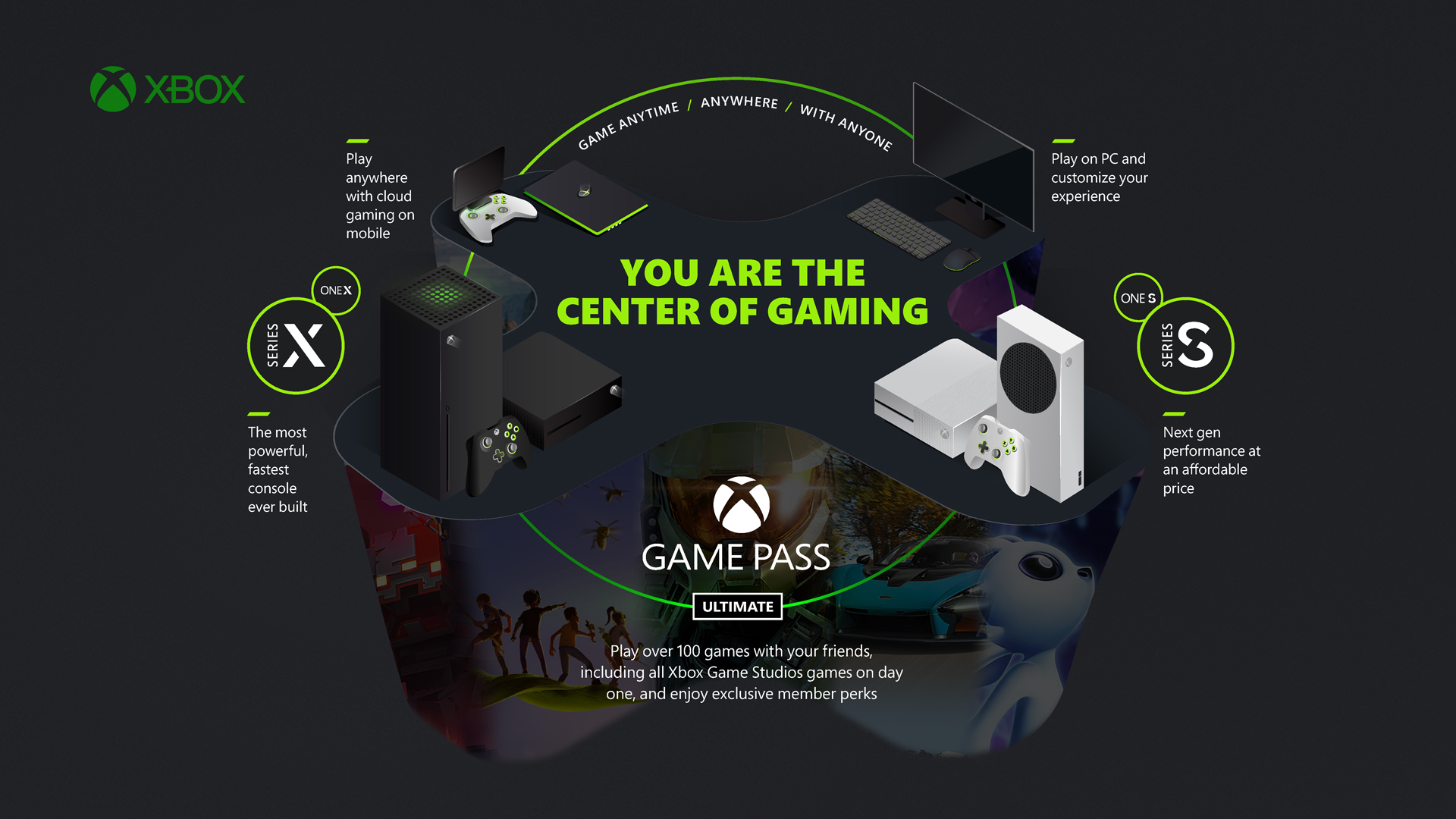
Xbox Game Pass Ultimate is Microsoft's all-inclusive gaming tier. It bundles every feature of Game Pass Core with extensive extra services.
- Core Features: Online console multiplayer access across Xbox Series X|S and Xbox One.
- Bonus Perks: Unlimited access to hundreds of high-quality games on Console, PC, and Cloud; day-one access to new Xbox Game Studios titles; an integrated EA Play membership; exclusive in-game perks; and Xbox Cloud Gaming capabilities across supported devices.
- Target Audience: Enthusiast gamers who want access to a massive library of games across multiple devices in addition to online multiplayer capability.
(Note: Standard Xbox Game Pass for Console and PC Game Pass are separate service tiers. PC Game Pass includes PC games without console multiplayer, while base Game Pass for Console provides a console game library but does not include online multiplayer capabilities. For console online multiplayer, you must choose either Core or Ultimate.)
Home Xbox Sharing: How to Share Multiplayer Privileges
Microsoft permits families and households to share online multiplayer rights across a single console using the Home Xbox feature.
If one account on an Xbox console holds an active Xbox Game Pass Core or Xbox Game Pass Ultimate subscription, that user can designate that specific console as their Home Xbox.
How Home Xbox Benefits Other Users:
- Any secondary user profile signing into that designated Home Xbox gains full access to online multiplayer in buy-to-play titles.
- Secondary profiles do not need to pay for their own separate Game Pass Core subscriptions.
- Shared access extends to downloadable games included in the primary owner's Game Pass subscription library.
How to Set Up Home Xbox Sharing:
- Log into the console using the primary account that owns the active Game Pass Core or Ultimate subscription.
- Press the Xbox button on the controller to open the Guide.
- Select Profile & system > Settings > General > Personalization.
- Choose My Home Xbox.
- Select Make this my home Xbox.
Once enabled, any other family member or guest account playing on that physical console can jump into online multiplayer matches without purchasing an individual plan.
Common Issues & Troubleshooting Multiplayer Access
If you are attempting to play multiplayer and encounter errors claiming you need an Xbox Live or Game Pass subscription, follow these diagnostic steps to resolve the issue:
1. Verify the Game Category
Confirm whether the game is strictly pay-to-play. If you bought the game digitally or on disc, or if it was removed from a free subscription catalog, an active subscription to Game Pass Core or Ultimate is required.
2. Check Subscription Expiration Status
Ensure your subscription has not expired or failed to renew due to an expired payment card:
- Navigate to account.microsoft.com/services on a phone or computer web browser.
- Log in with your Xbox credentials.
- Check the Services & Subscriptions tab to confirm that your Xbox Game Pass Core or Xbox Game Pass Ultimate status shows as Active.
3. Review Xbox Network Privacy & Safety Settings
Child accounts, restricted family profiles, or improper privacy options can block online multiplayer participation even when an active subscription exists.
- Press the Xbox button on your controller.
- Go to Profile & system > Settings > Account > Privacy & online safety.
- Select Xbox privacy > View details & customize > Communication & multiplayer.
- Ensure "You can join multiplayer games" is set to Allow.
- Ensure "You can play with people outside of Xbox network" is set to Allow if attempting cross-platform play.
4. Perform a Hard Console Restart
Transient caching errors can occasionally prevent the console from verifying your active subscription licenses.
- Hold down the physical Power button on the front of the Xbox console for 10 seconds until it completely shuts down.
- Unplug the power cable from the back for 30 seconds.
- Reconnect the cable and power the console back on to clear network cache and refresh user licenses.
Frequently Asked Questions
Do I need Xbox Live or Game Pass Core to play GTA Online?
Yes. Grand Theft Auto Online is a pay-to-play title. Whether you purchased GTA V on disc, as a digital bundle, or as the standalone GTA Online release, you must maintain an active Xbox Game Pass Core or Xbox Game Pass Ultimate membership to access online servers on Xbox consoles.
Do I need a subscription to play Minecraft online with friends?
Yes. While single-player worlds and local split-screen in Minecraft work completely offline without a subscription, joining external servers, playing on Minecraft Realms, or joining cross-platform online multiplayer sessions on console requires Game Pass Core or Game Pass Ultimate.
Is Roblox free on Xbox without Xbox Live?
Yes. Roblox is classified as a free-to-play title. You can download Roblox from the Microsoft Store and play all community-created experiences online without any paid Xbox subscription.
Can I play online games on PC without an Xbox Game Pass subscription?
Yes. Online multiplayer on Windows PC is entirely free across all launchers and digital storefronts. You do not need Xbox Live Gold, Game Pass Core, or Game Pass Ultimate to play multiplayer PC games, even for Microsoft titles like Sea of Thieves, Forza, or Gears of War.
What happens if I still have an old Xbox Live Gold card or digital code?
If you redeem an unredeemed Xbox Live Gold code today, Microsoft's system automatically converts the balance into Xbox Game Pass Core time at a 1:1 ratio. For example, a 12-month Xbox Live Gold card will grant you 12 months of Xbox Game Pass Core access.
Summary and Final Recommendation
To determine your exact online requirements on Xbox consoles, keep this simple rule in mind:
- Playing Free-to-Play Games (Fortnite, Warzone, Apex, Roblox)? You need only a free Microsoft account. No paid subscription is required.
- Playing Paid Retail Games (Call of Duty, EA Sports FC, GTA Online, Minecraft)? You must subscribe to Xbox Game Pass Core (the updated name for Xbox Live Gold) or Xbox Game Pass Ultimate.
- Playing on Windows PC? Online multiplayer is always free.
If you only play one or two paid multiplayer games throughout the year, choose Xbox Game Pass Core for the lowest-cost multiplayer access. If you prefer trying a massive rotating library of games alongside online multiplayer and cloud access across console and PC, choose Xbox Game Pass Ultimate.