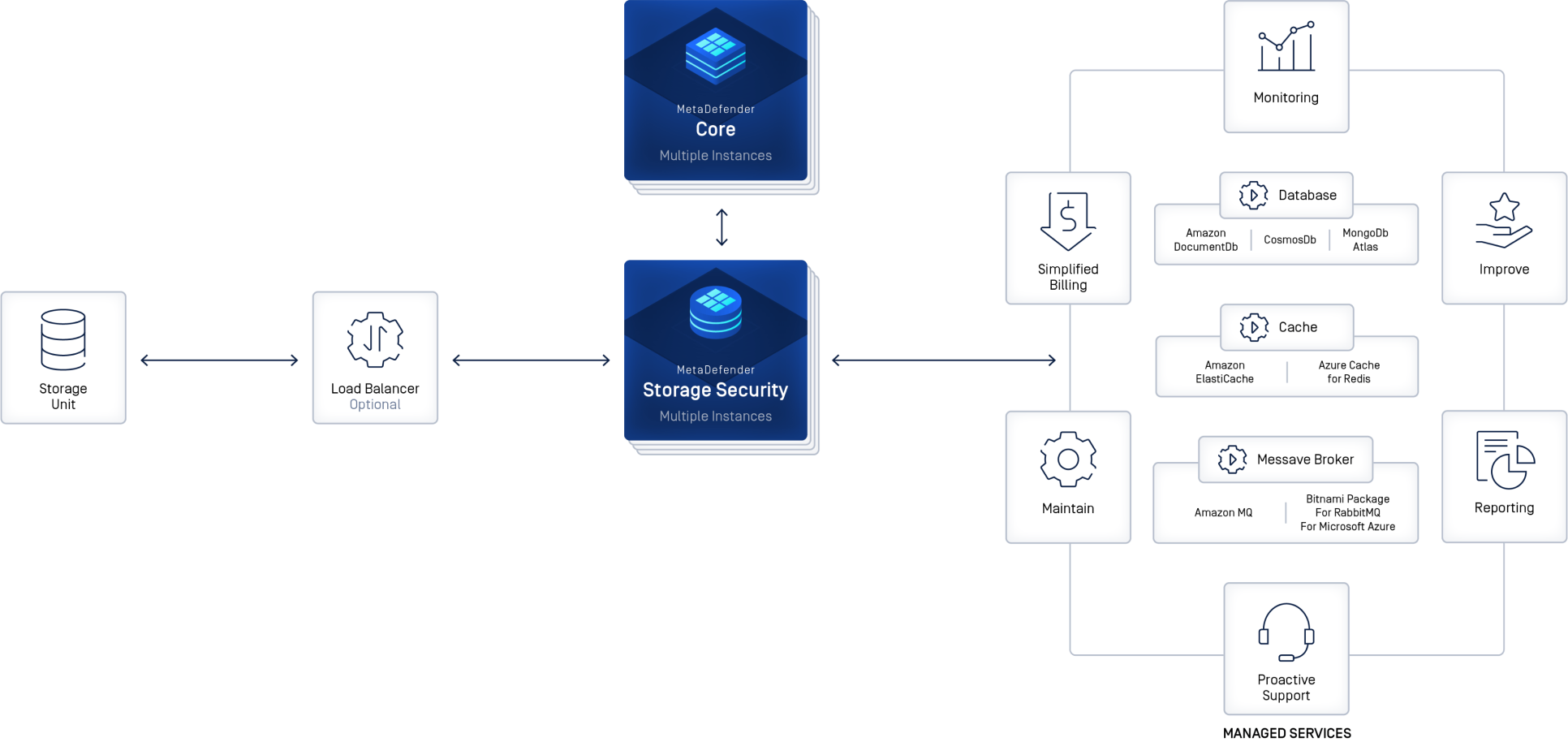
Adding security to cloud-based storage requires a layered approach that integrates identity management, robust encryption, and continuous monitoring to protect sensitive information from unauthorized access and data breaches. By implementing multi-factor authentication, enforcing end-to-end encryption protocols, and auditing access logs regularly, users and organizations can significantly reduce their attack surface and ensure data integrity within third-party storage environments.
Understanding the Shared Responsibility Model
Before implementing specific security controls, it is essential to understand the shared responsibility model inherent in cloud storage. Whether you are using services like AWS S3, Google Cloud Storage, or Microsoft Azure Blob Storage, the provider is responsible for the security of the cloud, while the customer is responsible for the security in the cloud.
The service provider secures the physical infrastructure, power, networking, and the virtualization layer. However, the customer retains ownership and responsibility for how that data is managed. This includes configuring access permissions, managing encryption keys, and ensuring that the data stored does not violate regulatory compliance requirements. If a data breach occurs because a storage bucket was left publicly accessible due to a configuration error, the provider is rarely held liable; the responsibility rests entirely with the user who managed that specific resource.
Identity and Access Management (IAM)
The primary vector for unauthorized access is often compromised credentials rather than a flaw in the storage provider's infrastructure. Implementing strict Identity and Access Management (IAM) is the most effective way to prevent unauthorized data exposure.
- Multi-Factor Authentication (MFA): This is non-negotiable. Every account that has administrative access to your storage environment must require MFA. Using hardware tokens or authentication apps is significantly more secure than SMS-based codes, which are susceptible to SIM swapping attacks.
- Principle of Least Privilege (PoLP): Assign permissions based strictly on what is required for a user or application to perform its function. Avoid using root or administrative accounts for routine tasks. If a service needs to upload a file to a folder, it should not have the permission to list or delete the contents of that entire bucket.
- Role-Based Access Control (RBAC): Group users into roles based on their job functions. Instead of managing permissions for individual users, manage them by group. When a person changes roles or leaves the organization, you simply update the group permissions rather than hunting down individual access rights.
Data Encryption: At-Rest and In-Transit
Encryption is the last line of defense. Even if an attacker gains access to your storage files, encrypted data remains useless without the corresponding decryption keys.
Encryption in Transit
Ensure that all data moving between your local environment and the cloud is encrypted using Transport Layer Security (TLS). Most cloud providers force HTTPS by default, but you must ensure your application code and API calls are not explicitly configured to bypass these checks. Never send data over unencrypted channels like FTP or HTTP, as these are vulnerable to man-in-the-middle attacks where data can be intercepted during transmission.
Encryption at Rest
Most cloud providers offer managed encryption services, such as AWS Key Management Service (KMS) or Google Cloud Key Management Service. You should opt for Server-Side Encryption (SSE) where the provider manages the keys, or Client-Side Encryption if you require complete control over the data before it ever reaches the cloud provider's servers.
For highly sensitive data, consider "Bring Your Own Key" (BYOK) policies, where you maintain ownership of the master key. If you delete that key, the provider can no longer decrypt your data, which acts as a "digital kill switch" should your cloud environment be compromised.
Security Configurations and Auditing
A common mistake in cloud security is the "misconfigured bucket." Cloud providers offer granular settings, and it is easy to accidentally set a storage container to "public" rather than "private."
- Public Access Blocks: Most major cloud providers now offer a "Block Public Access" setting at the bucket or container level. Enable this by default for every single storage resource.
- Version Control: Enabling object versioning allows you to restore data if it is accidentally deleted or corrupted by ransomware. If an attacker encrypts your files as part of a ransomware attack, having a non-encrypted previous version available to restore is a vital recovery mechanism.
- Logging and Monitoring: Enable service-side logging to track every request made to your storage. Use tools like SIEM (Security Information and Event Management) to alert you to anomalies, such as an unusual volume of data being downloaded from a single IP address or an unusual login time.
Comparison of Key Security Features
| Feature | Primary Benefit | Complexity Level | Recommended For |
|---|---|---|---|
| Multi-Factor Authentication | Prevents unauthorized logins | Low | All users |
| Client-Side Encryption | Absolute data privacy | High | Highly regulated/Sensitive data |
| Bucket Policy Audit | Prevents accidental public exposure | Medium | All storage admins |
| Object Versioning | Protection against ransomware/deletion | Low | Backup/Archive workflows |
| IAM Role Policies | Enforces least privilege | Medium | Enterprise environments |
Addressing Common Threats
Cloud storage is frequently targeted by automated bots scanning for exposed credentials or open storage buckets. Understanding the nature of these threats allows for more proactive defense.
Credential Stuffing: Attackers use stolen username and password pairs from other breaches to attempt to gain access to your cloud account. The presence of MFA makes these attempts largely ineffective. Always monitor account login logs for suspicious geographic locations or unusual device signatures.
Ransomware: In a cloud context, ransomware often targets the data files themselves. If your credentials are compromised, an attacker may use your own API keys to delete or encrypt your storage. Maintaining backups outside of the primary storage environment—a practice known as air-gapping or cold storage—can prevent a total loss of data in the event of an account takeover.
Frequently Asked Questions
Is cloud storage inherently less secure than local storage? Not necessarily. Major cloud providers have sophisticated security teams and infrastructure that are often more robust than what can be maintained on-premises. However, the "security gap" occurs because users often fail to configure these tools correctly, creating vulnerabilities that would not exist in a siloed, local environment.
What is the best way to manage API keys? Never hardcode API keys into your application source code or upload them to repositories like GitHub. Use secret management services, such as AWS Secrets Manager or HashiCorp Vault, to inject keys into your application at runtime. Rotate these keys regularly to limit the window of opportunity if a key is ever intercepted.
Does encryption impact the performance of my cloud storage? There is a negligible performance overhead with modern hardware-accelerated encryption. For the vast majority of use cases, the benefit of enhanced security far outweighs the microsecond-level latency added by the encryption and decryption processes.
What should I do if I suspect a cloud breach? Immediately rotate all administrative credentials and API keys. Use the provider’s audit logs to identify which files were accessed. Contact the cloud provider’s support team, as they may have specialized incident response tools. If personal or sensitive customer information was exposed, you may be legally required to report the breach to relevant data protection authorities.
Can I rely solely on the cloud provider’s built-in security? While built-in tools are excellent, they are not a "set it and forget it" solution. You are responsible for configuring these tools and monitoring the logs they generate. Relying solely on default settings without reviewing your specific access policies leaves you exposed to configuration errors.
Next Steps for Implementation
To effectively secure your cloud-based storage, begin by auditing your current environment. Start with a "Public Access" review: check every storage bucket or container to ensure it is not publicly accessible. Next, verify that MFA is enabled on all root and IAM accounts. Once these baseline protections are in place, establish a schedule for rotating your API keys and reviewing access logs on a monthly basis. Security in the cloud is not a static state; it is an iterative process of evaluation and adjustment.