Port 80 is universally recognized as the primary communication channel for unencrypted Hypertext Transfer Protocol (HTTP) web traffic. When a firewall or router exposes port 80 to the public internet, any client can initiate a standard web connection to the host machine without encryption, presenting both routine operational utility for public websites and significant security vulnerabilities if left unmonitored or unprotected.
1. Core Functions and Mechanics of Port 80
Port 80 serves as the default network port assigned to the HTTP protocol by the Internet Assigned Numbers Authority (IANA). Understanding why this port exists and how it processes incoming data requires a foundational look at how client-server communication functions across the global internet.
The Role of HTTP in Web Traffic
When a user types a URL beginning with http:// into a web browser, the browser attempts to establish a Transmission Control Protocol (TCP) connection to the destination server on port 80. The server listens on this port for incoming requests, processes them, and returns web pages, images, and other assets.
Unlike HTTPS, which operates on port 443 and encrypts data via Transport Layer Security (TLS), port 80 transmits all data in plain text. This includes uniform resource identifiers (URIs), request headers, cookies, and response payloads. Because there is no cryptographic protection, any intermediary router, switch, or malicious actor positioned along the network path can capture, read, or modify the data in transit through packet sniffing techniques.
Why Port 80 Remains Active
Despite the widespread migration toward secure web protocols, port 80 remains active on billions of devices and servers worldwide. Its persistent utility stems from several key architectural requirements:
- Public Website Accessibility: Traditional web servers host public-facing content that needs to be reachable even if a visitor forgets to specify the protocol in their browser bar.
- HTTP-to-HTTPS Redirection: Many administrators keep port 80 open specifically to catch unencrypted traffic and immediately issue an HTTP 301 or 302 redirect, guiding the user securely to the port 443 equivalent.
- Automated SSL/TLS Certificate Issuance: Popular certificate authorities use the ACME (Automatic Certificate Management Environment) protocol via the HTTP-01 challenge method. This validation process often requires an active, reachable web server on port 80 to prove domain ownership before issuing or renewing a secure certificate.
2. Security Risks Associated with an Open Port 80
Leaving port 80 open without proper configuration, filtering, or downstream security controls exposes a system to numerous vector-based threats. Because the traffic is unencrypted and often tied to powerful backend services, attackers frequently target this port during initial network reconnaissance.
Cleartext Data Exposure
The most immediate risk of operating services over port 80 is the absence of confidentiality. If users submit login credentials, personal identifiable information (PII), or session tokens over an unencrypted HTTP connection, those credentials are exposed to anyone intercepting the network packets. Even internal corporate environments face risks if internal web applications utilize plain HTTP for administrative dashboards or data management utilities.
Vulnerability Exploitation in Web Servers
An open port 80 typically points directly to a web server application, such as Apache, Nginx, Internet Information Services (IIS), or an embedded HTTP daemon on an Internet of Things (IoT) device. If these software packages contain unpatched vulnerabilities—such as remote code execution flaws, buffer overflows, or path traversal bugs—an external attacker can exploit them directly through the open port.
Automated vulnerability scanners continuously sweep the IPv4 and IPv6 address spaces for open port 80. Once found, these scanners fingerprint the running web server software and launch targeted exploit payloads designed to gain unauthorized shell access or compromise the underlying operating system.
Man-in-the-Middle (MitM) Attacks
Because HTTP lacks integrity checks and encryption, attackers can perform Man-in-the-Middle attacks more easily against users communicating over port 80. By injecting malicious scripts into unencrypted web pages or altering response contents, threat actors can hijack user sessions, redirect traffic to phishing portals, or distribute malware payloads disguised as legitimate software updates.
3. Legitimate Use Cases and Operational Necessity
While security best practices generally advise against exposing unnecessary ports, a blanket prohibition on port 80 is impractical for organizations hosting public web services. Evaluating whether port 80 should remain open requires a careful analysis of the specific infrastructure role.
Public-Facing Web Servers
Organizations hosting commercial websites, blogs, news portals, or public APIs rely on HTTP accessibility to ensure maximum reach. Many users still enter domain names without a protocol prefix, causing browsers to default to port 80. If the port is closed or blocked without a proxy, those users will experience connection timeouts rather than a seamless redirect.
Captive Portals and Guest Networks
Public Wi-Fi networks in hotels, airports, and coffee shops frequently use an open port 80 infrastructure to intercept initial HTTP requests. When a user connects to the network and opens a browser, the local gateway intercepts the port 80 traffic and redirects the browser to a login or terms-of-service agreement page before granting full internet access.
Development and Testing Environments
Software developers frequently open port 80 on local workstations or staging servers for rapid application testing. Because internal development networks are typically isolated from the public internet, the risks associated with unencrypted local traffic are significantly lower, provided the environment does not expose sensitive data.
4. Best Practices for Managing and Securing Port 80
Managing an infrastructure with an open port 80 requires a defense-in-depth strategy. Administrators must ensure that public accessibility does not translate into systemic vulnerability.
Implementing Strict Redirection Policies
The safest way to handle port 80 on a production web server is to use it solely as a redirection gateway. Instead of serving actual application content over HTTP, the web server should immediately rewrite all incoming requests to HTTPS (port 443). This satisfies the requirement for automated certificate validations and user accessibility while minimizing the window of exposure for unencrypted data transmission.
Deploying Web Application Firewalls (WAF)
Placing a Web Application Firewall or a reverse proxy (such as Cloudflare, AWS CloudFront, or an enterprise-grade hardware WAF) in front of the origin server helps filter malicious traffic before it reaches port 80. A WAF can inspect HTTP request headers and payloads, blocking SQL injection attempts, cross-site scripting (XSS), and automated bot traffic.
Regular Patch Management and Auditing
Web server software, modules, and underlying operating systems must be updated regularly to patch known Common Vulnerabilities and Exposures (CVEs). Network administrators should also perform routine port scans using tools like Nmap from external vantage points to verify that only intended services are publicly accessible.
5. Troubleshooting Connectivity and Configuration Issues
When users report issues accessing a web service, or when security audits flag port 80 as unexpectedly closed or unresponsive, systematic troubleshooting is required to identify the root cause.
Common Diagnostic Tools and Commands
Network engineers rely on standard command-line utilities to check port status and service responsiveness:
- Netcat (
nc): Used to test TCP connectivity directly against the target IP and port. - Telnet: A legacy tool often used to verify if a socket is accepting connections.
- Nmap: A powerful network scanner used to map open ports and determine service versions.
- Curl: Used to inspect HTTP response codes, headers, and redirection behavior.
Verification Comparison Table
| Tool / Method | Primary Purpose | What It Verifies | Limitation |
|---|---|---|---|
| Nmap Scan | Port discovery & mapping | Whether port 80 is open, filtered, or closed by a firewall. | Does not verify if the underlying web application functions correctly. |
| Curl Request | HTTP protocol testing | Response headers, status codes (e.g., 200 OK, 301 Redirect), and payload return. | Requires network routing to be fully operational. |
| Netcat Test | Low-level socket check | TCP three-way handshake completion on port 80. | Does not interpret application-layer HTTP syntax. |
| Firewall Audit | Security policy review | Rulebase configuration and access control list (ACL) enforcement. | Requires administrative access to the firewall management console. |
Resolving Blocked or Unresponsive Ports
If port 80 appears closed when it should be open, check the following components in order:
- Local Firewall: Verify that
iptables,ufw, or the Windows Firewall permits inbound TCP traffic on port 80. - Cloud Security Groups: Ensure that cloud provider network ACLs or security groups allow incoming traffic from
0.0.0.0/0on port 80. - Service Binding: Confirm that the web server application is actively bound to port 80 and listening on all network interfaces (
0.0.0.0) rather than just127.0.0.1. - ISP Restrictions: Check if the Internet Service Provider blocks port 80 at the gateway level—a common practice for residential broadband connections to prevent unauthorized home server hosting.
Frequently Asked Questions
Is an open port 80 always dangerous?
Not inherently. An open port 80 is required for public-facing web servers and HTTP-to-HTTPS redirection. However, it becomes dangerous if it exposes unencrypted login portals, unpatched legacy web software, or sensitive administrative interfaces to the public internet without proper monitoring and filtering.
How can I check if port 80 is open on my server?
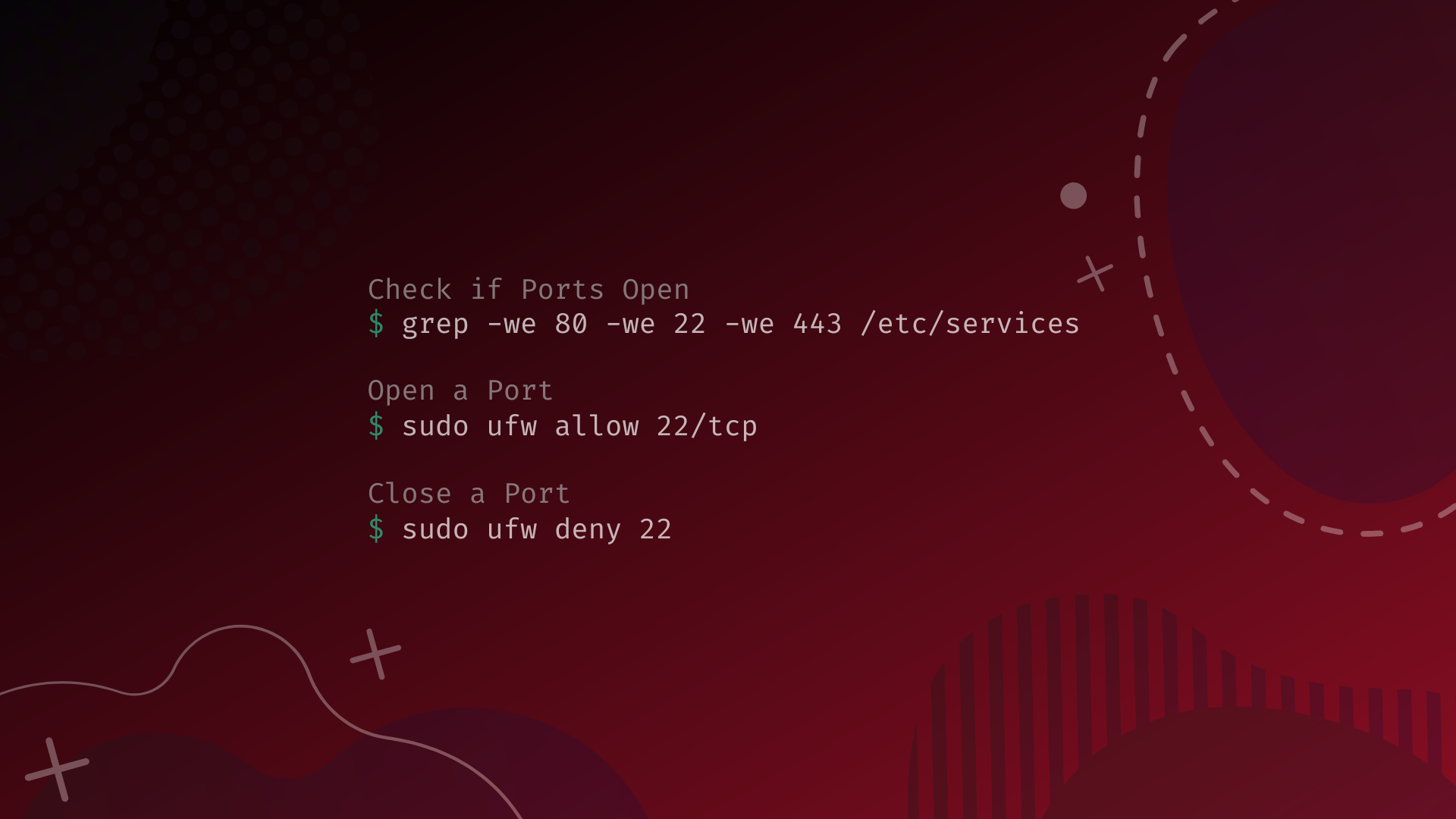
You can use external online port-scanning tools or run a command-line utility from an external network. Using Nmap, the command nmap -p 80 will query the port status. Locally, you can check active listening ports using netstat -an | grep 80 or ss -tuln | grep :80.
Should I disable port 80 entirely?
You should disable or restrict port 80 only if your server does not host public-facing websites and does not require HTTP-01 certificate validations. If your server exclusively serves traffic over HTTPS (port 443), closing port 80 entirely is safe and improves security, provided it does not break automated certificate renewal processes.
What is the difference between port 80 and port 443?
Port 80 is designated for unencrypted HTTP traffic, where data moves in plain text and can be easily intercepted. Port 443 is designated for HTTPS traffic, utilizing TLS/SSL encryption to secure, encrypt, and authenticate all communications between the client and the server.
Why do some ISPs block port 80?
Many Internet Service Providers block port 80 on residential and standard business dynamic-IP tiers to prevent customers from running unapproved, unmanaged web servers that could be compromised by malware, used for spam distribution, or leveraged in botnet attacks.
Conclusion and Next Actions
An open port 80 remains a foundational element of internet architecture, bridging the gap between open web accessibility and secure communications. While it carries inherent risks due to its lack of encryption, these risks can be effectively mitigated by implementing strict HTTP-to-HTTPS redirection, deploying robust web application firewalls, and maintaining rigorous patch management schedules. Administrators should audit their network perimeters regularly to ensure that port 80 is used intentionally and securely, balancing operational necessity with modern cybersecurity standards.