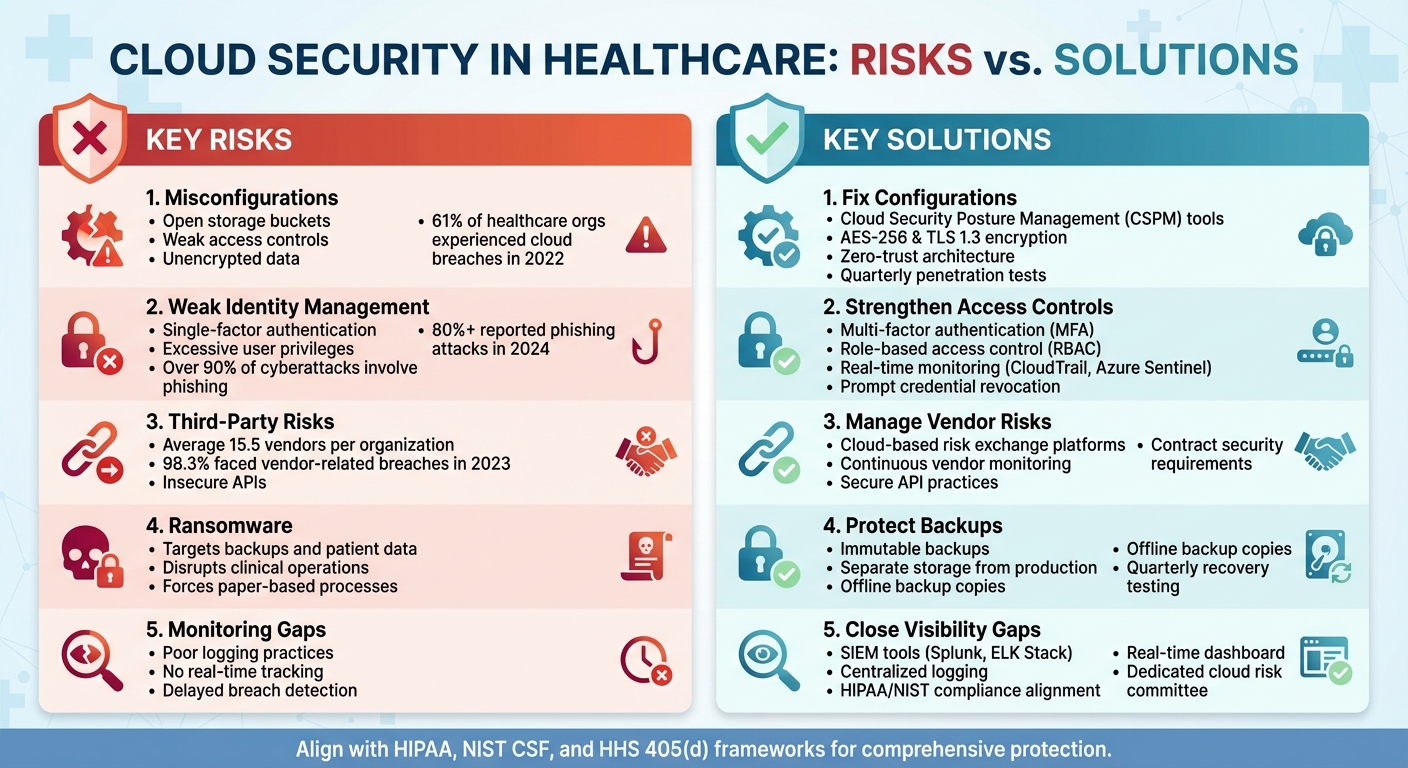
Portable Document Format (PDF) files are not a universal solution for mitigating cloud security risks; in fact, they are often considered high-risk vectors. While PDF/A standards and encrypted containers offer specific archival and access-control benefits, relying on them as a primary security layer in cloud environments ignores the sophisticated threats posed by malware injection, data exfiltration, and unauthorized metadata access inherent in the format.
The Myth of PDF Security in Cloud Environments
In the evolving landscape of 2026, organizations frequently seek "silver bullet" solutions for cloud security. A common misconception persists that converting documents to PDF format—and locking them—automatically secures sensitive data against cloud-based breaches. This belief is technically flawed.
PDF files are complex, programmable objects. They support JavaScript, external content embedding, and active form fields. When stored in cloud repositories, these features can be exploited by threat actors to perform cross-site scripting (XSS) or to trigger remote code execution when an unsuspecting user opens the document. Unlike lightweight formats that contain only static text, a standard PDF can act as a delivery vehicle for malicious payloads. Therefore, rather than being a "key" to security, PDFs are a component of the attack surface that must be actively managed, scanned, and restricted.
Understanding the Attack Surface of PDF Files
To determine whether PDFs contribute to security, one must first evaluate how they interact with cloud infrastructure. Cloud computing relies on shared responsibility models where the cloud service provider (CSP) secures the infrastructure, but the user is responsible for the data within it.
- Malicious Scripting: Many PDF readers interpret internal scripts. If a user uploads a weaponized PDF to a cloud-based collaboration tool, that file can execute scripts that target the user’s local machine or attempt to gain unauthorized API access to the cloud environment.
- Metadata Leakage: PDFs often contain hidden metadata, including author details, software versions, and internal file paths. In a cloud-shared environment, this information can inadvertently map an organization's network structure for a potential attacker.
- Encapsulation Vulnerabilities: Organizations often use PDFs to wrap other files. If a compressed or encrypted PDF contains a malicious archive, standard cloud-based anti-malware scanners may fail to inspect the nested content, allowing the threat to pass into the enterprise ecosystem.
Distinguishing Between Archival Safety and Active Security
The confusion regarding PDF security often stems from a misunderstanding of the PDF/A standard. PDF/A is an ISO-standardized version of the PDF format designed for long-term archiving. It achieves stability by prohibiting features that cause security and compatibility issues, such as:
- Encryption and Digital Signatures: While these exist, they are restricted in strict archival profiles.
- External Content: PDF/A disallows references to external files or fonts, which effectively kills most "call-home" malware triggers.
- JavaScript: Scripts are generally prohibited in PDF/A, significantly reducing the surface area for active exploits.
If an organization mandates that all documents stored in the cloud be converted to strict PDF/A-3 or PDF/A-4 standards, they effectively sanitize the document of many active threats. However, this is an archival strategy, not a real-time security control for collaborative cloud workflows.
Comparison of Document Formats for Cloud Storage
When evaluating how to store sensitive data in the cloud, security architects must look beyond simple format conversion.
| Format | Security Risk Profile | Primary Use Case | Mitigation Needed |
|---|---|---|---|
| Standard PDF | High (supports scripts) | General documents | Deep Content Inspection (DCI) |
| PDF/A | Low (static content) | Long-term archiving | Digital signature verification |
| Encrypted ZIP | Moderate (hides payload) | Secure transfer | Sandbox detonation |
| Plain Text (.txt) | Minimal | Configuration/Logs | Access control/IAM policies |
| Cloud-Native (.docx/xlsx) | Moderate | Collaboration | API-based security gateways |
Implementing a Security-First Strategy for Cloud Documents
Rather than relying on the file format itself as a security feature, organizations should implement a layered defense strategy (Defense in Depth). If your workflow requires the use of PDFs in cloud environments, consider the following technical controls.
1. Content Disarm and Reconstruction (CDR)
Modern cloud security gateways utilize CDR technology. Instead of simply scanning a PDF for known malware signatures (which often misses zero-day threats), a CDR engine strips the PDF of all active content—JavaScript, embedded macros, and dynamic elements—and regenerates a "clean" version of the file for the end-user. This effectively neutralizes the risks associated with the PDF format while preserving the visual content.
2. Identity and Access Management (IAM)
The security of a document in the cloud is defined more by who can access it than by the format of the file. Use fine-grained IAM policies to ensure that even if a PDF is shared, the cloud service environment enforces encryption at rest and in transit. Rights Management Services (RMS) can be applied to PDFs so that even if the file is downloaded, the decryption key remains tied to an authenticated user identity.
3. Automated Metadata Sanitization
Before uploading documents to public-facing cloud buckets, deploy automated scripts that strip EXIF data and document properties. This prevents internal information—such as the OS version or printer names—from leaking into the cloud ecosystem, where it could be harvested by automated reconnaissance bots.
Common Mistakes in Document Security
The most frequent error is the "set it and forget it" approach. Organizations often assume that because they have moved to a "secure" cloud environment, the files they upload are inherently safe.
- Ignoring Shadow IT: Users may upload PDFs to unauthorized personal cloud storage. Because these platforms lack the enterprise-grade CDR or scanning tools of a managed environment, the security risks are magnified.
- Over-reliance on Native Scanners: Built-in scanners in platforms like Google Drive or Microsoft 365 are effective against common malware, but they are not a substitute for specialized file-security gateways when dealing with highly sensitive regulatory data.
- Failure to Use Digital Signatures: Even if a file is safe from malware, its integrity is at risk. Using digital signatures ensures that the PDF has not been tampered with while residing in the cloud.
FAQ: Securing Cloud Documents
Does encrypting a PDF make it safe to store in the cloud? Encryption protects the confidentiality of the file, preventing unauthorized reading, but it does not protect the environment from the content of the PDF once opened. If a user decrypts and opens a malicious PDF, the threat can still execute on their local device or interact with the cloud session.
Are cloud-native formats safer than PDFs? Cloud-native formats (such as web-based document editors) are generally safer because they do not support the same level of complex scripting that PDFs do. They exist as database entries rather than standalone executable objects, which makes them harder to weaponize in a traditional sense.
Should we disable PDF uploads in our cloud environment? For highly sensitive environments, restricting file uploads to sanitized formats is a valid security posture. However, it often disrupts business operations. A balanced approach is to implement a gateway that forces all PDFs through a sanitization process before they reach the central storage.
What is the role of the CSP in document security? The CSP is responsible for the integrity of the storage buckets and the underlying encryption at rest. They provide the APIs that allow you to integrate third-party security tools, but they are generally not responsible for scanning the internal code of your uploaded files for malicious scripts.
Recommended Next Actions
To effectively manage document risks in your cloud architecture in 2026, follow these three steps:
- Audit: Run an inventory of all PDF storage locations across your cloud environment. Identify which files are public-facing and which are internal-only.
- Deploy: Implement a Cloud Access Security Broker (CASB) that includes Content Disarm and Reconstruction (CDR) capabilities. This provides the most robust protection against PDF-based exploits.
- Policy: Update your organizational data security policy to mandate that any document containing PII (Personally Identifiable Information) or sensitive intellectual property must be stored in a non-executable format or processed through an approved sanitization pipeline before cloud migration.
By moving away from the belief that the PDF format provides inherent security and toward a model of active content inspection and rigorous access control, you significantly reduce the risk of cloud-based breaches.